TR7500E_Manual_en_v28 - 第117页
C h a p t e r 2 M a nu a l B a r i n t r o d u ce T R 7500 U S E R M A N U AL 1 10 n X - S h i ft 、 Y - s h i ft 、 T h e ta – P r e s e n t s t h e h o r i z o n t a l s h i f t a n d v e r t i ca l s h i f t a n d t h e…
Chapter 2 Manual Bar introduce
TR7500 USER MANUAL
109
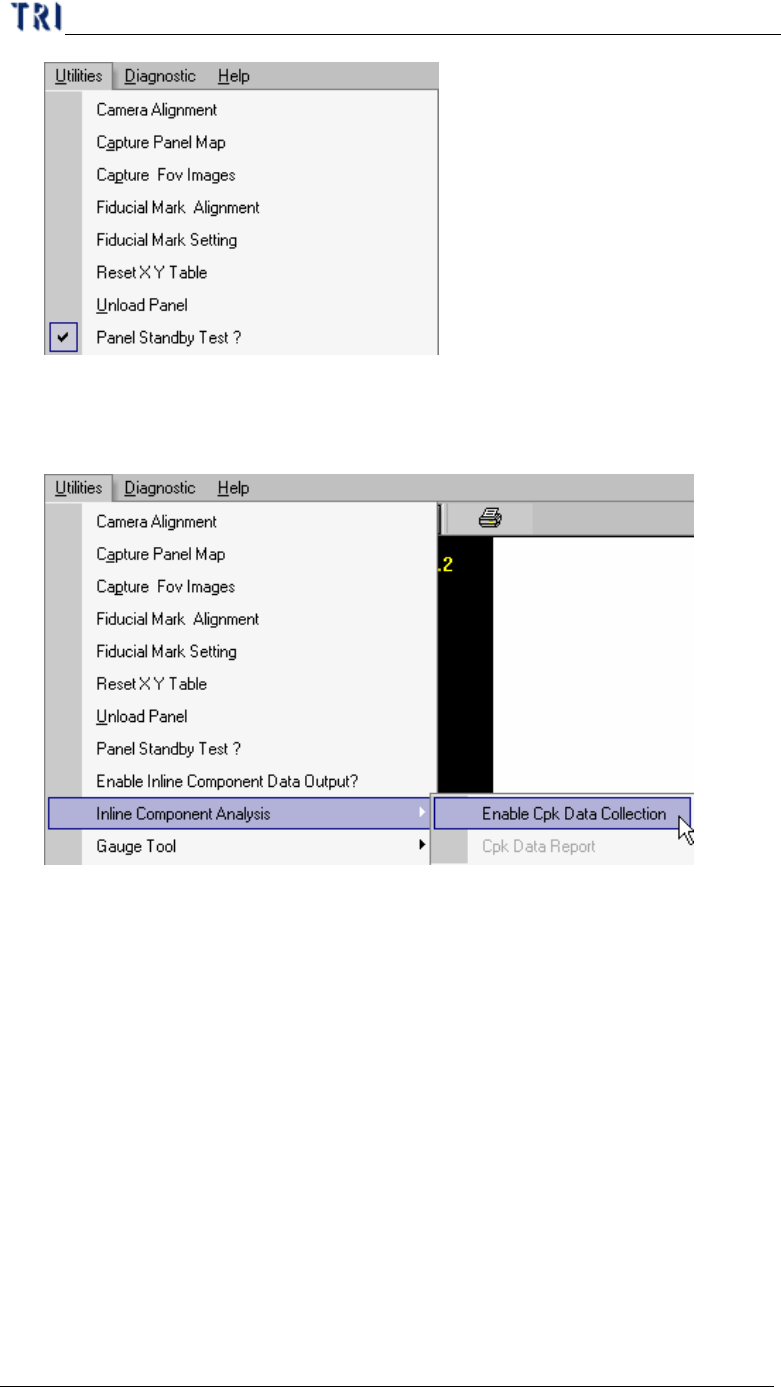
7.9. Inline Component Analysis
l You can collect inspection result and review result on machine.
7.9.1. Enable Cpk Data Collection
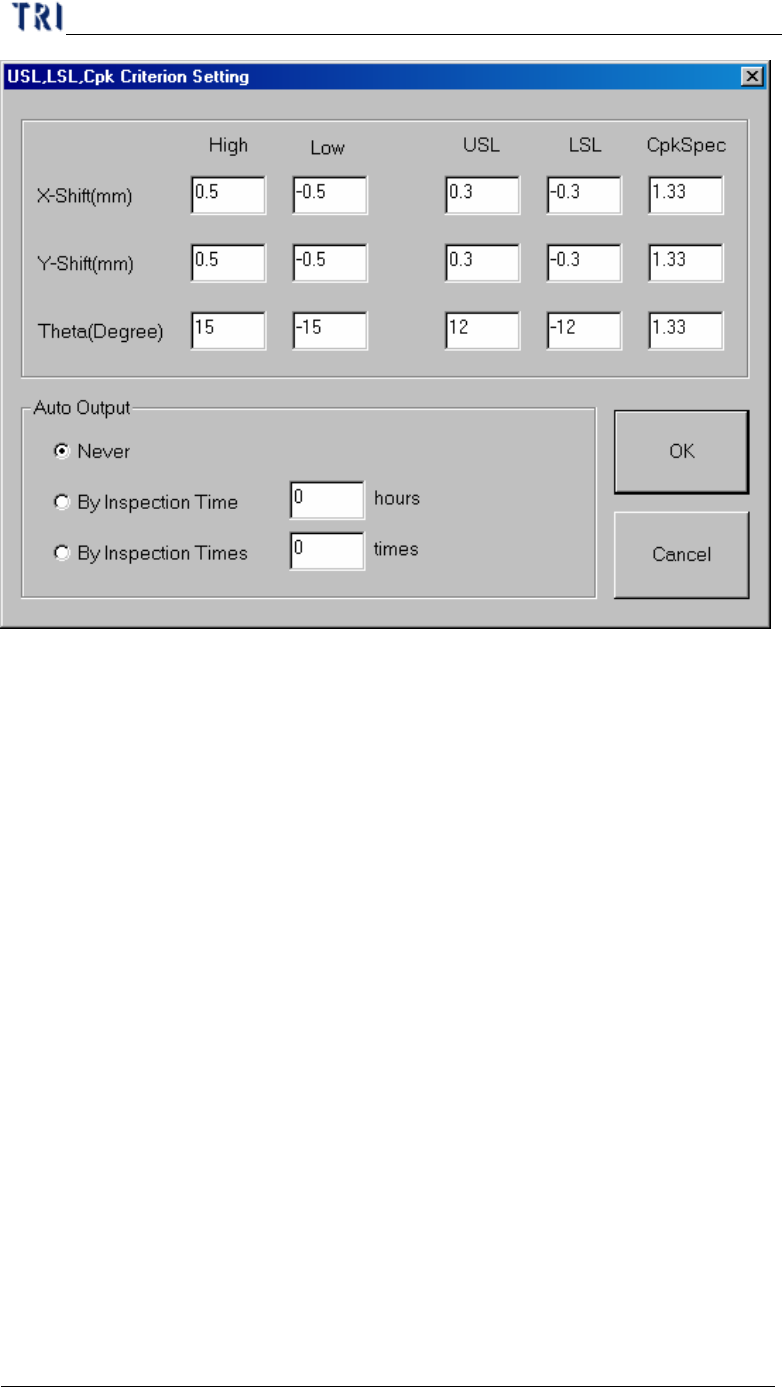
l When you select the item the following window will present. You can select the
collection rule here.
Chapter 2 Manual Bar introduce
TR7500 USER MANUAL
110
n X-Shift、Y-shift、Theta– Presents the horizontal shift and vertical shift and
the rotated angle separately.
n High, Low – The upper and lower limit for the testing result. When the
result is laid in this range, it can be included in calculating.
n USL–The upper spec limit for calculating Cpk index.
n LSL–The lower spec limit for calculating Cpk index.
n CpkSpec–The tolerance for Cpk. It is normal when Cpk is greater than this
value; it’s abnormal when Cpk is smaller than this value.
n Never–Not to output automatically.
n By Inspection Time–Outputs data according to the assigned time
interval.(unit: hours)
n By Inspection Times–Outputs data according to the assigned number of
inspected counts.
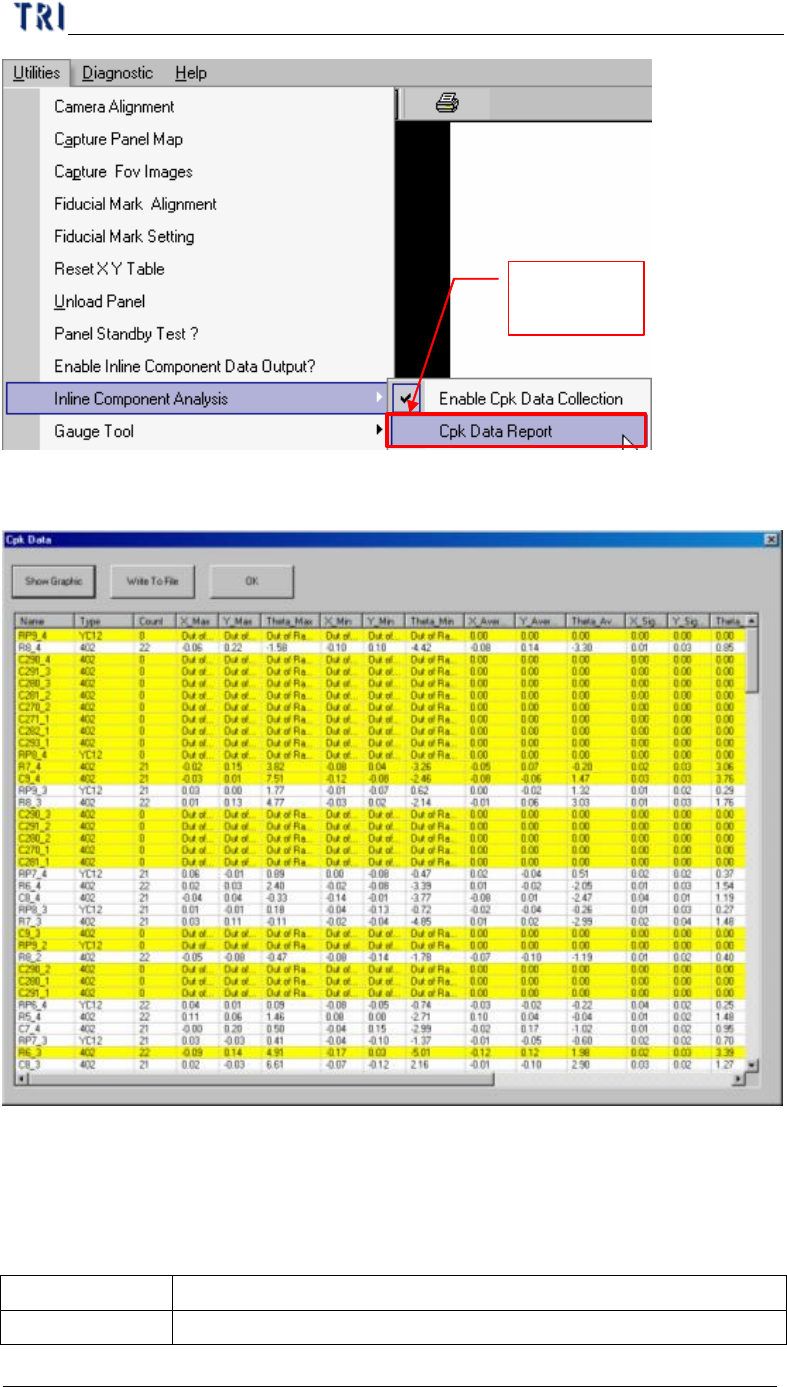
7.9.2. Cpk Data Report
l You can review the data you collect before.
Chapter 2 Manual Bar introduce
TR7500 USER MANUAL
111
Change to
enable
l Cpk format
n You can click on the field title to sequence the data according to the value.
n The yellow means that the component is abnormal. (The Cpk value is lower
than CpkSpc)
n Every field is explained as follows:
Name Component name
Type Component type