TR7500E_Manual_en_v28 - 第128页
C h a p t e r 2 M a nu a l B a r i n t r o d u ce T R 7500 U S E R M A N U AL 1 21 l C a n c e l – C l o s e t h e d i a l o g . 8 . D ia gn o s t i c T e s ti ng I /O i n t e rf a ce w i t h P L C S e l f D i a gn o s i…
Chapter 2 Manual Bar introduce
TR7500 USER MANUAL
120
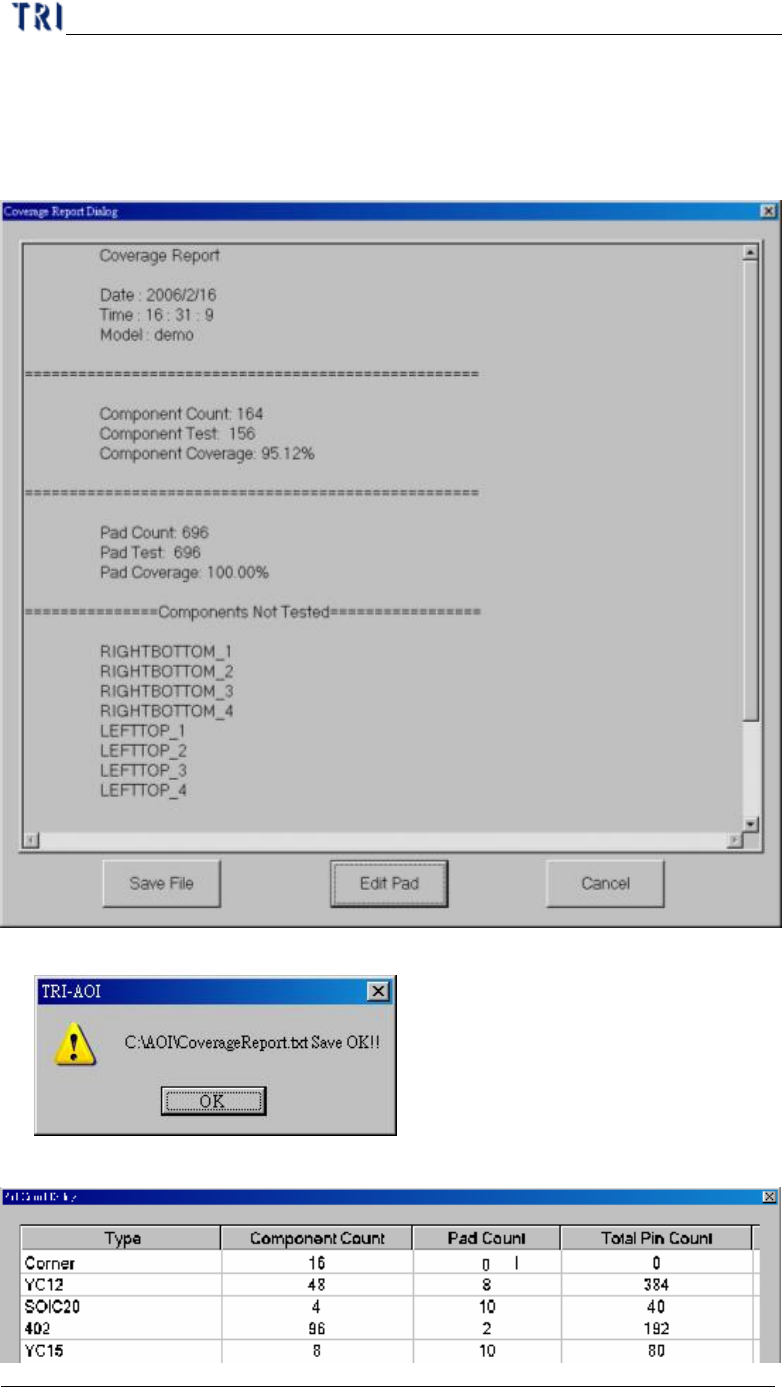
l To show the report for coverage as the following. System calculates the coverage
for component and PAD automatically. And the report displays the components
without [Missing] box, components that is with untest PAD and the components
that is not tested.
l Save File – Exports the report in text file.
l Edit Pad – You can edit the number of PAD.
Chapter 2 Manual Bar introduce
TR7500 USER MANUAL
121
l Cancel – Close the dialog.
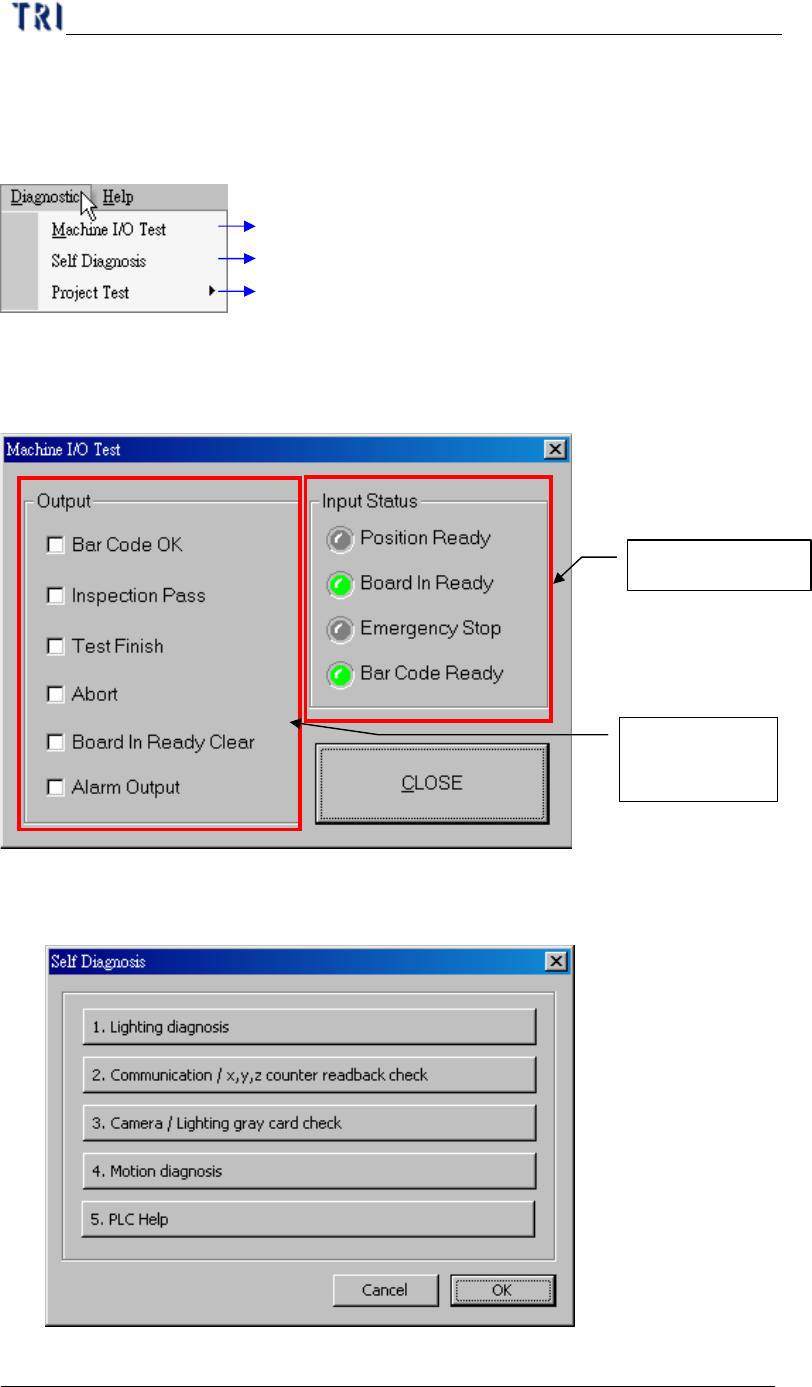
8. Diagnostic
Testing I/O interface with PLC
Self Diagnosis
Testing project file data structure is fail or not
8.1. Machine I/O Test
l PC with PLC I/O testing directly.
8.2. Self Diagnosis
l Can do several self-test for system.
PLC input signal
PC output to
PLC signal
Chapter 2 Manual Bar introduce
TR7500 USER MANUAL
122
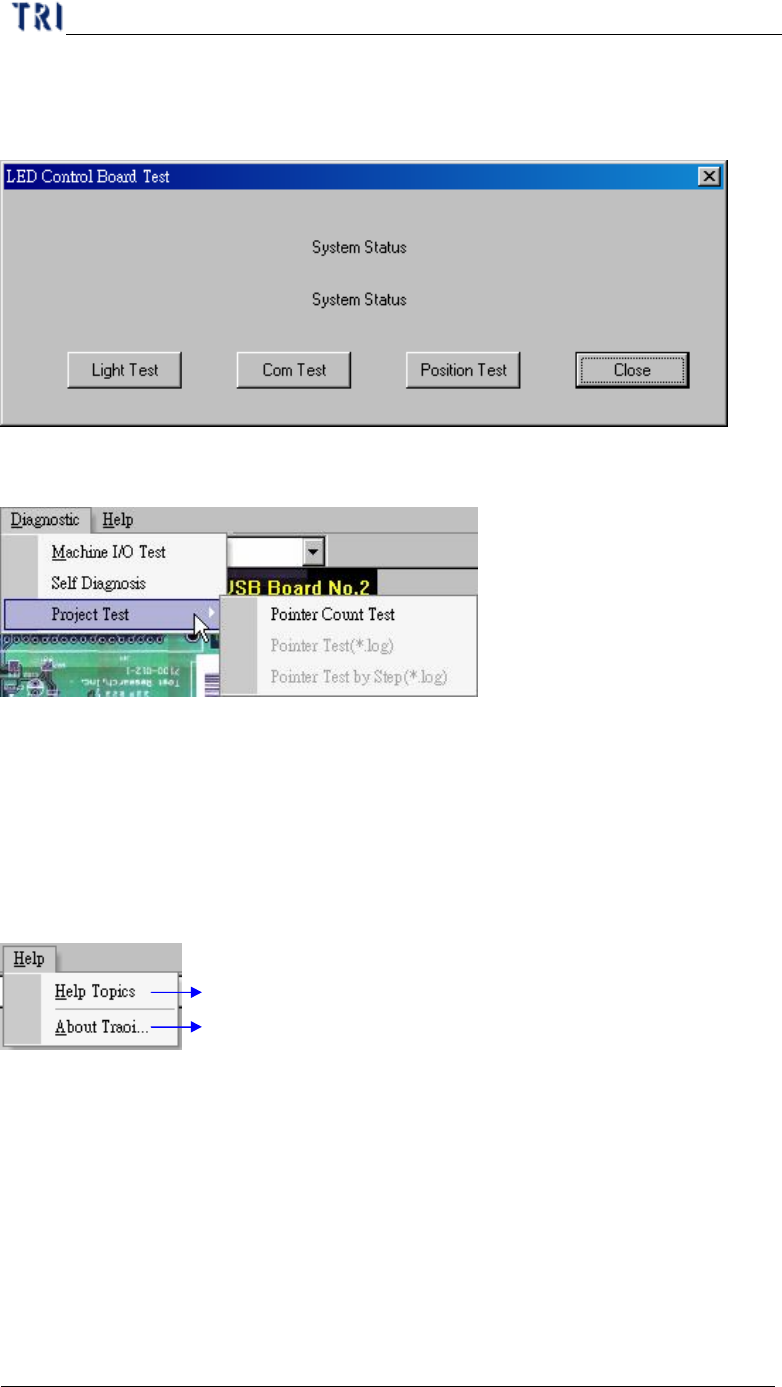
l Lighting diagnosis - press [Light Test] to test the lighting system or press
[Com Test] to test the communication between hardware.
8.3. Project Test
l You can press [Pointer Count Test] to test the structure and link of inspection
boxes in this project. If the result of testing is fail, you can choose whether you
want to repair the project.
9. Help
TRI program help file
Version display for the program
9.1. Help Topics
l To show the help manual.
9.2. About Traoi
l To show the version of TR7500E