TR7500E_Manual_en_v28 - 第131页
C h a p t e r 3 A O I A T P G F u n c t i o n i n s t r u c t i on T R 7500 U S E R M A N U AL 1 24 C o m pon e n t s e x i s t e d l i s t b. T r a n s l a t e B O M f i l e ( S ee s e c ti o n C h a p t e r 3 1 . 2 . )…
Chapter 3 AOI ATPG Function instruction
TR7500 USER MANUAL
123
Chapter 3 AOI ATPG Function instruction
1. CAD file Translator for AOI file
1.1. Load Data file (AOI)
1
2
3
4
5
6 7
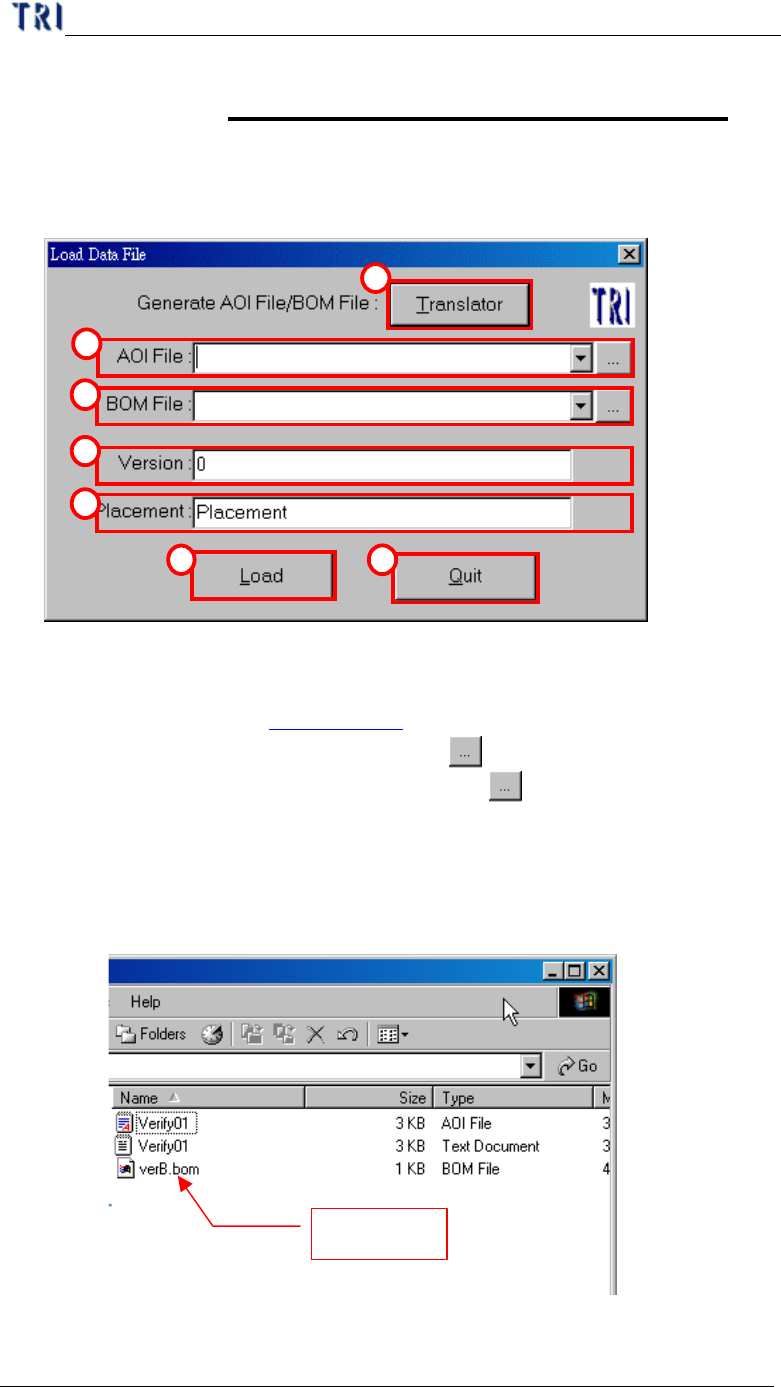
(1) Translator – CAD file translator. You can use this function to translate CAD file
to AOI file. (See section Chapter 3 1.2. ).
(2) AOI File – Input the path of AOI file or use
button to browse.
(3) BOM File – Input the path of BOM file or press
button to browse if need. If
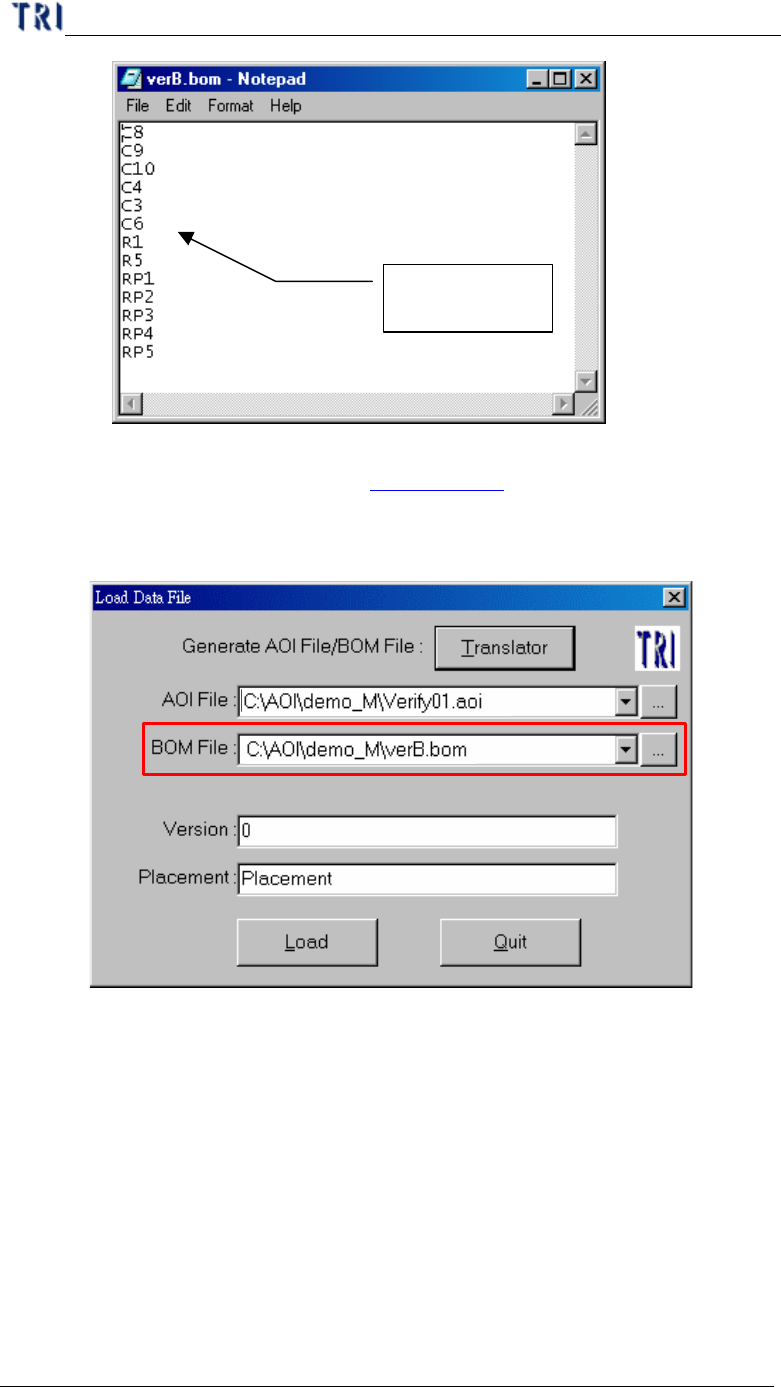
the BOM file is loaded, the system will set the component which is not included
in the BOM file as “UNTEST”. You can edit BOM file by “Translator” or us.
a. Create BOM file by ourselves.
i. Format of BOM file.
BOM file
Chapter 3 AOI ATPG Function instruction
TR7500 USER MANUAL
124
Components
existed list
b. Translate BOM file (See section Chapter 3 1.2. ).
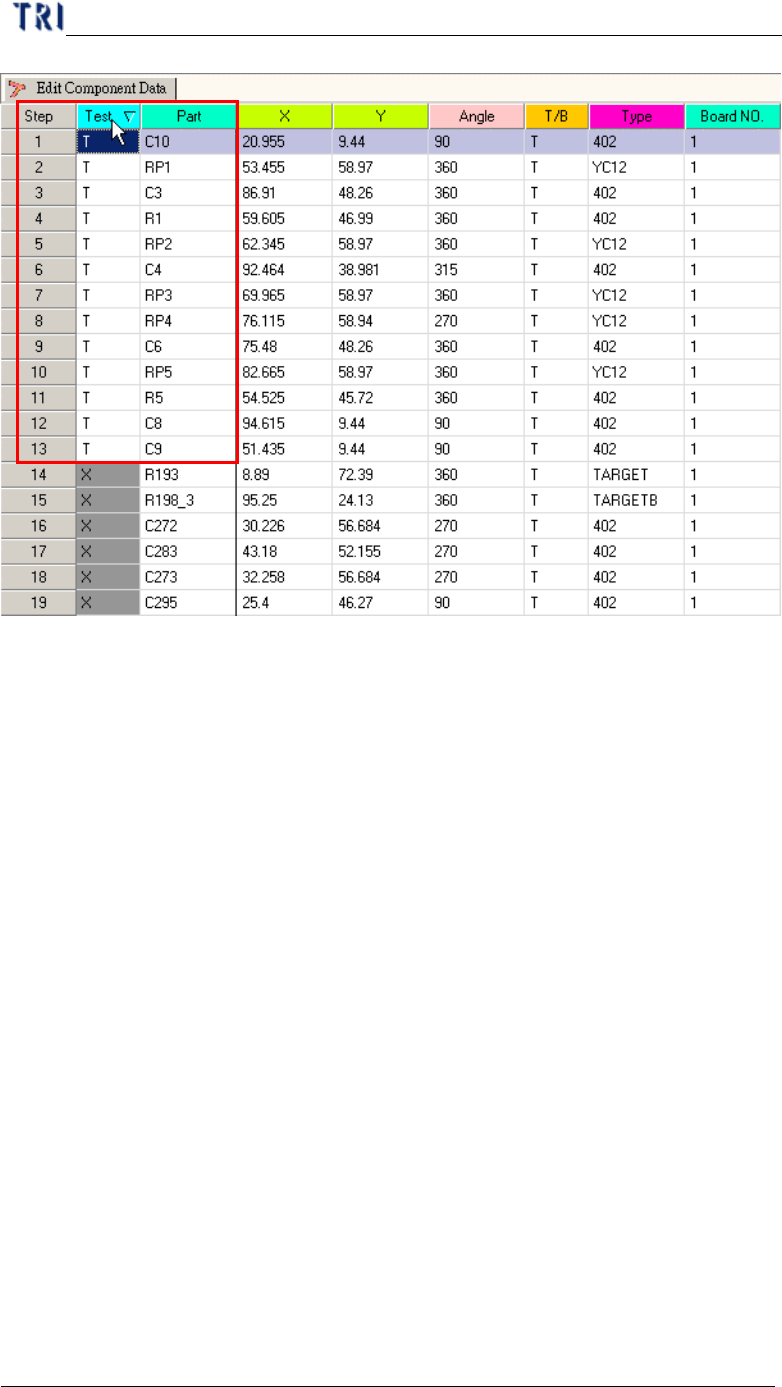
c. Display the function.
i. Load AOI file with BOM file
ii. There are only components on BOM file set as “Test”.
Chapter 3 AOI ATPG Function instruction
TR7500 USER MANUAL
125
(4) Version – Definition the current input component version.
(5) Placement – Input the placement machine name.
(6) Load – Loading AOI (BOM) data file and entering the next step.
(7) Quit – Exit load AOI (BOM) data file.
1.2. Translator
In section 1.1. , press “Translator” in “Load Data File” dialog, then you will enter
“File Translator” dialog as the following.