TR7500E_Manual_en_v28 - 第133页
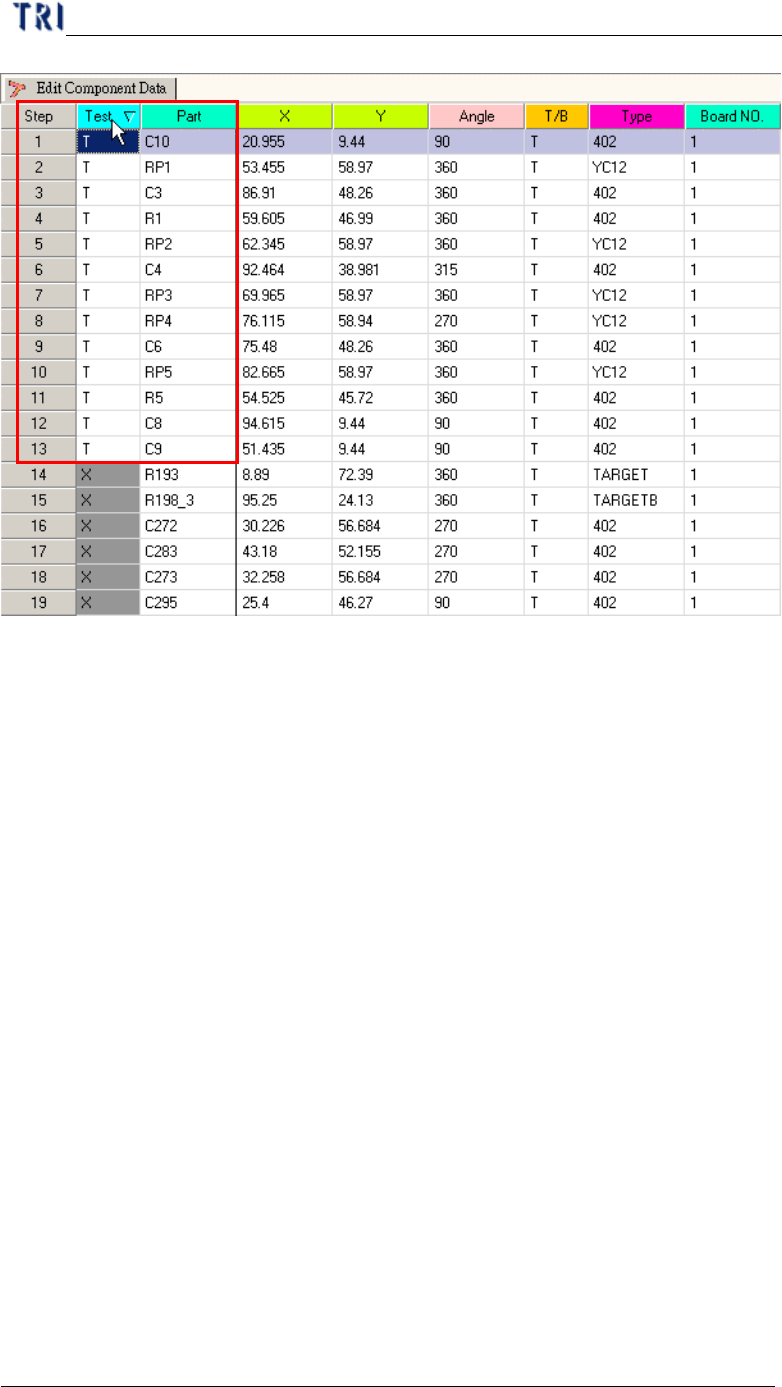
C h a p t e r 3 A O I A T P G F u n c t i o n i n s t r u c t i on T R 7500 U S E R M A N U AL 1 26 1 2 3 4 5 6 7 8 9 1 0 1 1 1 2 ( 1) S o u r ce f i l e – I n p u t t h e p a t h o f o r i g i n a l C AD f il e . ( 2) U…
Chapter 3 AOI ATPG Function instruction
TR7500 USER MANUAL
125
(4) Version – Definition the current input component version.
(5) Placement – Input the placement machine name.
(6) Load – Loading AOI (BOM) data file and entering the next step.
(7) Quit – Exit load AOI (BOM) data file.
1.2. Translator
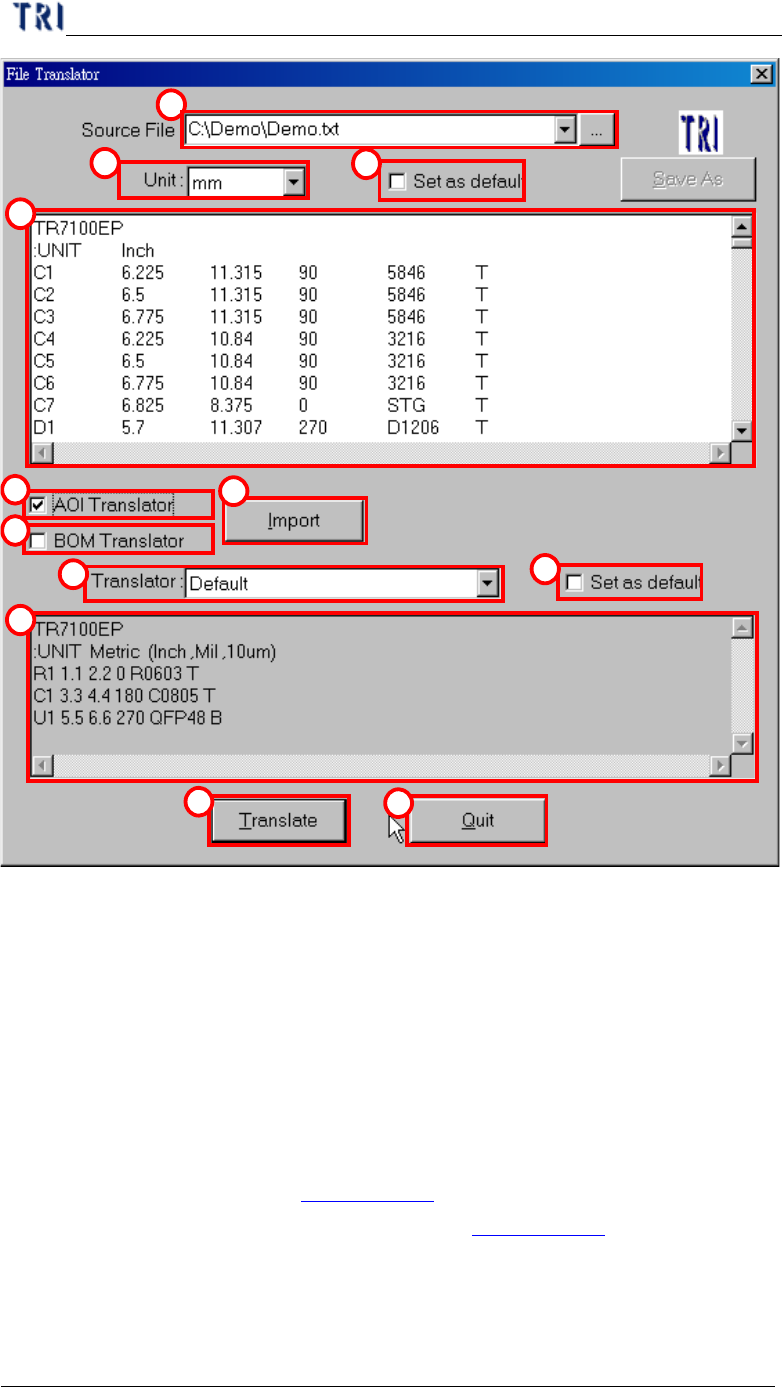
In section 1.1. , press “Translator” in “Load Data File” dialog, then you will enter
“File Translator” dialog as the following.
Chapter 3 AOI ATPG Function instruction
TR7500 USER MANUAL
126
1
2
3
4
5
6
7
8
9
10
11
12
(1) Source file – Input the path of original CAD file.
(2) Unit – Define translate unit that must be the same as CAD file.
(3) Set as default – Used current unit setting as default.
(4) Message windows – Display the source file contents.
(5) AOI Translator – Check to translate CAD to AOI file.
(6) BOM Translator – Check to translate information of bill of material to BOM file.
Since the bom format for all corporations are different the converter may not be
suitable for all boms. In this case we suggest that it’s better to create the BOM
file with hands (See section Chapter 3 1.1. ).
(7) Import – Input translator program (See section Chapter 3 1.3. ).
(8) Translator – Choosing translator program.
(9) Set as default – Used current translator setting as default.
(10) Message windows – Display the standard form of the translator for example.
Chapter 3 AOI ATPG Function instruction
TR7500 USER MANUAL
127
(11) Translate – Start to translator CAD file to AOI file.
(12) Quit – Exiting the translator procedure.
1.3. Import
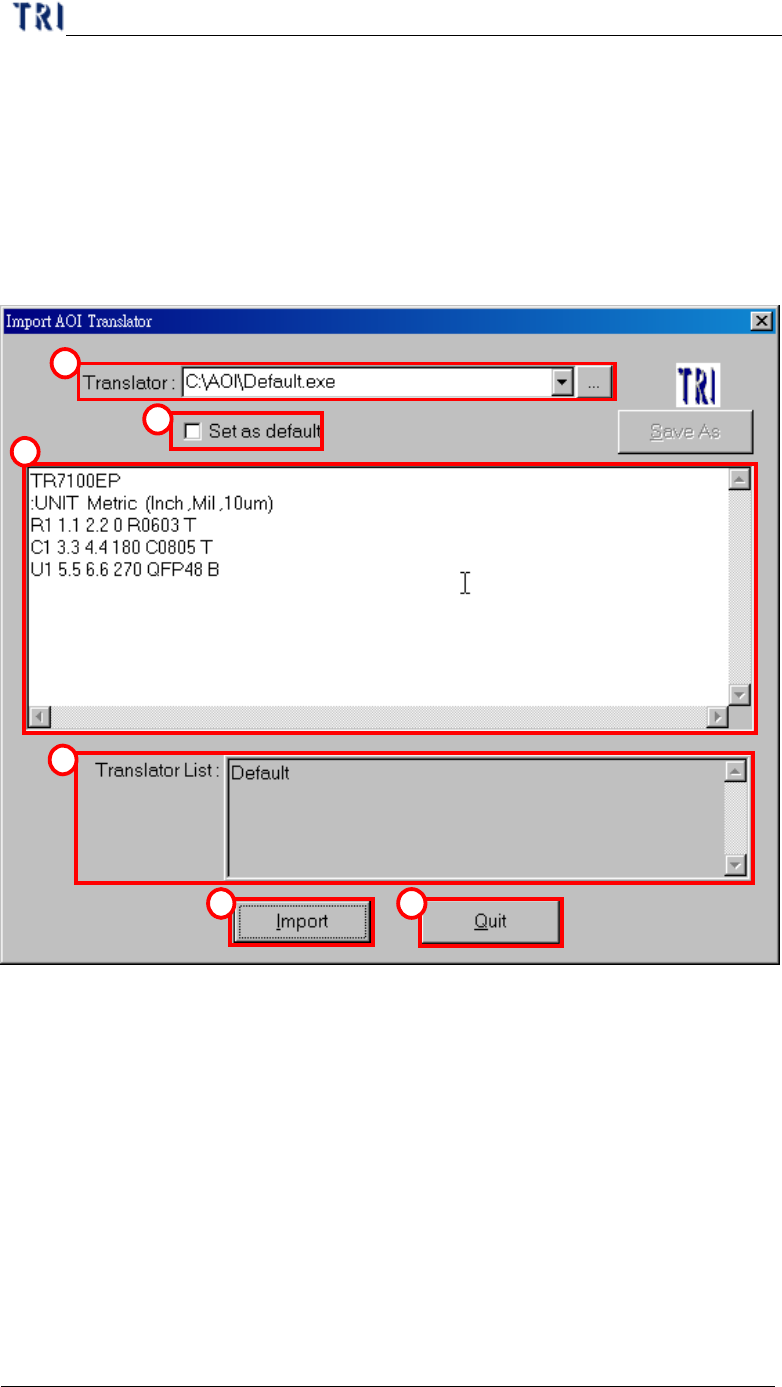
In section 1.2. , press “Import” in “File translator” dialog, then you will enter
“Import AOI Translator” dialog as the following.
1
2
3
4
5 6
(1) Translator – Input or add a new translator file.
(2) Set as default –Used current translator file as default.
(3) Message windows –Display the standard form of the translator for example.
(4) Translator list – All translator lists in the system.
(5) Import – Loading the new translator.
(6) Quit – Exiting translator import.