TR7500E_Manual_en_v28 - 第14页
C h a p t e r 1 AO I S t a nd a r d P r o j ec t Cr ea t i on T R 7500 U S E R M A N U AL 7 l D e t a i l e d e x p l a n a t i o n o f “ T r a n s l a t or ” i s i n C h a p t e r 3 1 .
Chapter 1 AOI Standard Project Creation
TR7500 USER MANUAL
6
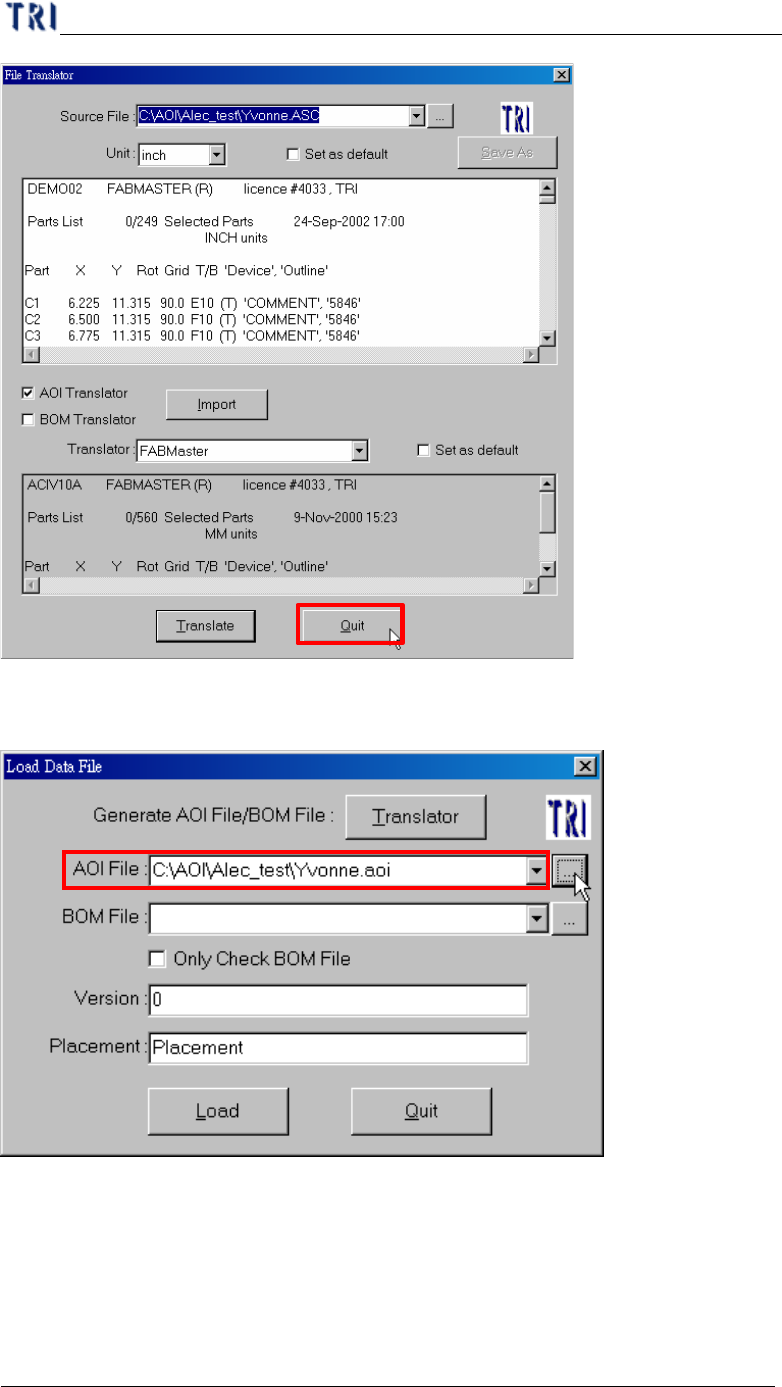
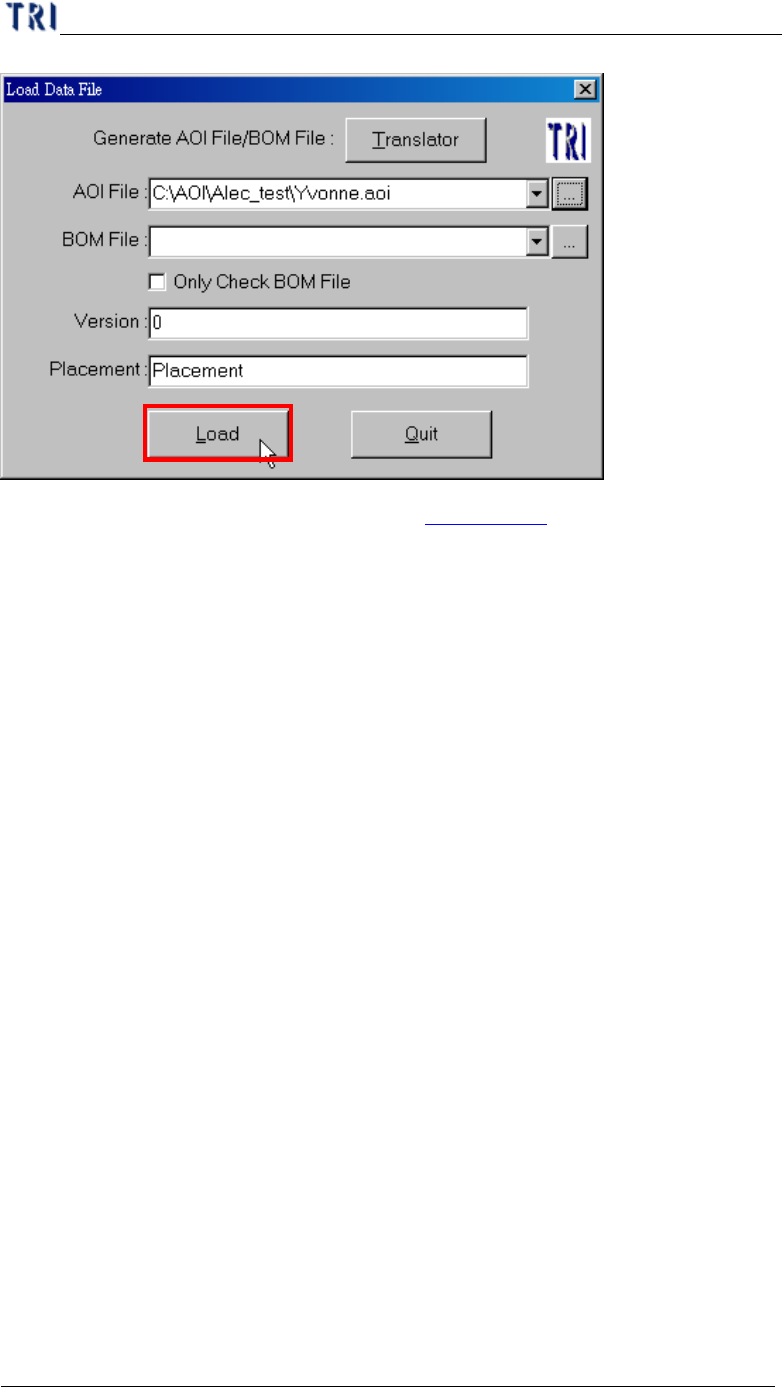
(8) Browser AOI files Name and Path.
(9) Loading AOI file.
Chapter 1 AOI Standard Project Creation
TR7500 USER MANUAL
7
l Detailed explanation of “Translator” is in Chapter 3 1.
Chapter 1 AOI Standard Project Creation
TR7500 USER MANUAL
8
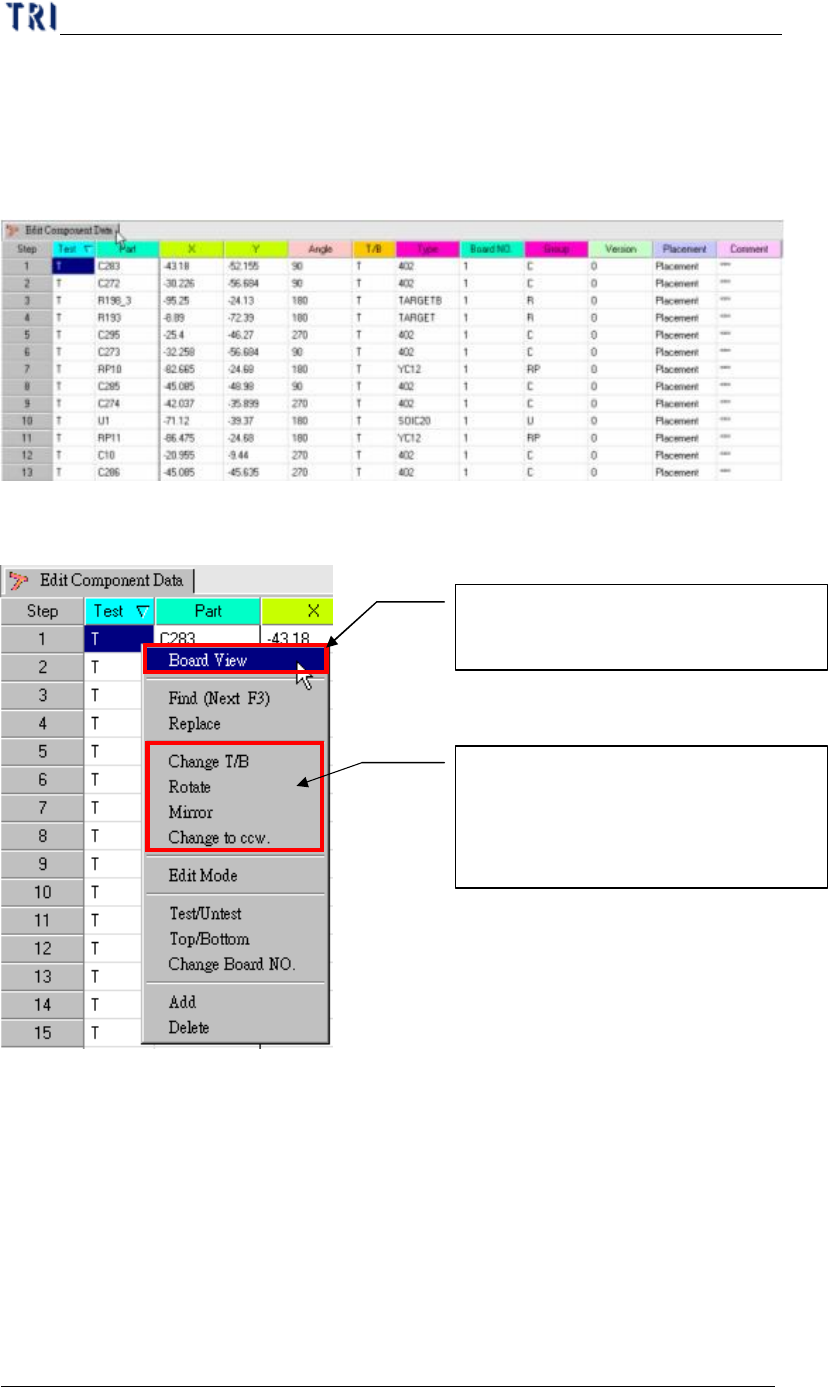
3. Edit Component Data
You should edit the AOI file to meet the position of components in upper left
corner board.
(1) Component Data list.
(2) Board pad Viewer.
(3) Pre-find Component position for board alignment.
Click mouse right side button and
choosing Board View (Top/Bottom)
Board CAD top or bottom side
change, or Board rotation 0~360°
, or
board Mirror, or component rotation
rule