TR7500E_Manual_en_v28 - 第141页
C h a p t e r 3 A O I A T P G F u n c t i o n i n s t r u c t i on T R 7500 U S E R M A N U AL 1 34 l S ea r c h i n g t h e c om p o n e n t d a t a b y y o u r s p ec i f y i n g . l I n p u t t h e c o m po n e n t n …
Chapter 3 AOI ATPG Function instruction
TR7500 USER MANUAL
133
2.2. Find (Next F3)
l
Chapter 3 AOI ATPG Function instruction
TR7500 USER MANUAL
134
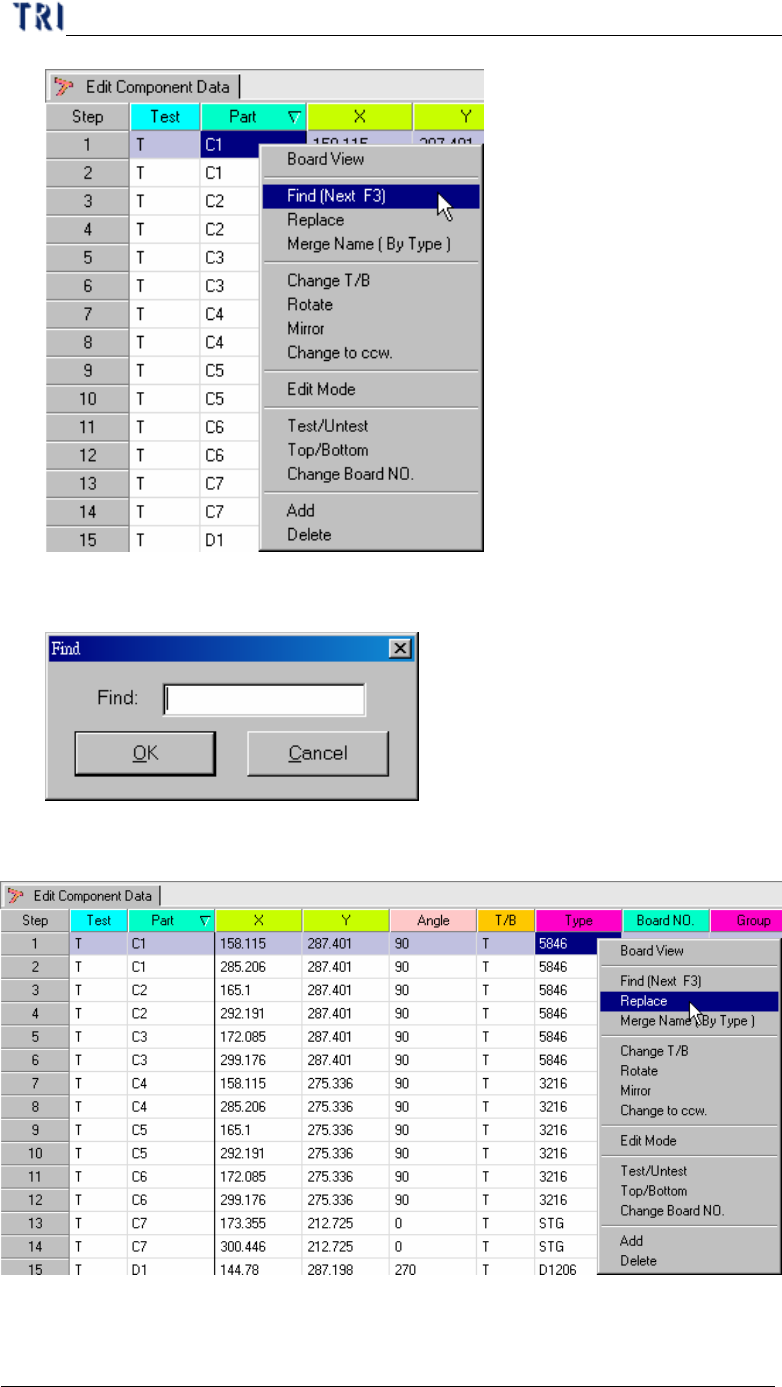
l Searching the component data by your specifying.
l Input the component name for your searching and press F3 to find next one.
2.3. Replace
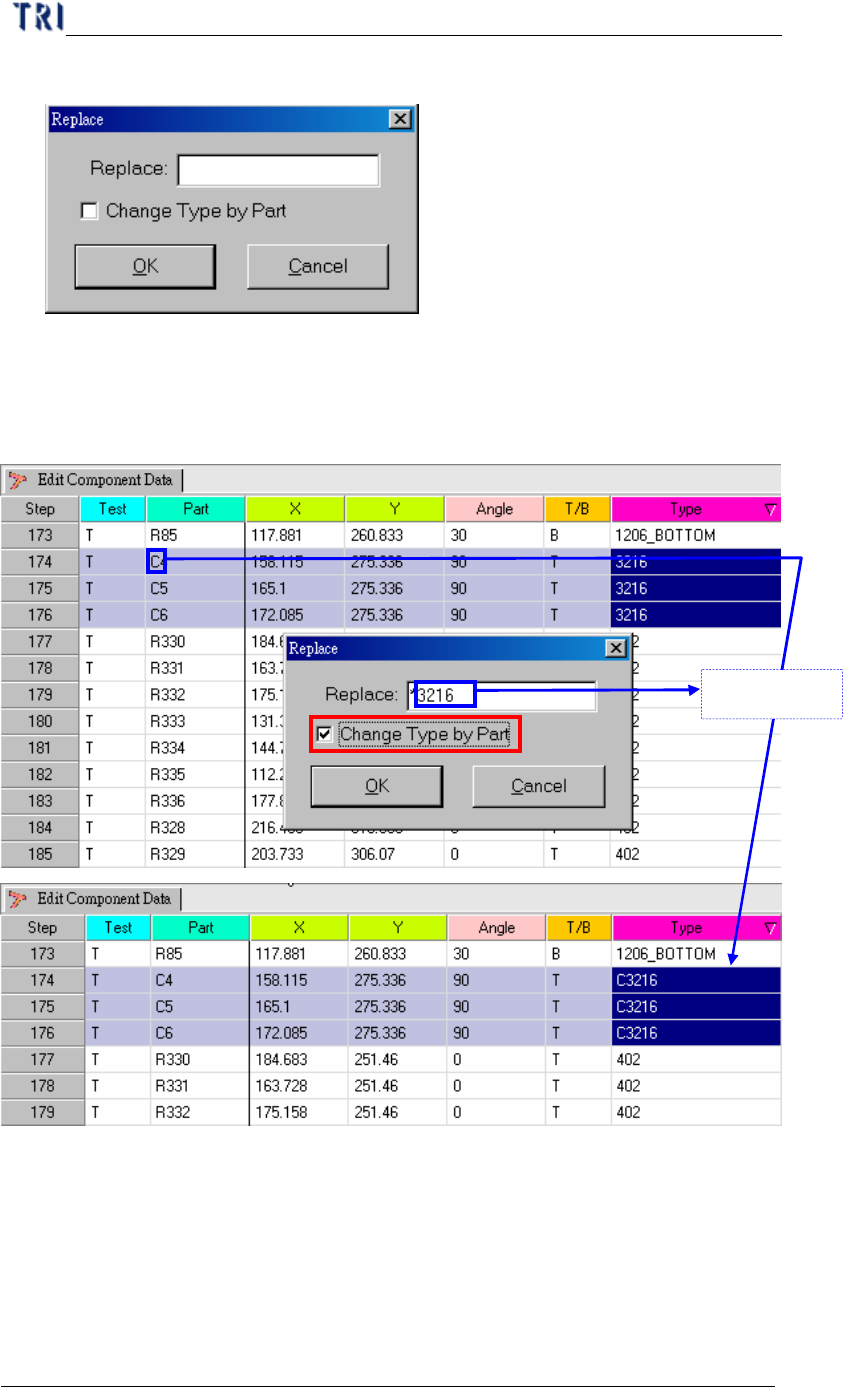
l You can use replace function to edit data except Test, Part, T/B or Board NO.
l Selecting the column you want to change and clicking right button of mouse then
Chapter 3 AOI ATPG Function instruction
TR7500 USER MANUAL
135
you can choose “Replace” to edit the column.
l The function “Change Type by Part” is used for changing type name only. If you
input replacement and check the function, the system will combine the characters
of part and the input as new type.
2.4. Merge Name (By Type)
When you select one component to merge name, the other components in same
type will be merged at the same time.
l Merge one type: Select the objective component and right click then press
“Merge Name (By Type)”. The initial character(s) will be merged to type name.
“C”+”3216”