TR7500E_Manual_en_v28 - 第145页
C h a p t e r 3 A O I A T P G F u n c t i o n i n s t r u c t i on T R 7500 U S E R M A N U AL 1 38 2 . 5 . C h a n g e T / B l C h a n g e t h e e n ti re c om p o n e n t o f b o a r d fr om t o p s i d e t o bo tt o m…
Chapter 3 AOI ATPG Function instruction
TR7500 USER MANUAL
137
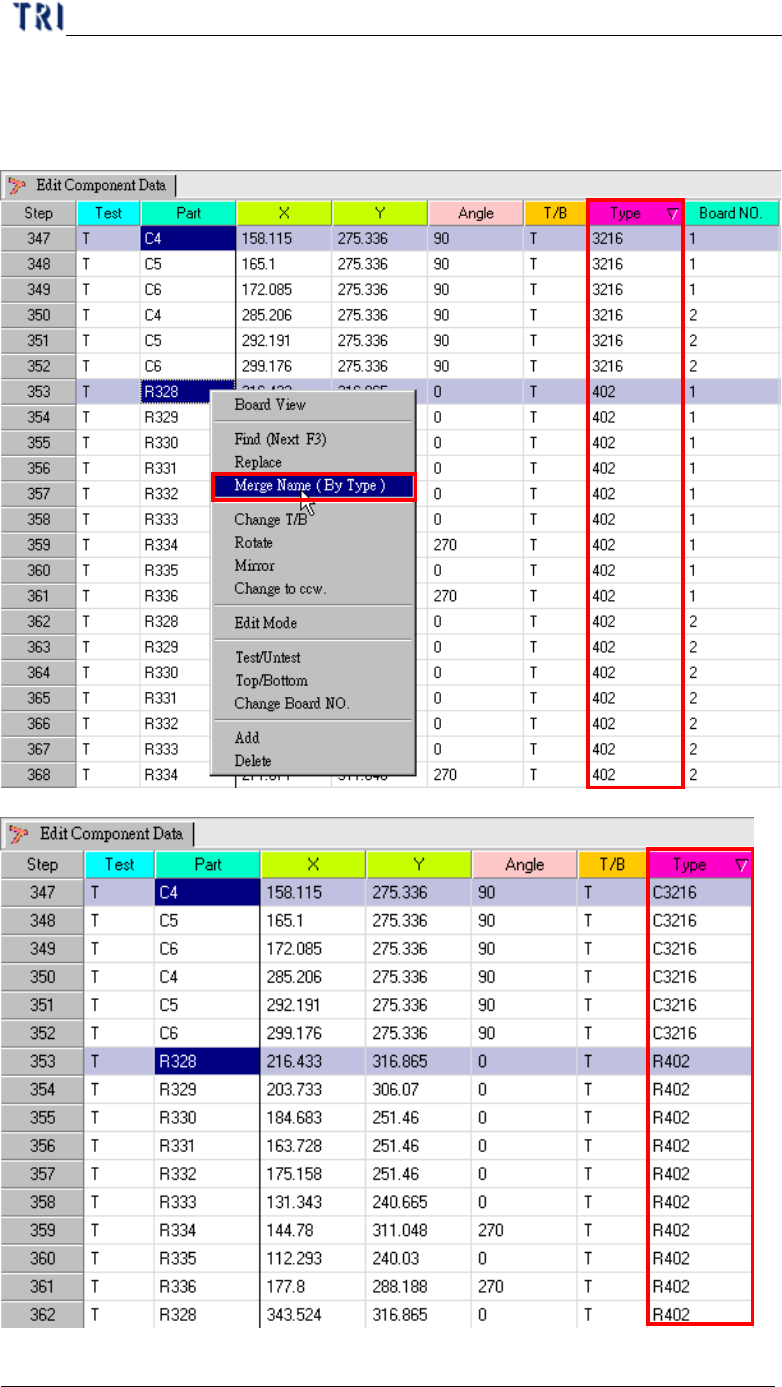
l Merge several types: You also can select more than one component to by using
“Ctrl” to merge names.
Chapter 3 AOI ATPG Function instruction
TR7500 USER MANUAL
138
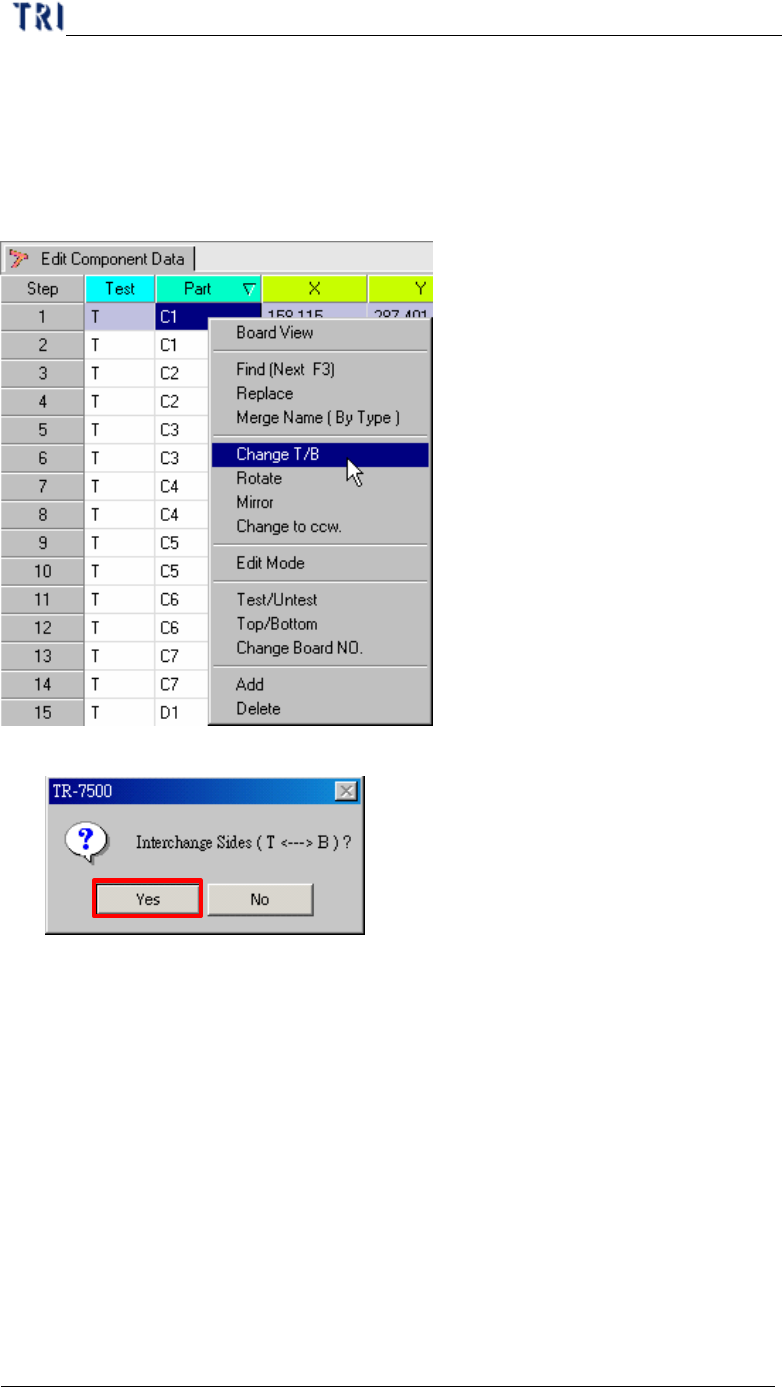
2.5. Change T/B
l Change the entire component of board from top side to bottom side and bottom
side to top side.
l The double confirm message window.
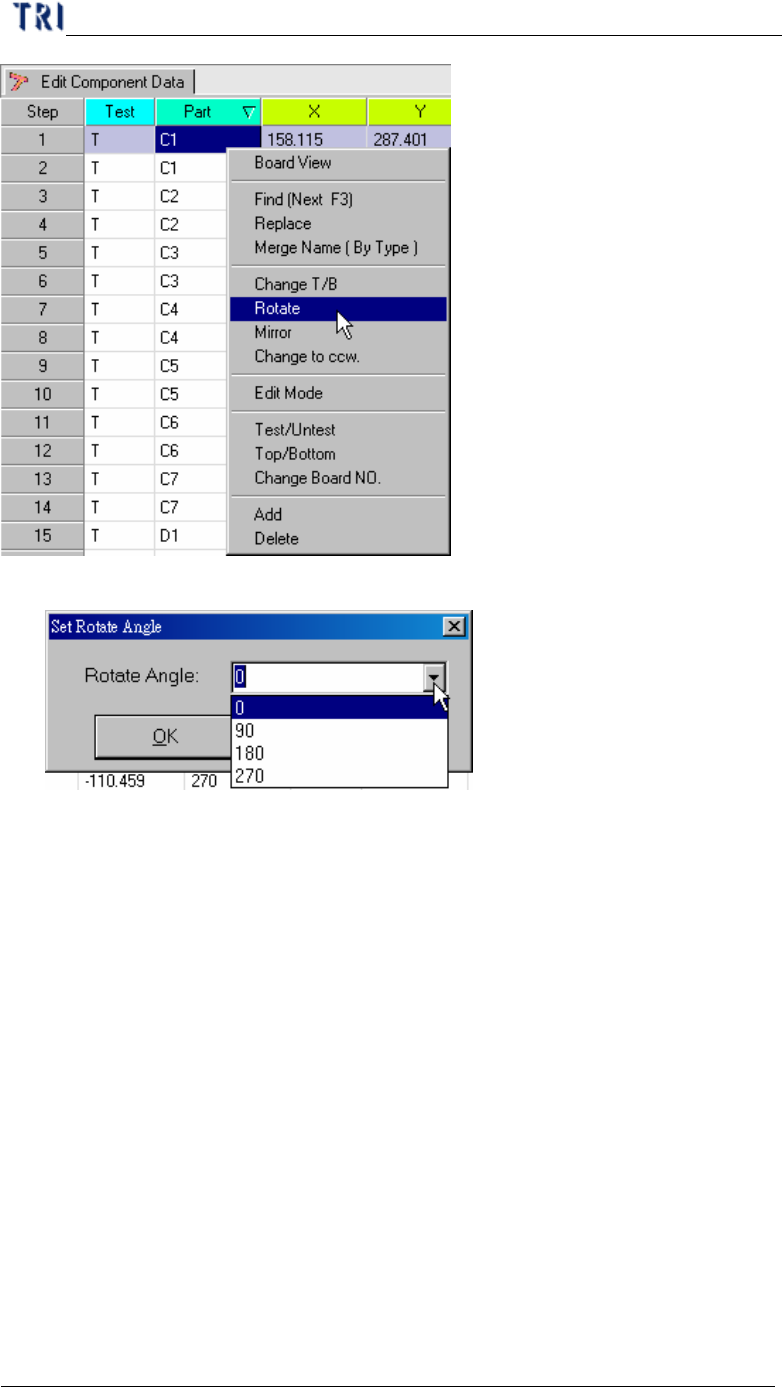
2.6. Rotate
l Rotate the board angle to specific degree (must in 0 ~ 360 degree).
Chapter 3 AOI ATPG Function instruction
TR7500 USER MANUAL
139
l You can key in any degree or select some default value.
2.7. Mirror
l Setting the board mapping way LeftRight or TopBottom.
l LeftRight – Change the board left side mapping to right side and right side
mapping to left.
l TopBottom – Change the board topside mapping to bottom side and bottom side
mapping to topside.