TR7500E_Manual_en_v28 - 第147页
C h a p t e r 3 A O I A T P G F u n c t i o n i n s t r u c t i on T R 7500 U S E R M A N U AL 1 40 l S e l ec t L e f t R i g h t o r T o p B o tt o m m i r r o r w a y l A f t e r m i rr o r i n g s y s t e m wil l c h…
Chapter 3 AOI ATPG Function instruction
TR7500 USER MANUAL
139
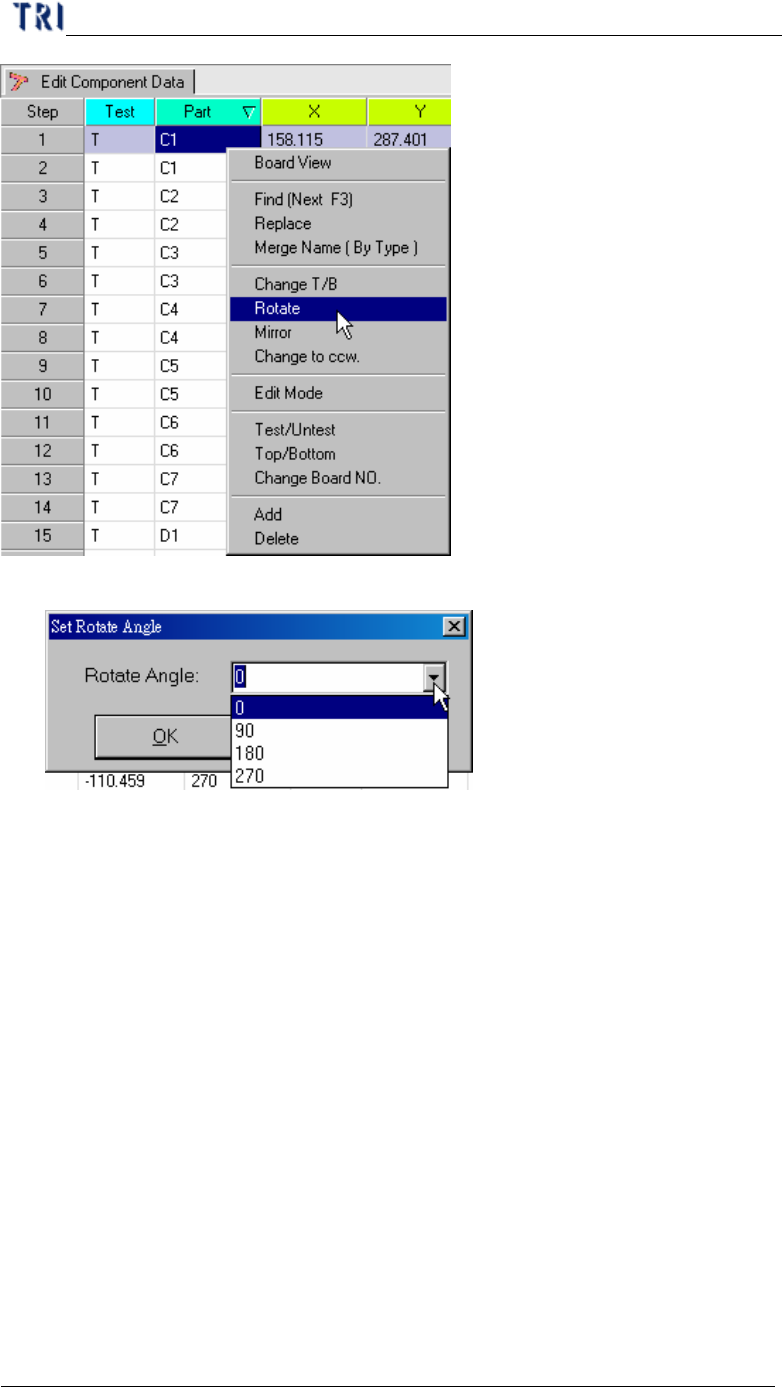
l You can key in any degree or select some default value.
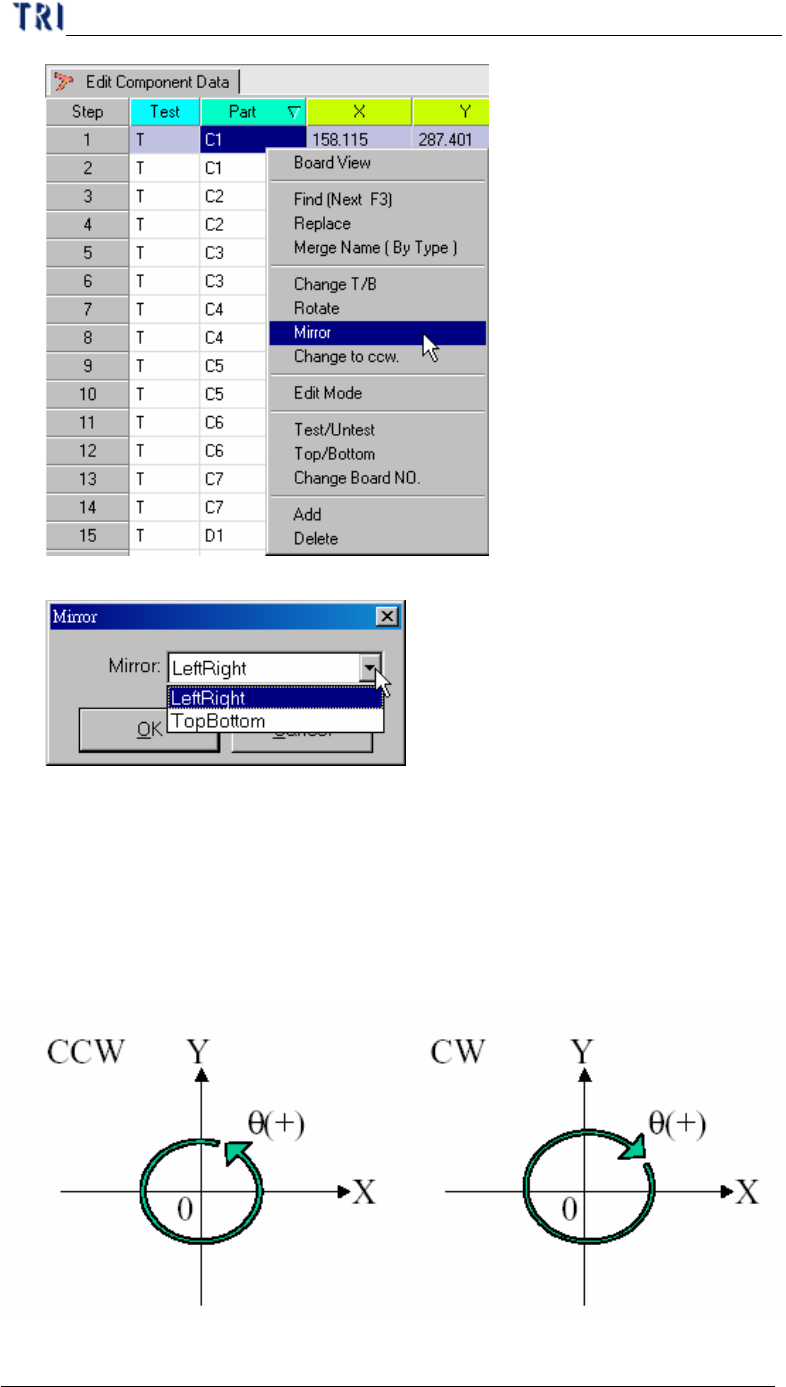
2.7. Mirror
l Setting the board mapping way LeftRight or TopBottom.
l LeftRight – Change the board left side mapping to right side and right side
mapping to left.
l TopBottom – Change the board topside mapping to bottom side and bottom side
mapping to topside.
Chapter 3 AOI ATPG Function instruction
TR7500 USER MANUAL
140
l Select LeftRight or TopBottom mirror way
l After mirroring system will change top side to bottom side and bottom side to
top side automatically. You have to select “Change T/B” if need.
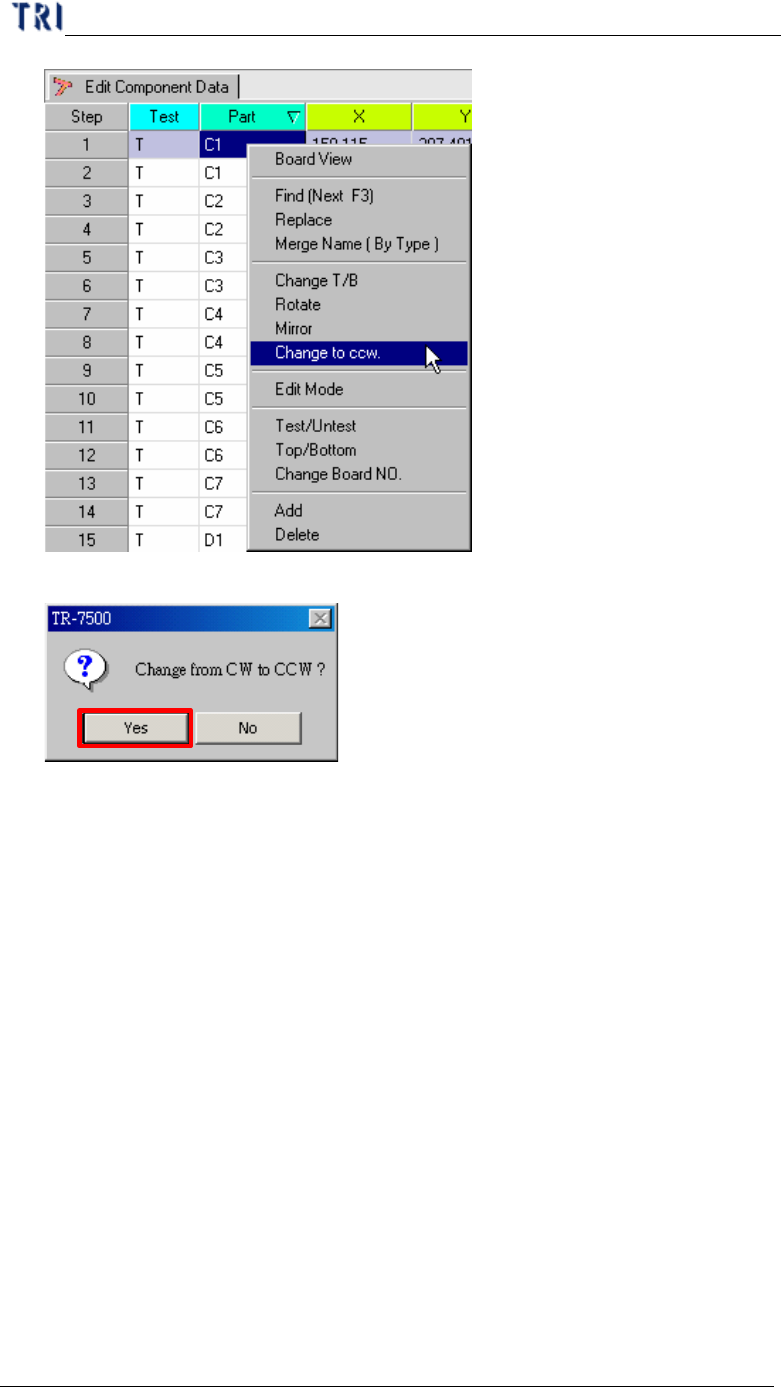
2.8. Change to CCW
l The rotate direction system defined is counterclockwise. If the definition of angle
in original CAD is clockwise, you must change the direction by this function.
Chapter 3 AOI ATPG Function instruction
TR7500 USER MANUAL
141
l Display the double confirm message window.
2.9. Edit Mode
l Change the AOI table from view mode to edit mode. The information of
components can be changed except Test, Part, T/B or Board NO.