TR7500E_Manual_en_v28 - 第15页
C h a p t e r 1 AO I S t a nd a r d P r o j ec t Cr ea t i on T R 7500 U S E R M A N U AL 8 3 . Ed it Co m po n e nt Da t a Y ou s ho u l d e d i t t h e AO I f i l e t o m e e t t h e po s i ti o n o f c o mp o n e n t …
Chapter 1 AOI Standard Project Creation
TR7500 USER MANUAL
7
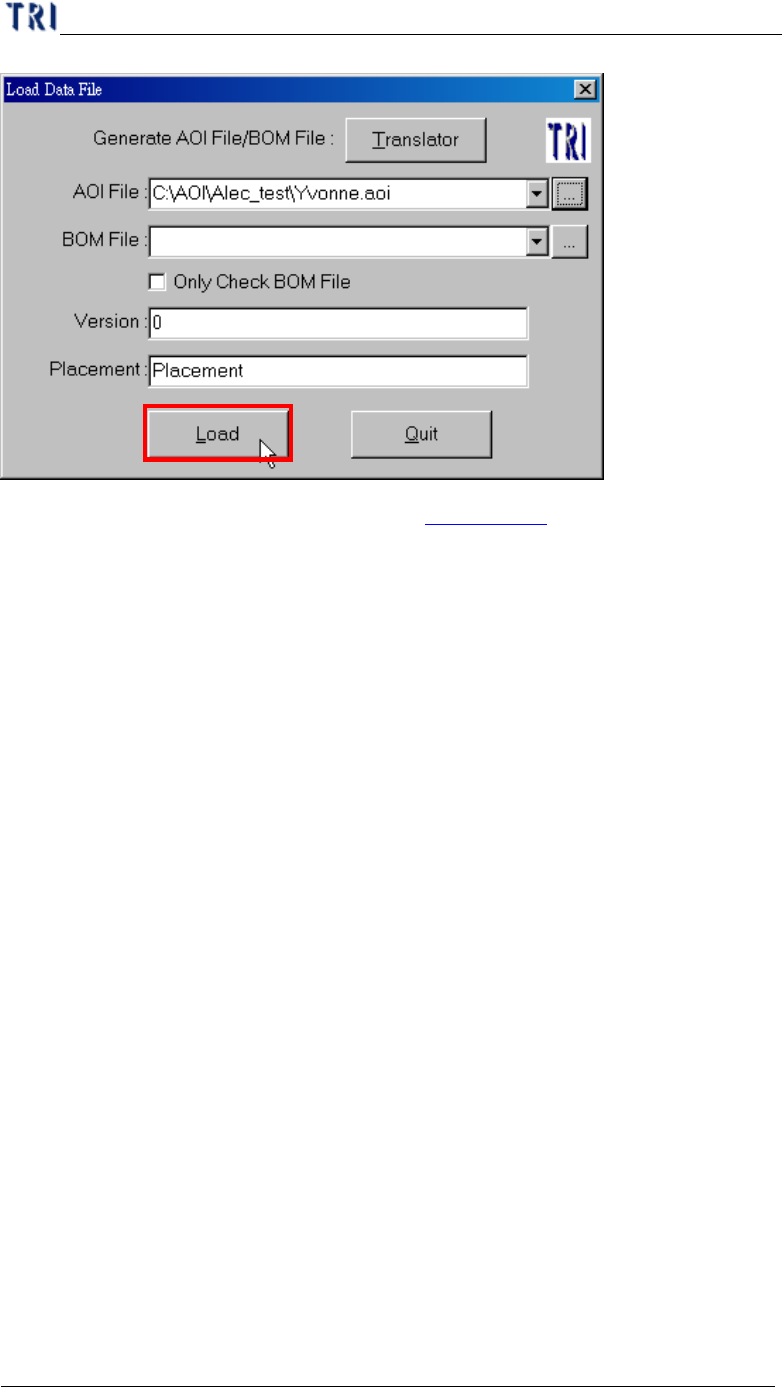
l Detailed explanation of “Translator” is in Chapter 3 1.
Chapter 1 AOI Standard Project Creation
TR7500 USER MANUAL
8
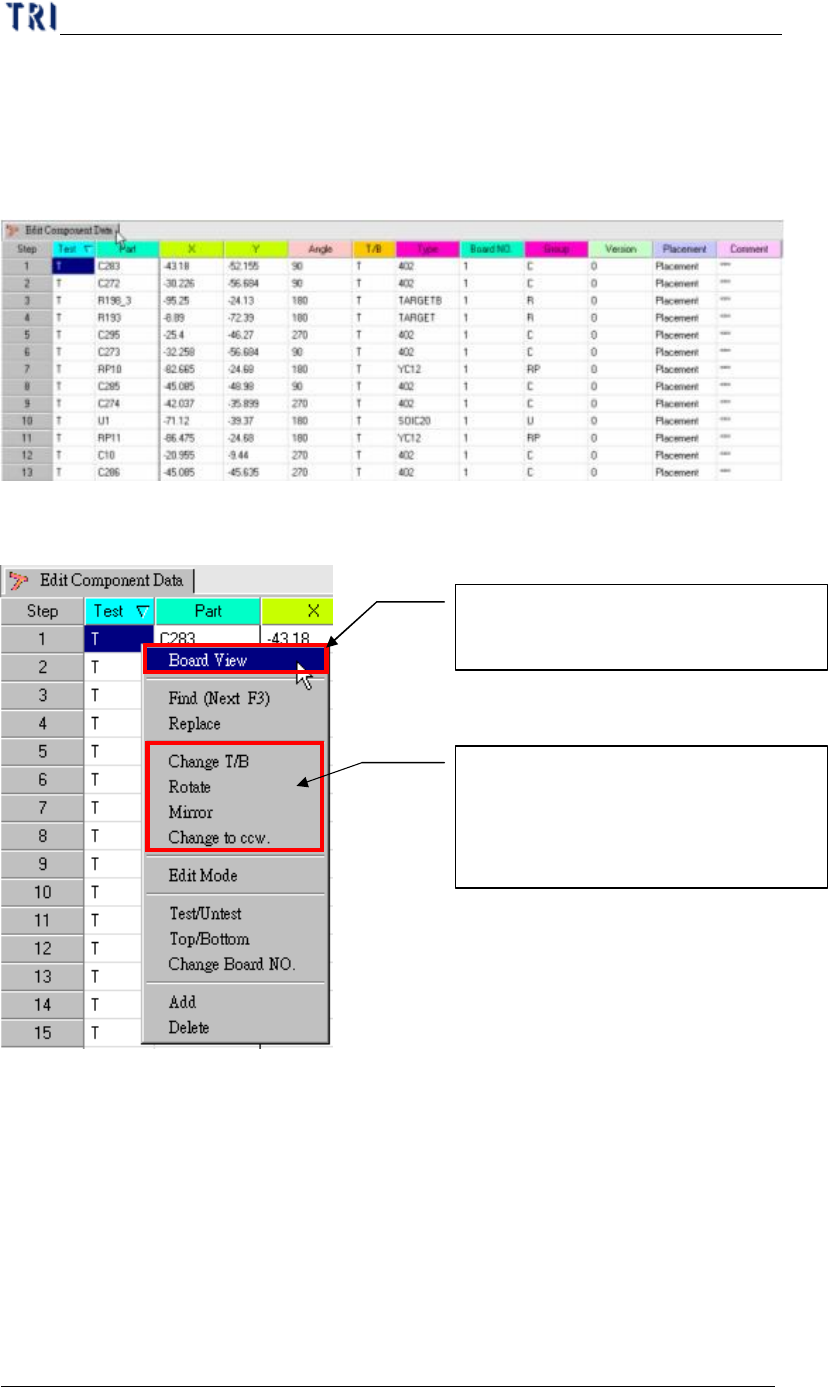
3. Edit Component Data
You should edit the AOI file to meet the position of components in upper left
corner board.
(1) Component Data list.
(2) Board pad Viewer.
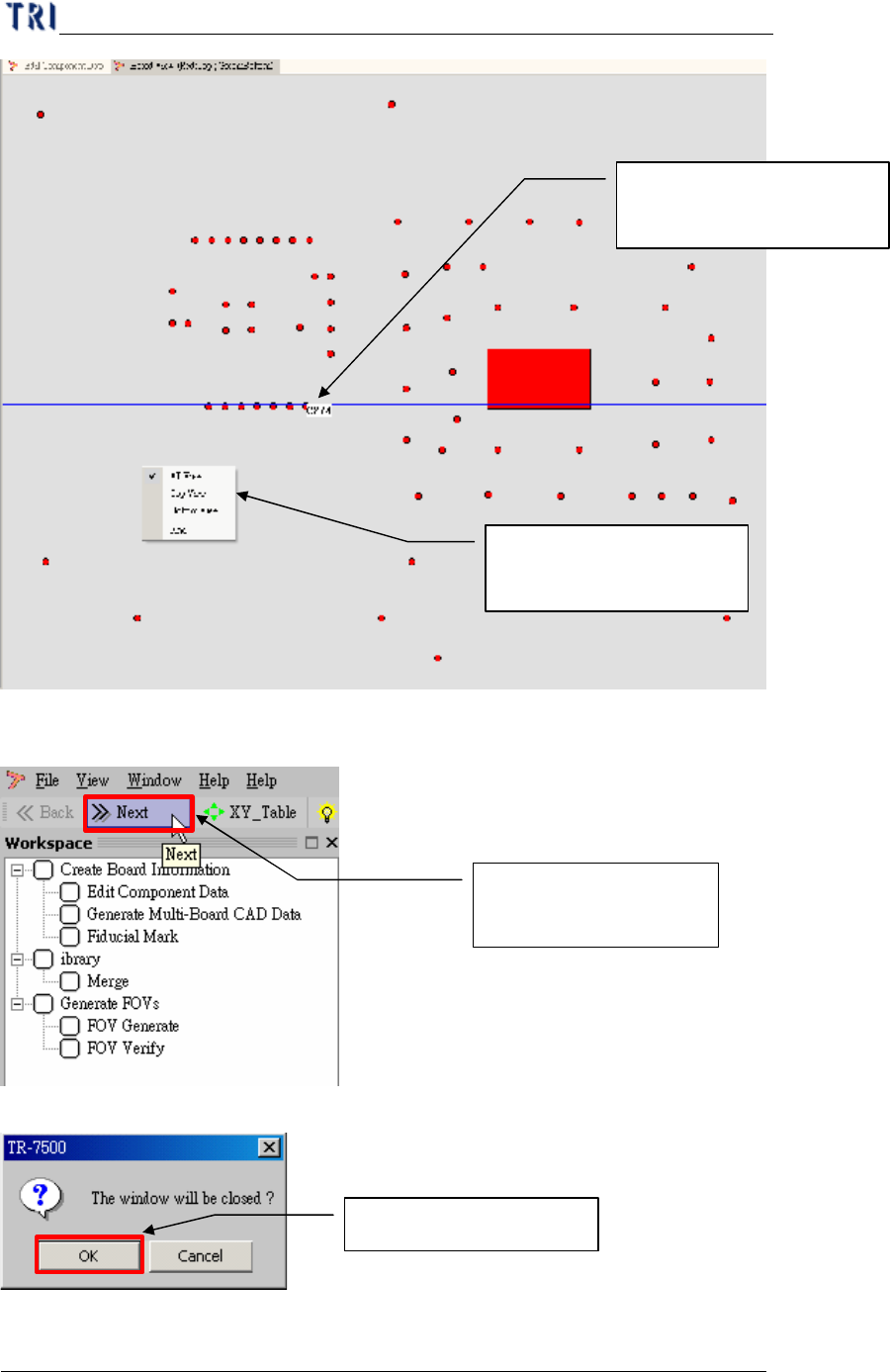
(3) Pre-find Component position for board alignment.
Click mouse right side button and
choosing Board View (Top/Bottom)
Board CAD top or bottom side
change, or Board rotation 0~360°
, or
board Mirror, or component rotation
rule
Chapter 1 AOI Standard Project Creation
TR7500 USER MANUAL
9
(4) Go to next step.
(5) System confirm dialog window.
Finish board viewer and
then go to next step
Choosing yes to confirm
See if component position
is correct.
Clicking the right button
to get more information