TR7500E_Manual_en_v28 - 第153页
C h a p t e r 3 A O I A T P G F u n c t i o n i n s t r u c t i on T R 7500 U S E R M A N U AL 1 46 l I n p u t t h e n e w c o mp o n e n t d e t a il d a t a . 2 . 1 4 . D e l e t e l D e l e t e t h e c om p o n e n t…
Chapter 3 AOI ATPG Function instruction
TR7500 USER MANUAL
145
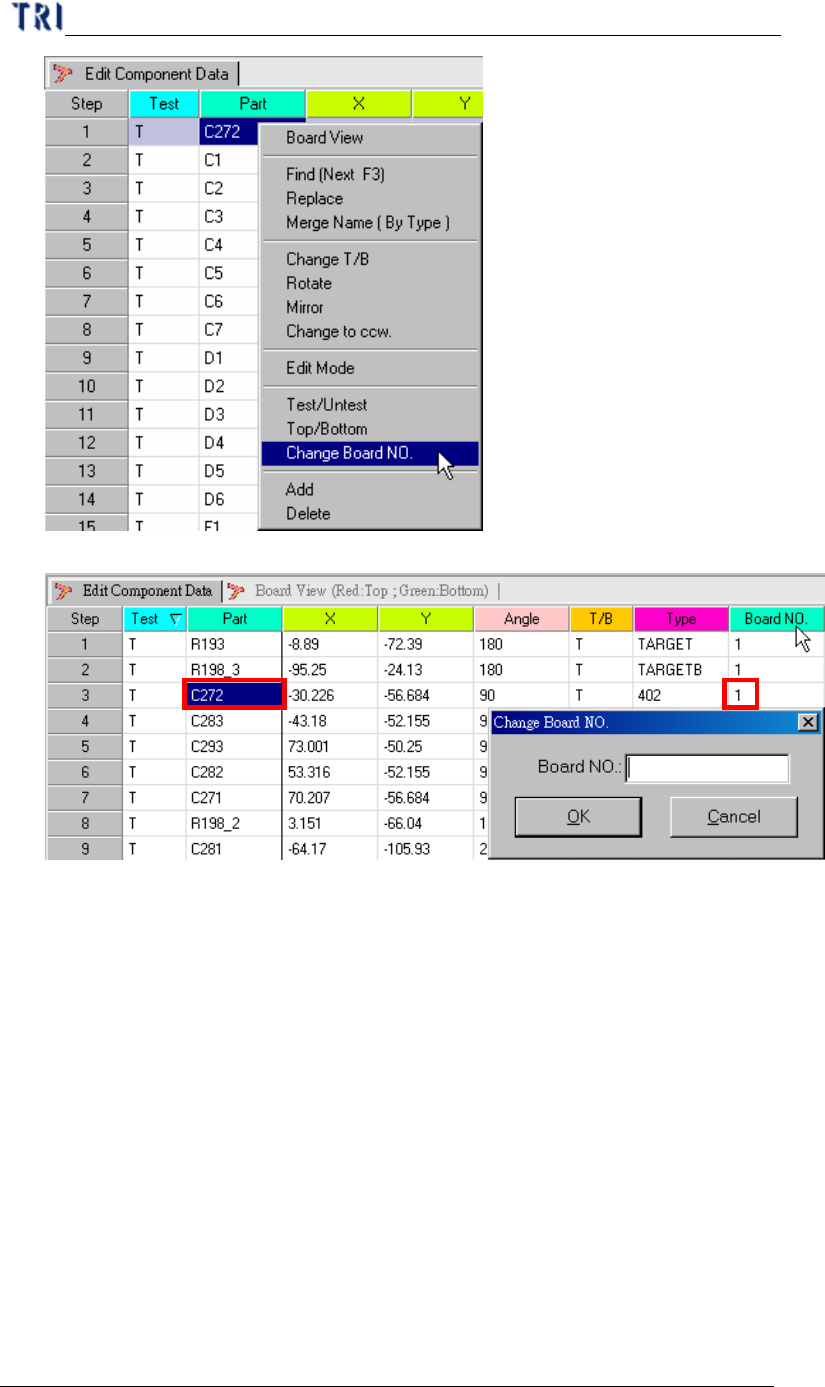
l Input the board number that the component will be changes.
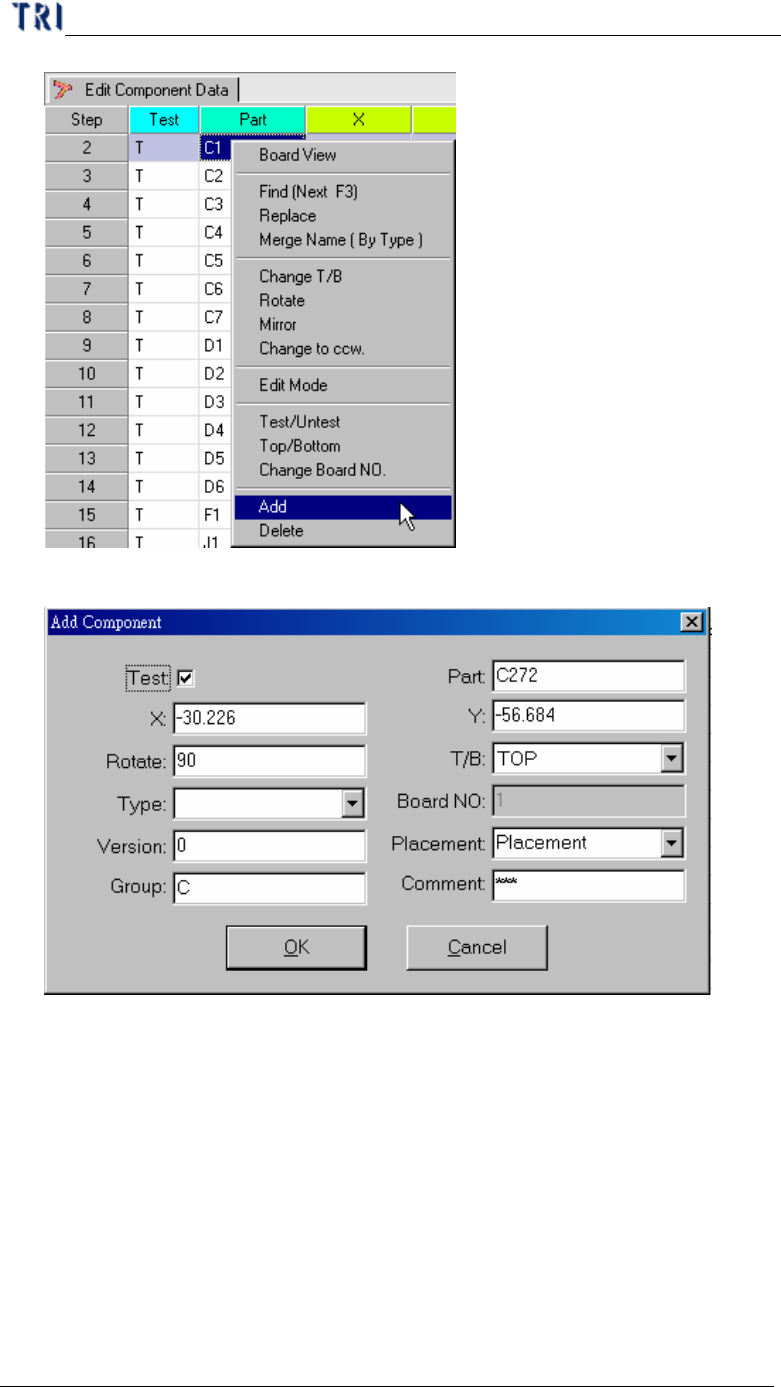
2.13. ADD
l Create a new component on the AOI file.
Chapter 3 AOI ATPG Function instruction
TR7500 USER MANUAL
146
l Input the new component detail data.
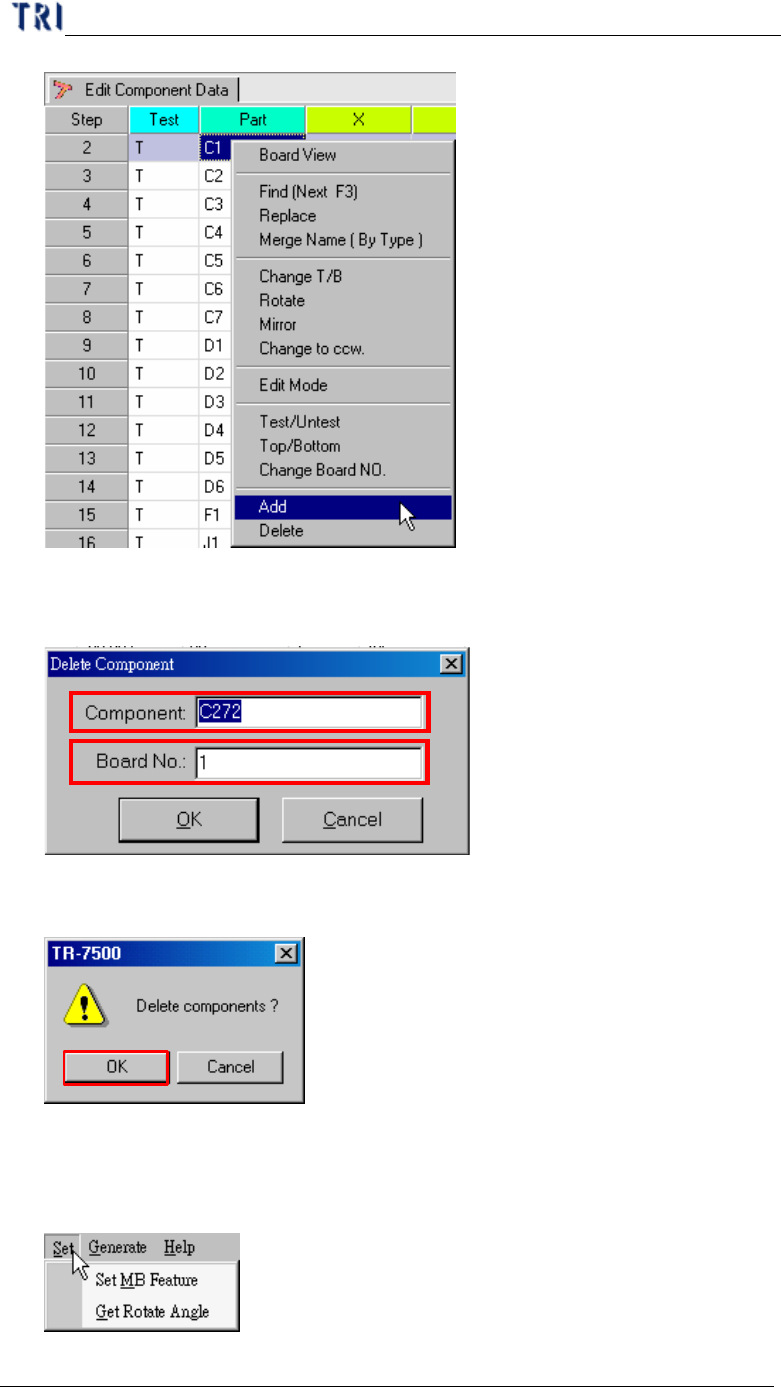
2.14. Delete
l Delete the component from the AOI component list table.
Chapter 3 AOI ATPG Function instruction
TR7500 USER MANUAL
147
l For single component input the component type name and board number that
will be deleted.
l If there are several components selected, the system will show the confirmed
dialog.
3. Generate Multi-Board CAD Data
3.1. Set
3.1.1. Set MB Feature