TR7500E_Manual_en_v28 - 第154页
C h a p t e r 3 A O I A T P G F u n c t i o n i n s t r u c t i on T R 7500 U S E R M A N U AL 1 47 l F o r s i n g l e c ompo n e n t i n p u t t h e c o mp o n e n t t y p e n a m e a n d b o a r d n u m b e r t h a t …
Chapter 3 AOI ATPG Function instruction
TR7500 USER MANUAL
146
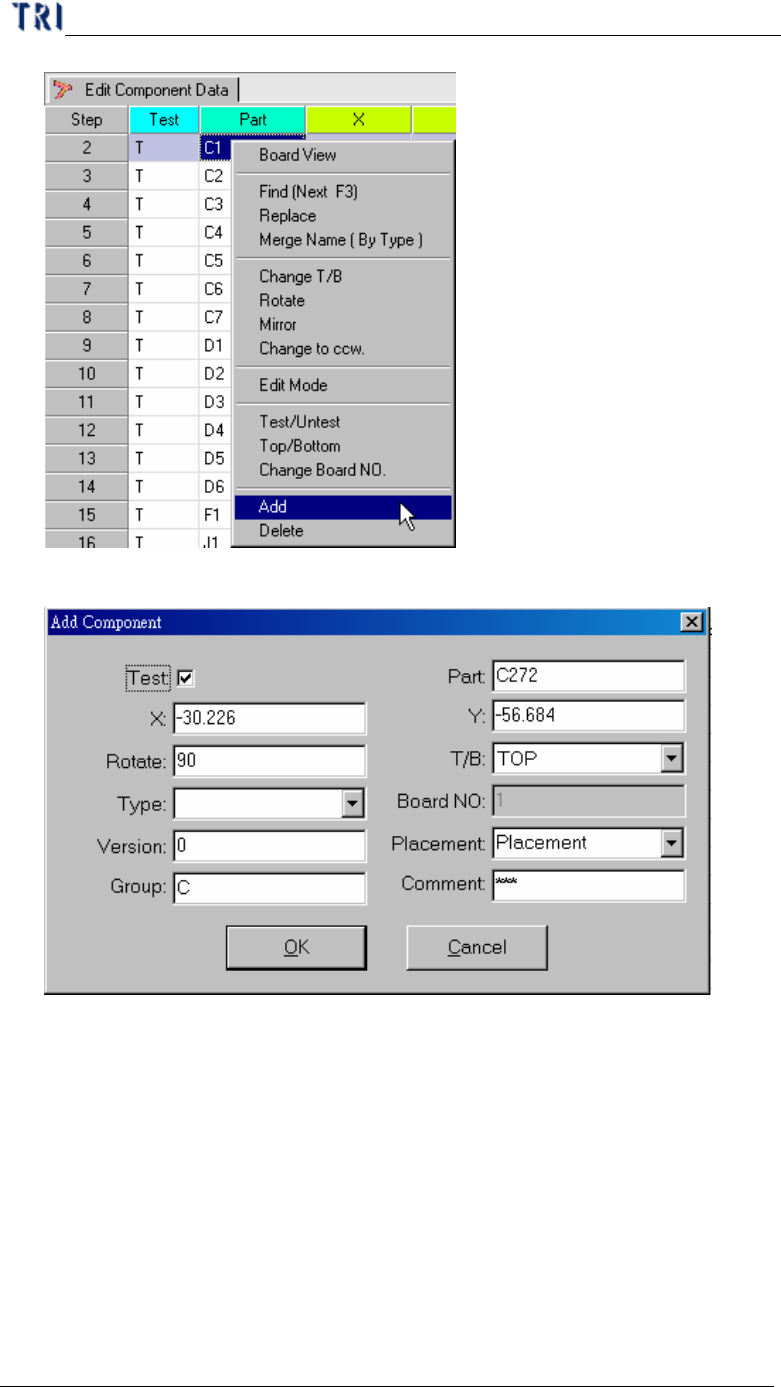
l Input the new component detail data.
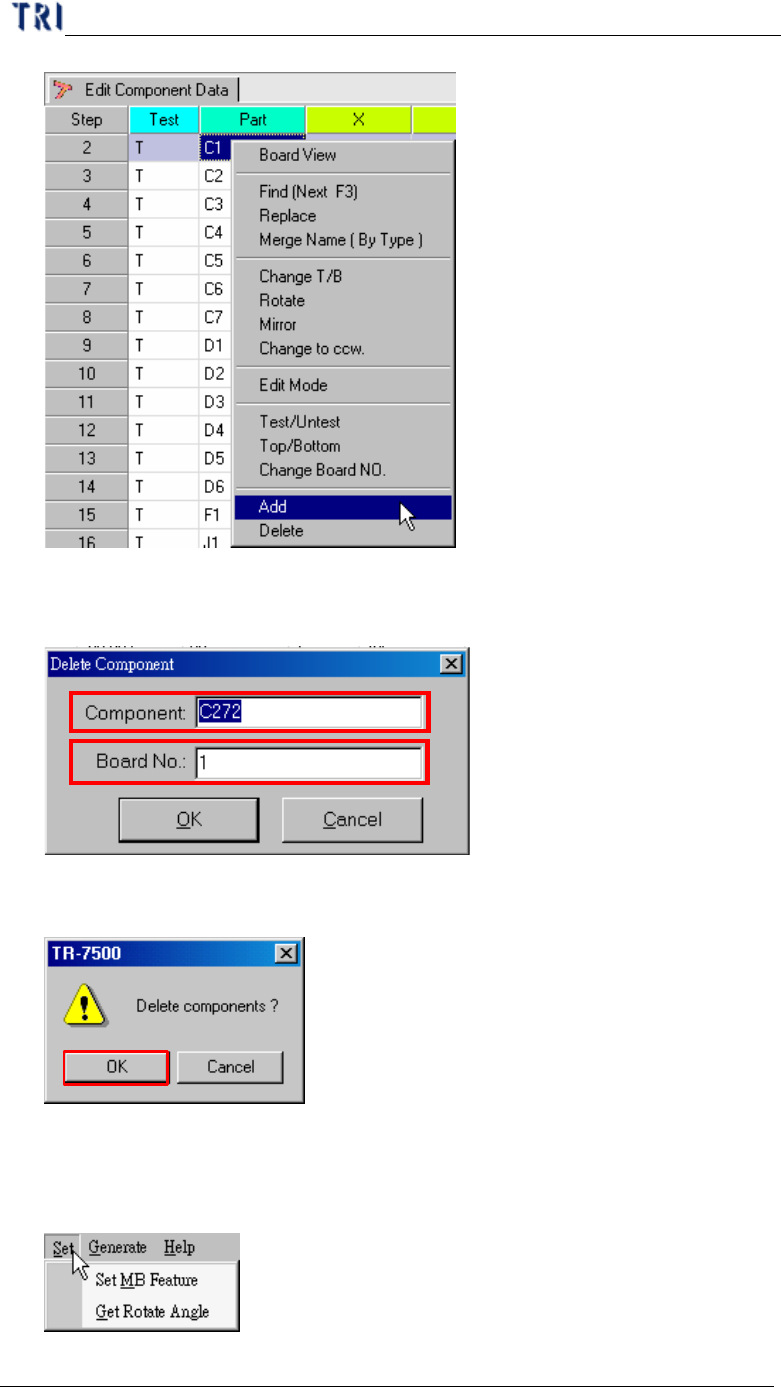
2.14. Delete
l Delete the component from the AOI component list table.
Chapter 3 AOI ATPG Function instruction
TR7500 USER MANUAL
147
l For single component input the component type name and board number that
will be deleted.
l If there are several components selected, the system will show the confirmed
dialog.
3. Generate Multi-Board CAD Data
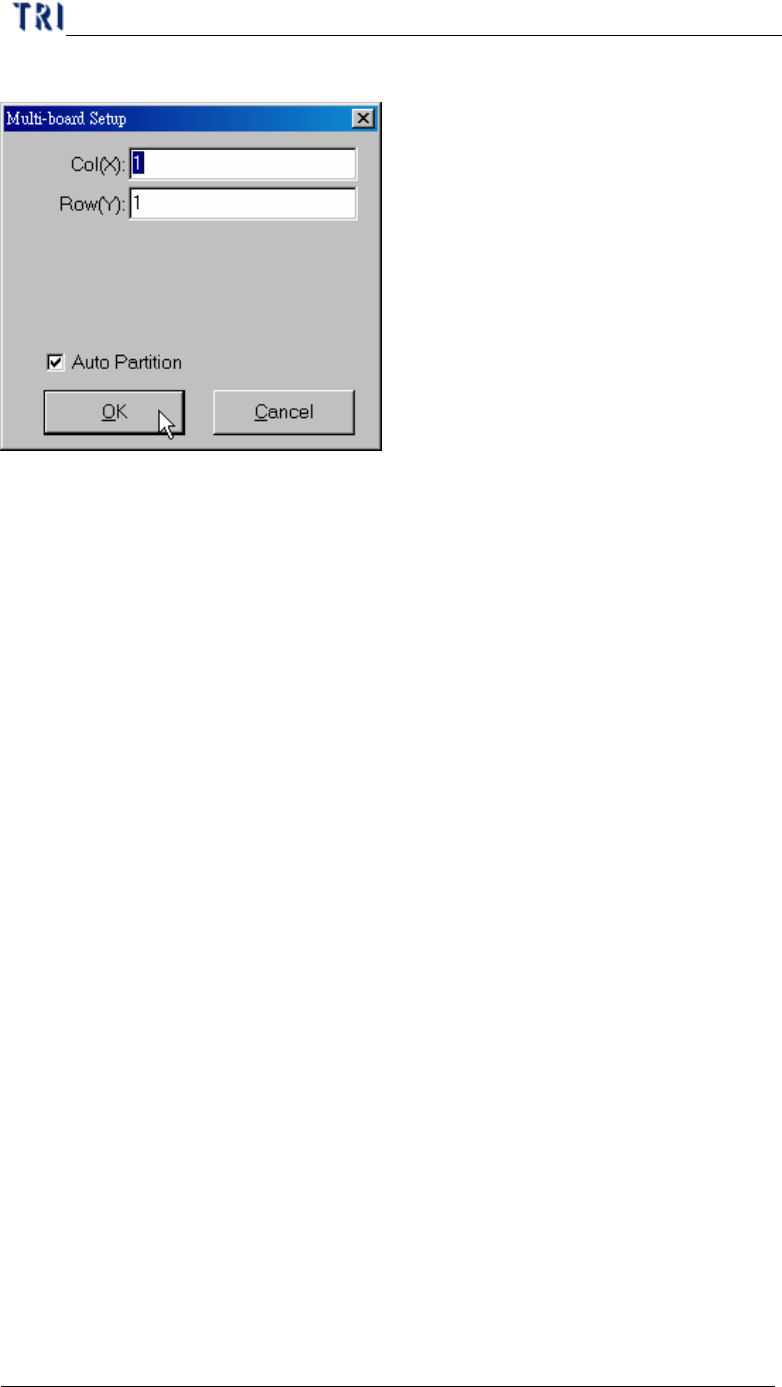
3.1. Set
3.1.1. Set MB Feature
Chapter 3 AOI ATPG Function instruction
TR7500 USER MANUAL
148
l You can set the number of columns and Rows again here.
3.1.2. Get Rotate Angle
l You can calculate the board rotate angle again here.
3.2. Generate
3.2.1. Generate Multi-board Data
l You can press the item to generate multi-board data after finishing finding
dummy components for every board. The data also can generate automatically
when you go to [Next].