TR7500E_Manual_en_v28 - 第159页
C h a p t e r 3 A O I A T P G F u n c t i o n i n s t r u c t i on T R 7500 U S E R M A N U AL 1 52 5 . 2 . M o s a i c l Y ou ca n p r e s s t h e f u n c t i o n t o g e t p a n e l m a p h e r e . 6 . L i b r a ry 6 .…
Chapter 3 AOI ATPG Function instruction
TR7500 USER MANUAL
151
5.1.2. Get Rotate Angle
l You can use the function to calculate rotate angle again if the board has been
reload.
5.1.3. In-Line Direction
l Please see Chapter 3 4.1.1.
5.1.4. Stop Position
l Please see Chapter 3 4.1.2.
5.1.5. Board 1 Size
l You can set board 1 size here.
Chapter 3 AOI ATPG Function instruction
TR7500 USER MANUAL
152
5.2. Mosaic
l You can press the function to get panel map here.
6. Library
6.1. Verify
6.1.1. Component Library
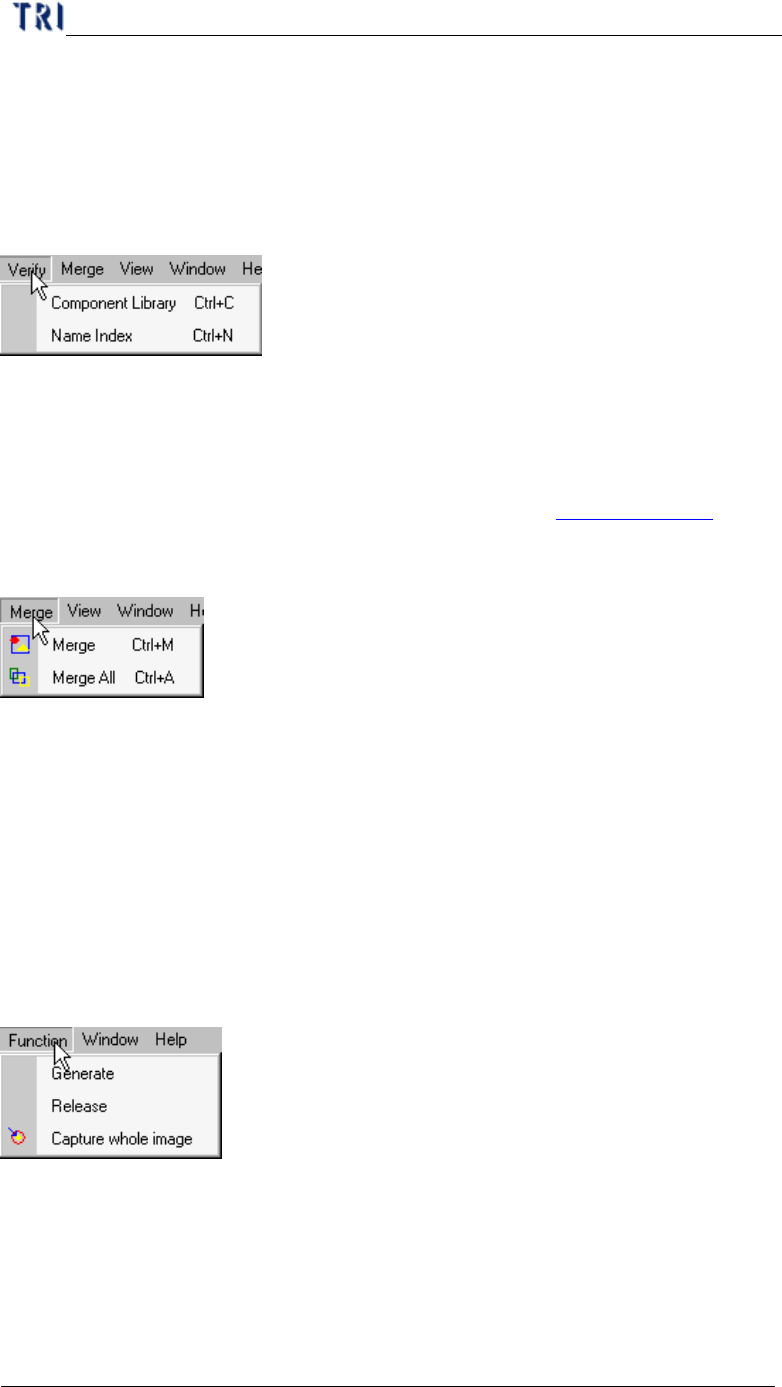
l Select to enter the [tune] field.
6.1.2. Name Index
l You can select to open [Name Index] window. Pleas see Chapter 3 6.1.2. .
6.2. Merge
l Merge means for all components on PCB the system copy all inspection boxes to
every component according the type.
6.2.1. Merge
l Merge the selected type.
6.2.2. Merge All
l Merge all types.
7. FOV Generate
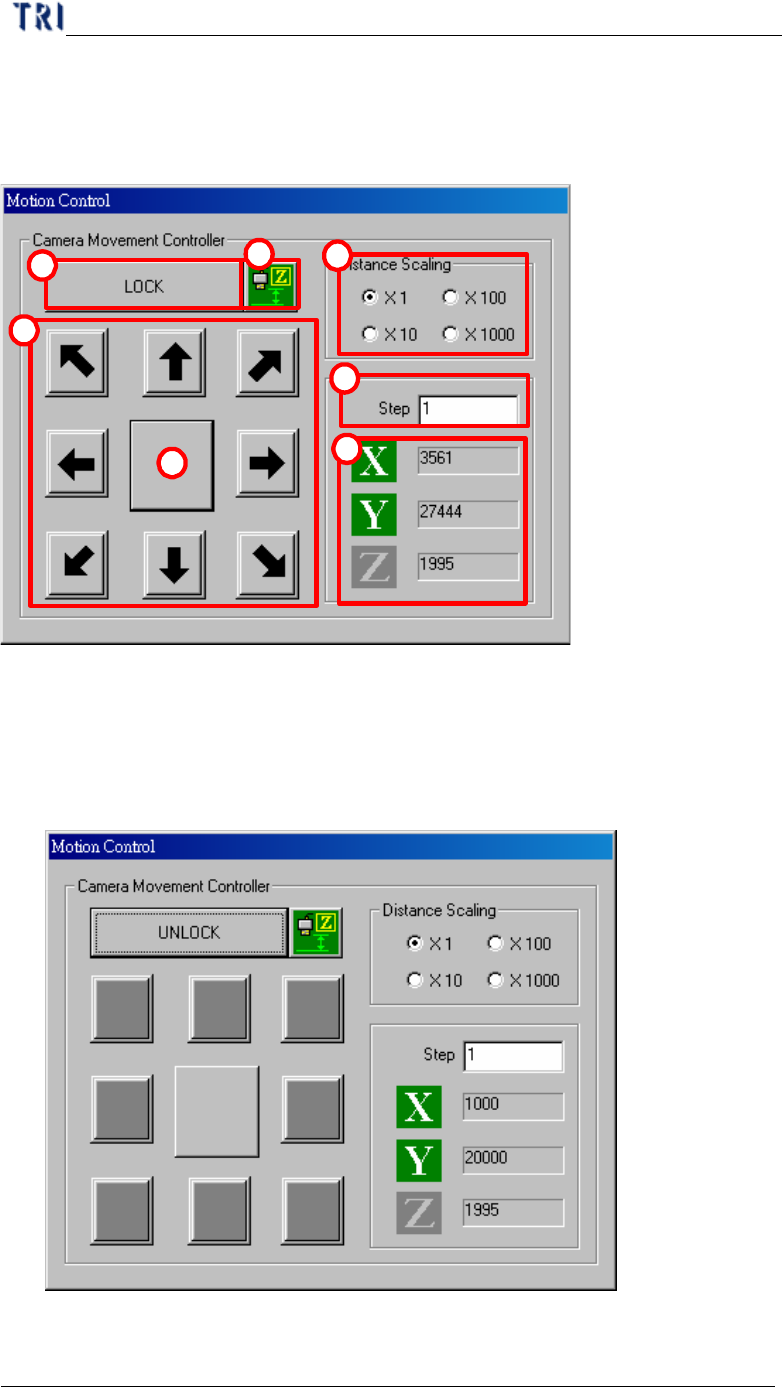
7.1. Function
7.1.1. Generate
l Press then system will recalculate the deploy of FOVs.
7.1.2. Release
l Clear the data calculated before.
7.1.3. Capture whole image
Chapter 3 AOI ATPG Function instruction
TR7500 USER MANUAL
153
l Press to capture FOV images according to the calculation.
8. Motion Controller
1
2
3
4
5
6
7
(1) Distance Scaling–Choose the moving magnification of step.
(2) Step–Input the moving scale (pulse) of X-Y Table.
(3) X, Y– Means the coordinate of camera on X-axis and Y-axis.
(4) Lock/Unlock button– Press to lock the moving of X-Y Table.
(5) Arrowheaded button– Press to move Table to the corresponding direction. For