TR7500E_Manual_en_v28 - 第174页
C h a p t e r 3 A O I A T P G F u n c t i o n i n s t r u c t i on T R 7500 U S E R M A N U AL 1 67 10.2.1. A li g n l T h e f u n c t i o n ca n a li g n a l l s e l ec t e d bo x e s b y a s s i g n e d d i r ec t i o …
Chapter 3 AOI ATPG Function instruction
TR7500 USER MANUAL
166
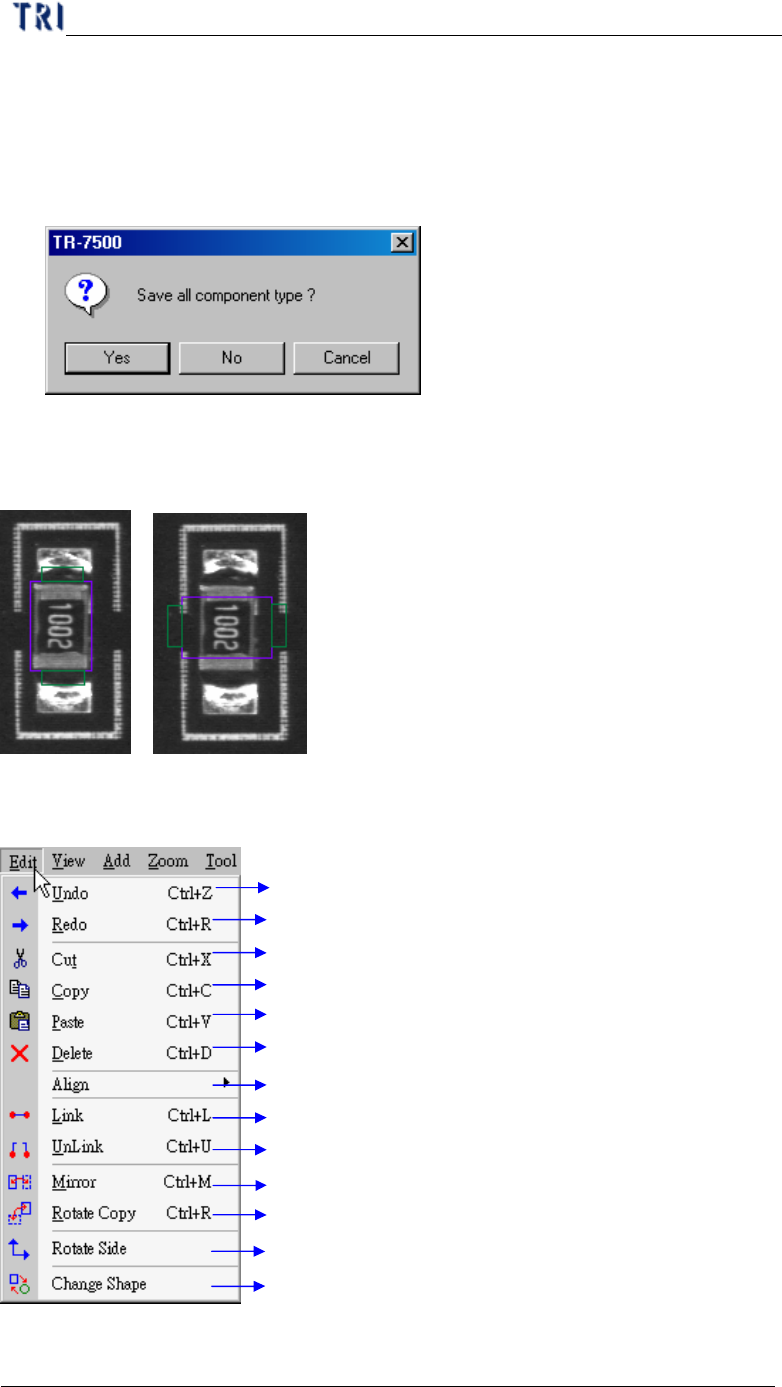
10.1.5. Close All
l Press [Close All] then all the pages that are editing library will be closed. It can
save time to close pages separately. For the following window, Press [Yes] to
save all library that will be closed, [No] not to save, [Cancel] to cancel the closed
action.
10.1.6. Rotate
l Press [Rotate] once and all windows will rotate counterclockwise to 90 degrees.
10.2. Edit
Undo previous action
Redo next action
Cut selected boxes
Copy selected boxes
Paste cut boxes
Delete selected boxes
Align left, right, top, bottom
Link parent and child box relation
Unlink parent and child box relation
Mirror selected boxes with x, y axis or origin
Copy selected boxes with specified angle
Change the direction of pins
Change the shape of Void or Solder box
Chapter 3 AOI ATPG Function instruction
TR7500 USER MANUAL
167
10.2.1. Align
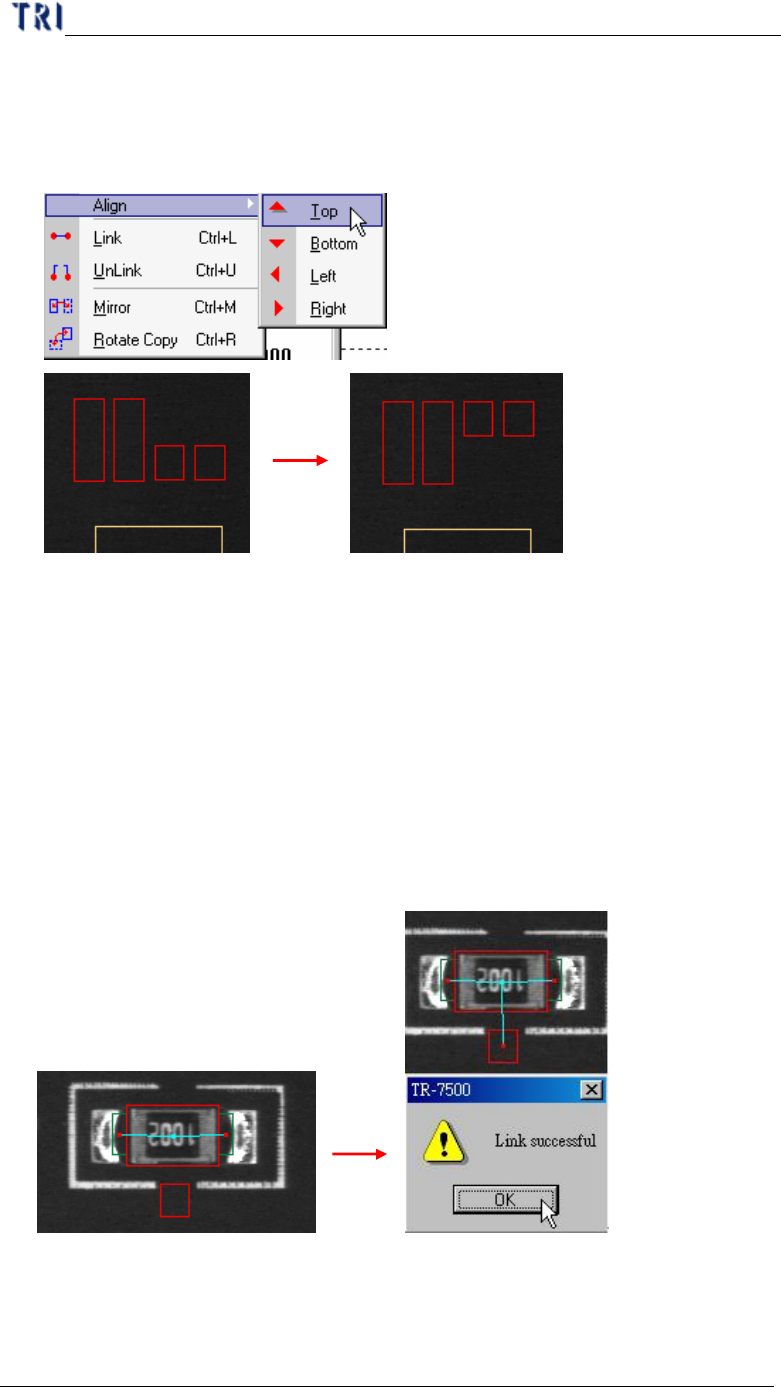
l The function can align all selected boxes by assigned direction. [Align Top] for
example, Press [Top] then all selected boxes will move to the upper side of all
boxes.
10.2.2. Link
l You can assign windows that are parents and children to link. Since some kinds
of inspection windows don’t have ability of position such as void and pin
window, they have to link with other windows that have ability to position such
as Missing, Lead and Align. Subsidiary windows linked with parents will move
with parents in inspection.
l System has automatically linked windows that should be linked together when
they are created at the same time with [Add All Windows] function.
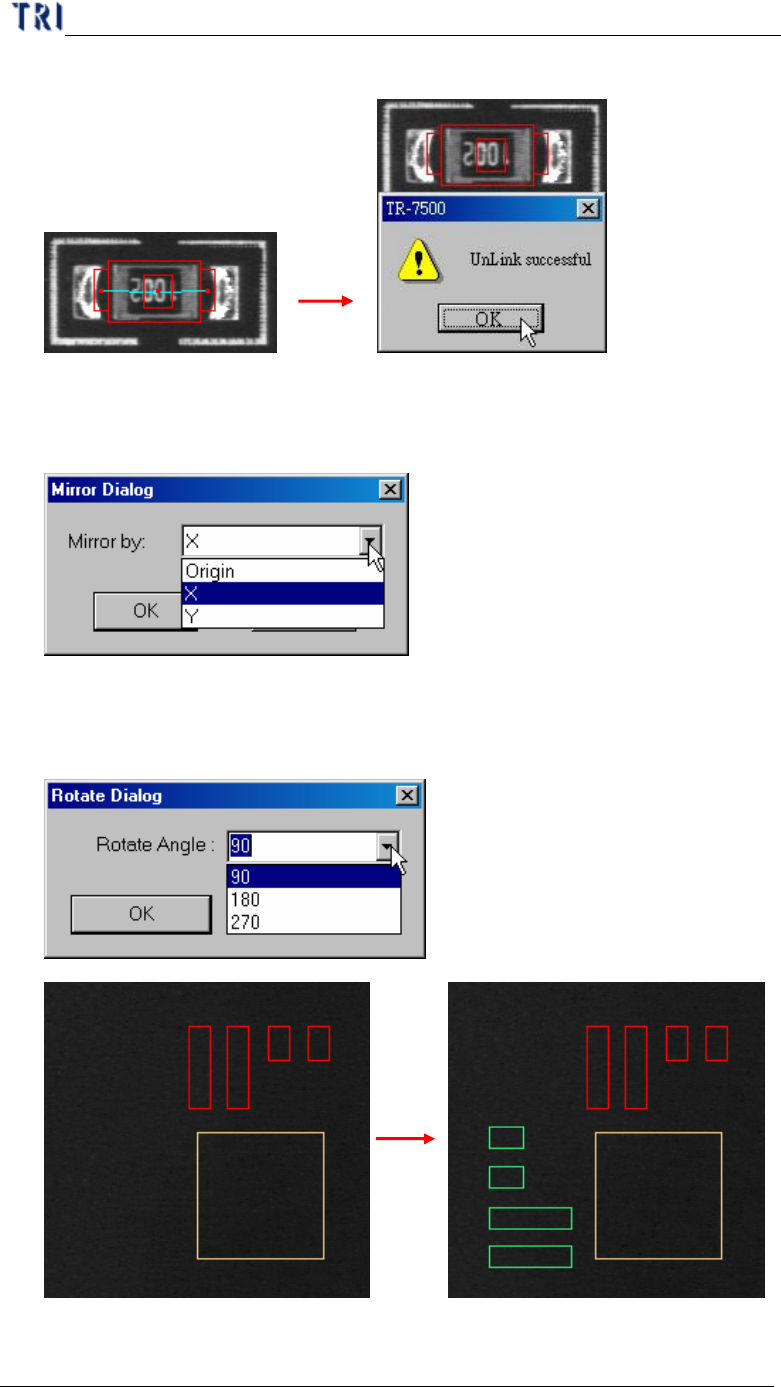
10.2.3. Unlink
l You can press [Unlink] to break the link between windows.
Chapter 3 AOI ATPG Function instruction
TR7500 USER MANUAL
168
10.2.4. Mirror
l Map and copy the inspection boxes by X direction, Y direction or the origin.
10.2.5. Rotate Copy
l Rotate and copy the inspection boxes by assigned degree.