TR7500E_Manual_en_v28 - 第188页
C h a p t e r 3 A O I A T P G F u n c t i o n i n s t r u c t i on T R 7500 U S E R M A N U AL 1 81 n G e t s e v e r a l i n s p e c ti o n w i n d o w s s e p a r a t e l y . l G r o u p – S y s t e m wil l c o m po s …
Chapter 3 AOI ATPG Function instruction
TR7500 USER MANUAL
180
l Group/Item – Selection the logical operation with Group (logical formula)
or current FOV inspection box.
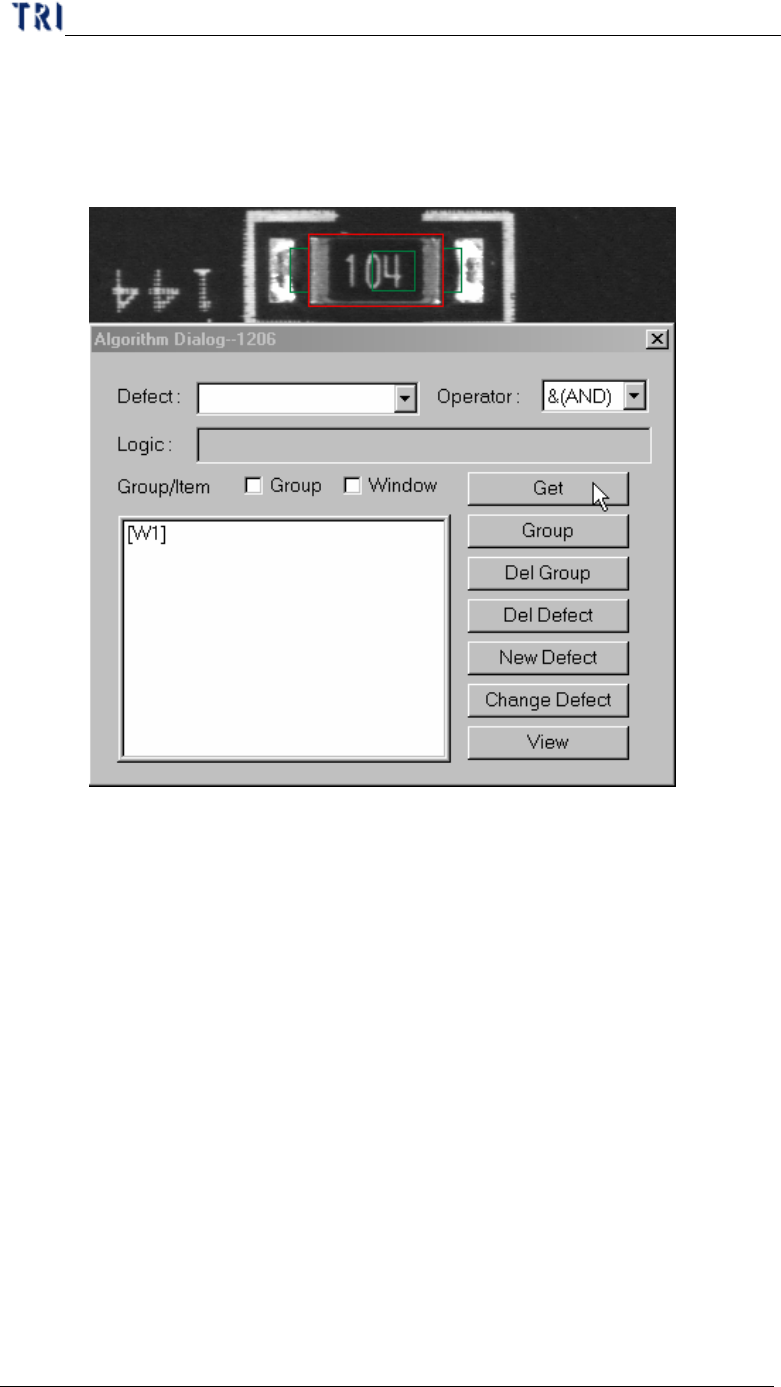
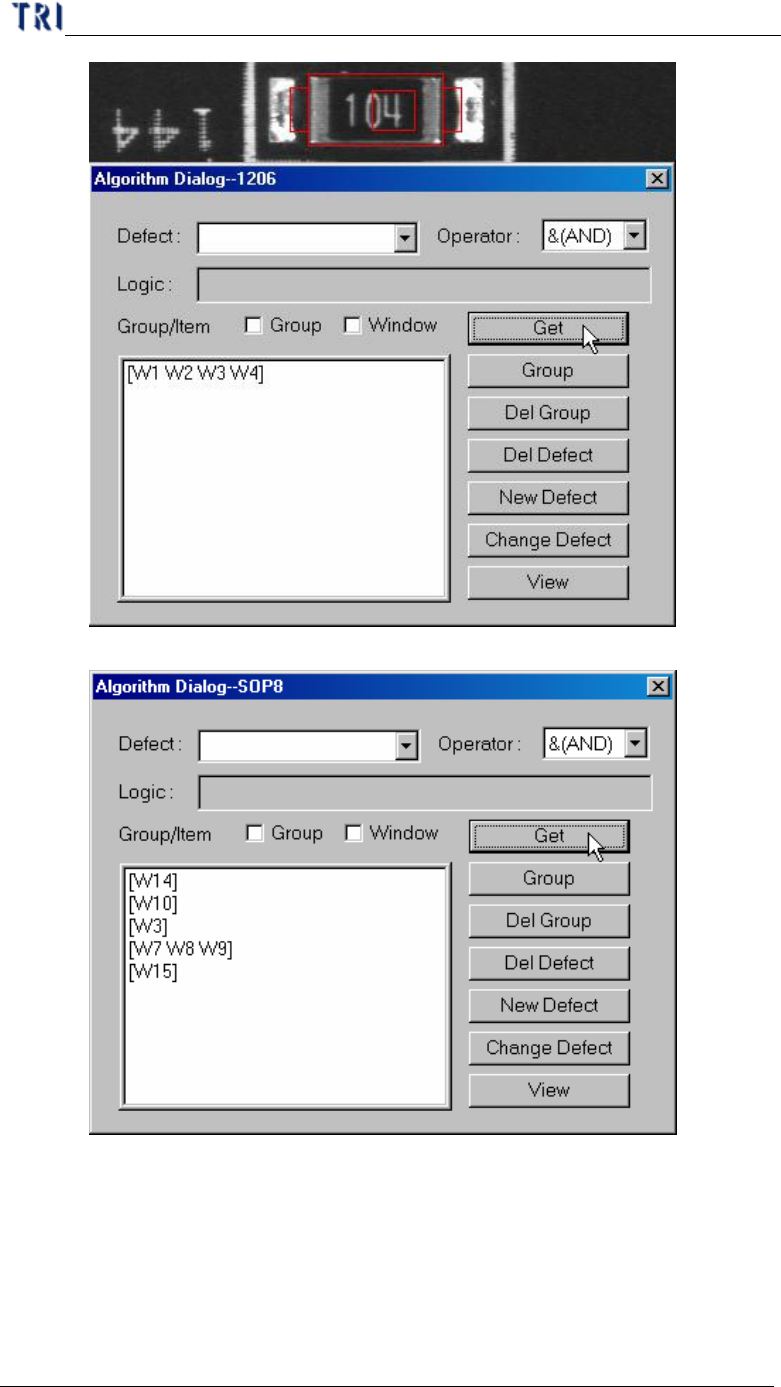
l Get – Getting the inspection boxes name for logic operation.
n Get one inspection window.
n Get several inspection windows at the same time.
Chapter 3 AOI ATPG Function instruction
TR7500 USER MANUAL
181
n Get several inspection windows separately.
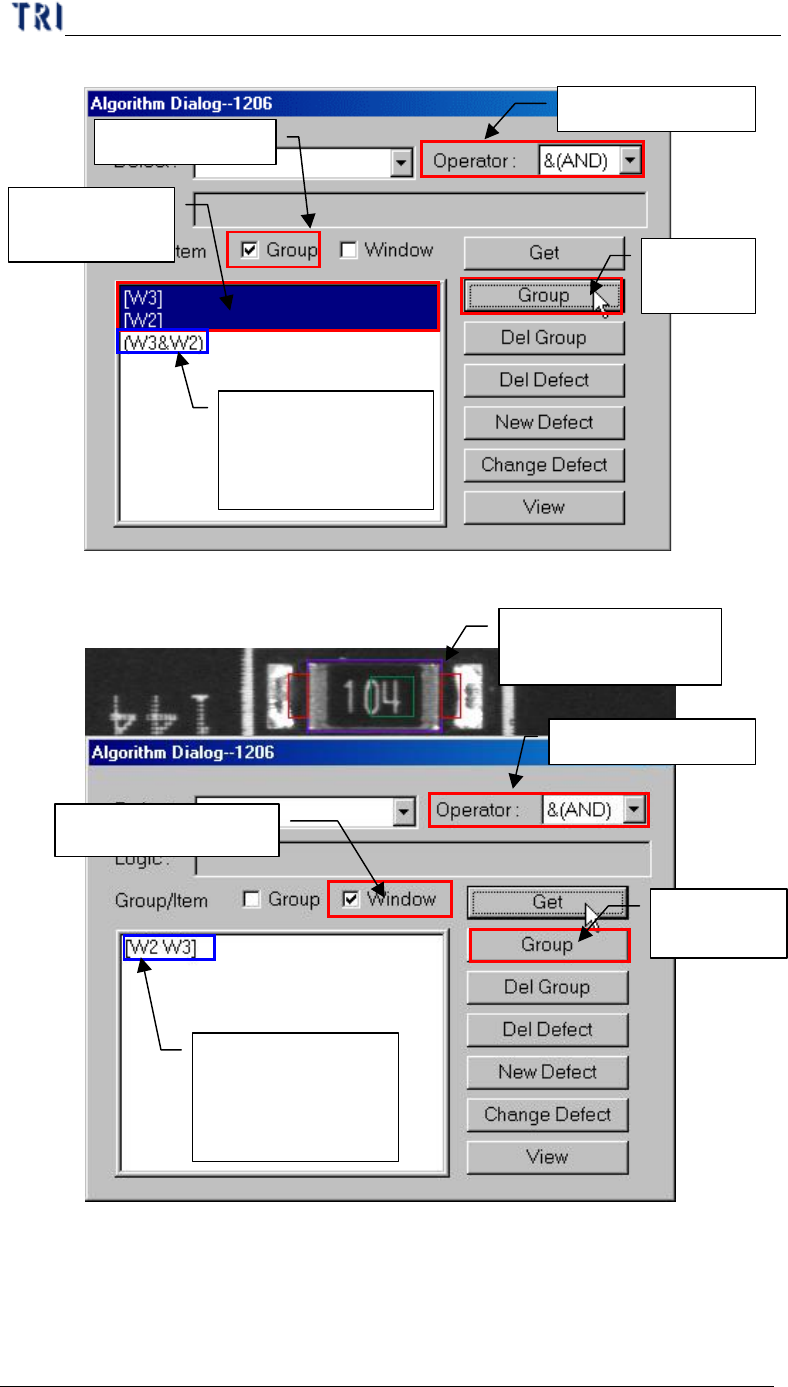
l Group – System will compose the selected windows with assigned
[Operator] after press [Group].
n Check Group in [Group/Item]
Chapter 3 AOI ATPG Function instruction
TR7500 USER MANUAL
182
1. Select Operator
2. Check Group
3.
Select
windows here
4.
Press
[Group]
5.
Result: appear
group combined
with windows and
operator
n Check Window in [Group/Item]
2. Select Operator
3. Select Window
4.
Press
[Group]
5.
Result: appear
group combined
with windows and
operator
1.
Select Inspection
Windows
n Group other groups and windows.