TR7500E_Manual_en_v28 - 第200页
C h a p t e r 3 A O I A T P G F u n c t i o n i n s t r u c t i on T R 7500 U S E R M A N U AL 1 93 l M e t h od – S e l e c t t h e i n s p ec t i o n b o x o f p r op e r t y . l L e v e l C h ec k – S e tt i n g g r a…
Chapter 3 AOI ATPG Function instruction
TR7500 USER MANUAL
192
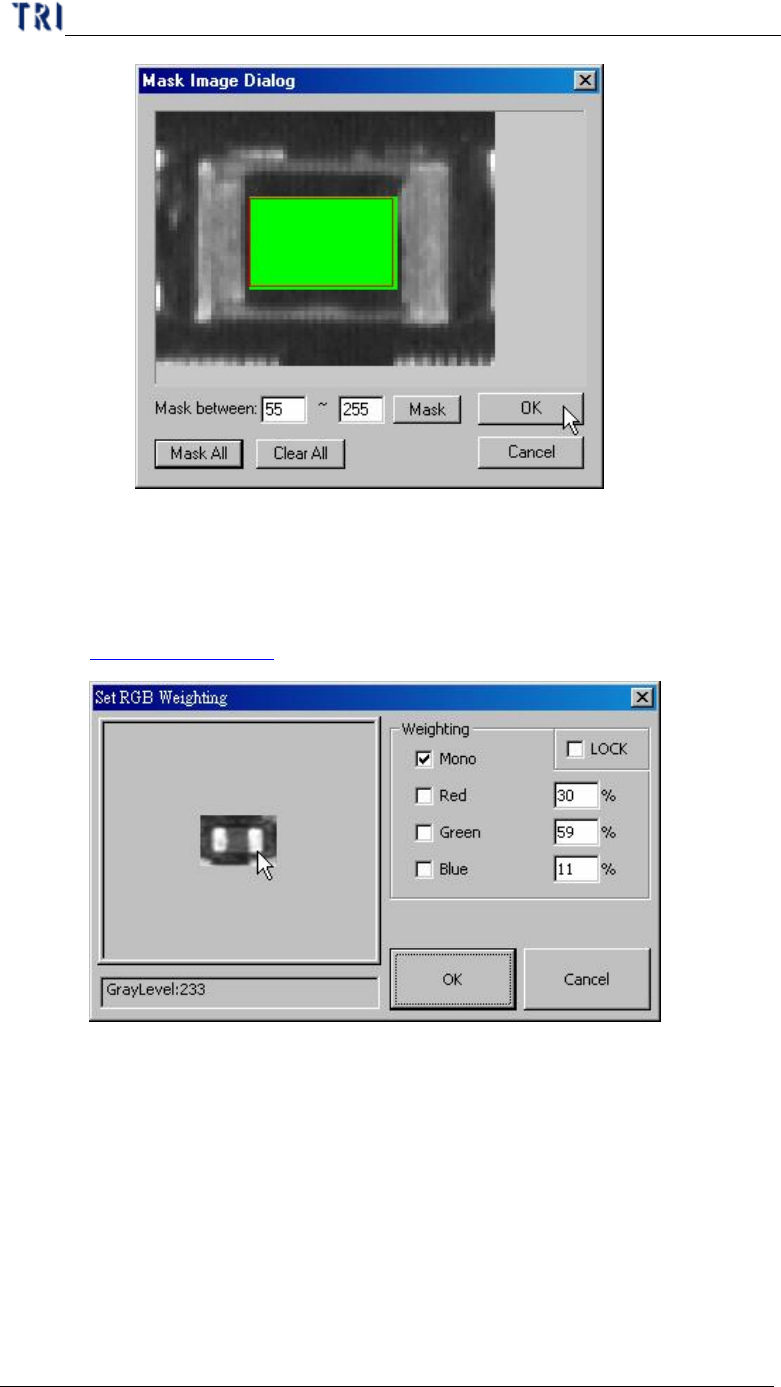
n Clear All – Clear all mask setting.
l Weighting – Set the weighting for the image that you select. The setting will
be used for all standard images of this type. See more about weighting in
Chapter 3 11.3.
10.7.3. PassLevel
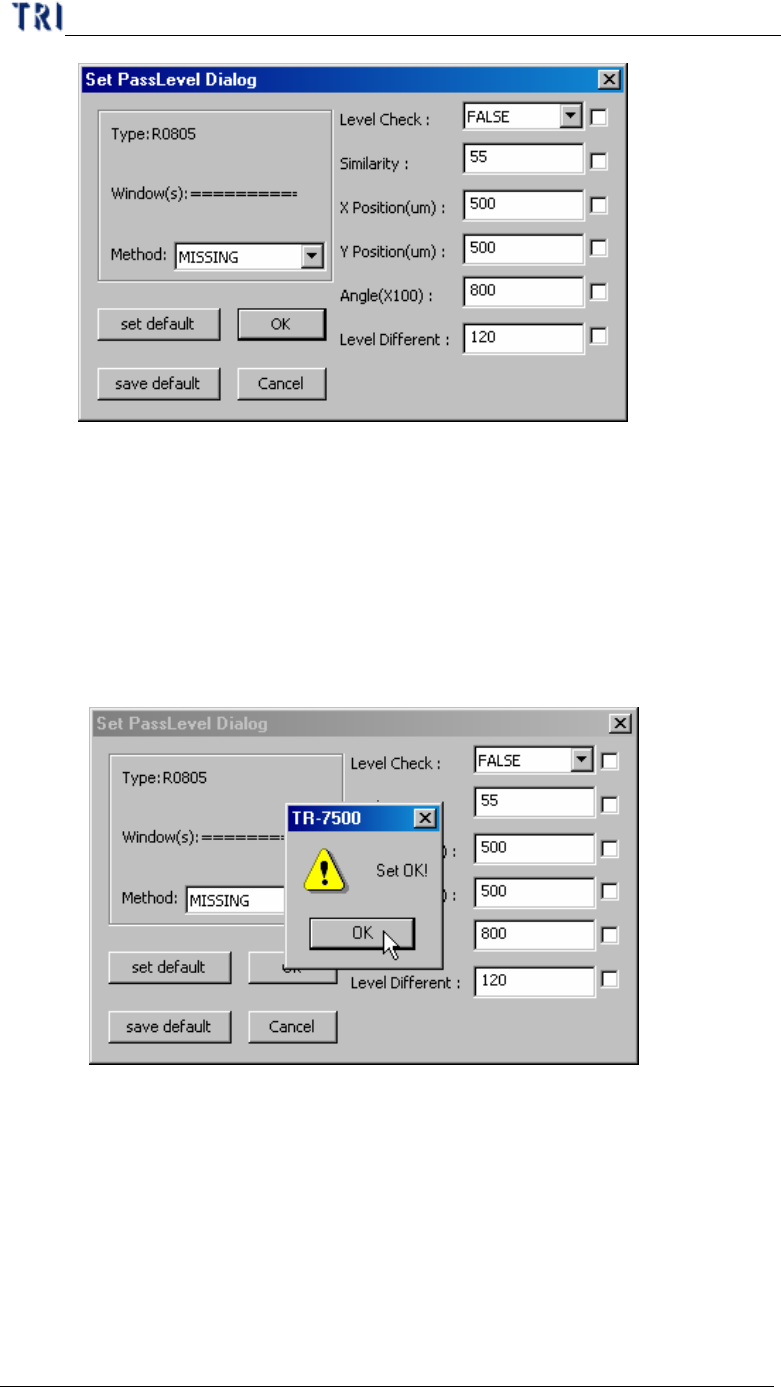
l Setting pass level for selected box
Chapter 3 AOI ATPG Function instruction
TR7500 USER MANUAL
193
l Method – Select the inspection box of property.
l Level Check – Setting gray level check enable or not.
l Similarity – Setting the similar to the original pass level.
l X Position (um) – Setting the check window x position offset tolerance.
l Y Position (um) –Setting the check window y position offset tolerance.
l Angle (X100) – Setting the check window rotation angle offset tolerance.
l Level Different – Setting percentage of different gray level to original.
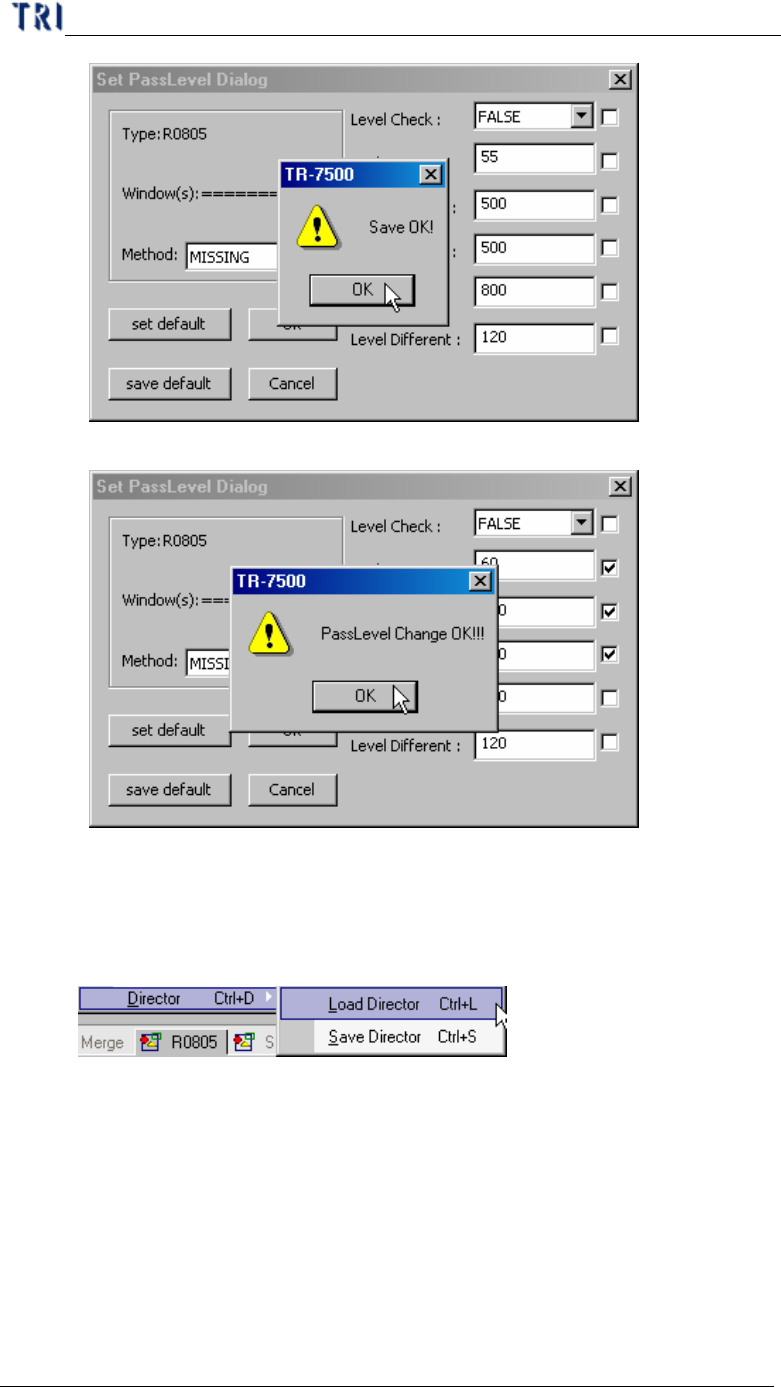
l Set Default – Notify the system you want to set default
l Save Default – Save the current settings as default.
Chapter 3 AOI ATPG Function instruction
TR7500 USER MANUAL
194
l OK – Save the current settings to the selected windows.
l Cancel – Close the dialog.
10.7.4. Director
l Setting component library save or load path