TR7500E_Manual_en_v28 - 第229页
C h a p t e r 3 A O I A T P G F u n c t i o n i n s t r u c t i on T R 7500 U S E R M A N U AL 2 22 12 . 3 . E xa m pl e f o r M u l t i - b o a r d s w i t h d i ff e r e n t s id e a n d a n gl e S t e p 1. F i r s t s…
Chapter 3 AOI ATPG Function instruction
TR7500 USER MANUAL
221
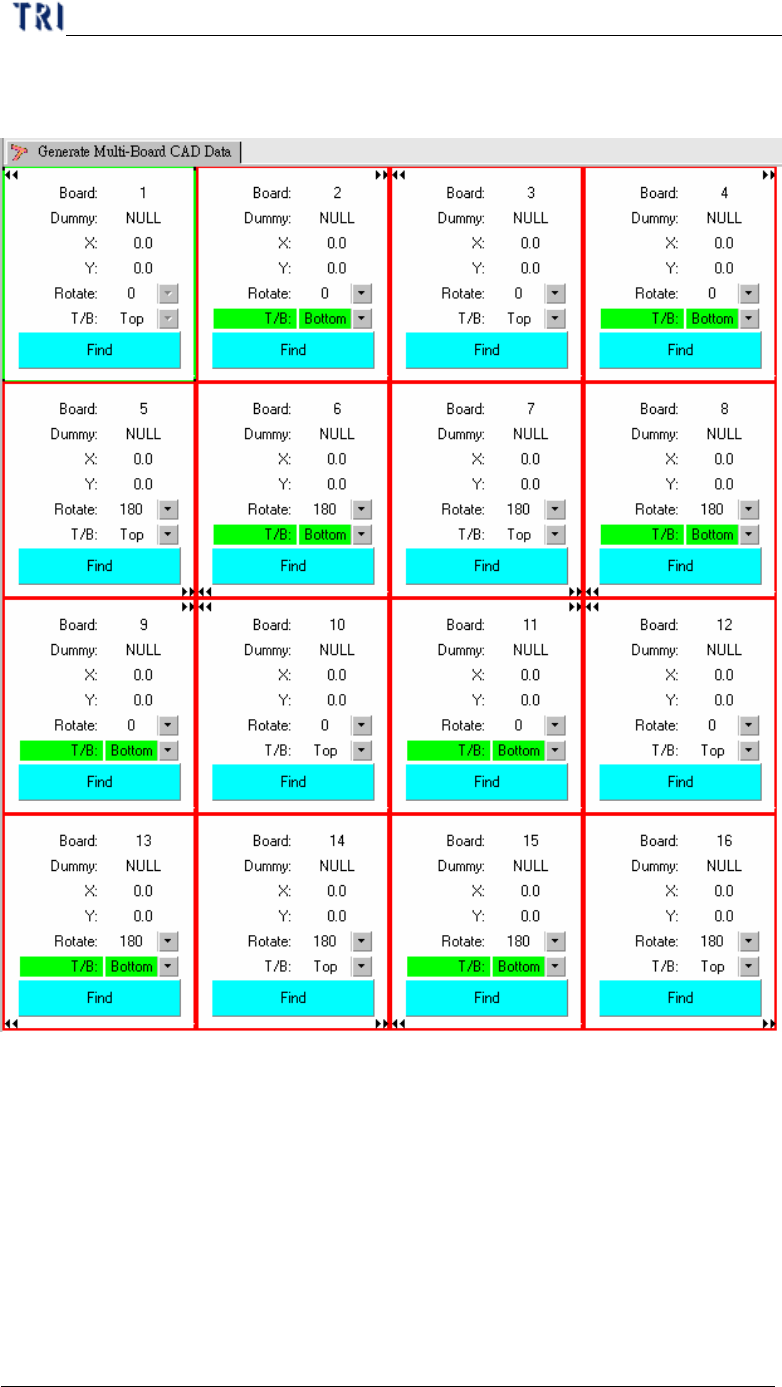
Step3. [Generate Multi-Board CAD Data] – Selecting [T/B] and [Rotate] regards the
board 1.
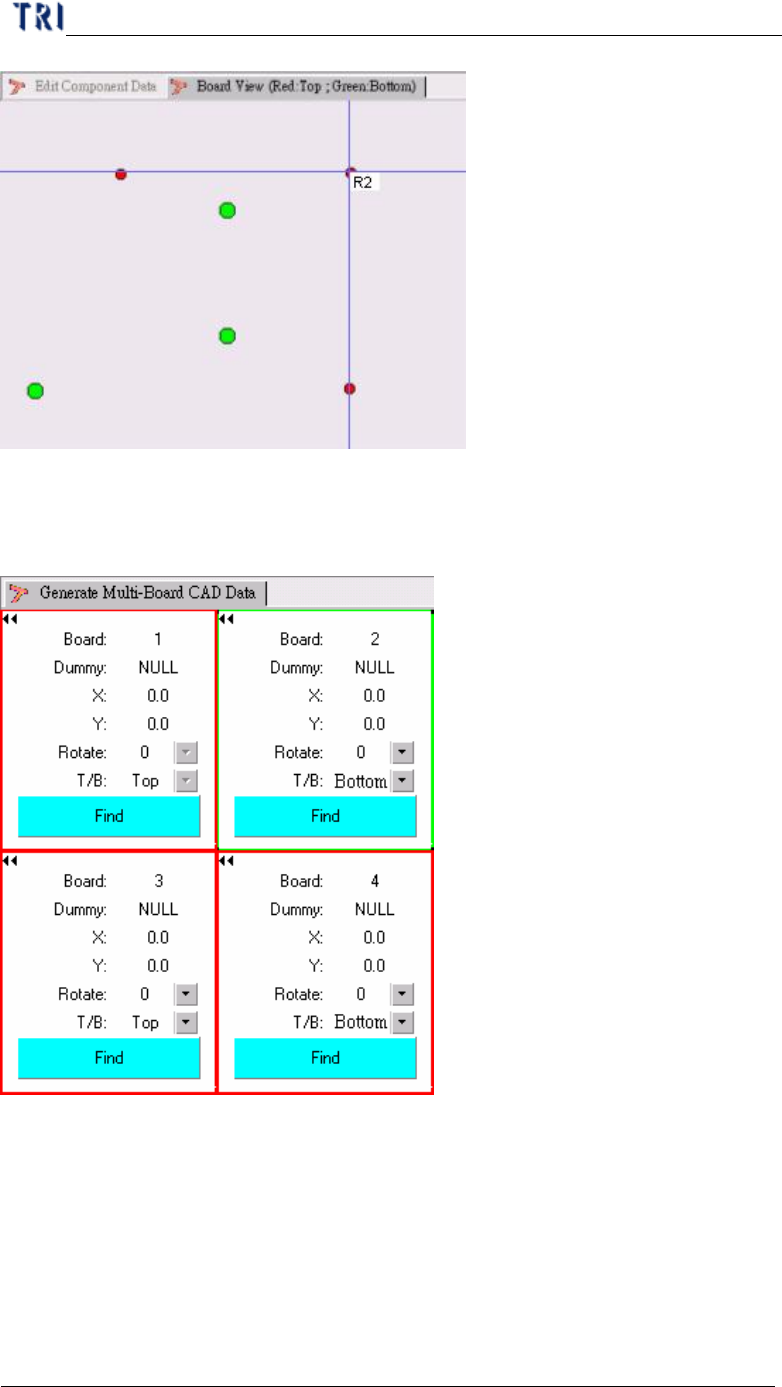
Step4. Find Dummy Component Position – When finding the dummy point for board
2 and board 4, you have to select the component that at the upper side. For the
example, that is R4, R5 or R6.
Step5. After generating multi-board data, you can use [Board View] function to
review the component on upper side.
Step6. Do the nest step for following standard rule.
Chapter 3 AOI ATPG Function instruction
TR7500 USER MANUAL
222
12.3. Example for Multi-boards with different side and angle
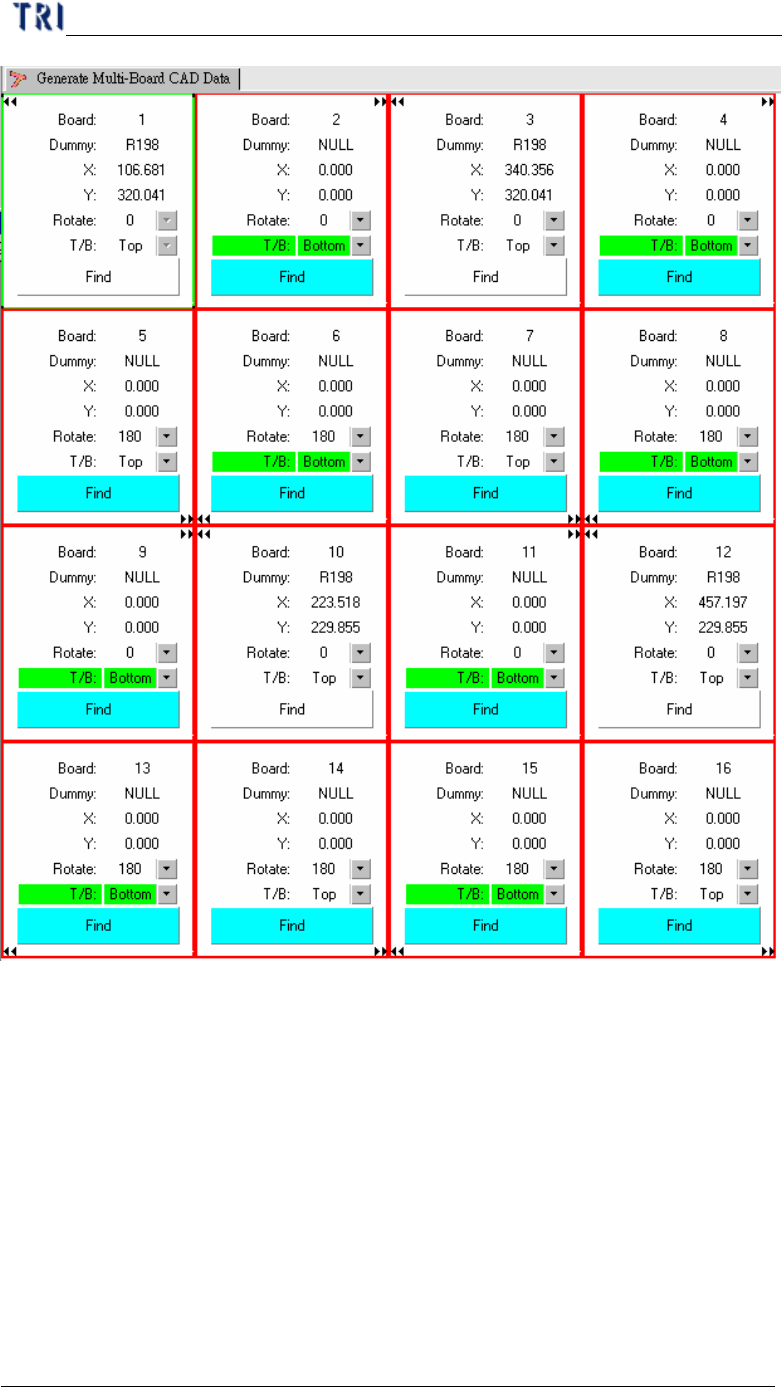
Step1. First set the dummy point for Board 1 and Board 12. Then Board 3 and Board
10 will be created automatically.
Chapter 3 AOI ATPG Function instruction
TR7500 USER MANUAL
223
Step2. Set the dummy point of Board 2 then the data of Board 4, Board 9 and Board
11 will be created automatically.