TR7500E_Manual_en_v28 - 第243页
C h a p t e r 4 T r a i n d i a l og f u n c t i on T R 7500 U S E R M A N U AL 2 36

Chapter 4 Train dialog function
TR7500 USER MANUAL
235
(18) Change Shape – The function is to change the window shape from square to
circle or from circle to square. It only works for [Void] or [Solder] window.
5.2. The boxes in FOV image
l Purple – Multi-function window. You can select a [Missing/Missing Polarity] or
[Lead] box and double click on the multi-function window. The multi-function
window will be moved to the selected window.
l Orange – Untrained box.
l Dark blue – Untested inspection window.
l Gray – Untested component.
l Red – Selected box. You can double click one box and the system will selected
the all inspection boxes that are linked with selected box automatically.
l Light blue – The inspection boxes in other FOVs.
l Light purple – [Missing/Missing Polarity] or [Lead]
l Light green – Inspection boxes except [Missing/Missing Polarity/Lead].
6. Function Area
6.1. Function Frame
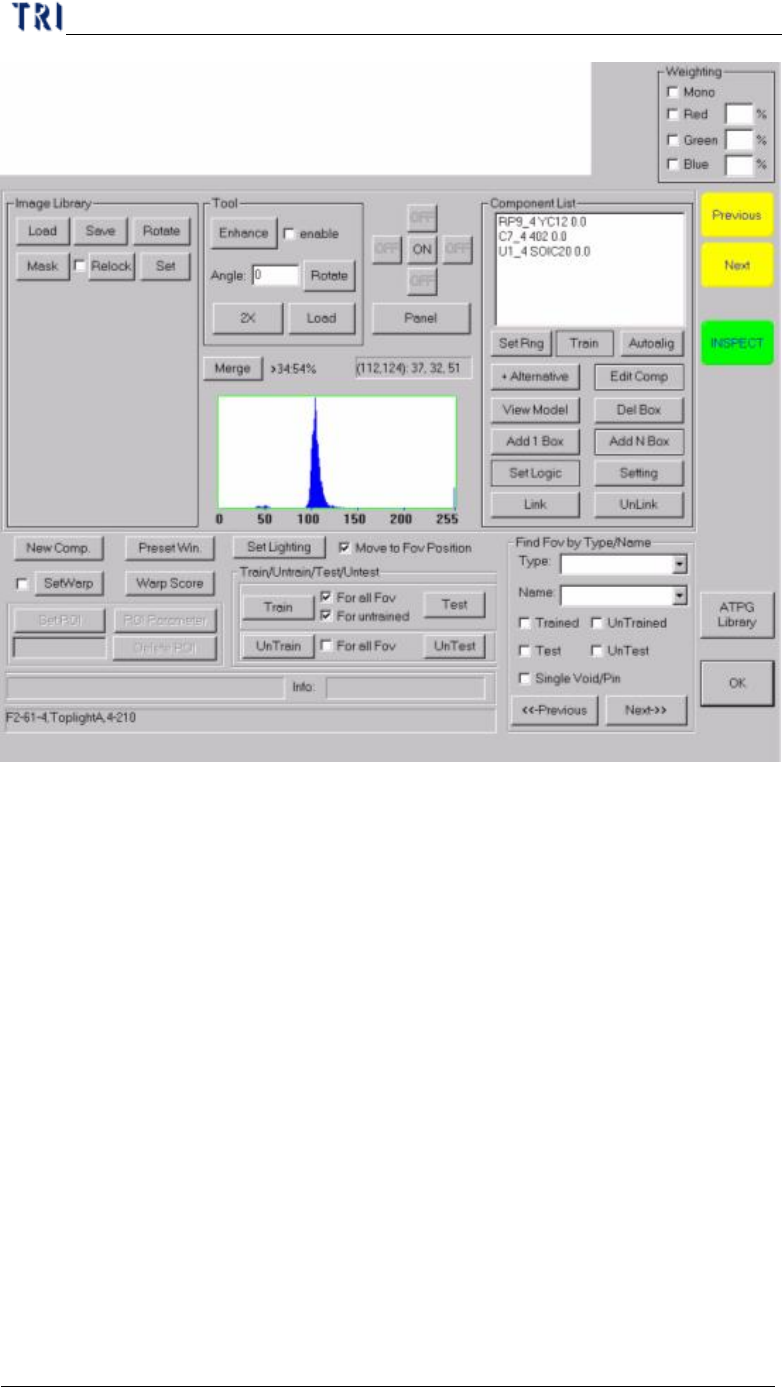
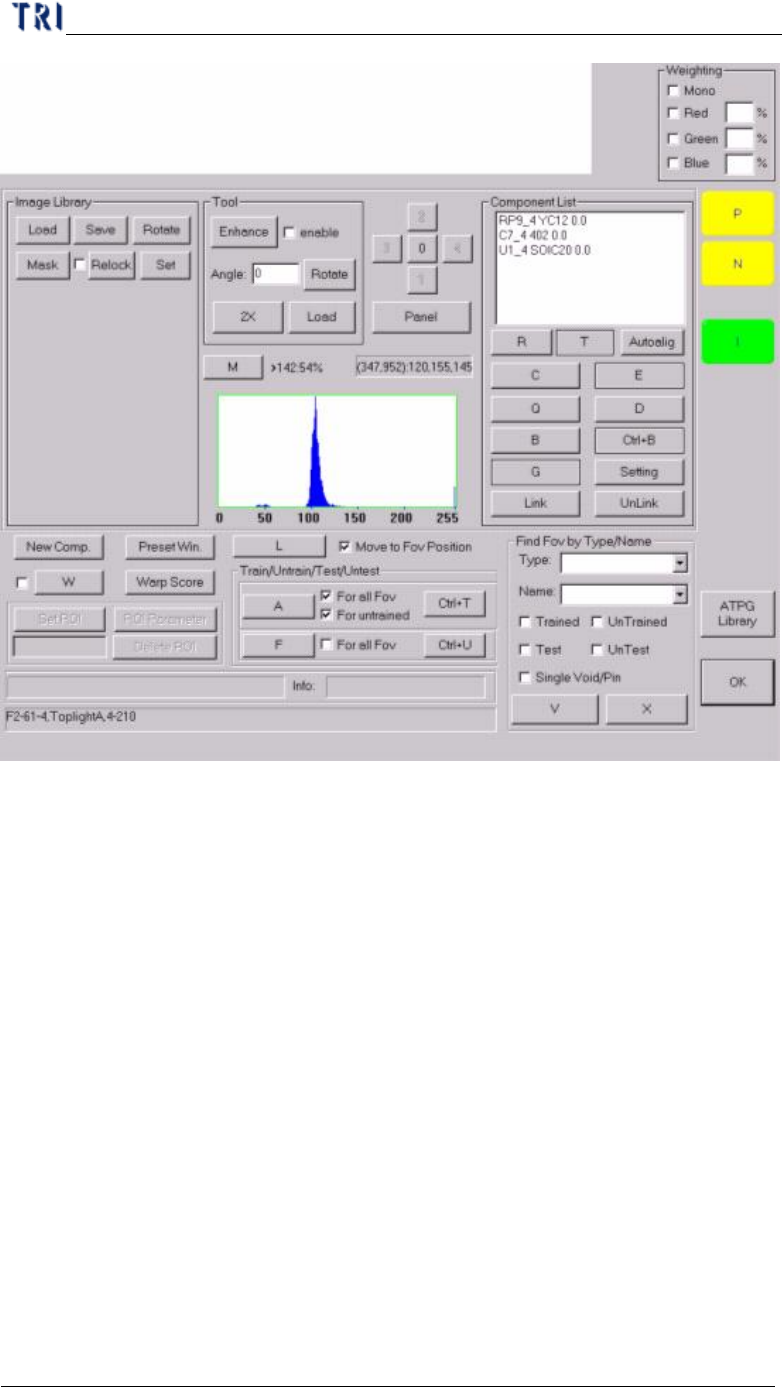
l You can click the train dialog then press [F1] to change the characters of button
to hot keys. Press once again and switch over.
Chapter 4 Train dialog function
TR7500 USER MANUAL
236
Chapter 4 Train dialog function
TR7500 USER MANUAL
237