TR7500E_Manual_en_v28 - 第250页
C h a p t e r 4 T r a i n d i a l og f u n c t i on T R 7500 U S E R M A N U AL 2 43 n M a s k – M a s k t h e i m a g e . S e e C h a p t e r 3 10 . 7 . 2. f o r r e f e r e n ce . n E n h a n ce – Y ou ca n e nh a n ce…
Chapter 4 Train dialog function
TR7500 USER MANUAL
242
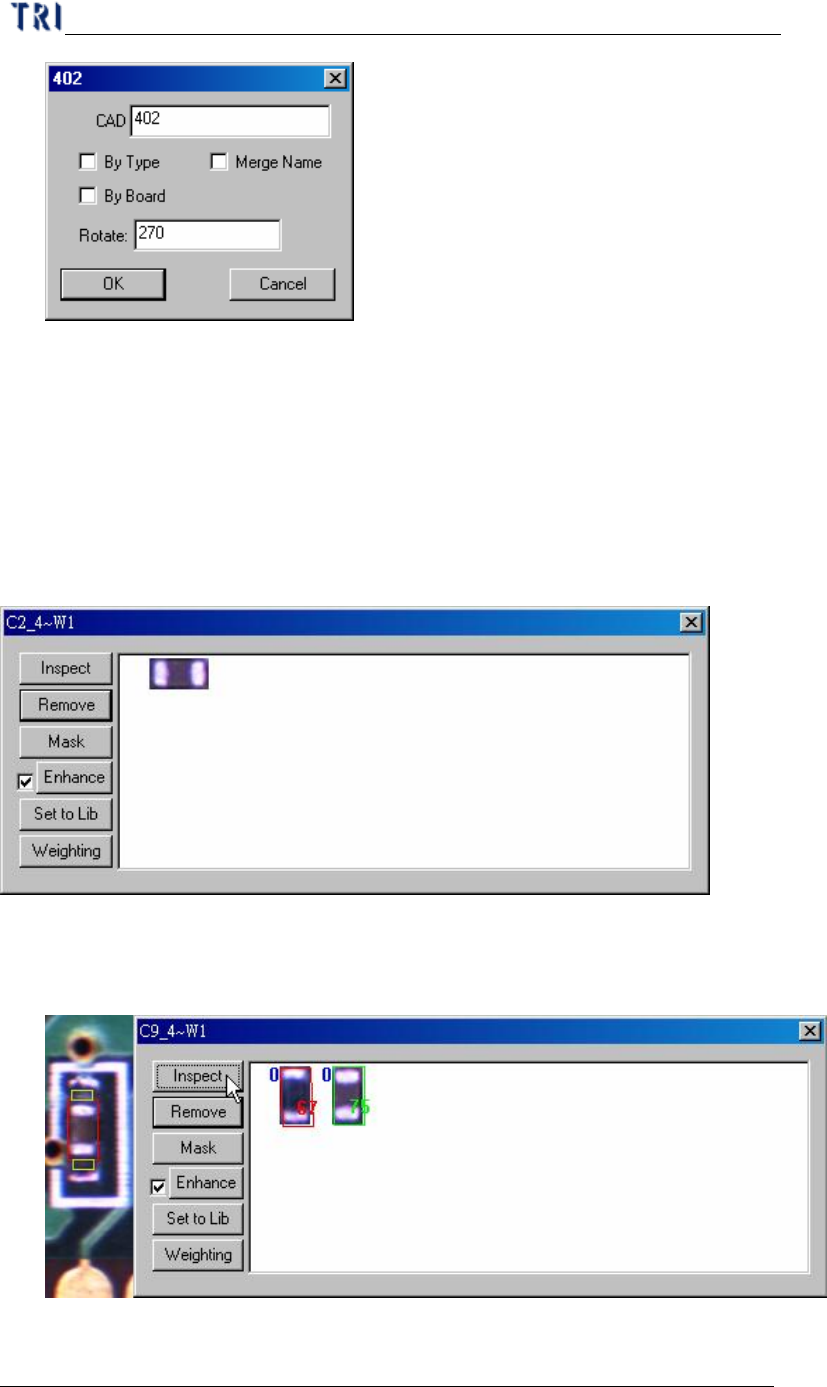
n By Type – apply the type name to the components with same type.
n By Board – apply the type name or rotate angle to the same components on
multi-board.
n Merge Name – The initial character(s) of component combine with original
name to form the new type name.
6.2.6. View Model
l You can review the standard images here or modify the images.
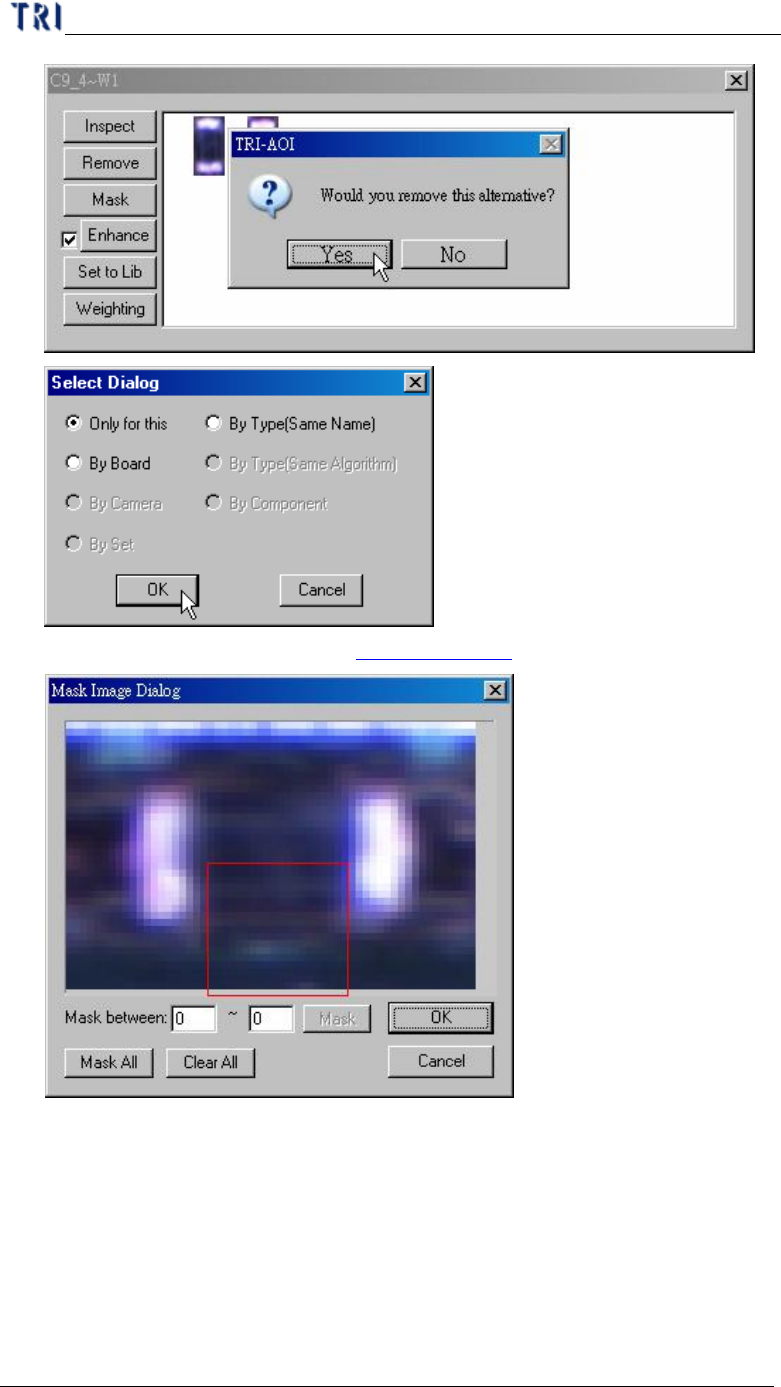
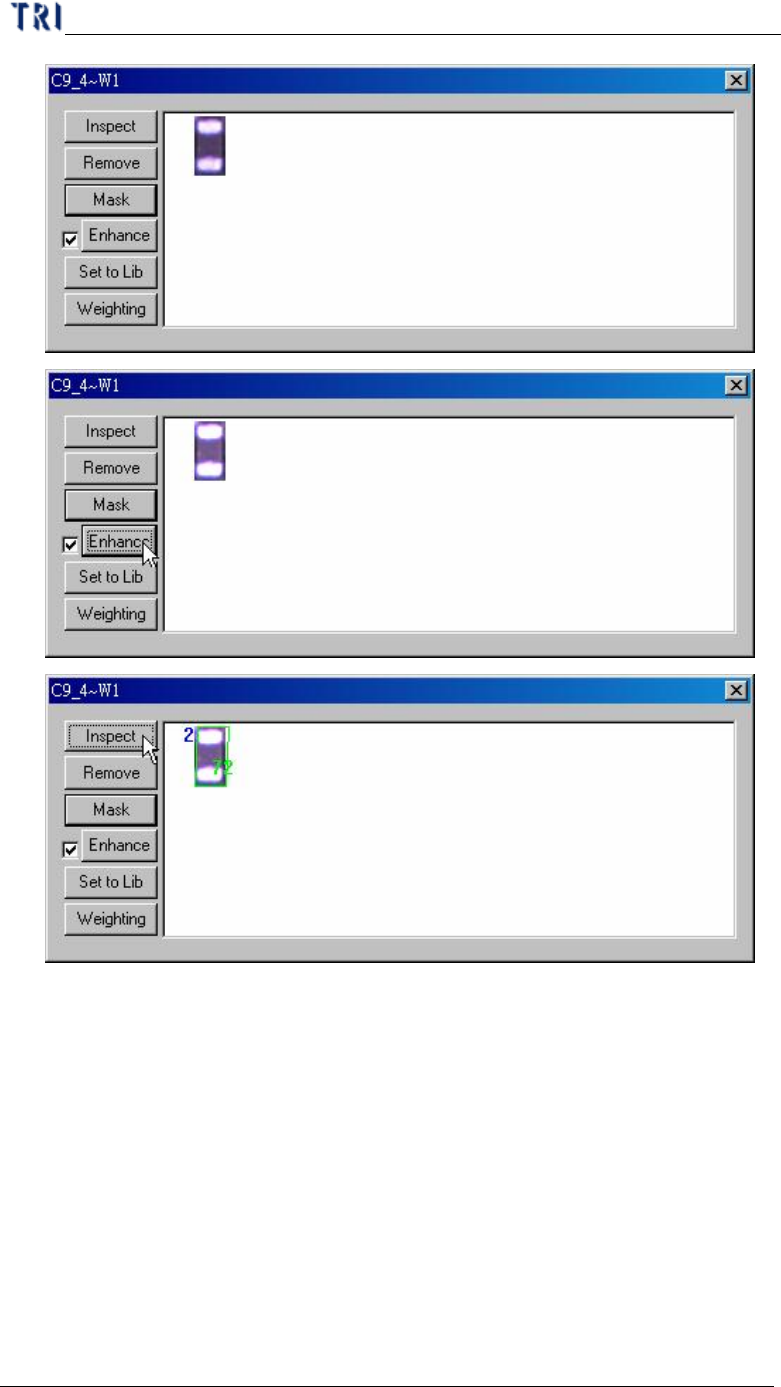
n Inspect – Review the similarity between standard image and the image that
wait measuring. The blue figure of the upper left corner represents the
number of times of the enhancement.
n Remove – Remove the selected image.
Chapter 4 Train dialog function
TR7500 USER MANUAL
243
n Mask – Mask the image. See Chapter 3 10.7.2. for reference.
n Enhance – You can enhance the brightness and contrast for alternative
image. Unselect the check box to recover the original image.
Chapter 4 Train dialog function
TR7500 USER MANUAL
244
n Set to Lib – You can use this function to save the alternative image back to
package library and image library. Select an image first and press [Set to
Lib]. Then input the file name and press [Open] to finish setting.