TR7500E_Manual_en_v28 - 第262页
C h a p t e r 4 T r a i n d i a l og f u n c t i on T R 7500 U S E R M A N U AL 2 55 l M a s k B r i g h t Z o n e 6.5.2. R O I p a r a m e t e r l S e t t h e R O I p a r a m e t e r s n T r a i n – S e t t h e p a r a …
Chapter 4 Train dialog function
TR7500 USER MANUAL
254
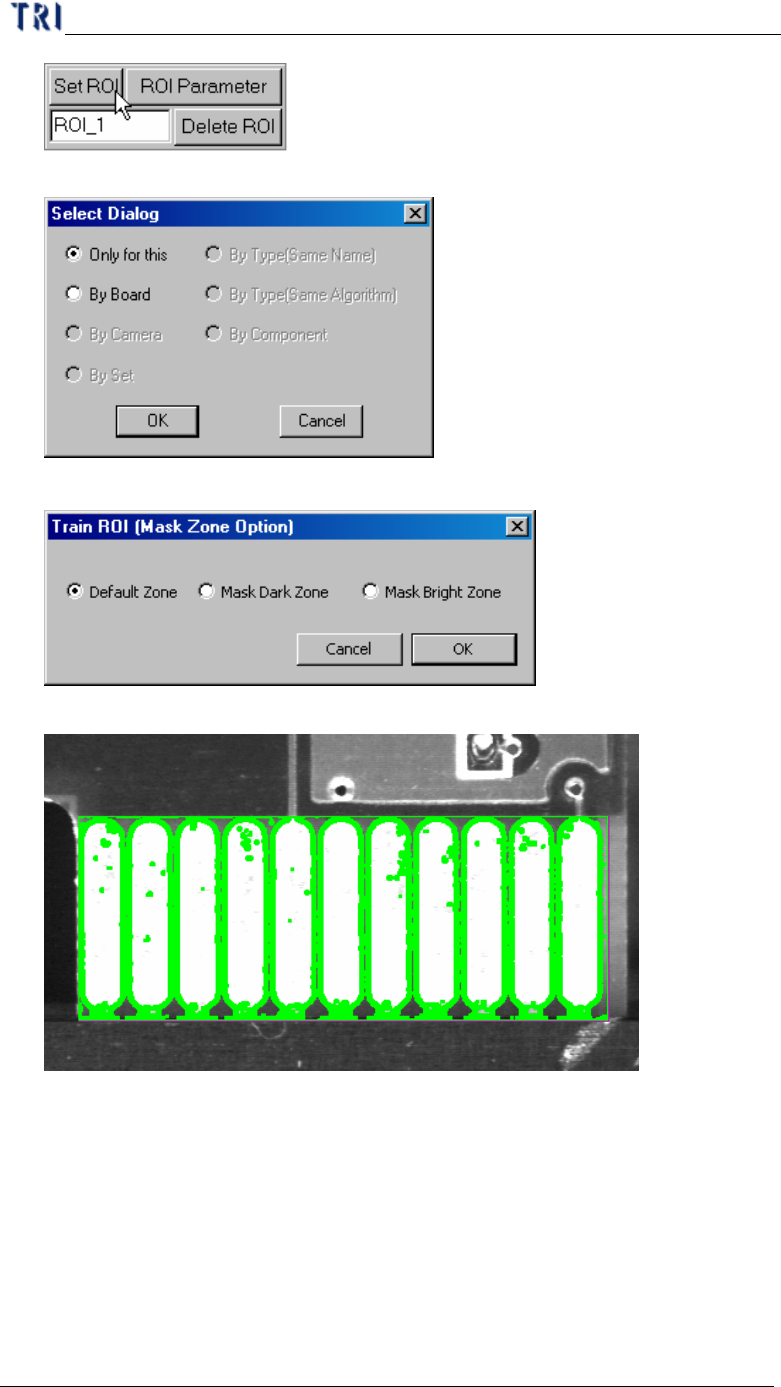
Step3. Select the copy rule.
Step4. Select the mask zone – Set the area you don’t want to inspect.
l Default Zone
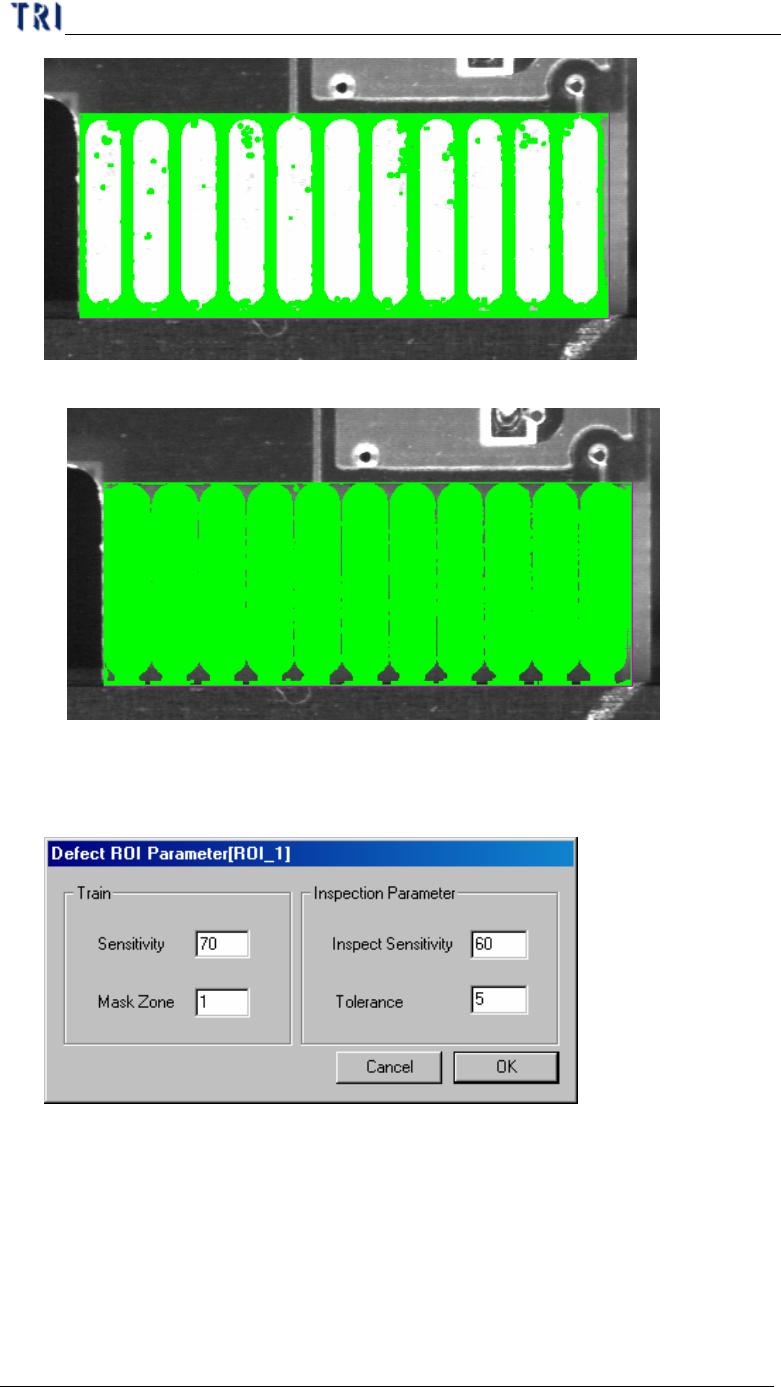
l Mask Dark Zone
Chapter 4 Train dialog function
TR7500 USER MANUAL
255
l Mask Bright Zone
6.5.2. ROI parameter
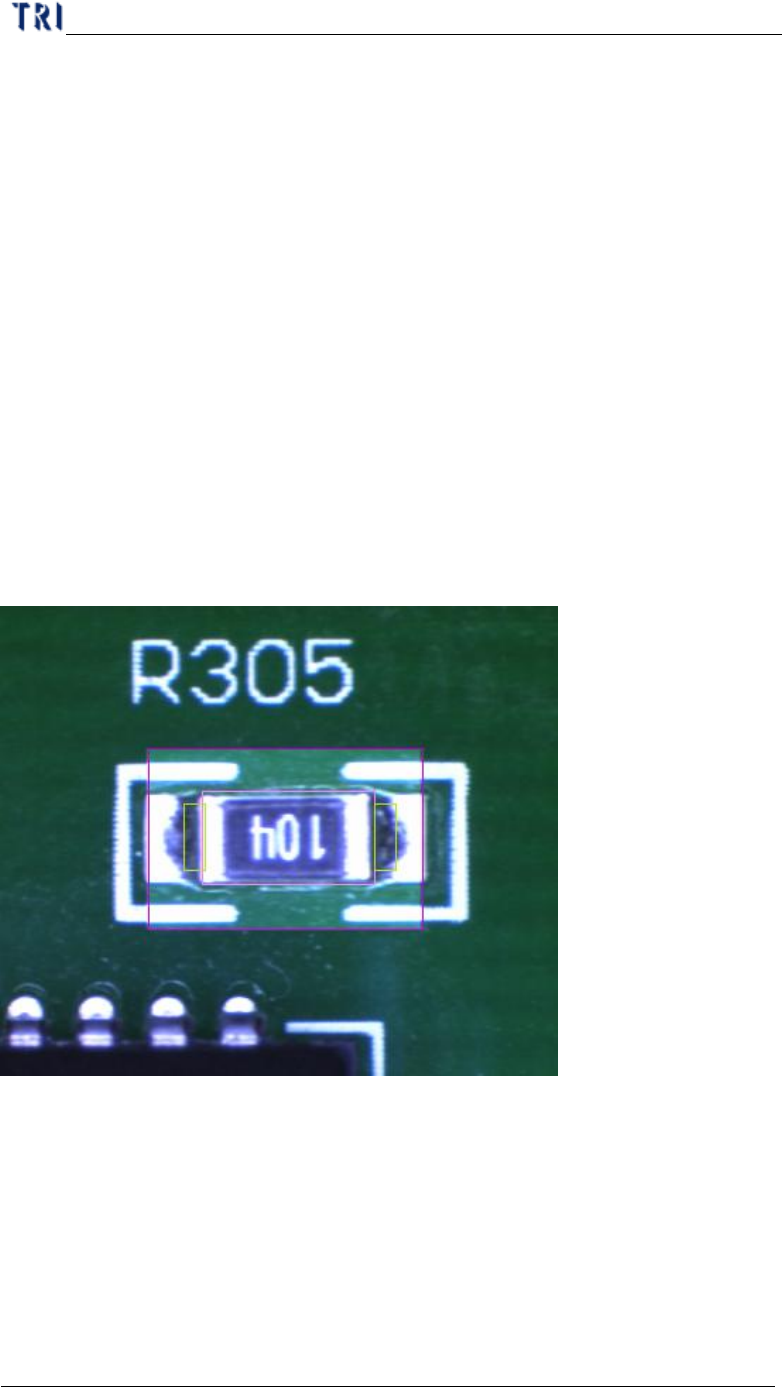
l Set the ROI parameters
n Train –Set the parameter for training
u Sensitivity – Take 70 for example. If the difference of gray level
between neighbor pixels are larger than 30 (100-70) the two pixels will
be regarded as edges.
u Mask Zone – Take 1 for example. Beside the edge points the neighbor
1 pixel point is masked as untest.
Chapter 4 Train dialog function
TR7500 USER MANUAL
256
n Inspection Parameter – Set the parameter for inspection. The system only
inspects the area that is in ROI box and not masked.
u Inspect Sensitivity – Take 60 for example. If the difference of gray
level between neighbor pixels are larger than 40 (100-60) the two
pixels will be regarded as edges.
u Tolerance – Take 5 for example. If a group size of edges is more than 5
the inspection window should be regard as failed.
n The [Sensitivity] value must be bigger than [Inspect Sensitivity] or it will
result more false alarm.
6.5.3. Delete ROI
l Press the button to delete all ROI windows in the FOV.
6.6. Tool
6.6.1. Enhance
l To enhance the area in multi-function window the brightness and contrast.
6.6.2. Enable
l You can unselect the check box to cancel [enhance] function.
6.6.3. Rotate
l Press the button to rotate the multi-function window.
6.6.4. Angle