TR7500E_Manual_en_v28 - 第274页
C h a p t e r 5 I n s p ec t i on d i a l o g f u n c t i on T R 7500 U S E R M A N U AL 2 67 1 . 1 . P a n e l D e f e c t M a p l I t w i l l s h o w t h e tw i c e p a n e l i m a g e w h i l e c li c k i ng o n t h e…
Chapter 5 Inspection dialog function
TR7500 USER MANUAL
266
Chapter 5 Inspection dialog function
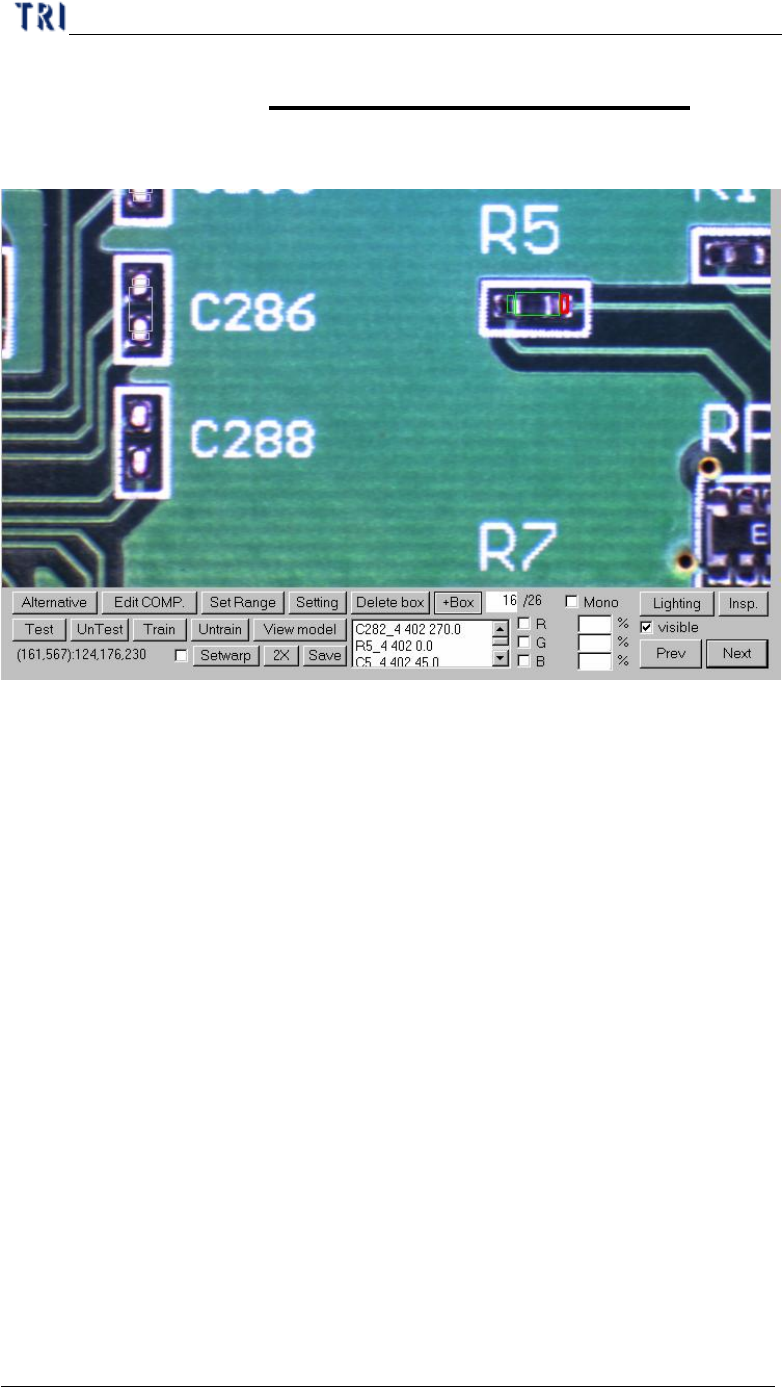
1. Image diagram function
l Alternative – Add an alternative to component.
l Edit COMP. – Edit component name and angle.
l SetRange – Set search range for a inspection box
l Setting – Set the pass level
l Delete box – Delete selected box
l +Box – Add one box to selected component.
l Test/UnTest – Set selected box as test or untest
l Train/UnTrain – Train inspection or set trained box as untrained.
l View model – Review the standard images
l Setwarp/Delwarp – Set or delete [Warp].
l 2X – Show the double size of FOV image. The display area is the multi-function
location and the image is reviewed for test.
l Save – Save the image to the folder.
l Lighting – Change the lighting to inspect.
l Insp. – Inspect the current FOV.
l Visible – Selecting this is to display the inspection boxes.
l Mono/R/G/B – Let the image in Multi-Function Window displays according to
the setting.
l Prev/Next – Go to the next or previous failed FOV.
Chapter 5 Inspection dialog function
TR7500 USER MANUAL
267
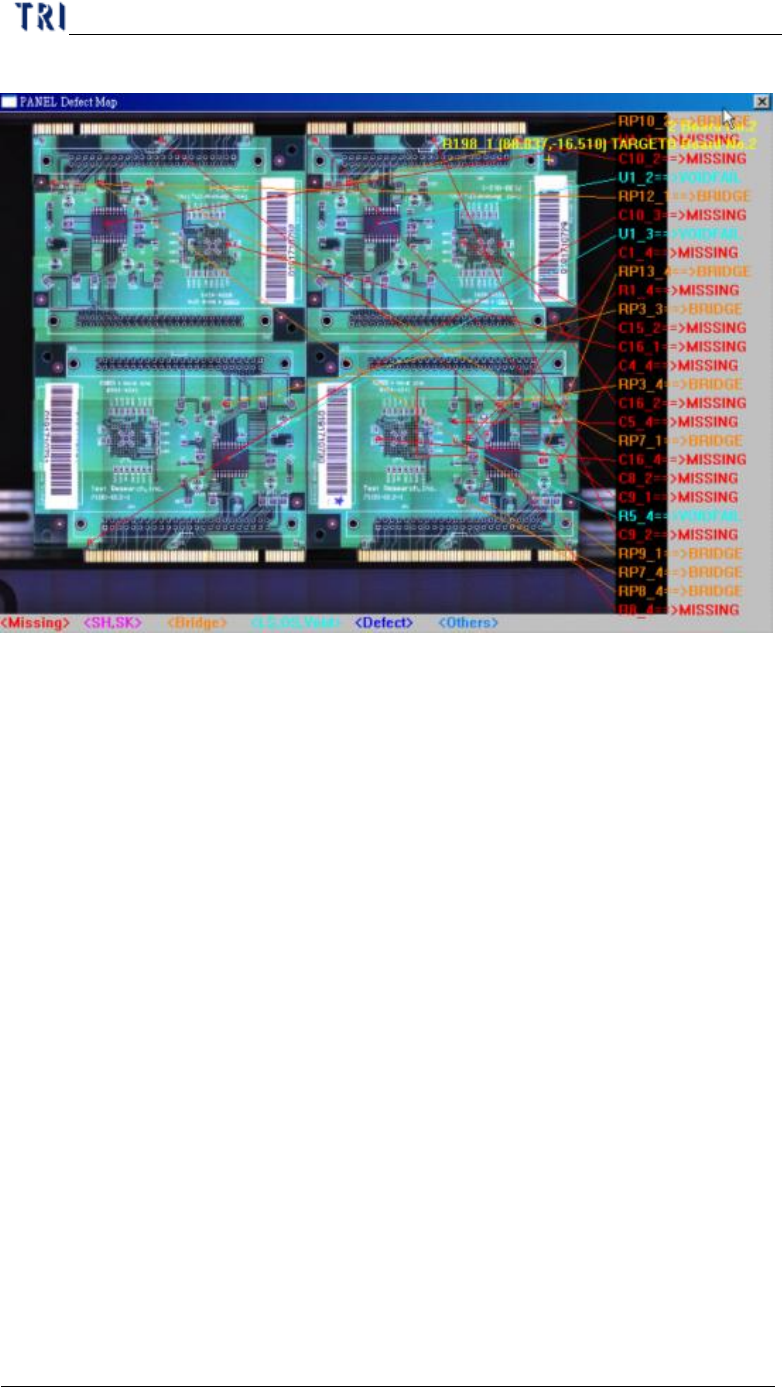
1.1. Panel Defect Map
l It will show the twice panel image while clicking on the image.
l It will show the defect position and list the component name and defect kind at
right side. If you select [Auto Confirm Mode] the size of the map will be double.
l You could key in “map” and press [Enter] to open the defect map again if it has
been closed.
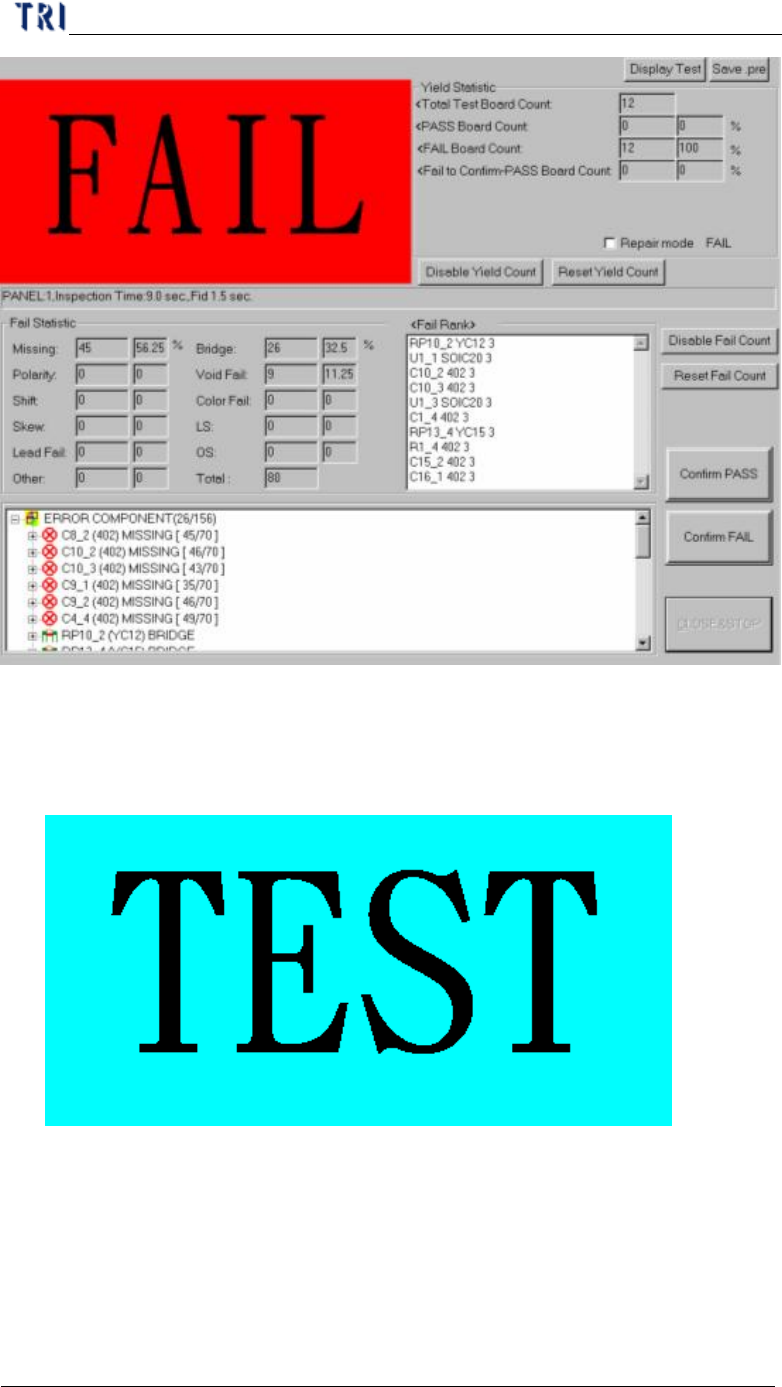
1.2. Result Dialog
Chapter 5 Inspection dialog function
TR7500 USER MANUAL
268
l Confirm PASS – Confirm the board is passed.
l Confirm FAIL – Confirm the board is failed.
l Display Test/Display Fail – You can select whether you want to display [TEST]
or [PASS] and [FAIL] figure.
l Save .pre – Save the project
l Yield Statistic – List the result counts of board.
n Total Test Board Count – Total test board count, counting with the single
board.
n PASS Board Count – Total PASS board count.
n FAIL Board Count – Total FAIL board count.