TR7500E_Manual_en_v28 - 第277页
C h a p t e r 5 I n s p ec t i on d i a l o g f u n c t i on T R 7500 U S E R M A N U AL 2 70 l F a i l S t a t i s t i c – L i s t t h e r a nk o f f a il e d c o m po n e n t a n d t h e d e f e c t c ou n t s . l D e …
Chapter 5 Inspection dialog function
TR7500 USER MANUAL
269
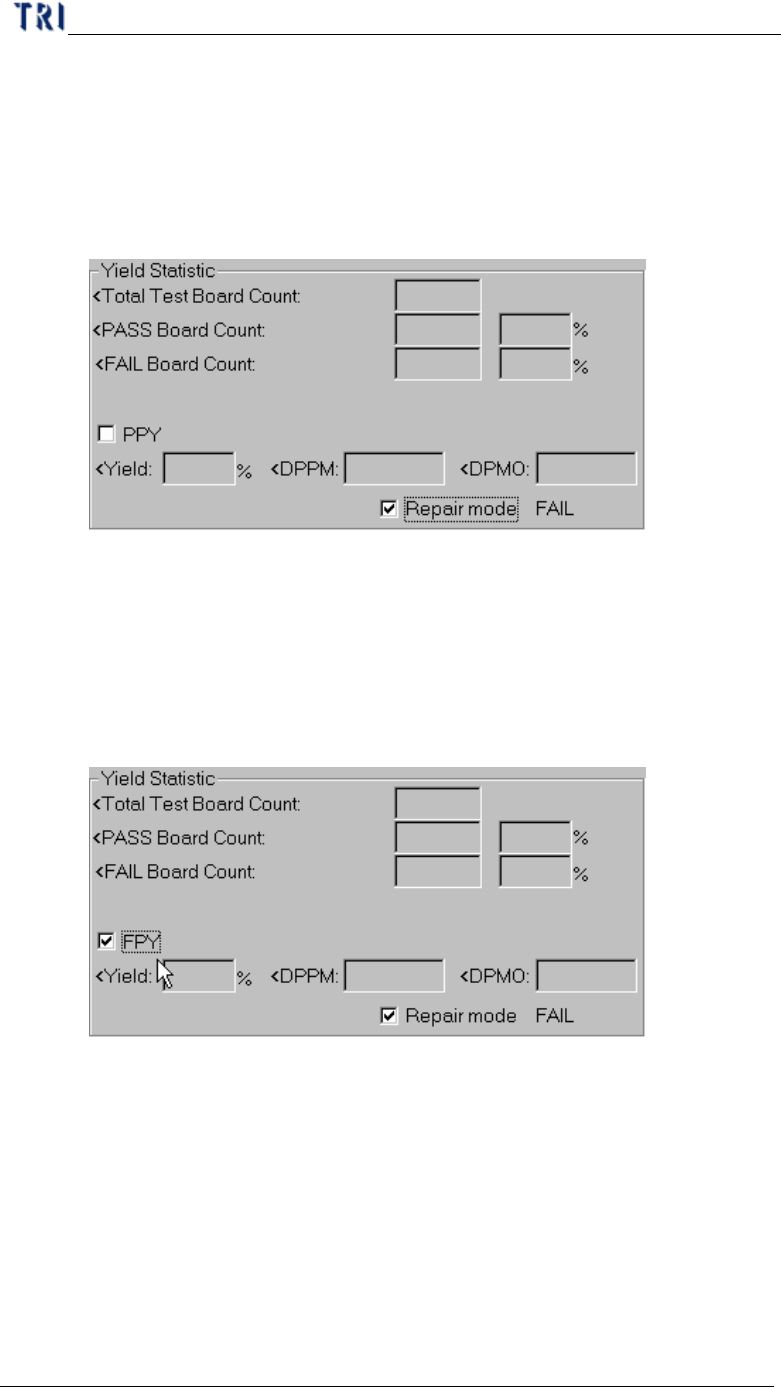
n Fail-to Confirm-PASS Board Count – The number of boards that are tested
FAIL but are confirmed as PASS by operator.
n Repair mode – Select to link with Repair Station and display the data that is
confirm and calculated on Repair Station. Note: For Repair Station,
[Setting/Other/SPCOutPut] has to be set as [True]. It shows the DPMO field,
only when you confirm the data by Window on Repair Station.
u PPY Yield – (Board confirmed PASS Count + Board that is false alarm
Count)/ (Total Test Board Count) *100%
u PPY DPPM – [(Component confirmed FAIL Count + Component that
is false alarm Count) / (Total Component Count)]*1000000
u PPY DPMO – [(Inspection Box confirmed FAIL Count + Inspection
Box that is false alarm Count)/(Total Test Board Count*Total
Inspection Box Count)]*1000000
u FPY Yield – Board confirmed PASS Count /Total Test Board Count
*100%
u FPY DPPM – [(Component confirmed FAIL Count)/Total Component
Count]*1000000
u FPY DPMO – [(Inspection Box confirmed FAIL Count)/(Total Test
Board Count*Total Inspection Box Count)]*1000000
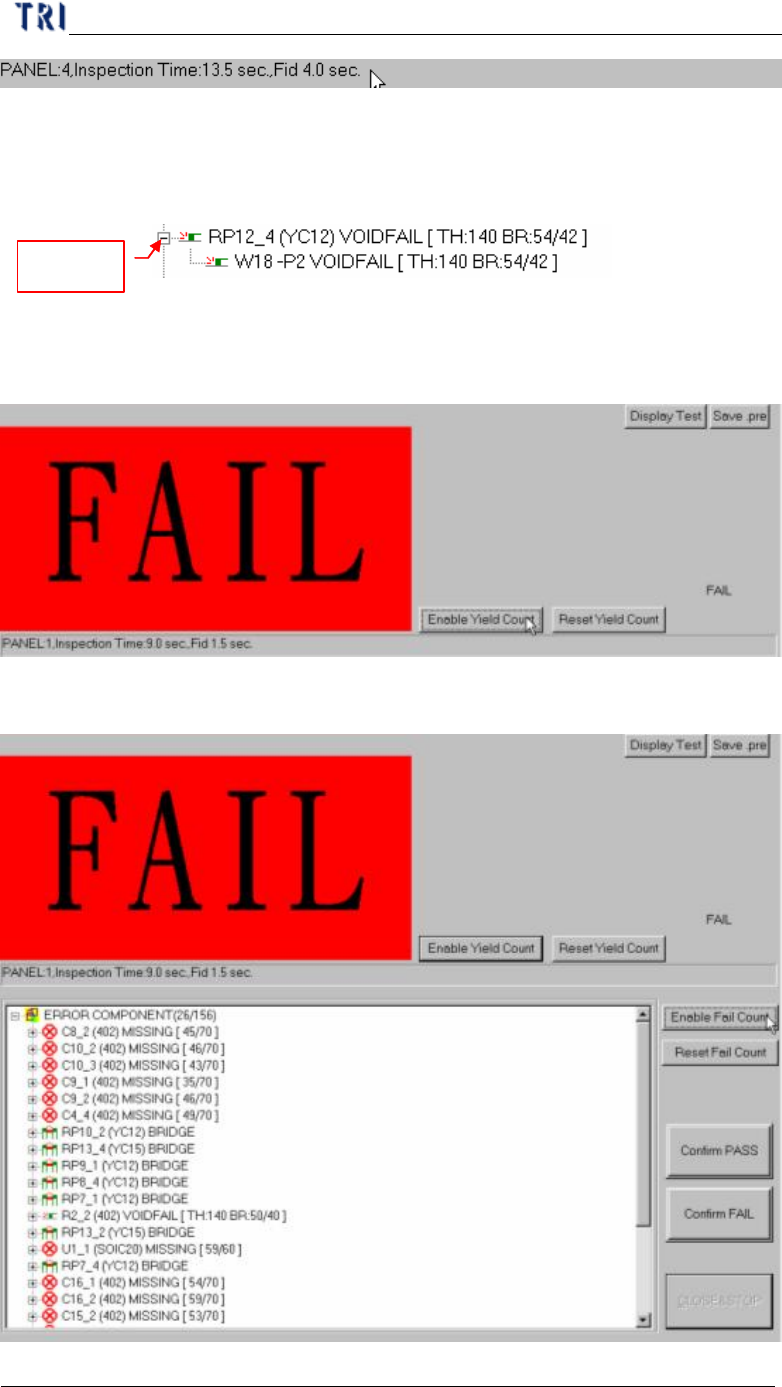
l Inspection time – Display inspection counts, inspection time and time to finding
fiducial marks.
Chapter 5 Inspection dialog function
TR7500 USER MANUAL
270
l Fail Statistic – List the rank of failed component and the defect counts.
l Defect tree – List the details of component.
Component name, (Type), Defect kind [Parameter, inspected score/tolerance]
Display
Inspection box name, Defect kind, [Parameter, inspected core/tolerance]
l Disable Yield Count – Not to display the [Yield Statistic] field.
l Reset Yield Count – Reset the [Yield Statistic] field.
l Disable Fail Count – Not to display the [Fail Statistic] field.

Chapter 5 Inspection dialog function
TR7500 USER MANUAL
271
l Reset Fail Count – Reset the [Fail Statistic] field.
l Close&Stop – Close the window.