TR7500E_Manual_en_v28 - 第39页
C h a p t e r 1 AO I S t a nd a r d P r o j ec t Cr ea t i on T R 7500 U S E R M A N U AL 32 ( 2 6) P r e ss “ N e xt ” b u t t o n . ( 2 7) C l o s i ng d i s p l a y w i n d o w s m e ss a g e . ( 2 8) S y s t e m c r …
Chapter 1 AOI Standard Project Creation
TR7500 USER MANUAL
31
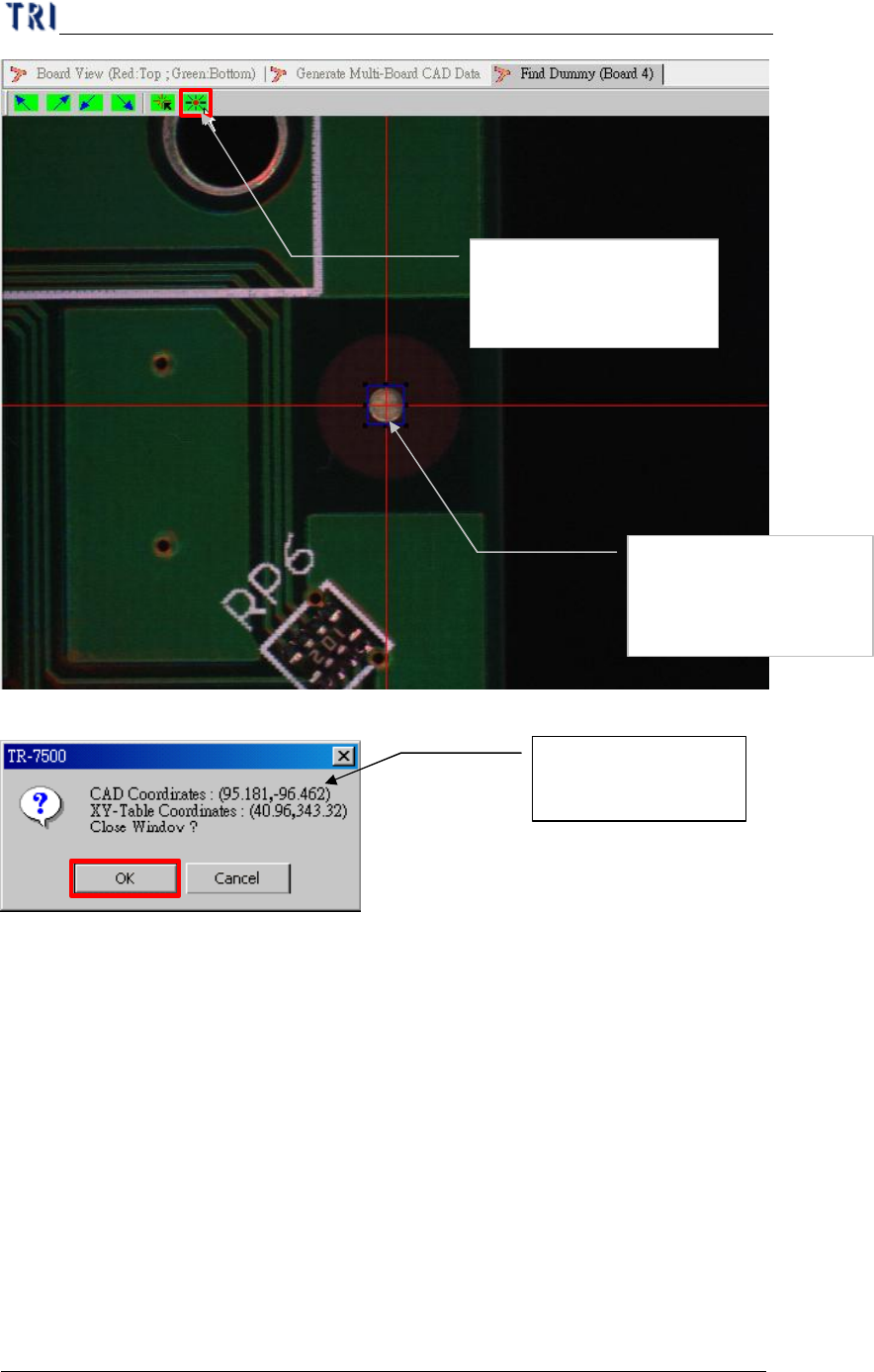
(24) Display the CAD & XY table coordinate.
(25) Display board 4 result.
System shows the
position relationship
Getting the CAD with
the XY table
relationship for position
Moving the component
to the screen center
(cross red line point)
Chapter 1 AOI Standard Project Creation
TR7500 USER MANUAL
32
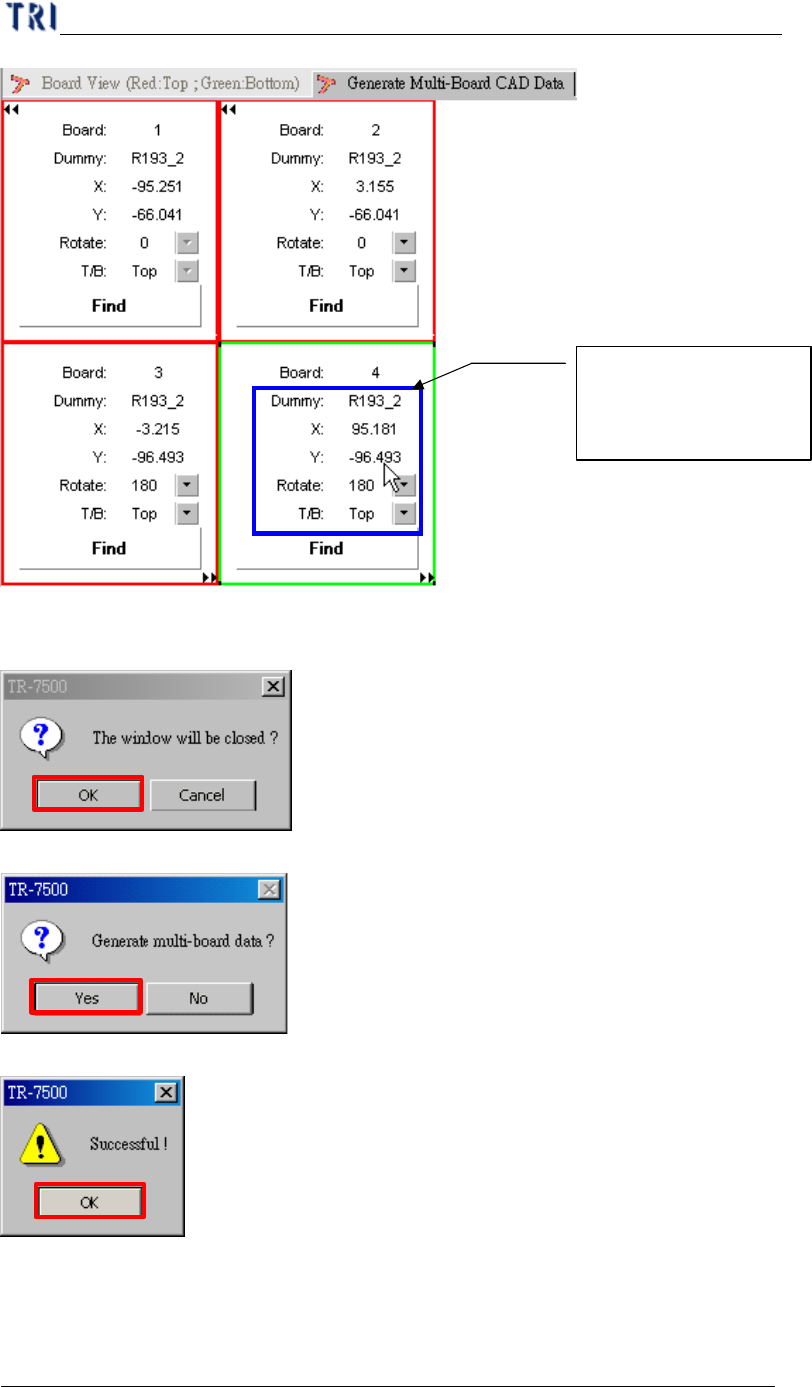
(26) Press “Next” button.
(27) Closing display windows message.
(28) System creating multi-board data.
(29) Display successful message.
5. Fiducial Mark Setting
5.1. Fiducial Mark Setting
Getting component of
CAD file with board 4
relationship
Chapter 1 AOI Standard Project Creation
TR7500 USER MANUAL
33
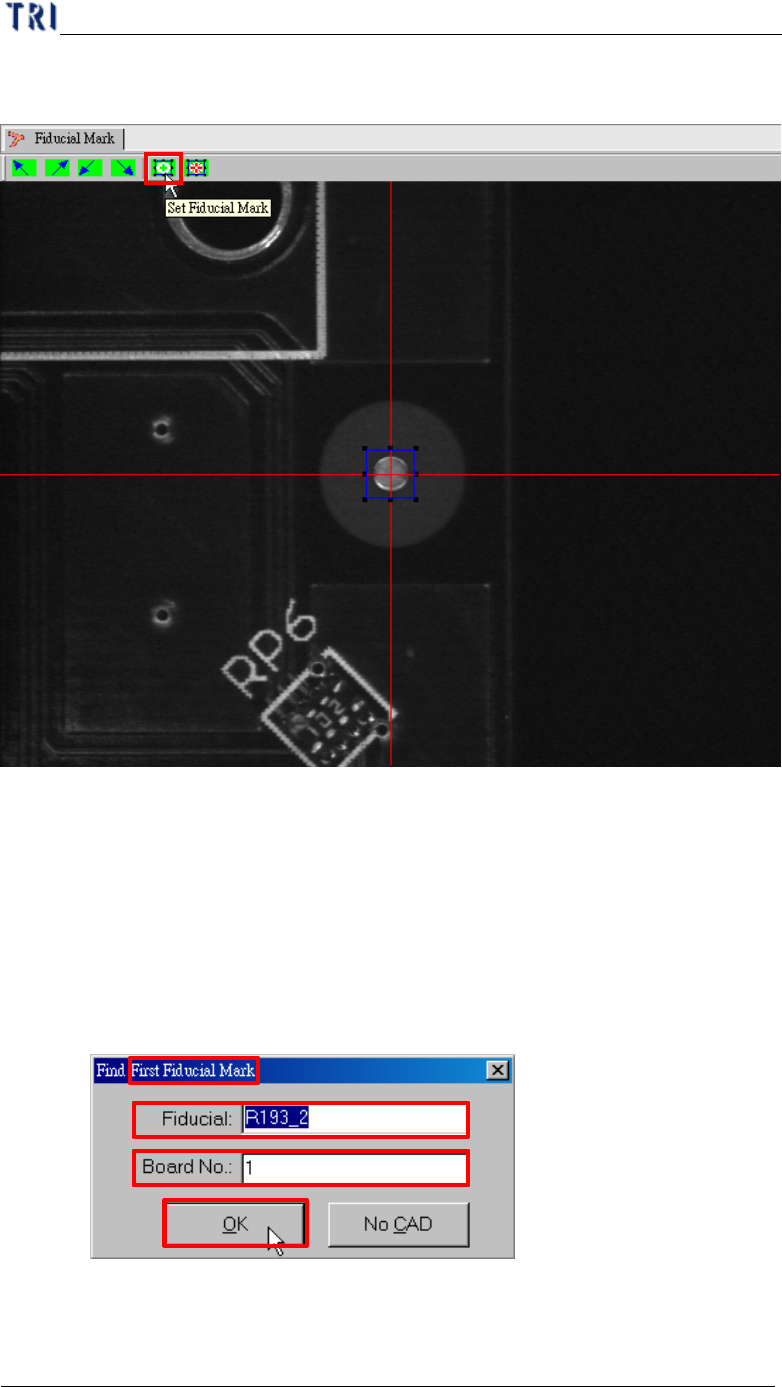
l Fiducial mark setting is for detecting panel offset.
(1) Press [Set Fiducial Mark] icon.
(2) You have to find the first fiducial mark (Fiducial 0) in the beginning. If the
fiducial mark that you want to set is listed in CAD file you can input the name
and board number directly and press [OK]. Or you can press [No CAD] to find
the fiducial mark manually.
l With CAD
Step1. Input the name and the board number of fiducial mark and press
[OK].
Step2. It moves camera to the position of the fiducial mark automatically
according to the CAD data.