TR7500E_Manual_en_v28 - 第49页
C h a p t e r 1 AO I S t a nd a r d P r o j ec t Cr ea t i on T R 7500 U S E R M A N U AL 42 ( 4) C o n f i r m t h e b o a r d 1 r i g h t - bo tt om p o s i t i o n . ( 5) B o a r d s i z e s e tt i ng f i n i s h e s …
Chapter 1 AOI Standard Project Creation
TR7500 USER MANUAL
41
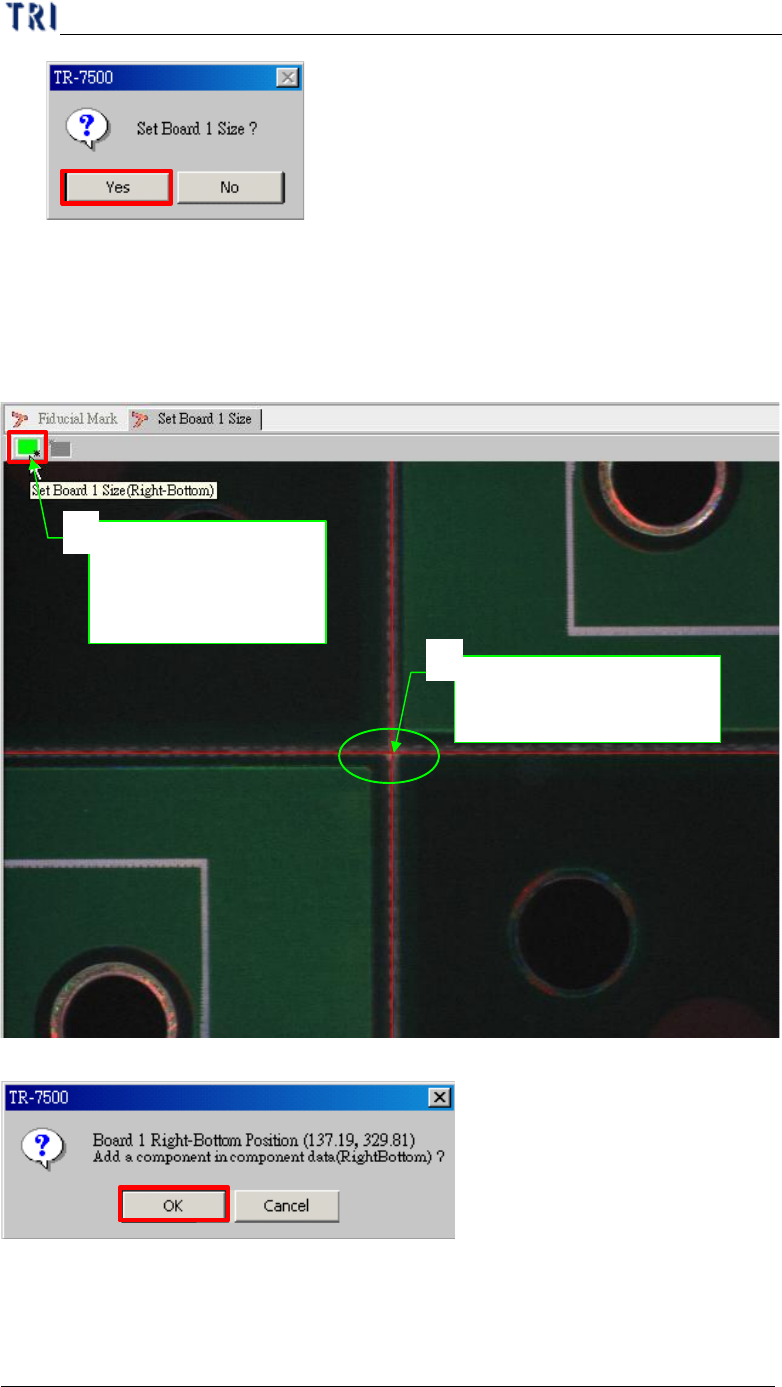
5.2. Board Size Setting
l Board size setting is detection for golden pin in panel outside edge.
(1) Moving the screen center to right-bottom side corner of board 1 and press setting
button.
(2) Confirm the board 1 right-bottom position.
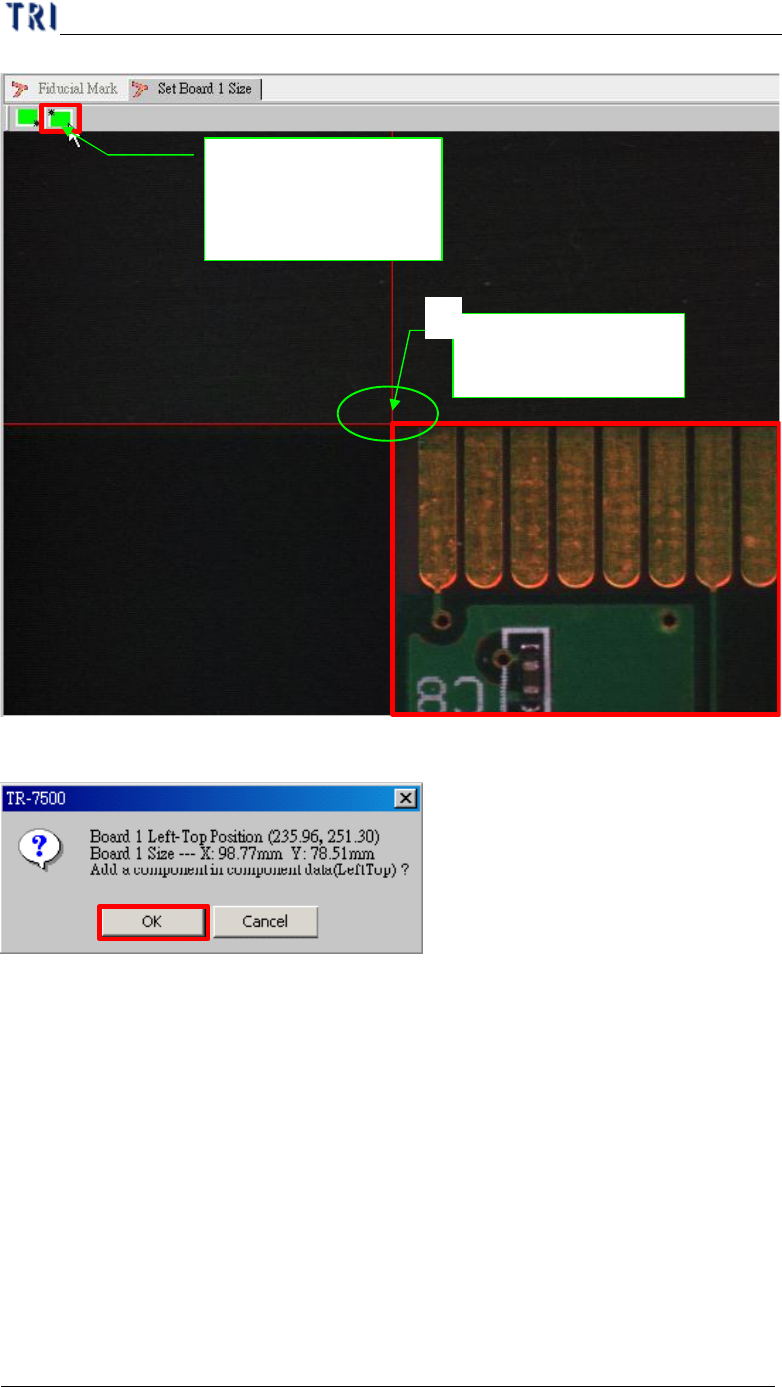
(3) Moving the screen center to left-top side corner of board 1 and press setting
button.
Move to right-
bottom side
corner
1
Push the button set
board 1 right-bottom
side limitation
2
Chapter 1 AOI Standard Project Creation
TR7500 USER MANUAL
42
(4) Confirm the board 1 right-bottom position.
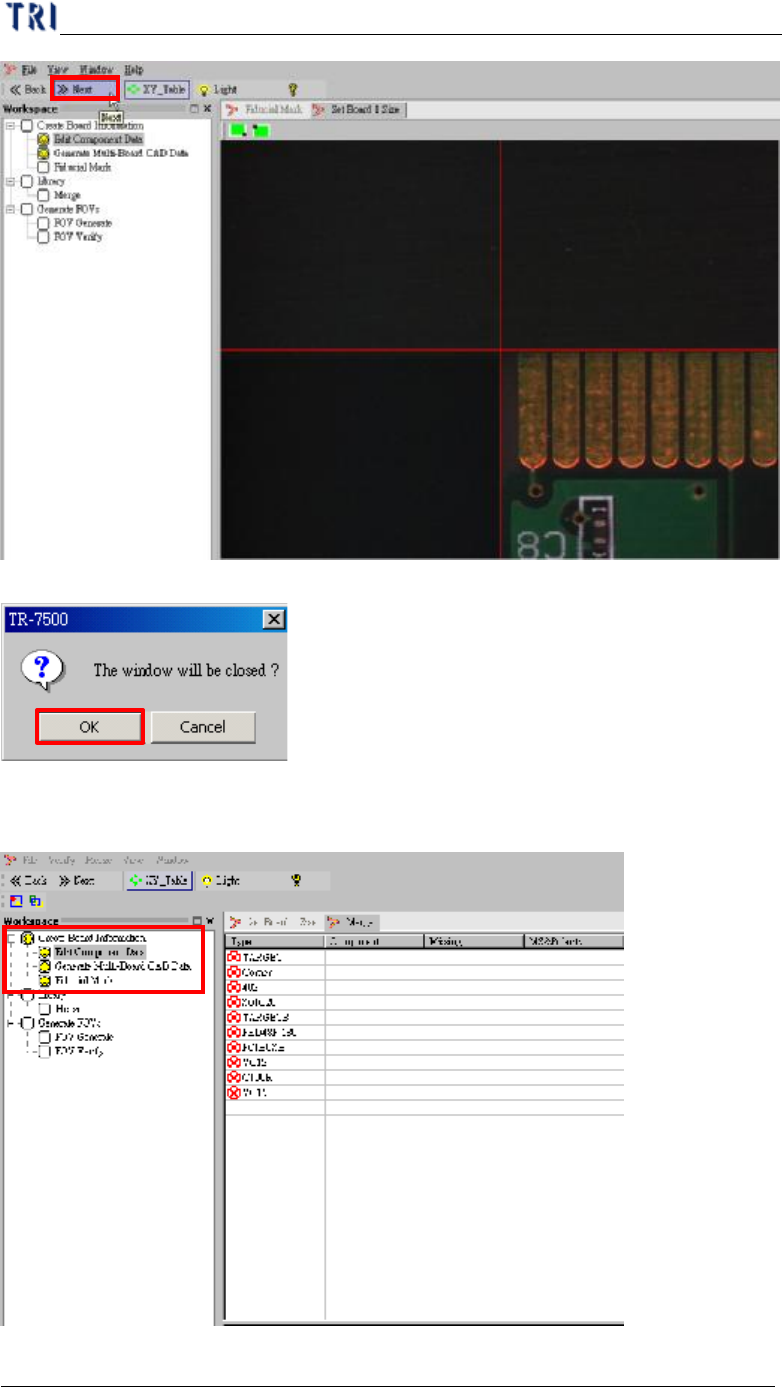
(5) Board size setting finishes and goes to next.
Push the button set
board 1 left-top side
limitation
Move to left-top side
corner
1
Chapter 1 AOI Standard Project Creation
TR7500 USER MANUAL
43
(6) Display finish in Fiducial Mark setting procedure.