TR7500E_Manual_en_v28 - 第63页
C h a p t e r 1 AO I S t a nd a r d P r o j ec t Cr ea t i on T R 7500 U S E R M A N U AL 56 ( 6) P r e ss [ I n s p . ] t o c h ec k t h e r e s u l t o f t u n i ng .
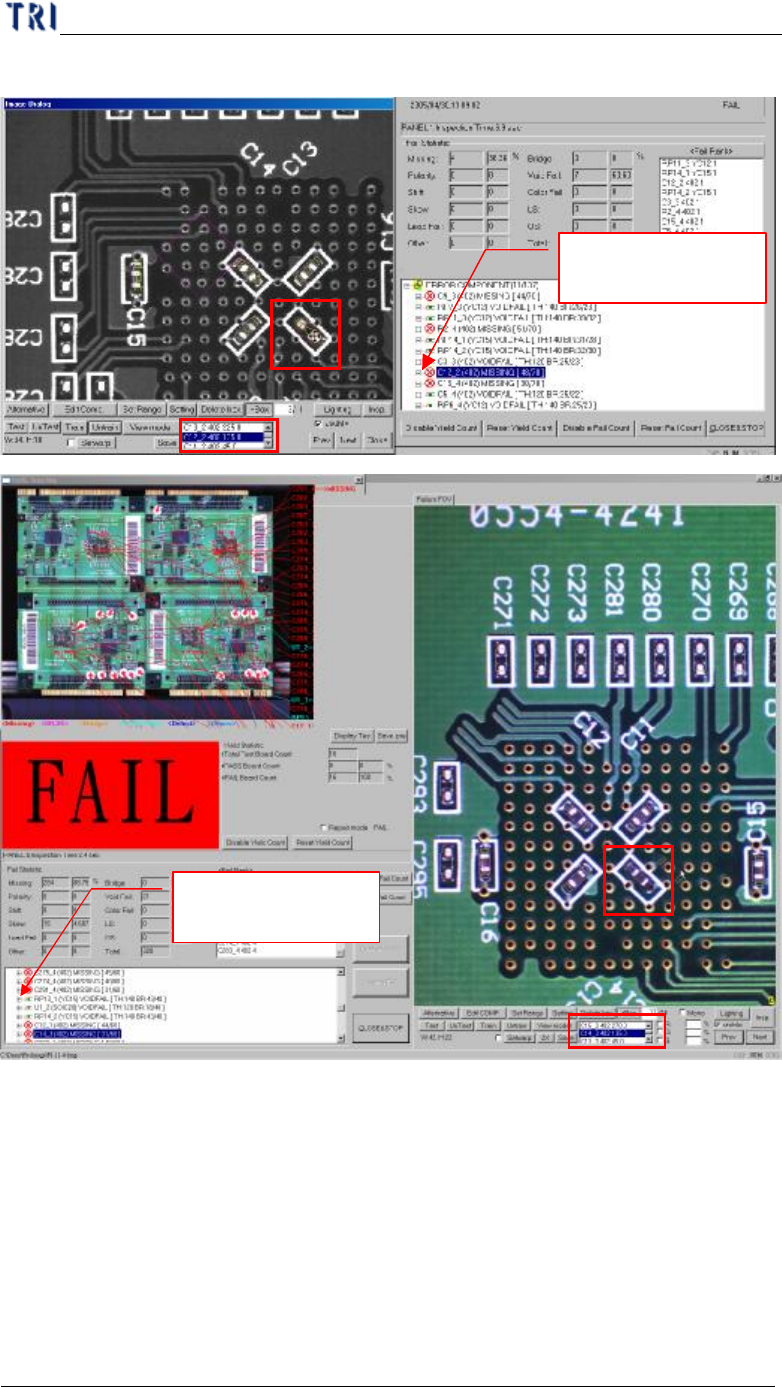
Chapter 1 AOI Standard Project Creation
TR7500 USER MANUAL
55
boxes here.
Press [+]
to display
the details
(5) You can use the function to do fine tuning.
Press [+] to display
the details
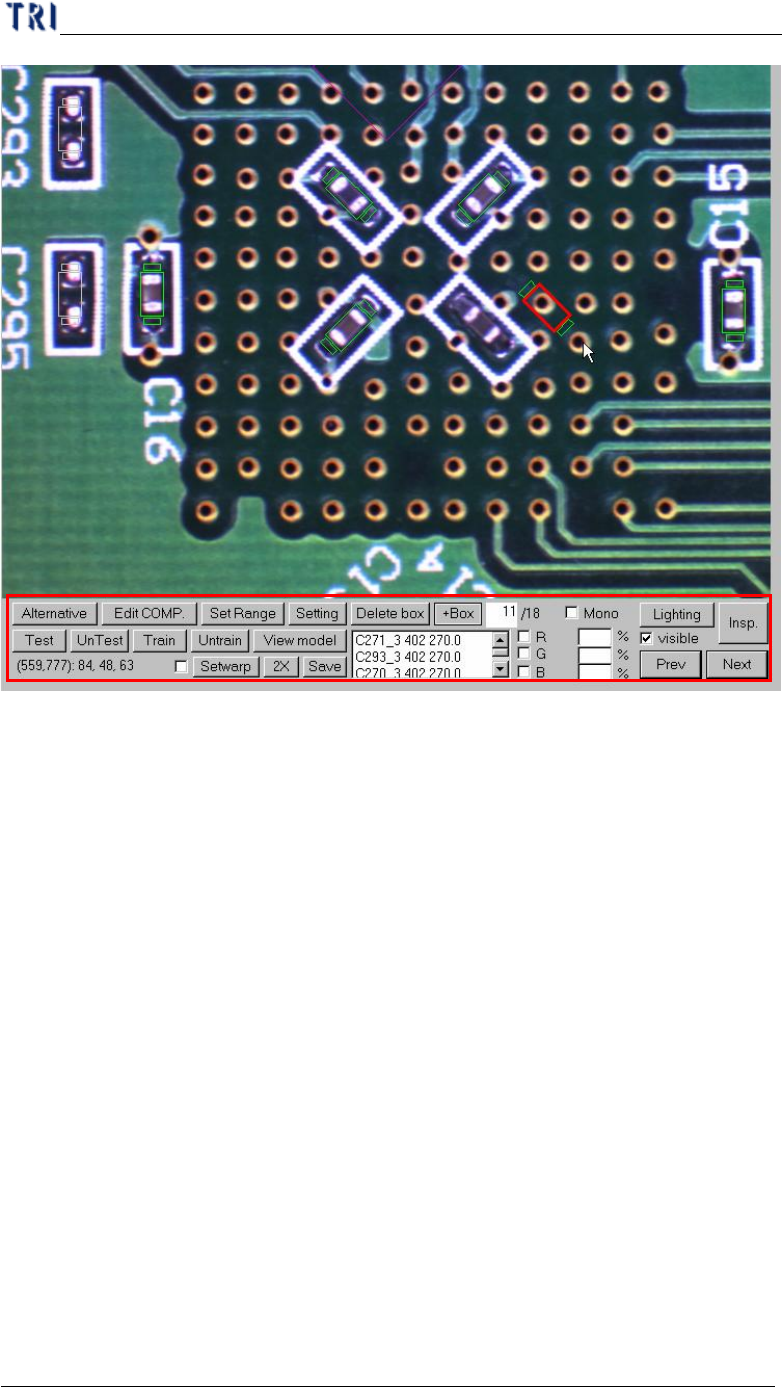
Chapter 1 AOI Standard Project Creation
TR7500 USER MANUAL
56
(6) Press [Insp.] to check the result of tuning.
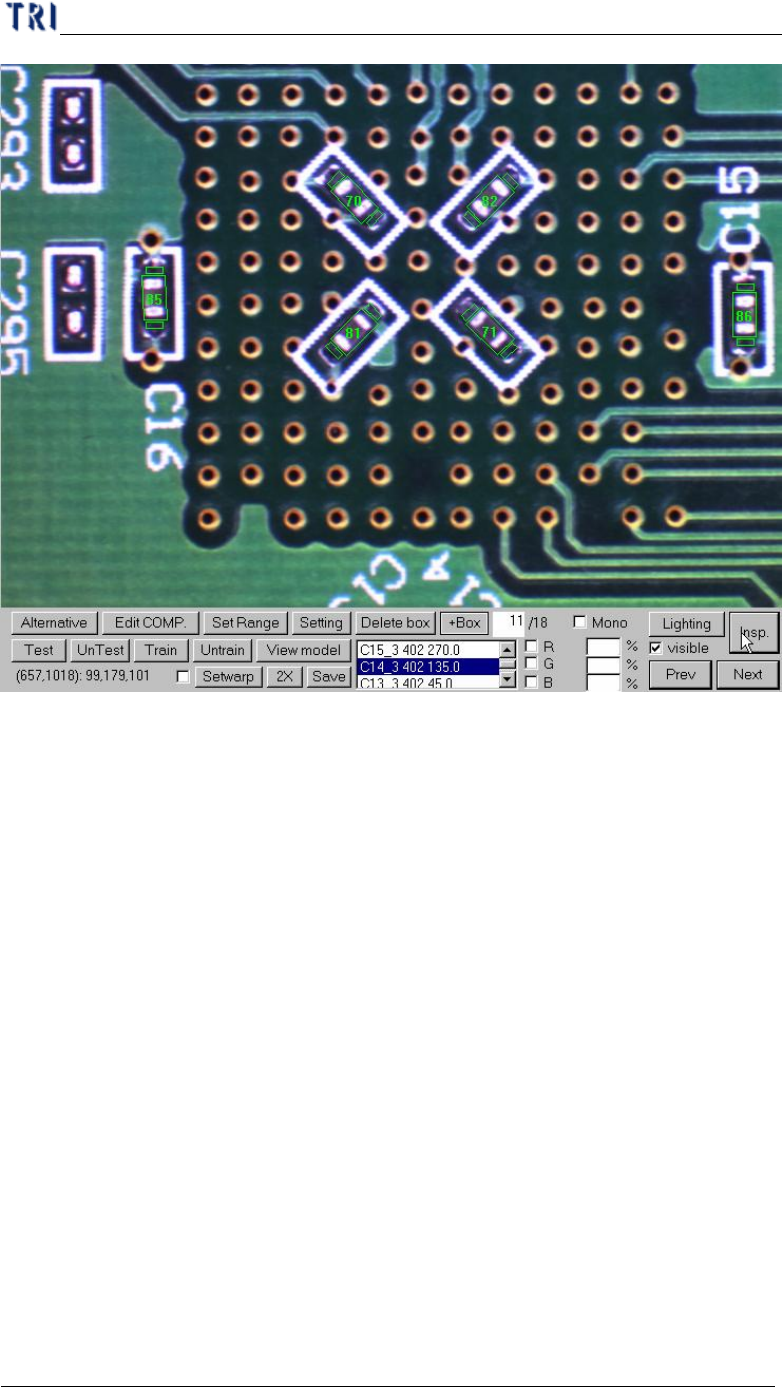
Chapter 1 AOI Standard Project Creation
TR7500 USER MANUAL
57
(7) After all FOVs are tuned well, press [Save pre.] to save the changed project.
(8) Press [Close&Stop] to close the result dialog.
(9) Choose [Operation/Confirm Mode] and press [Inspect] to inspect whole board by
real time images. And tune the failed images.
(10) Do the above actions for several different golden boards as the case may be until
the project is stable.
(11) Start to inspect.