TR7500E_Manual_en_v28 - 第66页
C h a p t e r 2 M a nu a l B a r i n t r o d u ce T R 7500 U S E R M A N U AL 59 3.1.1. L i n k t o R e p ai r S t a t i o n ? l C h e c k t o d e l i v e r t h e a f t e r r e s u l t d a t a t o r e p a i r s t a ti o …
Chapter 2 Manual Bar introduce
TR7500 USER MANUAL
58
Chapter 2 Manual Bar introduce
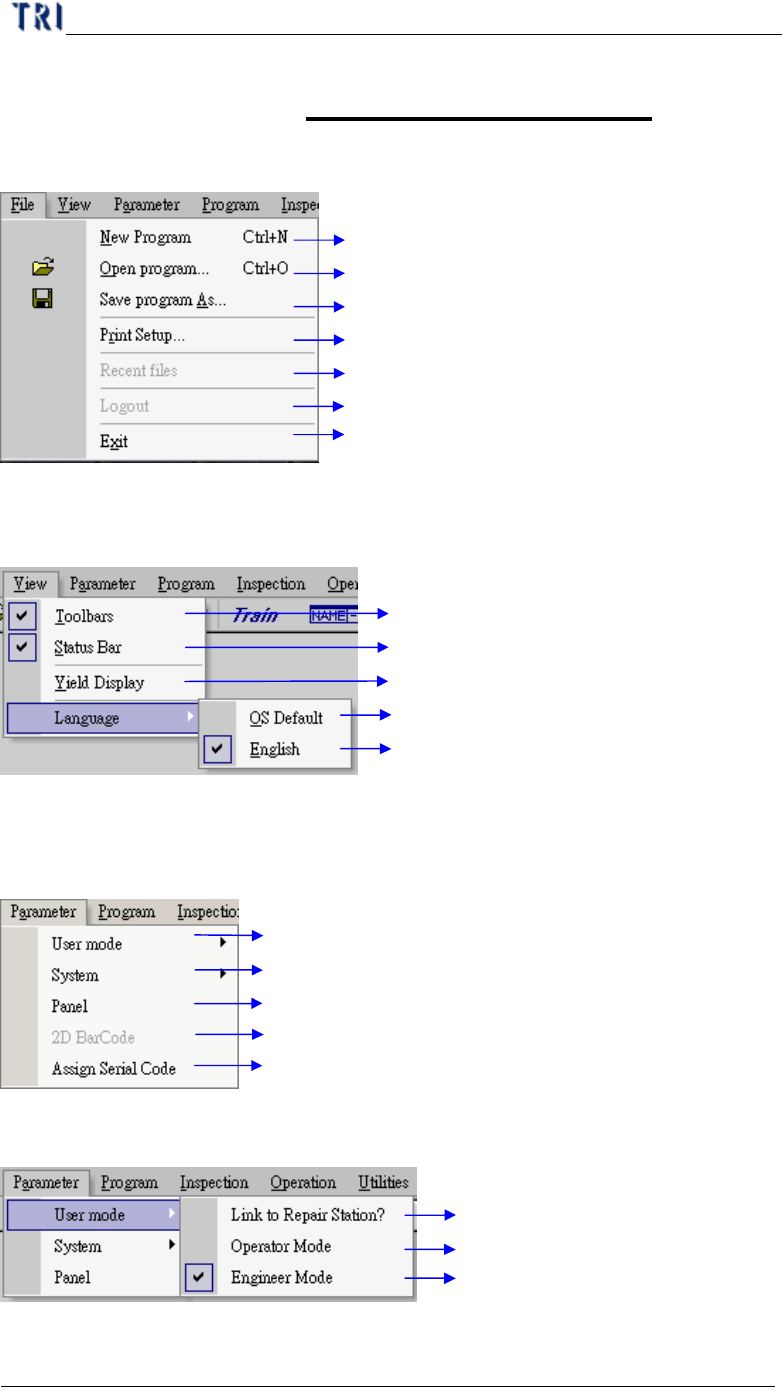
1. File
Create a new AOI Project file
Open AOI Project file
Save AOI Project file as another file name
Print format setting
Recent opening AOI file list
Log out the current user
Quit AOI inspection Program
2. View
Toolbars function display “ON” or “OFF”
Status Bar function “ON” or “OFF”
Inspection analysis for yield rate display
Display toolbars in operation system language
Display toolbars in English
3. Parameter
AOI on line link with repair station setting
System halt timing and fail signal output setting
Parameter setup for Panel
Reading 2D Barcode Function
Defines the serial code of the PCB
3.1. User mode
Transfer AOI data to Repair station
General operation mode for operator
Complete mode for engineer setting (Need
input Password)
Chapter 2 Manual Bar introduce
TR7500 USER MANUAL
59
3.1.1. Link to Repair Station?
l Check to deliver the after result data to repair station. If the communication
between computers is broken the data will be saved in [C:\AOI_Repair_Data]
folder. After the link is normal the data will be transferred to repair station
automatically.
3.1.2. Link to Offline Editor?
l Select this item to pass the result to Offline Editor. When you set [Offline=1] at
registry (it means that the machine is an Offline Editor), the item turns to display
[Link to Machine?]. See Chapter 8 for more information about Offline Editor.
3.1.3. Operator Mode/Engineer Mode
l You can choose [Operator Mode] or [Engineer Mode] to operate the project. The
beginning setting is the same as the previous setting. The user can’t edit the
project in [Operator Mode] they can open project or inspect only. The password
of choosing [Engineer Mode] is [7100].
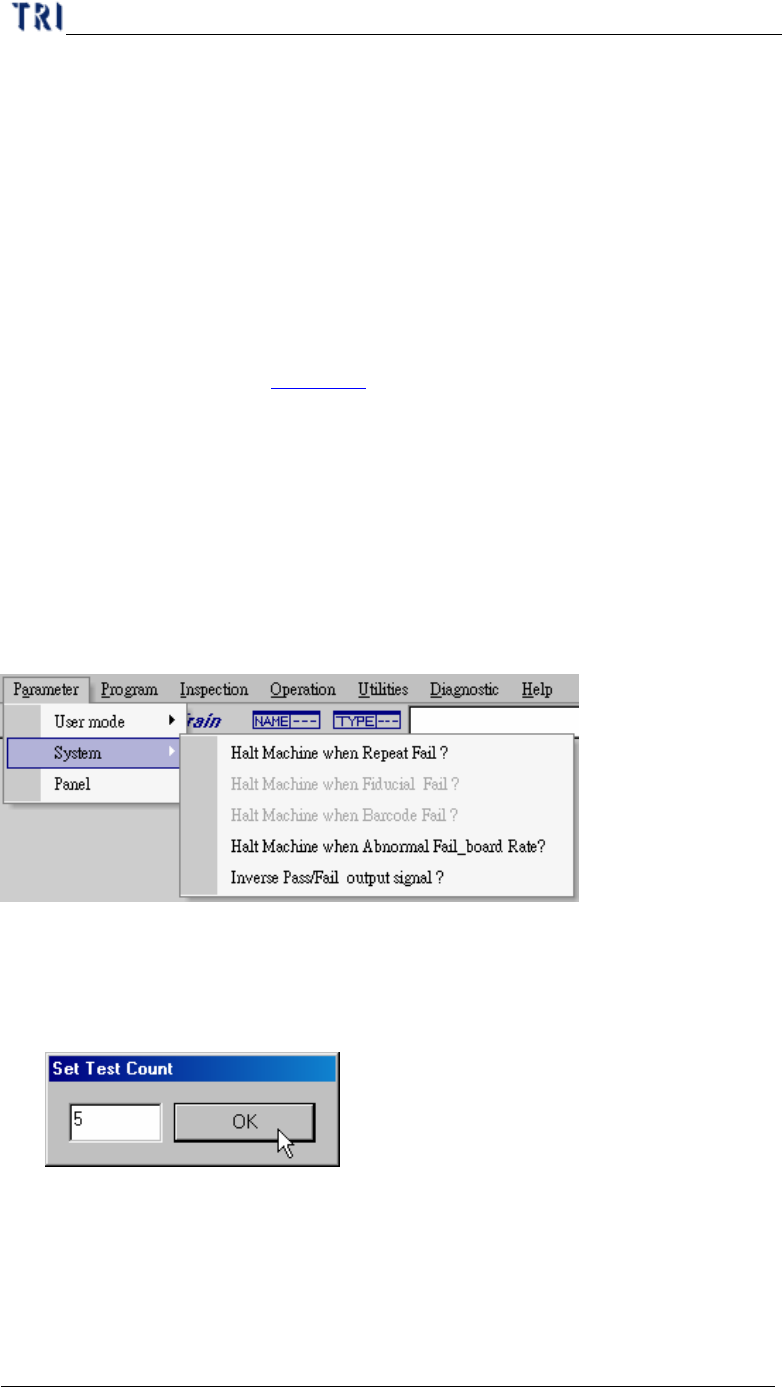
3.2. System
3.2.1. Halt Machine when Repeat Fail
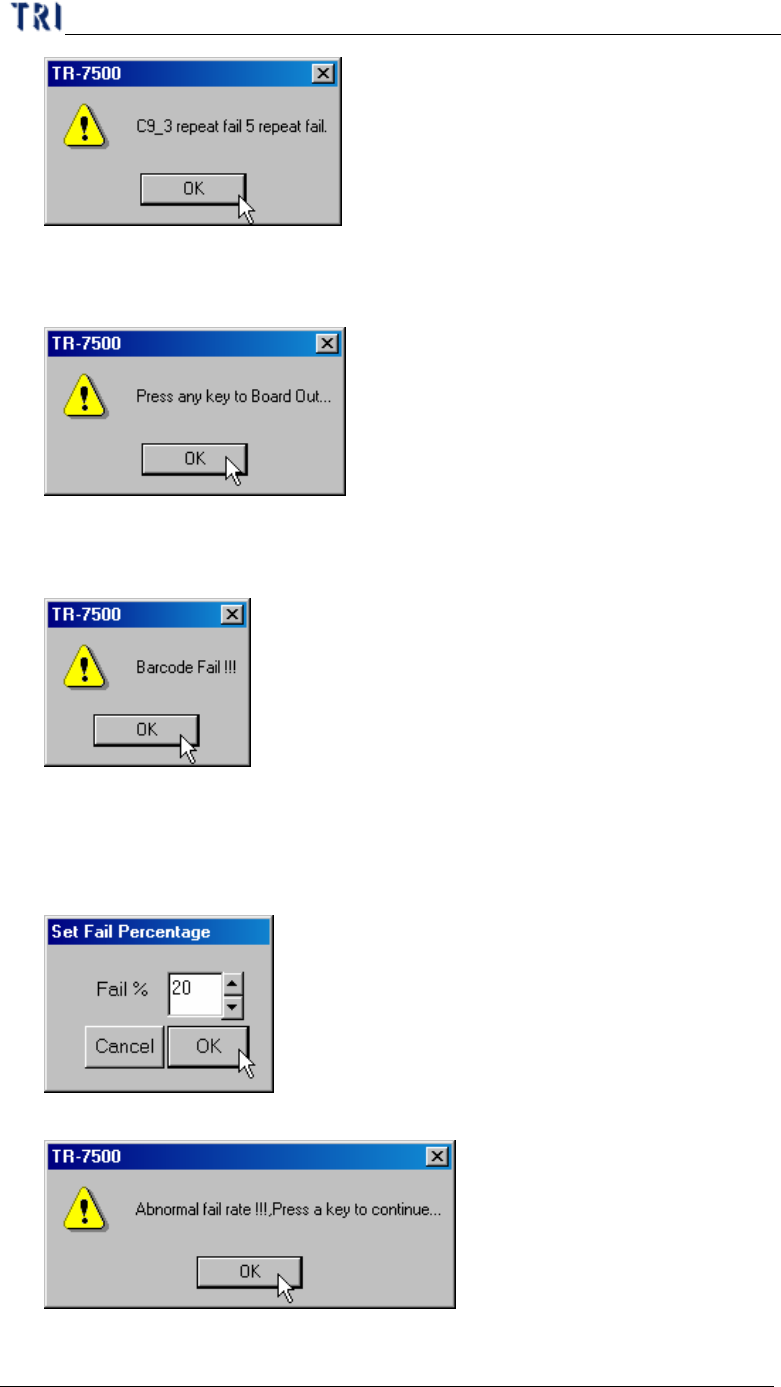
l When a component is failed for specific times, the motion of table will pause and
the project presents a warning dialog.
l Set test counts
l Warning dialog
Chapter 2 Manual Bar introduce
TR7500 USER MANUAL
60
3.2.2. Halt Machine when Fiducial Fail
l When the project can’t find fiducial mark, the motion of table will pause and the
project present a warning dialog.
3.2.3. Halt Machine when Barcode Fail
l The function is enabled when you set [Check Barcode]. If the barcode isn’t read,
the motion of table will pause and the project presents a warning dialog.
3.2.4. Halt Machine when Abnormal Fail_board Rate
l When the percentage of failed board is over the specific one, the motion of table
will pause and the project present a warning dialog.
l Set fail percentage
l Warning dialog