TR7500E_Manual_en_v28 - 第81页
C h a p t e r 2 M a nu a l B a r i n t r o d u ce T R 7500 U S E R M A N U AL 74 n R e s u l t M e a n – T h e a v e r a g e o f r e s u l t f o r a l l c o mp o n e n t s i n t h e s e l e c t e d t y p e . n R e s u l …
Chapter 2 Manual Bar introduce
TR7500 USER MANUAL
73
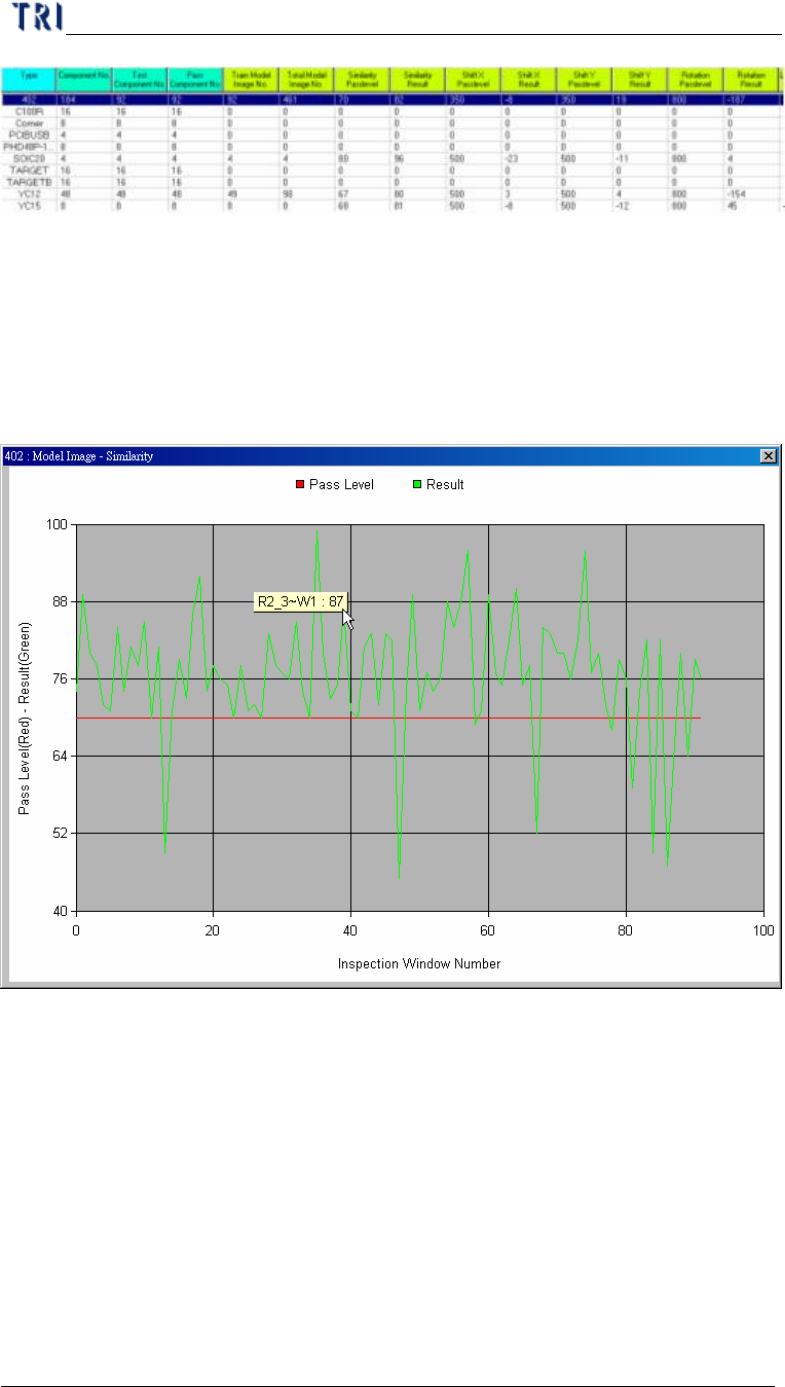
l You can select a kind of inspection boxes in [performance curve] and double
click on the type name in table then it will show the result of all components in
this type. The horizontal axis means every components and the vertical axis
means the score. The green points mean the average result of every component
and the red points mean the pass level of every component. You can click to
show the component name and score.
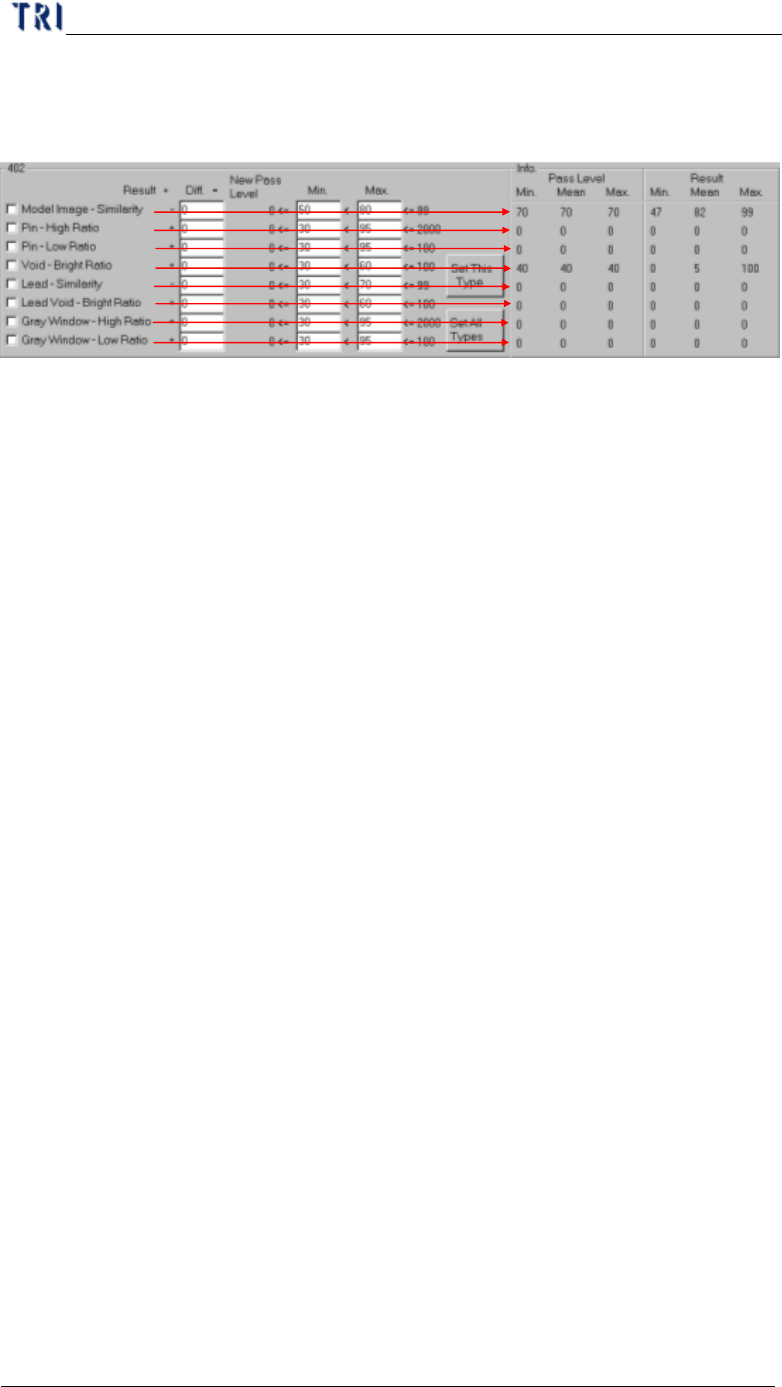
l You can select a type on table and the information of the type will be listed in
[Info.] area. The meanings are:
n Pass Level Min. – The minimum of pass level for all components in the
selected type.
n Pass Level Mean – The average of pass level for all components in the
selected type.
n Pass Level Max. – The maximum of pass level for all components in the
selected type.
n Result Min. – The minimum of result for all components in the selected
type.
Chapter 2 Manual Bar introduce
TR7500 USER MANUAL
74
n Result Mean – The average of result for all components in the selected type.
n Result Max. – The maximum of result for all components in the selected
type.
l Check the kind of inspection boxes then press [Set This Type] or [Set All Types]
to change the parameters following the conditions.
n Check area – Check the parameter you want to set.
n Diff – Input the number you want to increase or decrease. The system will
plus or subtract the number form average result for all components and set
the number as new pass level.
n Min., Max. – Give new parameter a range in order not to create an
unsuitable value. If the calculated parameter is smaller than [Min.] value the
system will modify the parameter as [Min.] value; if the calculated
parameter is bigger than [Max.] value the system will modify the parameter
as [Max.] value.
n Set this type – Calculated the check parameters to selected type.
n Set all types – Calculated the check parameters to all types.
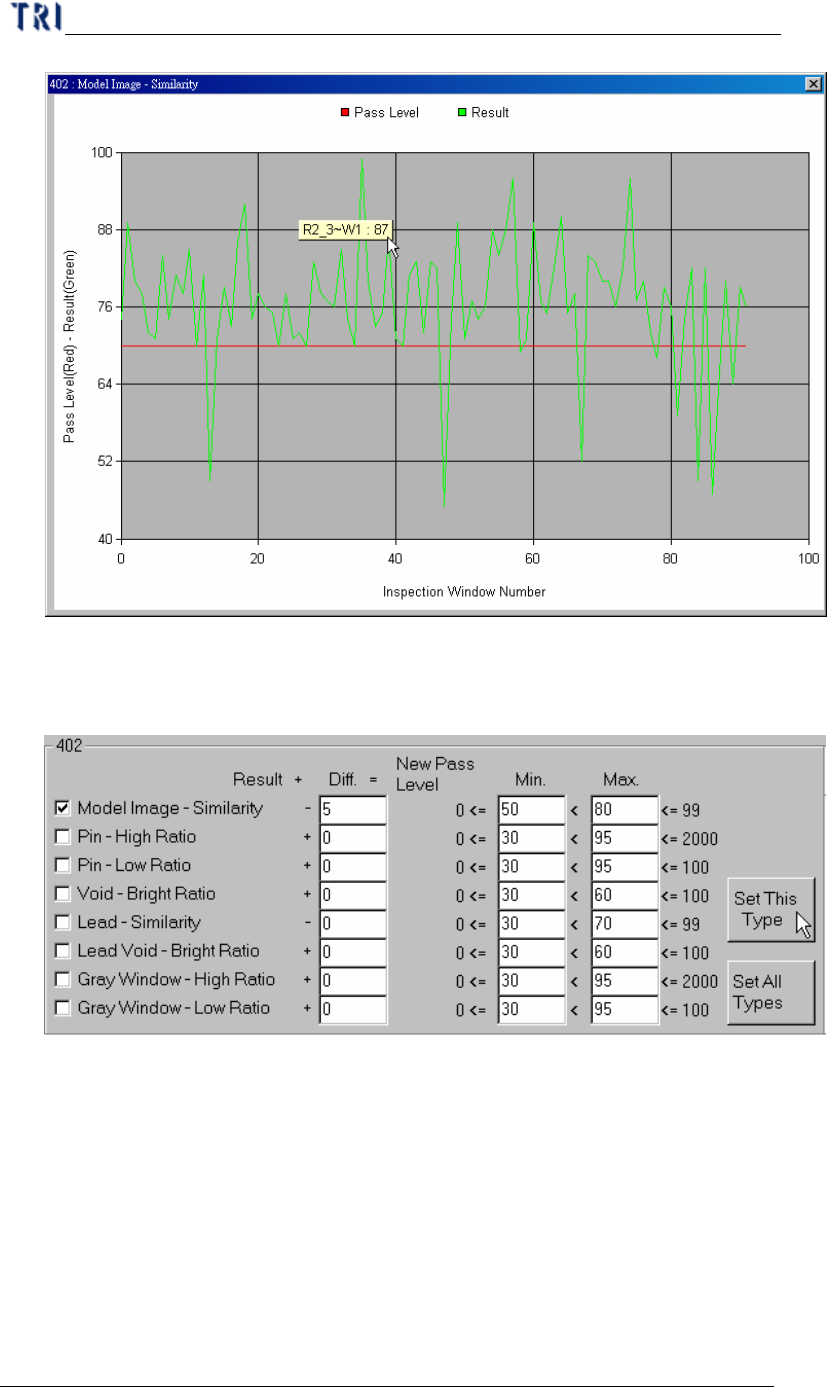
l Take [Model Image-Similarity] of 402 for example. The steps are as followings.
Step1. Check [Model Image-Similarity]
Step2. Take [Performance Curve] and [Info.] area for reference and decide the
new difference.
Chapter 2 Manual Bar introduce
TR7500 USER MANUAL
75
Step3. Input 5 in [Diff.] field and press [Set This Type]. The system will
subtract 5 from the average of every component in [402] type
separately. The result will be set as new pass level.
Step4. You can see curve again to review the change.