00195193-02 SG D4 FSE en (1).pdf - 第15页
General Information Course Contents in Detail Course Overview SIPLACE D4 (FSE) Student Guide SIPLACE D4 (FSE) EN 09/2006 General Information 15 New feature SW 602: Improved placement performanc e (pla cement positions,…

General Information
Course Overview SIPLACE D4 (FSE) Course Contents in Detail
Student Guide SIPLACE D4 (FSE)
General Information EN 09/2006
14
1.1.1 Course Contents in Detail
Introduction: Personal Introduction
Course Contents and Objectives
Student Expectations
SIPLACE Safety
Aspects:
SIPLACE Safety Instructions
SIPLACE D4 safety circuit
Machine overview: HW differences D3 vs. X3 and HS60 vs. D4
Overview of SIPLACE D4
Power supply-, pneumatic-, axis-, computer unit
Placement heads and nozzle changer
Feeder tables and tape cutter
Control structure
Control and
Communication
Overview Network and Network addresses
Communication on SIPLACE D4
CAN bus structure and communication of the subsystems
Axis card A364 and its functions
Services to the
machine:
General Overview
Power supply Transformer, Computer unit and Axis unit
Safety- and Control Loop
General Overview Pneumatic system
Compressed air supply
Vacuum supply on the placement heads
Gantry: Mechanical construction of X and Y Axes
Demonstration and explanation of the reference run
Anti-Crash function
Positioning and track signals of X- and Y-axes.
Placement Head C&P6
and C&P12:
General Overview
Main modifications from DLM2 to DLM3
Demonstration and explanation of the head reference run
Pick up and placement cycle (optional)
Spare parts replacement and adjustments at the C&P head
Axis control head axes
LED function on head boards
Twin Head (TH) on D3: General Overview
Demonstration and explanation of the head reference run
Pick up and placement cycle on the twin head
Structure and functionality of the Twin Head
Exchanging the twin head , head specific data
Spare parts replacement and adjustments on the twin head
Axis controlling and positioning of the twin head axis
Vacuum system
Control of the track signals
Calibration:
Overview of the machine calibration
Zero Point Corrections on the C&P and P&P heads
Carry out the Calibration with single calibration menus and complete machine
calibration Control of the track signals

General Information
Course Contents in Detail Course Overview SIPLACE D4 (FSE)
Student Guide SIPLACE D4 (FSE)
EN 09/2006 General Information
15
New feature SW 602: Improved placement performance (placement positions, number of panels)
Improved cycle of the nozzle changer during production (TH) and after download
of a program, parallel process of nozzle changer and conveyor width
Improved information during synchronous conveyor, in relation with SIPLACe
Explorer
Teaching of tape pockets for components < 1 mm (X-Feeders)
Teaching of components during production
Placement-Recovery function via network
Option vacuum pump for X-Series
Pneumatic Tape Cutter
and Docking Unit
(optional):
Basic structure of the docking unit
Preparation and removal of the tape cutter
Functional check in the machine
Conveyor System: General Information and technical data about single and dual conveyor and
flexible conveyor
Mechanical structure and functionality of the assemblies
Spare parts replacement and adjustments
Configuration flexible dual conveyor
Electrical setup and communication with the machine via conveyor control.
Spare part replacement and functional check
Calibration and adjustments of the conveyor
Configuration of the flexible conveyor
Head modularity on
SIPLACE D3 (optional)
Preparations and sequence of the head exchange
Exchange the placement head, component camera and nozzle changer
Configuration in SIPLACE Pro and in SITEST
Zero point corrections
Calibration of the "new machine"
Run 1st placement program
Component Handling Handling of the S-Feeder and component trolleys
Mechanical construction and functionality
Adjustments on the component trolley
Remount and test component trolley
Matrix Tray Changer 2
on the D3 (optional)
General information
MTC 2 specific safety instructions
Parts overview of the machine (terminology)
Adjustment the basic level and adjustment of the MTC into the machine
Communication between machine and MTC 2
Placement functions MTC 2
Single functions MTC 2
Reference Run
Calibration and adjustment of positions on the feed and lift axis
Download to the Masterdrives
Machine data
Siplace Vision:
(Teaching PCB
fiducials):
Overview digital vision system
Illumination for PCB fiducials
Fiducial models
Synthetic fiducials and inkspots
Fiducials and inkspots refering to models
General Information
SIPLACE on the World Wide Web (WWW) Course Contents in Detail
Student Guide SIPLACE D4 (FSE)
General Information EN 09/2006
16
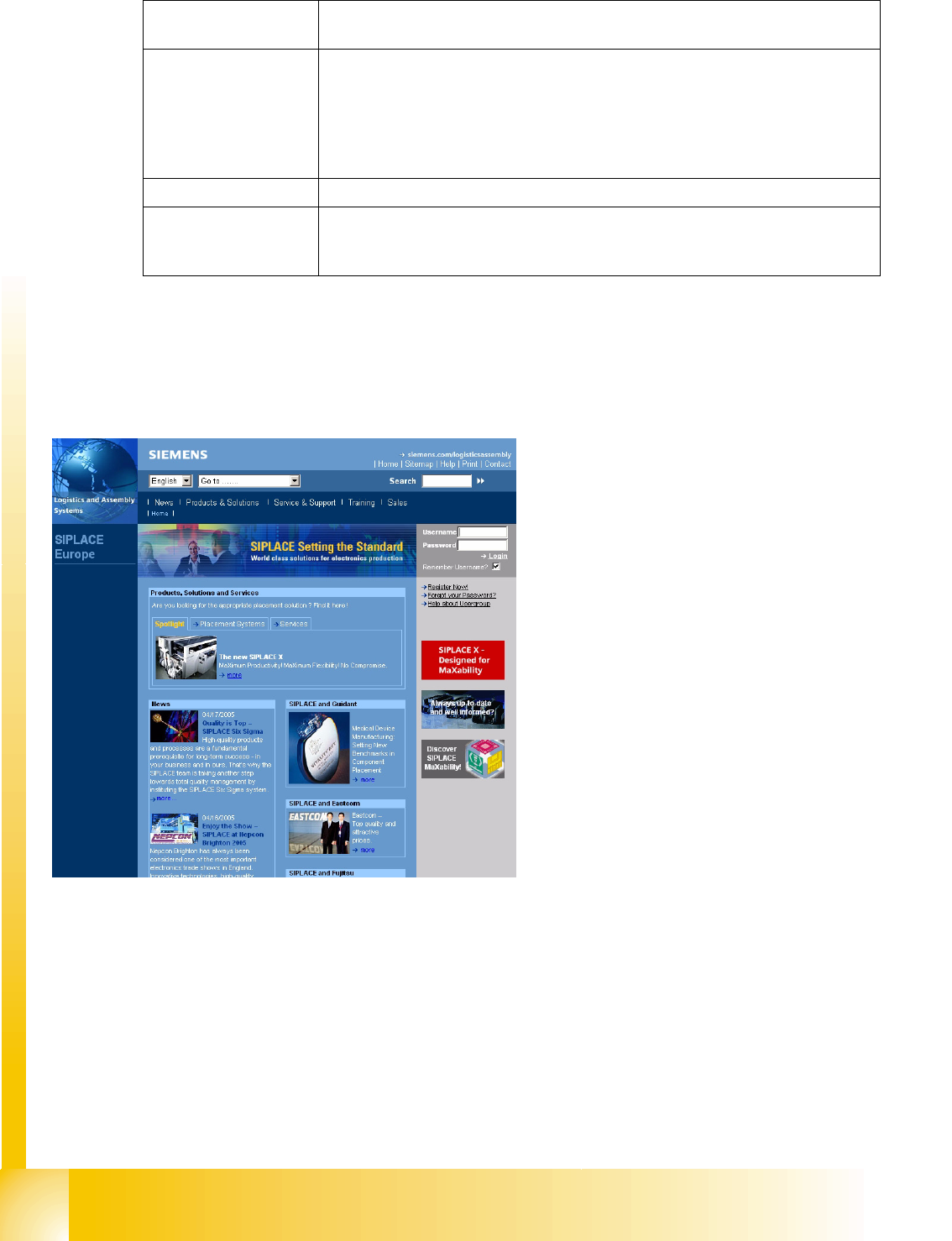
1.2 SIPLACE on the World Wide Web (WWW)
Installation: Setting up and leveling a SIPLACE D4
Installation of the operating system and the station software
Service tools: General information
Download of applications
Generate Trace files
Practical exercises with CACCIA
Check and control of the dynamics with the SAT Box.
Checking the CAN bus with the CAN test box
Troubleshooting: Practical exercises
Preventive
Maintenance:
Maintenance Schedule
Equipment and tools needed for Maintenance
Maintenance cycles
Log into our SIPLACE homepage at http://
www.siplace.com.
X Select either the German or English version.
The different sections contain information about
our products, services and contact persons.
In addition, registered customers can access the
SIPLACE User Group. Here you can call up
special information about our placement systems
e.g.
Technical documentation,
Technical information,
Spare parts lists etc.
Registration for the user group is very simple:
X Click on the button Register Now User Group.
X Fill in the registration form and send it off.
Soon afterwards, you will receive your access
authorization with USER ID and password.