00195193-02 SG D4 FSE en (1).pdf - 第276页
Modular conveyor Conveyor Settings Adjusting the Tension of the Con veyor Toothed Belt S tudent Guide SIPLACE D4 (FSE) Modular conveyor EN 09/2006 260 11.3 - 1: Measuring and setting the belt tension for the width adjust…
Modular conveyor
Adjusting the Tension of the Conveyor Toothed Belt Conveyor Settings
Student Guide SIPLACE D4 (FSE)
EN 09/2006 Modular conveyor
259
11.3 Conveyor Settings
11.3.1 Adjusting the Tension of the Conveyor Toothed Belt
ATTENTION: Press the EMERGENCY STOP!
Before performing adjustment work you must ensure that the lifting table has
been secured against movement!
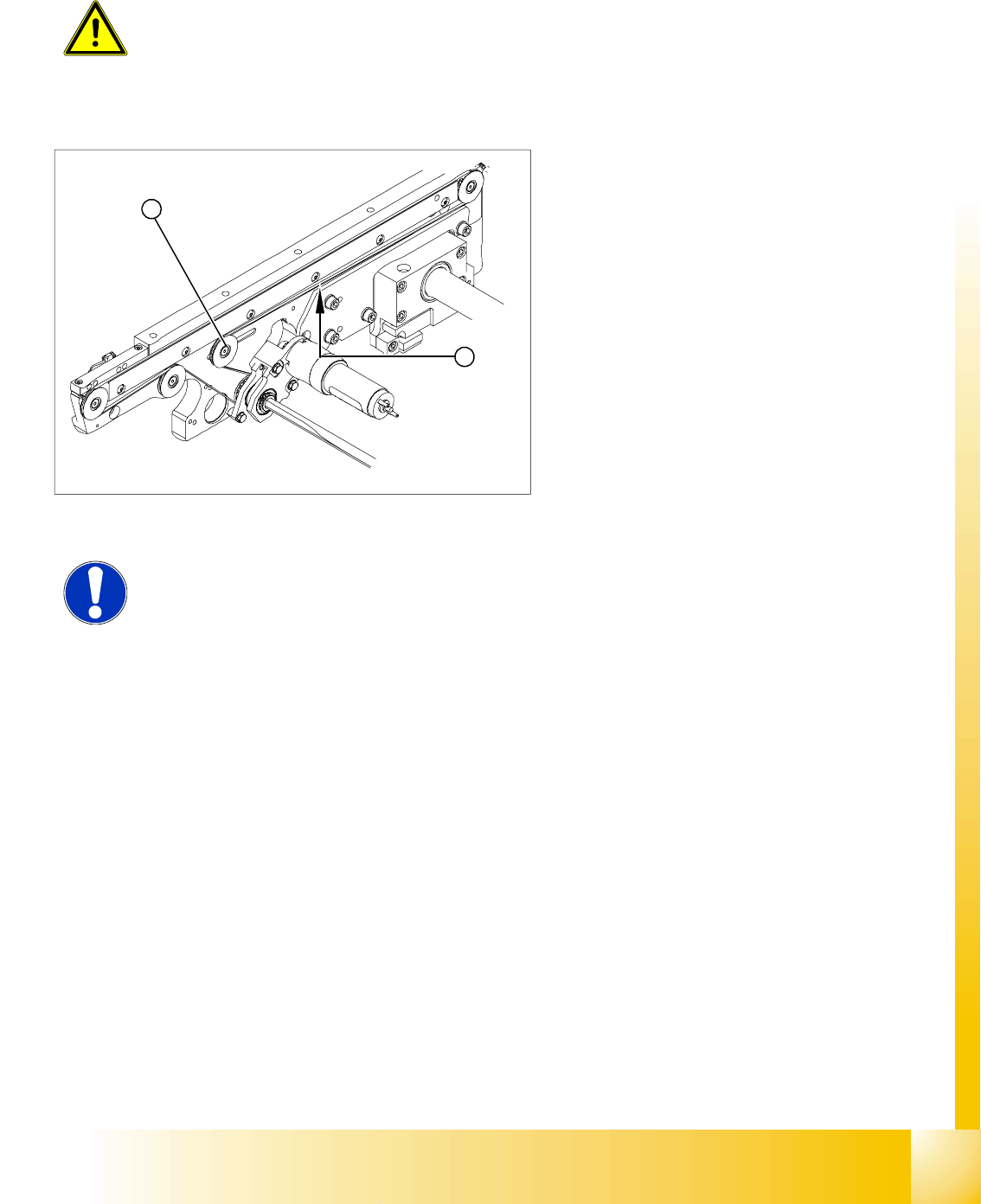
Legend:
1. Deflection pulley with slot
2. Measuring point of the belt tension measuring
device (strand center).
X The deflection pulleys, around which the
conveyor toothed belt is run at approximately
180°, are fastened at a slot. The tension of the
conveyor toothed belt can be adjusted by
moving this deflection pulley.
X Position the measuring point of the belt
tension device at the strand center (i.e. the
longest distance between the two deflection
pulleys) of the conveyor toothed belt.
X Adjust the belt tension according to the
following values.
1
2
NOTE:
The tension frequencies per area may vary according to the different belt
guides. The belt tension always remains the same.
Modular conveyor
Conveyor Settings Adjusting the Tension of the Conveyor Toothed Belt
Student Guide SIPLACE D4 (FSE)
Modular conveyor EN 09/2006
260
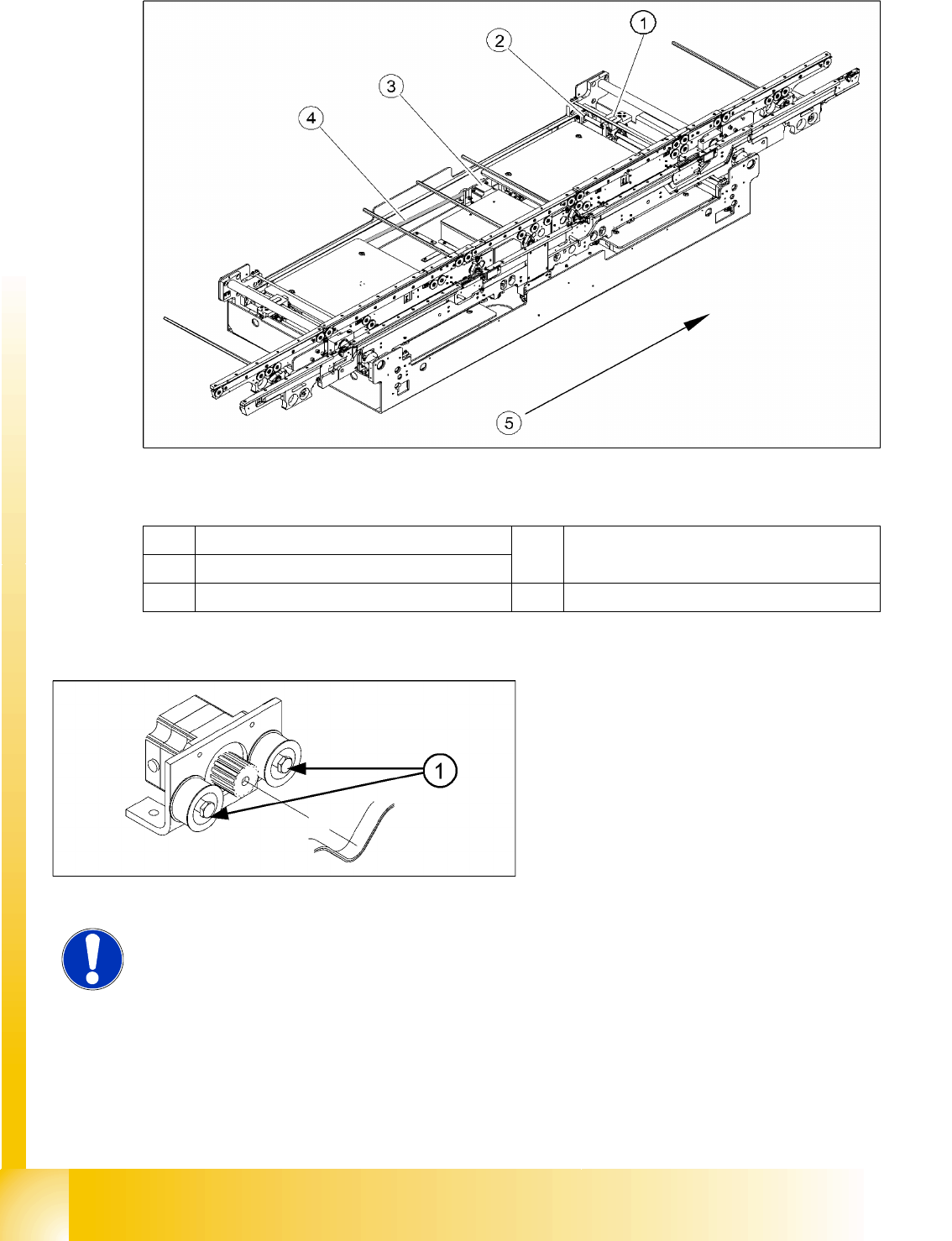
11.3 - 1: Measuring and setting the belt tension for the width adjustment
Legend
1 Actuator fixing screw 4 Toothed drive belt for adjusting the width /
measuring the belt tension
2 Spindle with toothed wheel
3 Width adjustment stepping motor 5 Transport direction
The belt is tensioned by means of cams on the
idler pulleys. The idler pulleys are located on the
left and right of the motor.
Legend:
1. Loosen the cam shaft on the idler pulley and
set the belt tension.
NOTE:
The modular conveyor uses different belt lengths. The differing belt tensions
between the conveyor lanes are due to the different arrangement of hexagonal
shafts and deflection pulleys.
Modular conveyor
Setting the fixed conveyor side (single and dual conveyor) Conveyor Settings
Student Guide SIPLACE D4 (FSE)
EN 09/2006 Modular conveyor
261
11.3.2 Setting the fixed conveyor side (single and dual conveyor)
Two requirements for changing the fixed conveyor sides:
Conveyor - excess width– moves the fixed conveyor side 34 mm outwards
Widened conveyor – moves the conveyor sides of the 2nd conveyor to the limit switch
Single conveyor mode (D-Series up to 380 mm/HF, X lines up to 450 mm)
Belt tension for lane 1
(Single and dual conveyor)
for lane 2
(dual conveyor)
Belt tension for the width
adjustment
24 Hz +/-2 Hz
Eingabeband 170 Hz +/-10 Hz 170 Hz +/-14 Hz
Placement area 1 70 Hz +/-7 Hz 77 Hz +/-7 Hz
Intermediate conveyor 147 Hz +/-9 Hz 118 Hz +/-9 Hz
Placement area 2 70 Hz +/-7 Hz 77 Hz +/-7 Hz
Ausgabeband 170 Hz +/-10 Hz 170 Hz +/-14 Hz
Settings for the belt tension
NOTE:
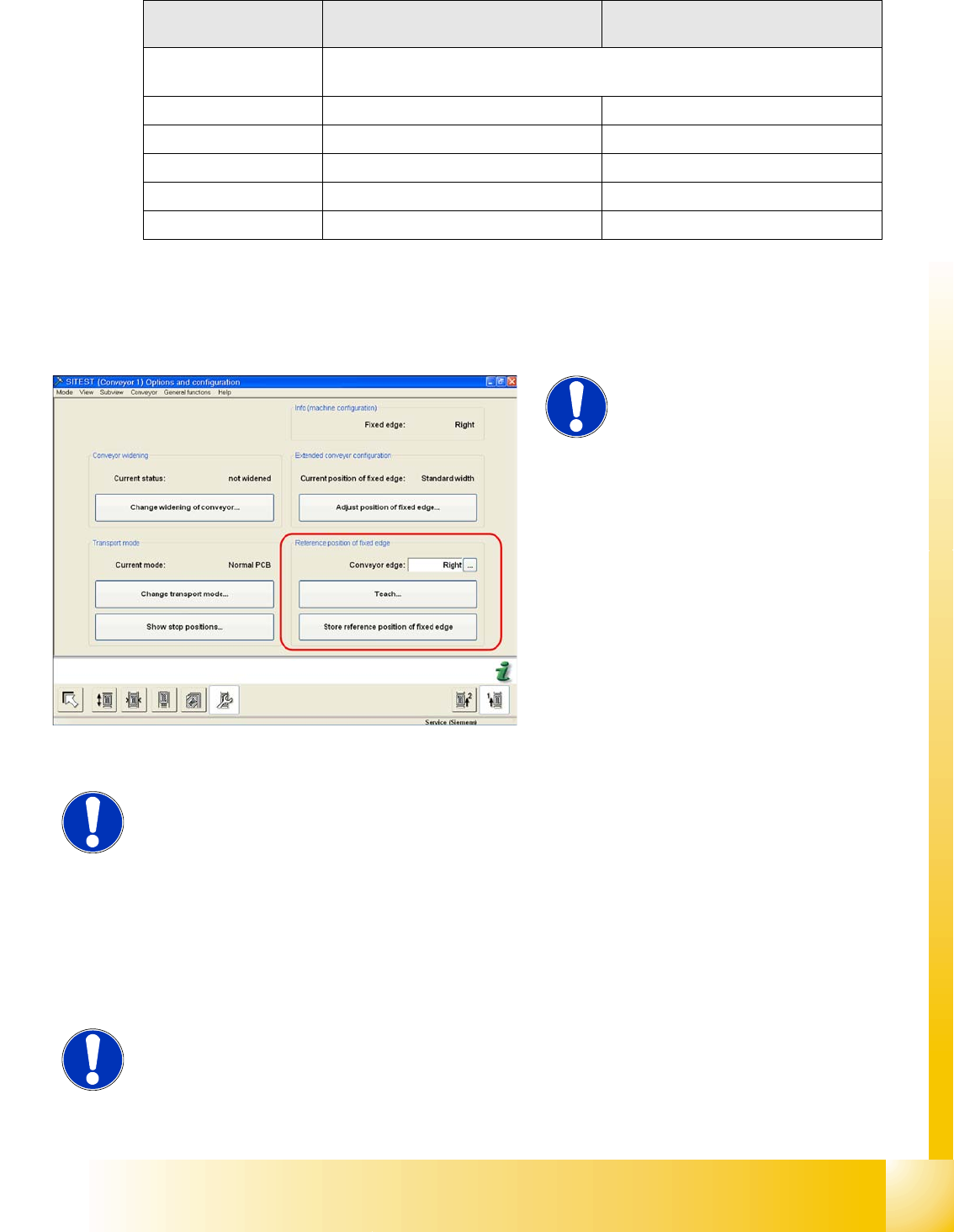
This menu is protected with the
Siemens Service password.
The fixed conveyor side can be set in SITEST
if required.
If the position of the fixed conveyor side which
has been taught is saved, these values will be
used for the function
Move all conveyor ed-
ges to standard position
.
The default values will be overwritten and will
need to be retaught.
If these dimensions are incorrectly set on the
single or dual conveyor, the PCB reference
corner may be moved, leading to fiducial
errors during placement.
NOTE:
In the SR/MC station SW, the fixed conveyor side of all lanes can be adjusted
in the conveyor firmware (flexible). However, this may only be set with the
SITEST software.
NOTE:
In the D-Series machines, you need to remove the clamping rings on the fixed
conveyor side in advance.