00195193-02 SG D4 FSE en (1).pdf - 第291页
Modular conveyor Lifting table functions Conveyor Settings Student Guide SIPLACE D4 (FSE) EN 09/2006 Modular conveyor 275 X If the travel times are not inside the to lerance ran ge or if err or messages appear during p r…
Modular conveyor
Conveyor Settings Lifting table functions
Student Guide SIPLACE D4 (FSE)
Modular conveyor EN 09/2006
274
11.3.11.1 Setting the lifting table damping unit
11.3.11.2 Adjusting the Speed of the Lifting Table
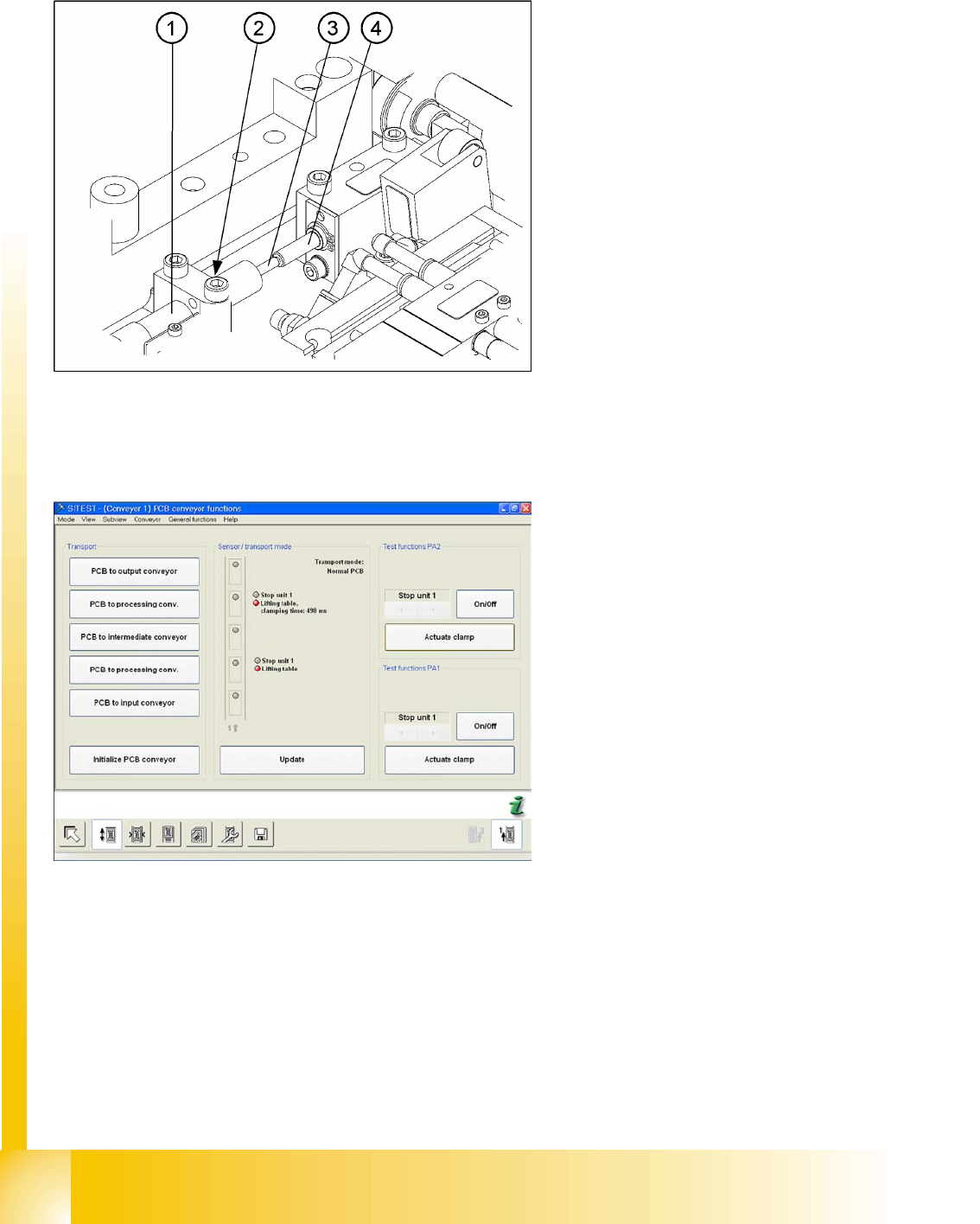
The damping unit (1) allows the lifting table to
move gently upwards.When the PCB is clamped,
it also prevents excessive bounce by the PCB.
X Check whether the damping unit (1) is fixed
with the locknut (2) in the mounting block and
that the plunger (3) of the damping unit is just
touching the actuator (4). In this default
setting, the lifting table should move up gently.
X If this is not the case, loosen the locknut at the
mounting block and turn the damping unit
approx. one rotation into the mounting block..
X Start SITEST and move the lifting table up.
X The lifting table must move up gently.
The PCB clamping should not engage audibly
and there should be no PCB clamping error
message.
X Check the speed of the lifting table and correct
where necessary.
X Switch the machine on and start the SITEST
program.
X In the PCB conveyor functions menu (see
adjacent diagram) you can see the travel time
for the lifting table (from SW 602 upwards).
X Press on the
Actuate clamp
.
Modular conveyor
Lifting table functions Conveyor Settings
Student Guide SIPLACE D4 (FSE)
EN 09/2006 Modular conveyor
275
X If the travel times are not inside the tolerance range or if error messages appear during production,
adjust the travel times as follows:
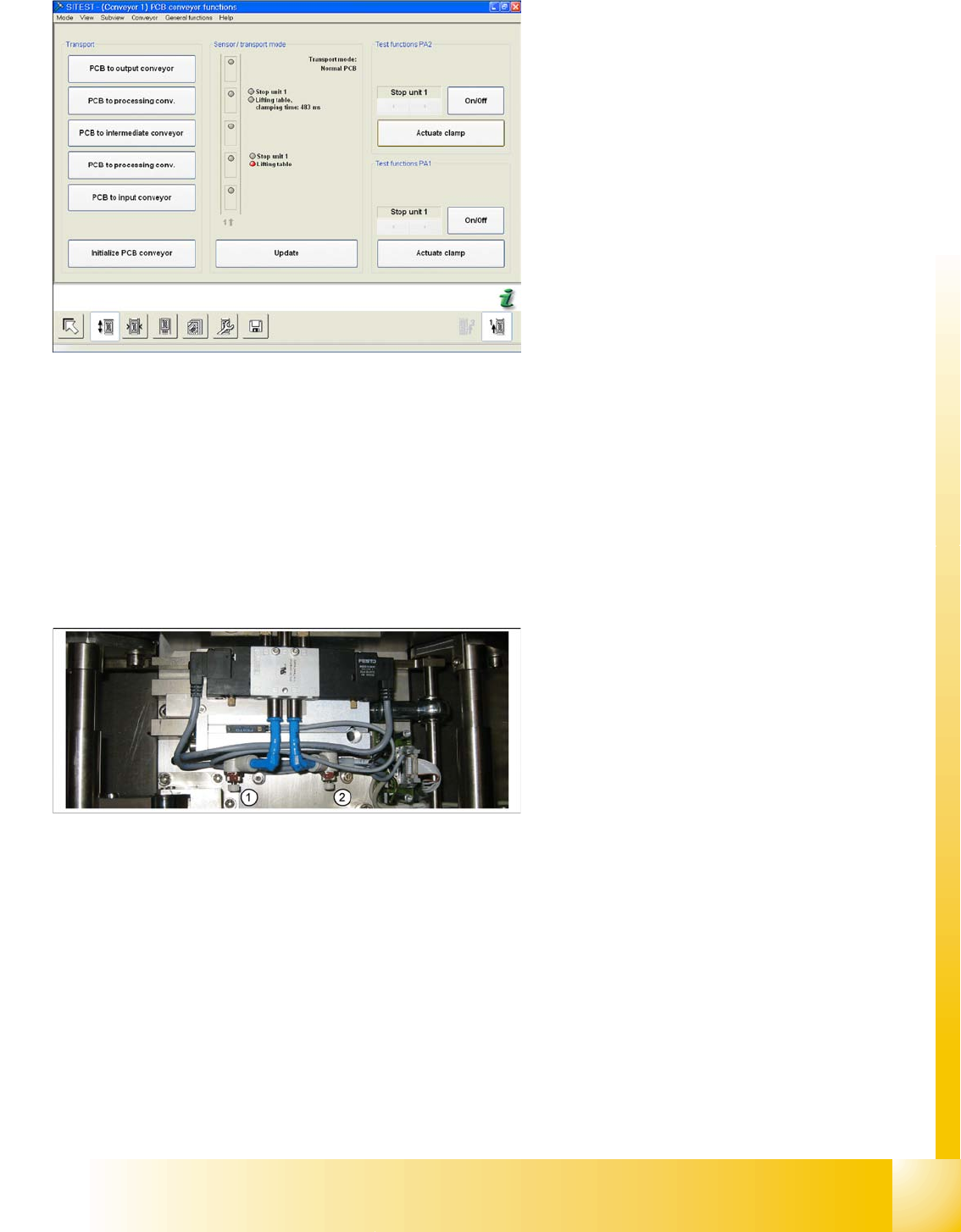
X Adjust the valve on the lifting table cylinder, so that you get the following values:
Lifting table up: 500ms +/-20ms
(without lifting table plate ~450 +/-20 ms DT / ~360 +/-20 ms ET)
Lifting table down: 480ms +/-20ms
(without lifting table plate ~550 +/-20 ms DT / ~600 +/-20 ms ET)
X If malfunctions occur during the downwards movement or if the board is shaken, reduce the lowering
speed accordingly.
Setting valve anticlockwise: Decrease the lifting table moving time
Setting valve clockwise: Increases the lifting table moving time
X The lifting table will be moved up and the travel
time will be displayed (see diagram).
X Press the
Actuate clamp
button again to
move the lifting table downwards and show the
travel time for the downwards movement.
Legend:
1. (3) adjust valve downwards
2. (4) adjust valve upwards
Modular conveyor
Conveyor Control Jumper Settings for Conveyor Control TSP 301
Student Guide SIPLACE D4 (FSE)
Modular conveyor EN 09/2006
276
11.4 Conveyor Control
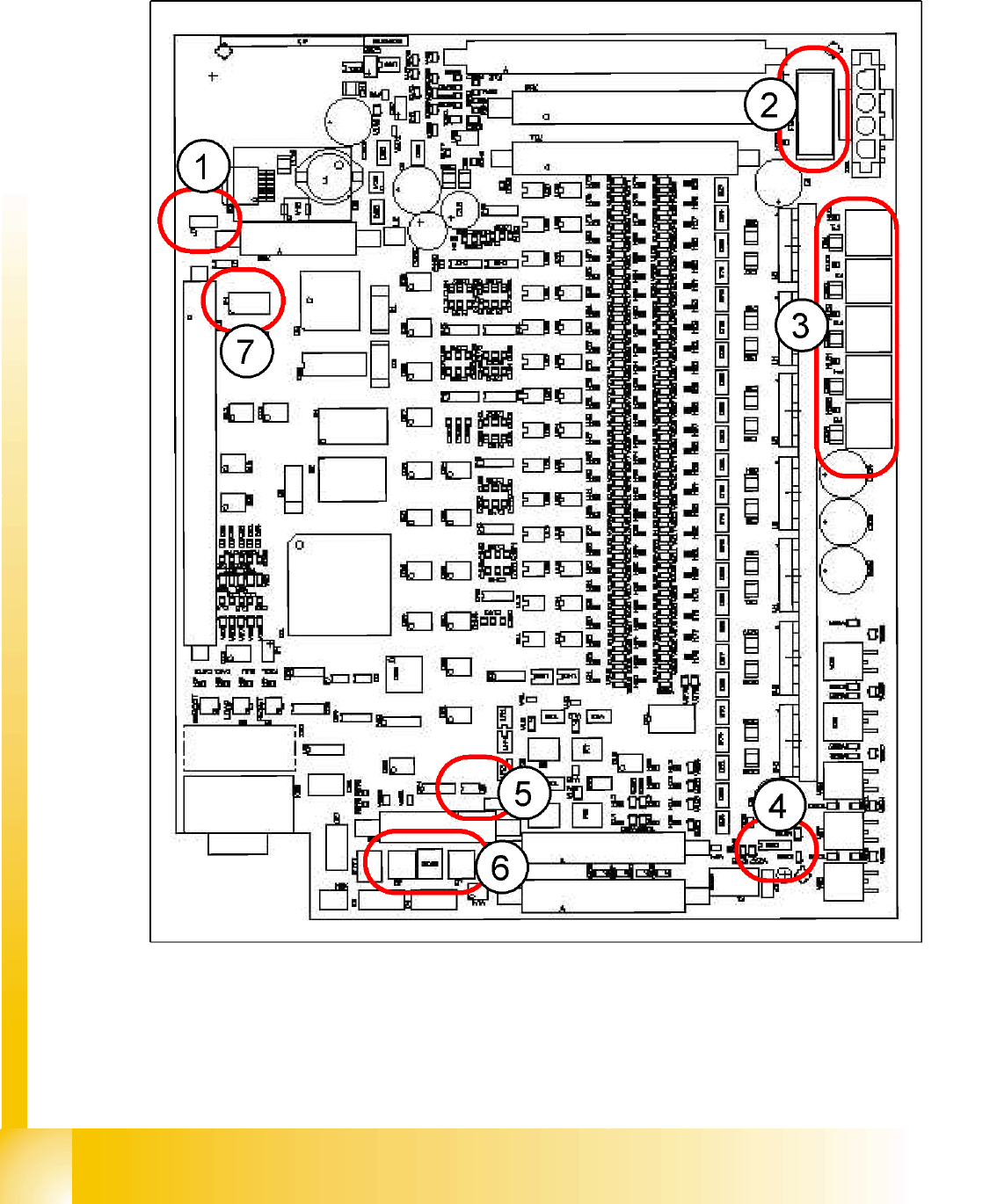
11.4.1 Jumper Settings for Conveyor Control TSP 301
11.4 - 1: Jumper positions for conveyor control 301