00195193-02 SG D4 FSE en (1).pdf - 第312页
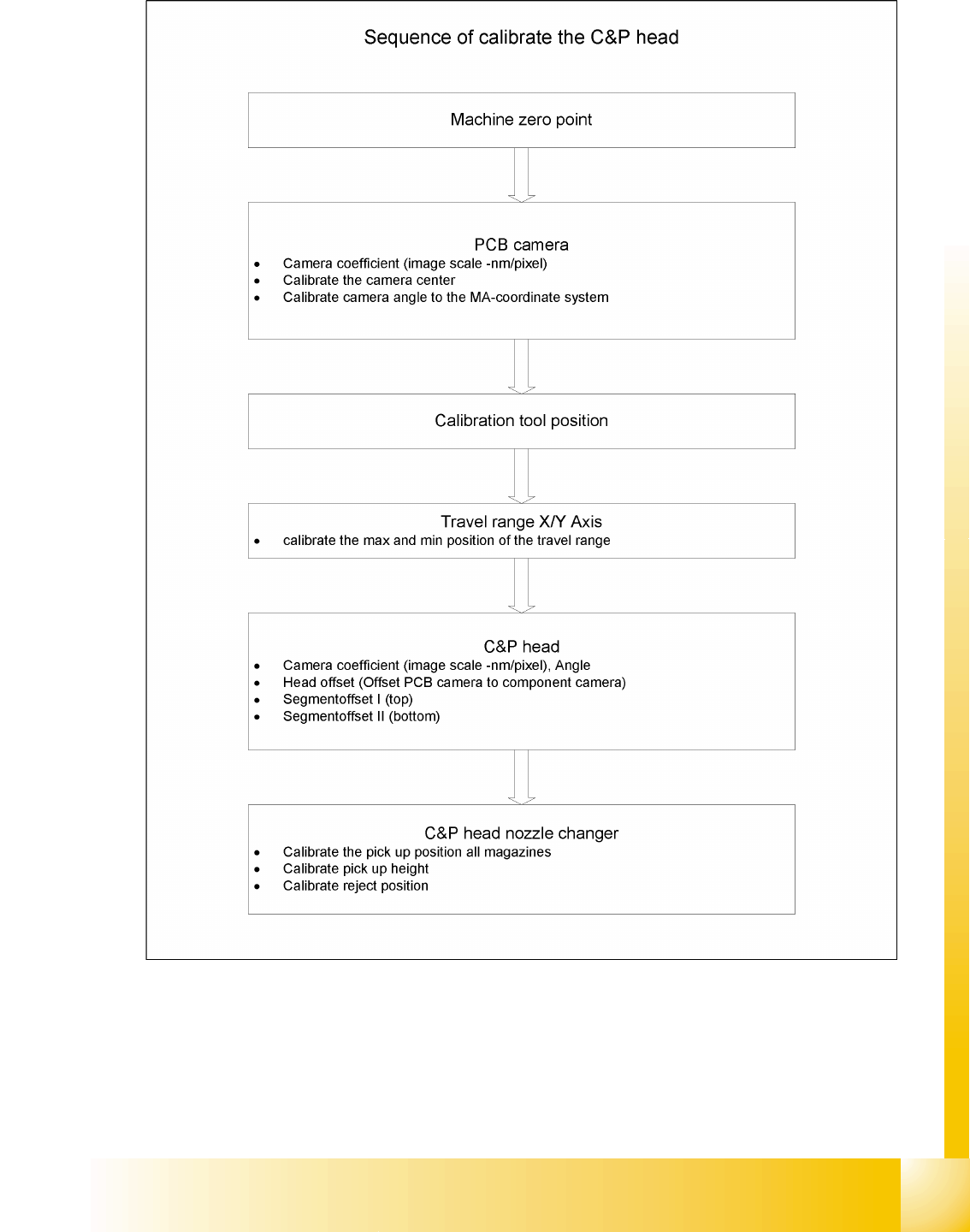
Sitest Calibrate all heads and cameras Calibration Student Guide SIPLACE D4 (FSE) EN 09/2006 Sitest 293 12.2.5.2 C&P Head 12.2 - 5: Sequence of C&P head calibration

Sitest
Calibration Calibrate all heads and cameras
Student Guide SIPLACE D4 (FSE)
Sitest EN 09/2006
292
X Select all points which you must calibrate
X Select
Execute mode
(if using parallel execution, prepare both processing areas, calibration tools
and nozzles in advance).
X Select
Job confirmation mode
.
X Click on
Start
.
12.2.5.1 Job confirmation mode
Don't wait:When this function is activated, the next job is carried out immediately after a job is
completed or an error occurs, without waiting for confirmation.
Always wait:When this function is activated, the next job is not carried out until confirmation is
received after a job is completed or an error occurs. You must click the Next job button to do this.
Wait in case of error:When this function is activated, the job is interrupted if an error occurs and the
next job is not carried out until confirmation is received. You must click the Next job button to do this.
Sitest
Calibrate all heads and cameras Calibration
Student Guide SIPLACE D4 (FSE)
EN 09/2006 Sitest
293
12.2.5.2 C&P Head
12.2 - 5: Sequence of C&P head calibration
Sitest
Calibration Calibrate the conveyor edges
Student Guide SIPLACE D4 (FSE)
Sitest EN 09/2006
294
12.2.6 Calibrate the conveyor edges
X Select
Conveyor sides
This function will be directly done, there are no further adjustments necessary.
See also:
J 12.3.7.2 Conveyor width calibration [J 300]
J 12.3.7.1 Conveyor sides [J 300]
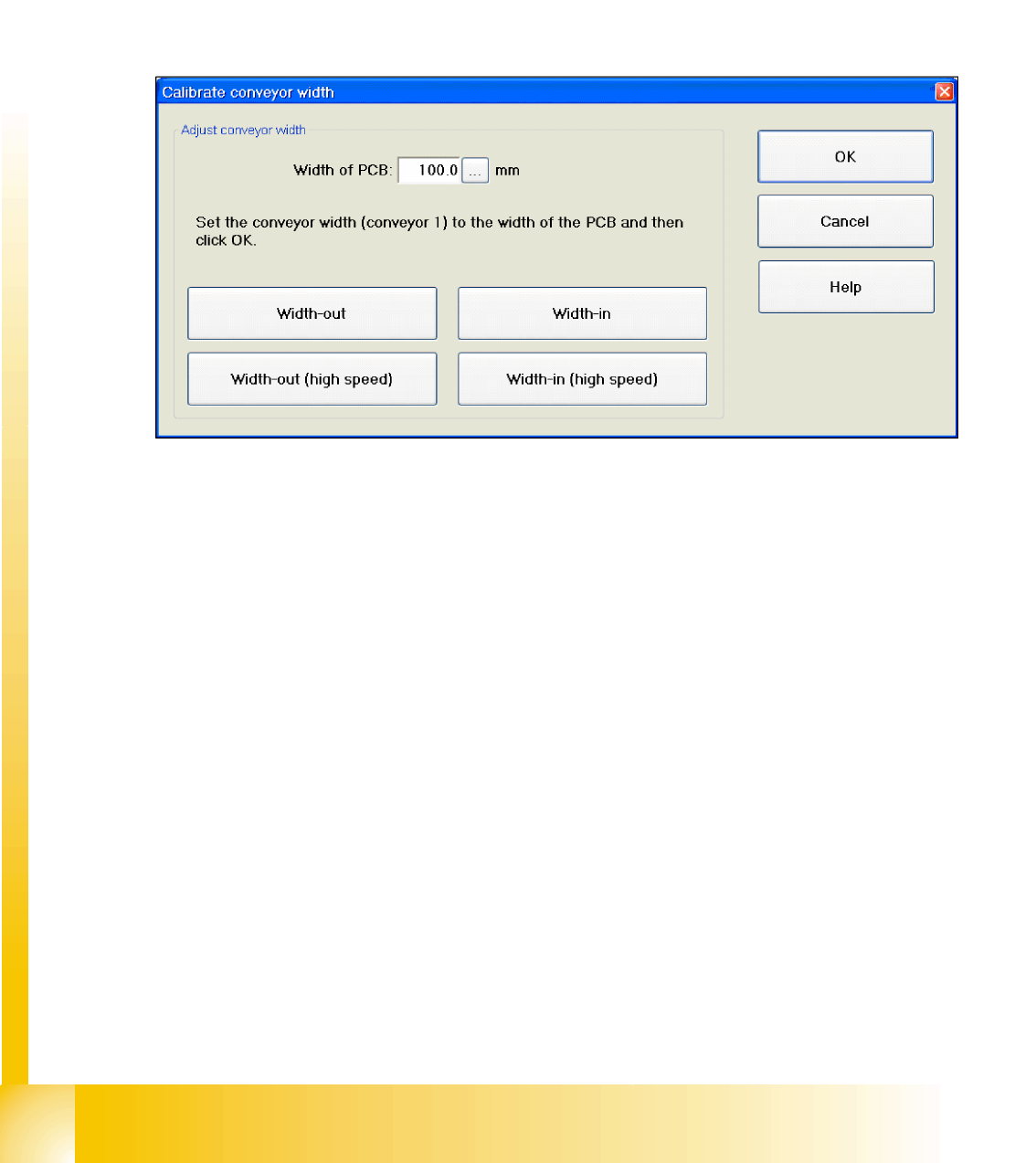
12.2.7 Calibrate the conveyor width
X Select
Conveyor widths...
12.2 - 6: Next menu: Conveyor width calibration
See also:
J 12.3.7.2 Conveyor width calibration [J 300]