00195193-02 SG D4 FSE en (1).pdf - 第71页
Communication and Control Network Check the network addresses S tudent Guide SIPLACE D4 (FSE) Communication and Control EN 09/2006 70 4.2 - 1: Network cards in the station computer Legend 1 External IP address for SR 2 I…
Communication and Control
Check the network addresses Network
Student Guide SIPLACE D4 (FSE)
EN 09/2006 Communication and Control
69
4.2 Network
4.2.1 Check the network addresses
4.2.1.1 Station computer
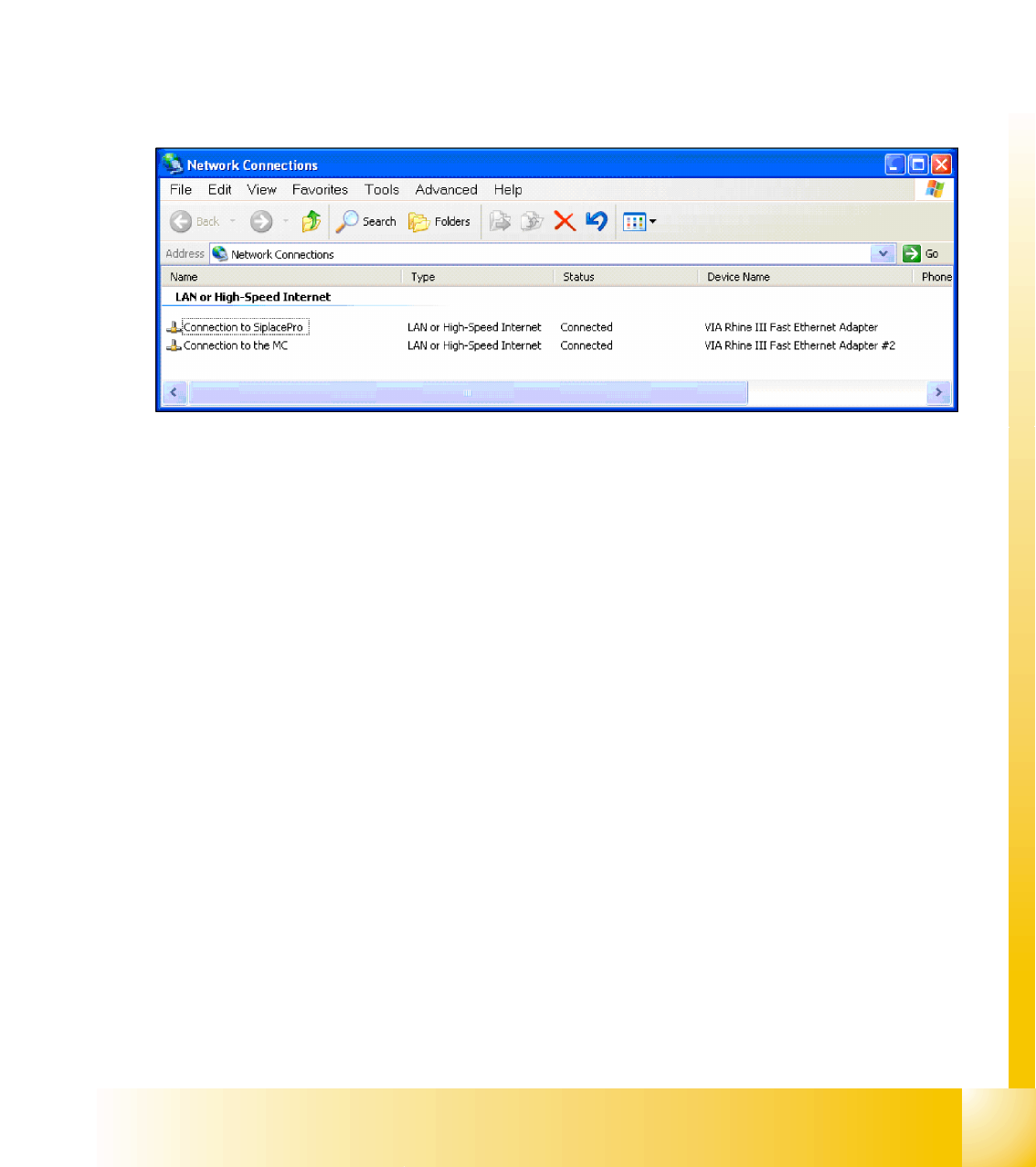
The station computer has two network cards, which can be directly set in Windows:
Windows XP main view:
Start
-->
Settings
-->
Network connections
Select one of the two network cards (see below)
Right-click
Select Properties
with the mouse.
Select
TCP/IP
and -->
Select Properties
(see below)
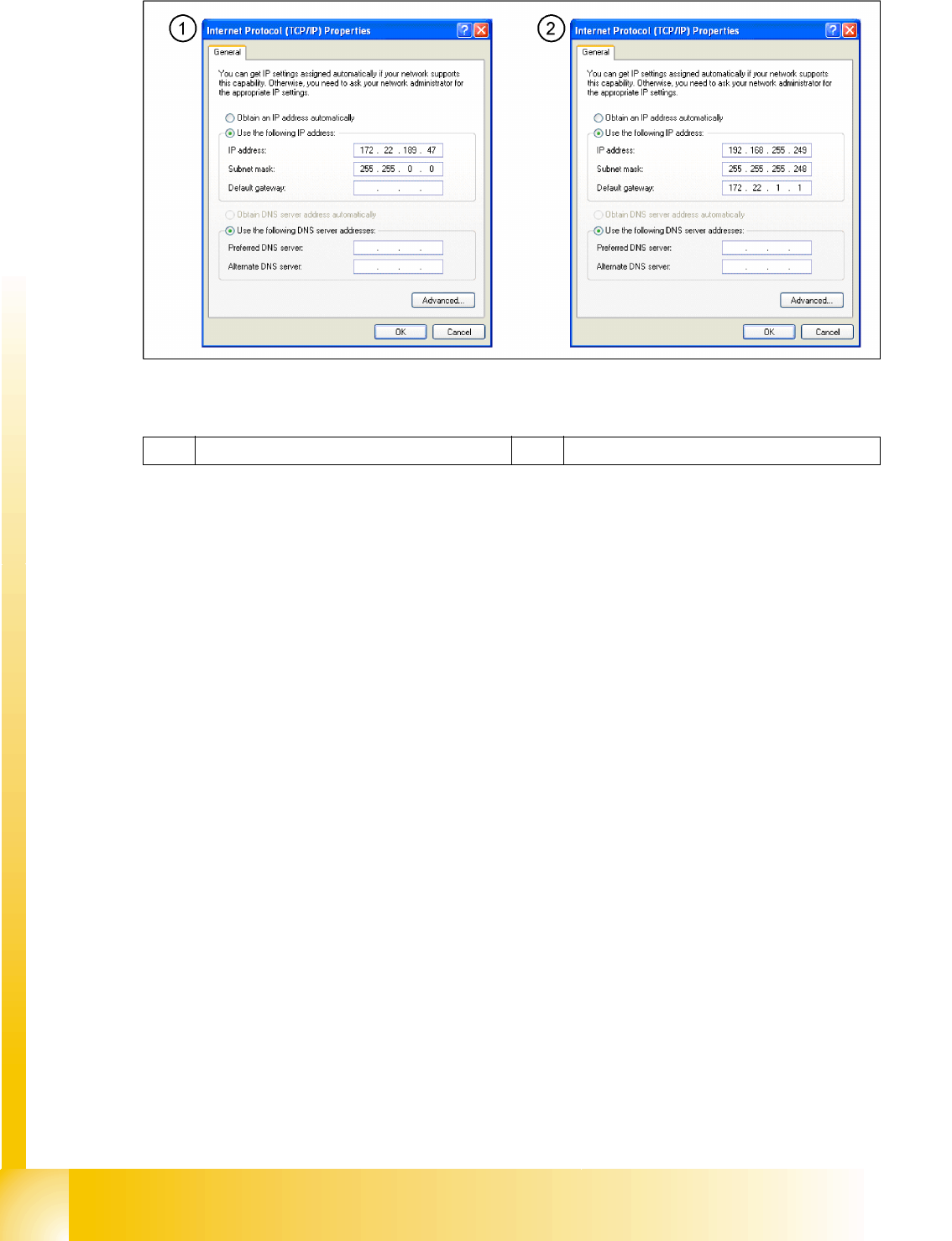
Network card 1 "connection to SIPLACE Pro":
The network connection between the station computer and SIPLACE Pro is realized via the LAN 1
connection of the dual LAN unit in the station computer. The network address is not fixed and can defined
at the customer site.
IP-Address LAN Example: 172.22.208.181
This TCP/IP ADDRESS must be typed in, during the configuration of the station in Siplace Pro.
Network card 2 "connection to the MC":
The internal network address for the station computer is a fixed local area network address, which must
not be changed.
Station computer: 192.168.255.249
Communication and Control
Network Check the network addresses
Student Guide SIPLACE D4 (FSE)
Communication and Control EN 09/2006
70
4.2 - 1: Network cards in the station computer
Legend
1 External IP address for SR 2 Internal IP address for SR
Communication and Control
Check the network addresses Network
Student Guide SIPLACE D4 (FSE)
EN 09/2006 Communication and Control
71
4.2.1.2 Machine controller
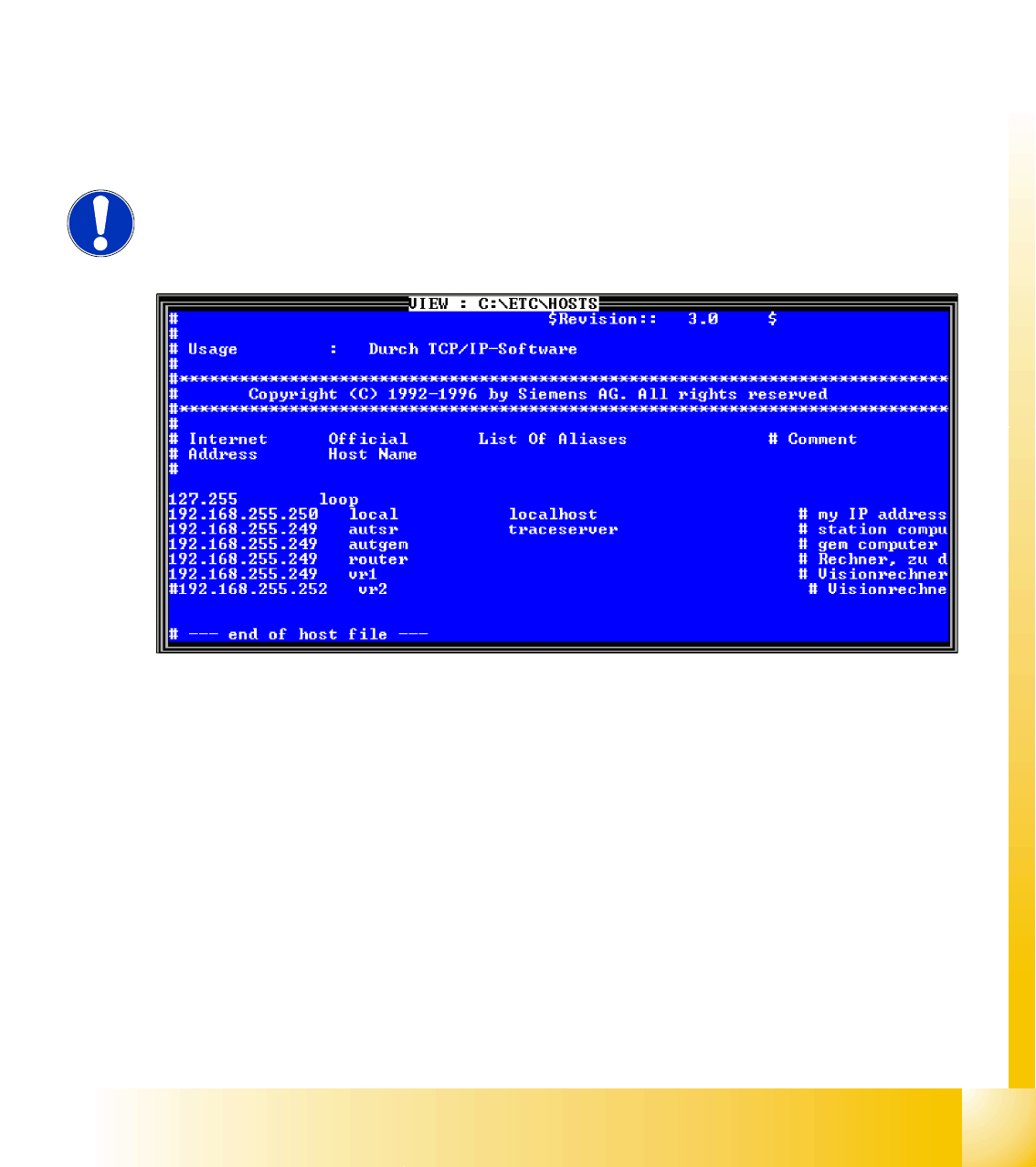
Check the internal TCP/ IP address for the machine controller
Put the keyboard to the MC and switch the multiplexer on the MC
Switch ON the machine.
Switch over to console 4 (press
F4
), enter
sc
and press
Enter
.
Go to the folder
ETC
and press
Enter
.
On the right-hand side of your screen, select the
host
file.
Press
V
to open the file. Check the entries. Close it with
ESC
.
The internal network address for the machine computer is a fixed local area network address don‘t
change this address.
Machine controller: 192.168.255.250
4.2 - 2: Entries in the hostfile
NOTE:
The MC remote connection can also be used to check and edit entries from the
station computer.