JANETS使用说明书(新款).pdf - 第37页
JaNets 使用说明书 2 安装 2-3 (3) 确认同意使用协议 画面 。 请选择[ I acc ept the term s in the license agr eement (同 意) ] ,点 击「 Next 」。 (4) 选择[ Complete (完全) ] ,点 击「 Next 」。 ※ 选择[ Custom ] 后,会移动到选 择要安装的驱 动程序的 画面 。 请务必选择[ Complete ]。
JaNets 使用说明书 2 安装
2-2
2-1-4 新安装步骤
2-1-4-1 启动安装程序
※ 安装 JaNets 时如已经安装了 USB 保护模块,请先卸下保护模块后重新安装。
(1) 请把 JaNets 光盘插入 CD-ROM 驱动器,
请启动安装 CD 内的 D:\ JaNets 里的「Setup.exe」。
2-1-4-2 安装 SafeNet Sentinel Protection Installer 7.6.6
没有安装保护模块的驱动程序时,需要安装该驱动程序。
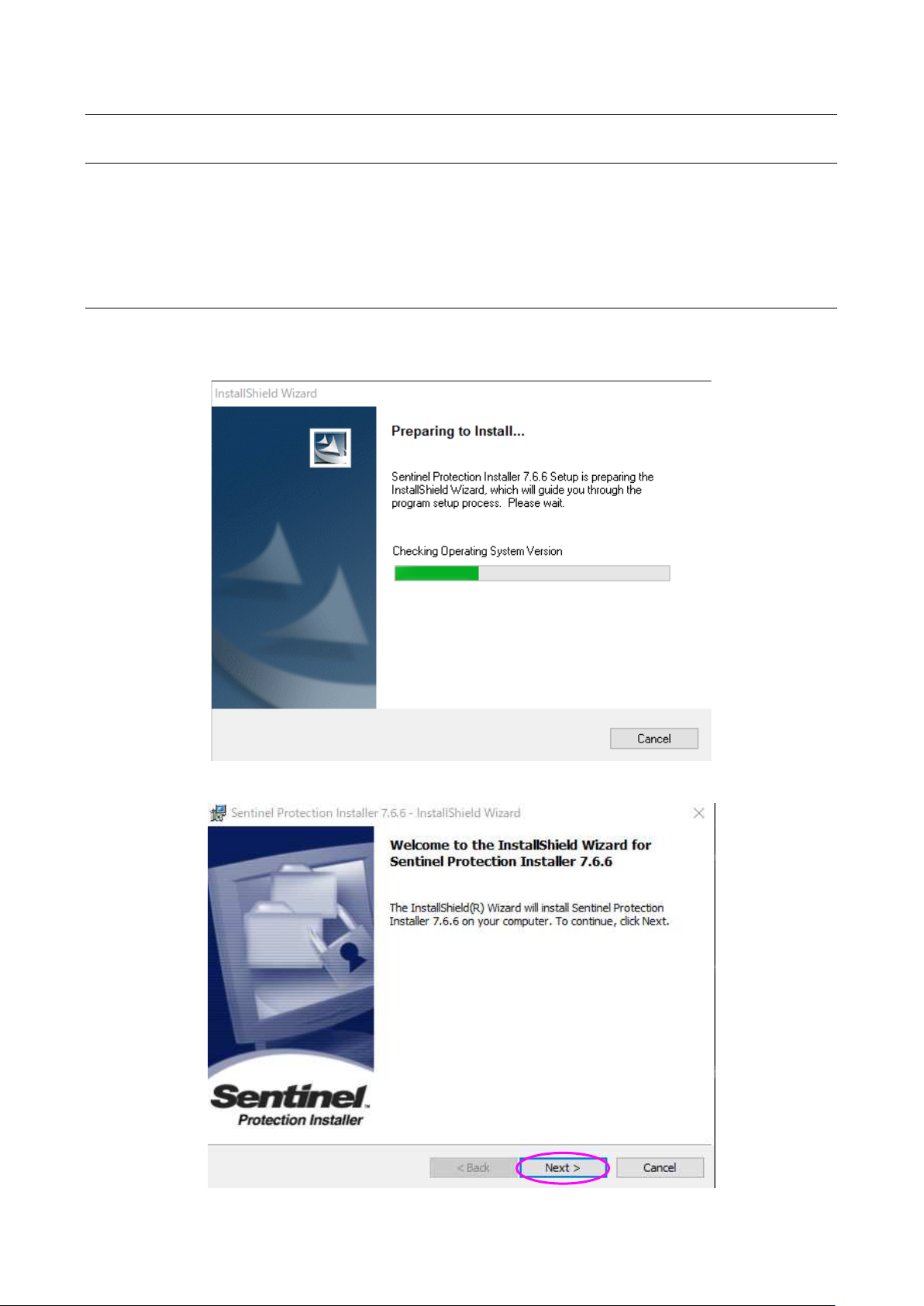
(1) 正在启动安装程序。
(2) 显示安装初始画面时,请点击「Next」。
JaNets 使用说明书 2 安装
2-3
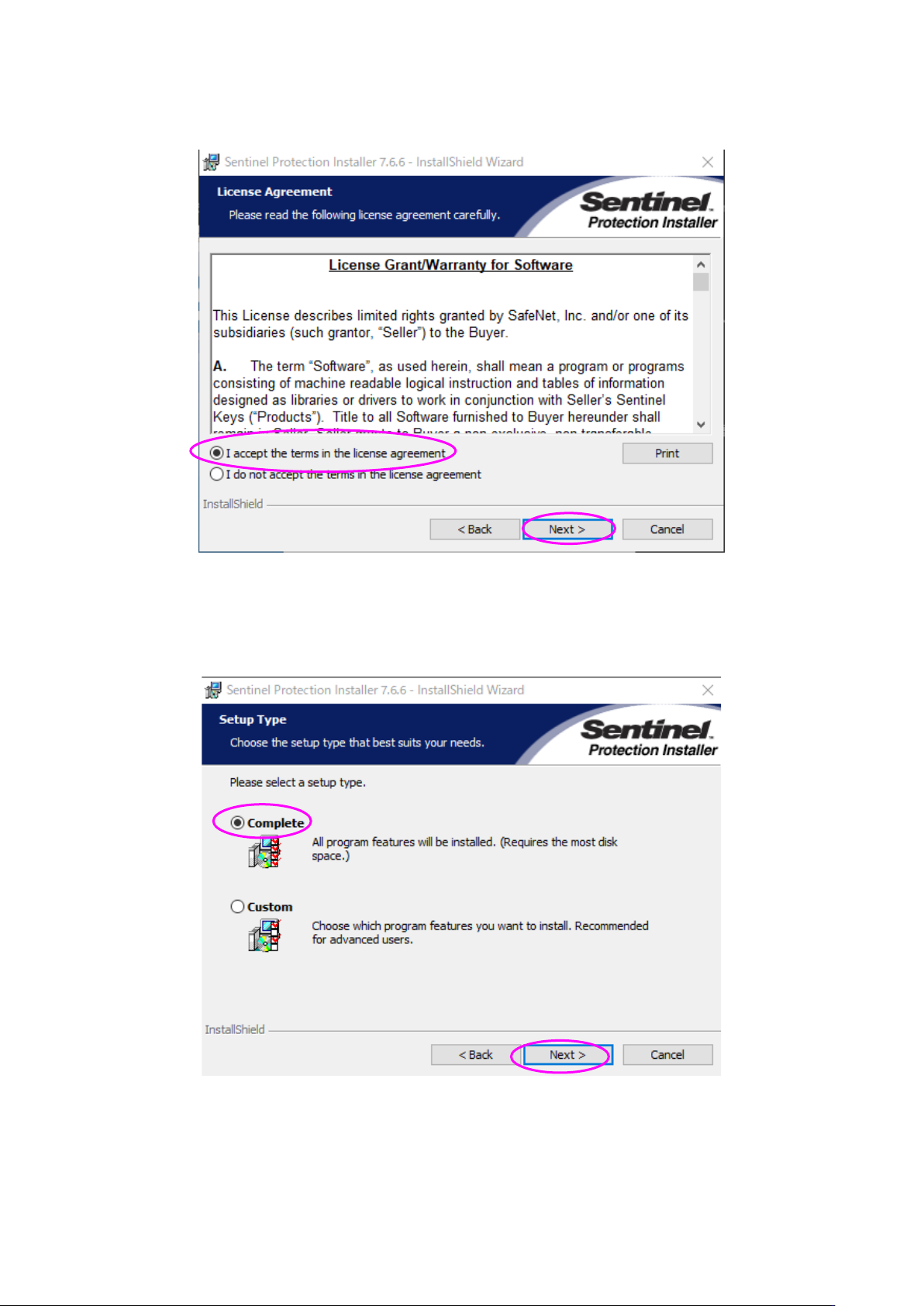
(3) 确认同意使用协议画面。
请选择[I accept the terms in the license agreement(同意)],点击「Next」。
(4) 选择[Complete(完全)],点击「Next」。
※ 选择[Custom]后,会移动到选择要安装的驱动程序的画面。
请务必选择[Complete]。
JaNets 使用说明书 2 安装
2-4
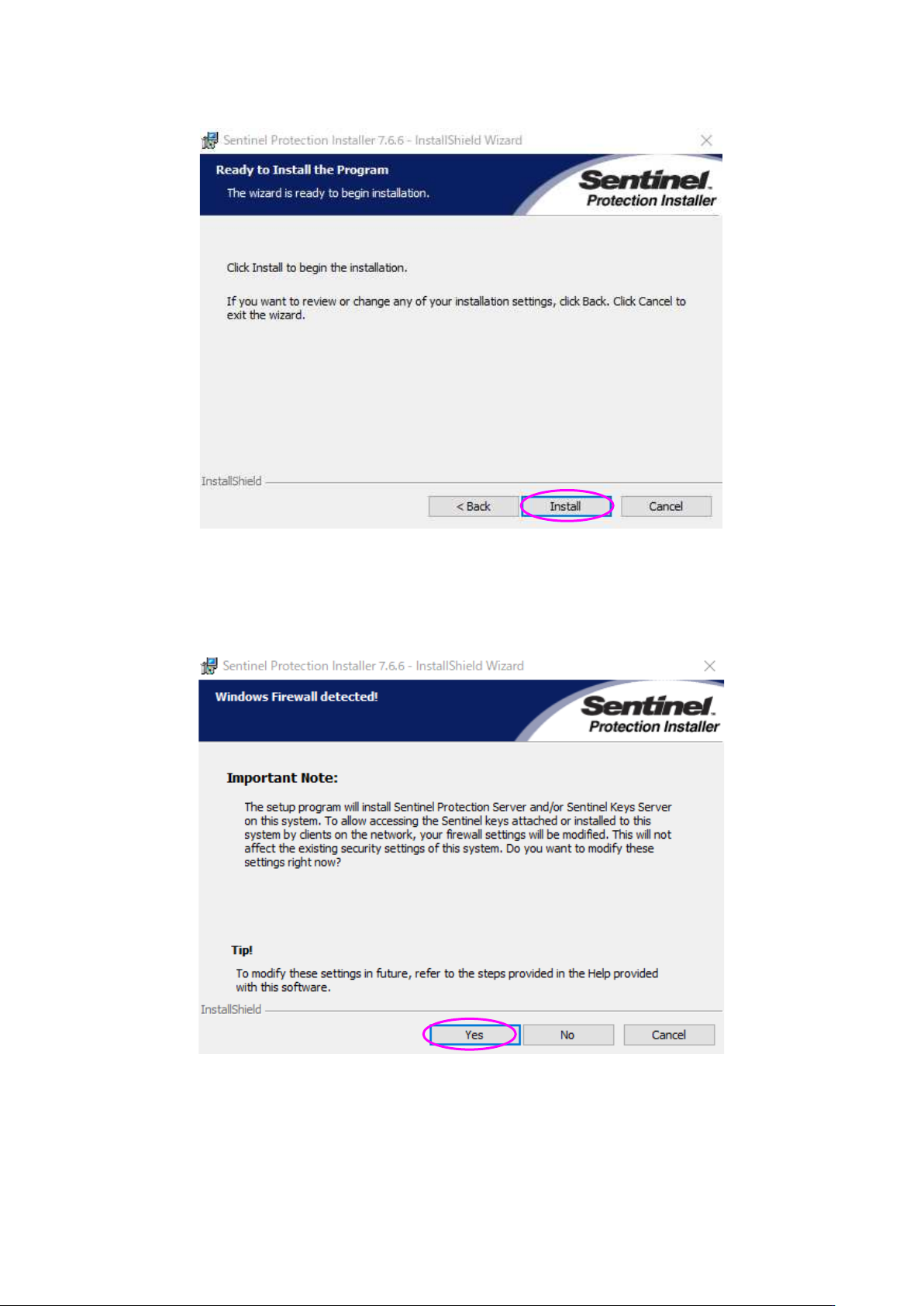
(5) 请点击「Install」。
(6) 请按「Yes」按钮。开始安装。
※ 显示修改保护模块驱动程序用的防火墙的设置画面。
请务必选择[Yes]。