00198761-01_SM_Head_Care_Station_II_EN - 第28页
4 Service work – HCSII Head Unit 4.5 Replacing the Board Adapter LP Twin 28 Service Manual SIPLACE Head Care Station II 11/2019 4.5 Replacing the Board Adapter LP Twin Parts Fig.25: Board Adapter-LP Twin-HCSII ● Board…
4 Service work – HCSII Head Unit
4.4 Replacing the Base Adapter Twin / MHCU
Service Manual SIPLACE Head Care Station II 11/2019 27
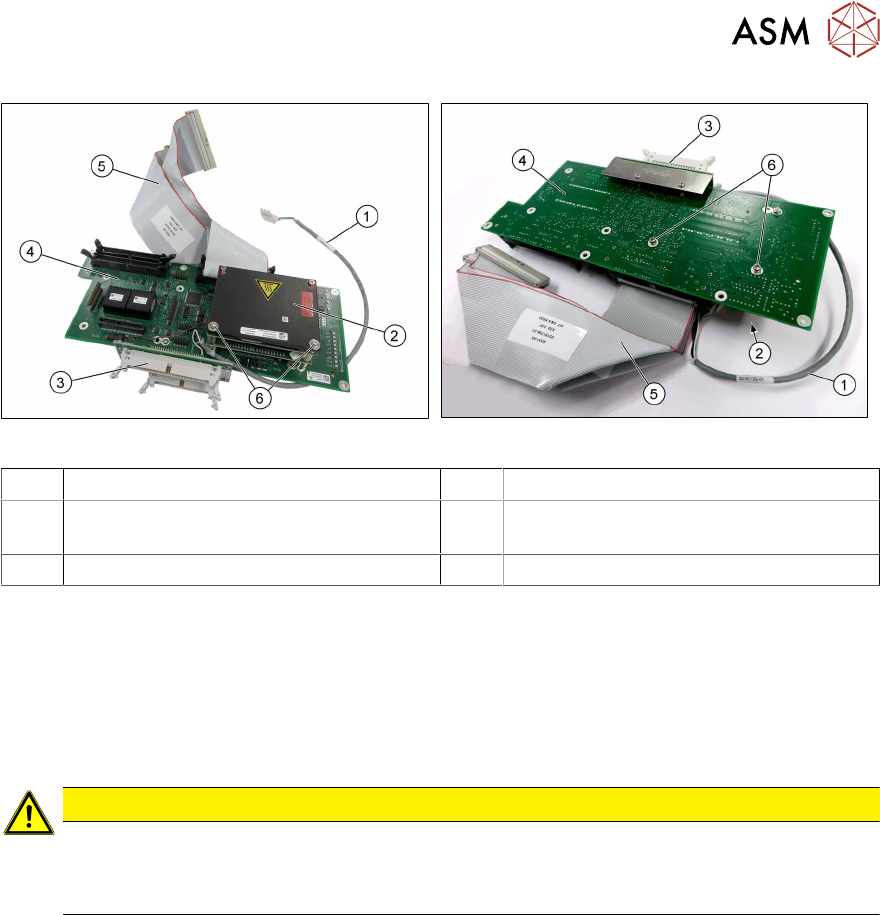
Fig.23: Base Adapter-Twin (upper side)
Fig.24: Base Adapter-Twin (under side)
1 Cable X91 2 MHCU
3 Board Adapter LP Twin-HCSII
[03087844‑xx]
4 PCB Base Adapter Twin HCS2.3
[03158916‑xx]
5 Two cables X30/X31 [03151796‑xx] 6 Screws fastening the MHCU
► Remove the cables X30/X31(5).
► Remove the Board Adapter LP Twin-HCSII(3).
4.5 "Replacing the Board Adapter LP Twin" [}28].
Replacing/Converting the MHCUs
► Remove the screws(6) on the back of the board fastening the MHCU(2) and carefully pull the
MHCU off the base adapter.
CAUTION
Washers/Pins
► Make sure that you do not lose the washers.
► Make sure that you do not damage the pins under the MHCU.
Installation
► Follow the removal instructions in reverse order for installation.
► Replace any cable ties which you have removed.
4 Service work – HCSII Head Unit
4.5 Replacing the Board Adapter LP Twin
28 Service Manual SIPLACE Head Care Station II 11/2019
4.5 Replacing the Board Adapter LP Twin
Parts
Fig.25: Board Adapter-LP Twin-HCSII
●
Board Adapter-LP Twin-HCSII
[03087844‑xx]
Preparatory work...
► Turn off and disconnect the HCS II. See 3.1 "Turn off and disconnect the HCS II" [}19].
► Perform the steps described in section 3.3 "Access to the spare parts of the HCS II Head
Unit" [}20].
Removal
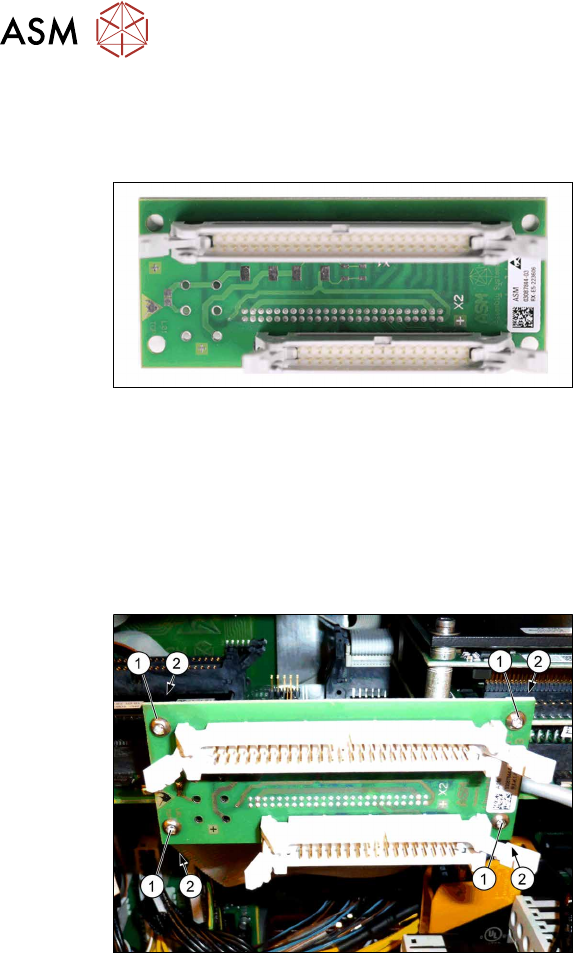
Fig.26: Removal
► Unplug the flat ribbon cables.
► Remove the four screws(1) fastening
the Board Adapter LP Twin on the
Base Adapter-Twin.
► Hold the screw nuts(2) from behind
(e.g. with tweezers).
► Make sure that the screws and screw
nuts are not lost.
Installation
► Follow the removal instructions in reverse order for installation.
► Replace any cable ties which you have removed.
4 Service work – HCSII Head Unit
4.6 Replacing the Base Adapter C&P / MHCU
Service Manual SIPLACE Head Care Station II 11/2019 29
4.6 Replacing the Base Adapter C&P / MHCU
Parts
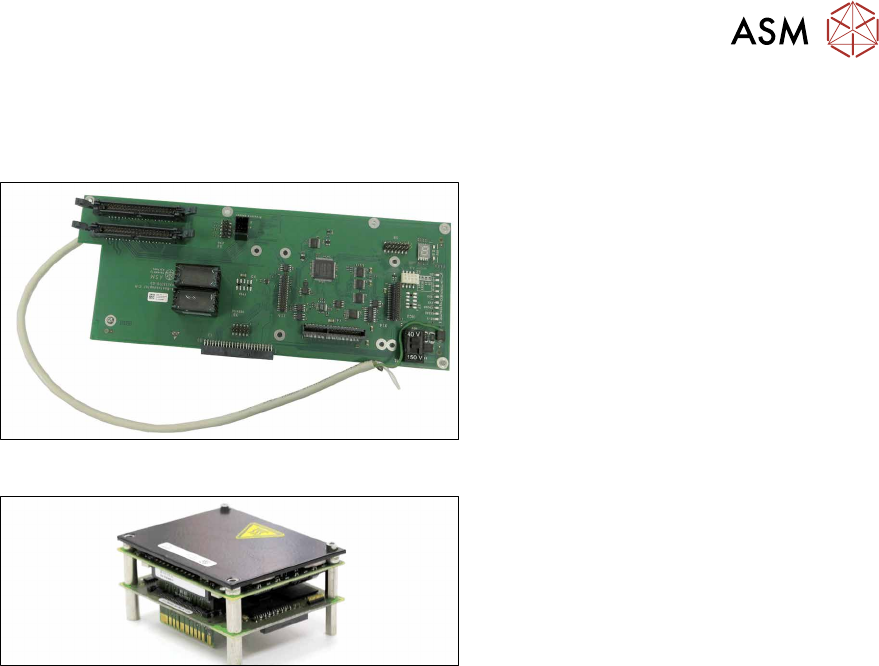
Fig.27: PCB Base Adapter C&P HCS2.3
●
PCB Base Adapter C&P HCS2.3
[03158917‑xx]
Fig.28: MHCU complete compatible
●
MHCU complete compatible
[03090990‑xx]
Preparatory work...
► Turn off and disconnect the HCS II. See 3.1 "Turn off and disconnect the HCS II" [}19].
► Perform the steps described in section 3.3 "Access to the spare parts of the HCS II Head
Unit" [}20].
► Remove the compressed air filter. See 4.2 "Replacing the compressed air filter" [}24].