80S-20用户手册 - 第189页
SIPLACE 80S -20/F4 User Manual 5 Single functions Software version SR.407.xx 01/2001 US Edition 5.2 Single functions, gantry 189 5.2. 5 "Nozzle offset " vie w 5 Å In the cu rrent vi ew for th e singl e funct io…
5 Single functions SIPLACE 80S-20/F4 User Manual
5.2 Single functions, gantry Software version SR.407.xx 01/2001 US Edition
188
5.2.4.1 Functions
In the "Vacuum test" view only the "Measure" button is available. This is used to start the vacuum
test for all nozzles.
Measure 5
This function is used to start a head reference run. This measures the vacuum values in the open
and closed pick-up positions for each of the nozzles.
Å Click the Measure button.
The vacuum calculation procedure is started.
The calculated vacuum values for each of the nozzles are displayed in two columns, "Pick-up
open (mbar)" and "Pick-up closed (mbar)". You can use these values to see, for example,
whether a nozzle on a particular segment is dirty.
SIPLACE 80S-20/F4 User Manual 5 Single functions
Software version SR.407.xx 01/2001 US Edition 5.2 Single functions, gantry
189
5.2.5 "Nozzle offset" view
5
Å In the current view for the single functions for Gantry, click the symbol .
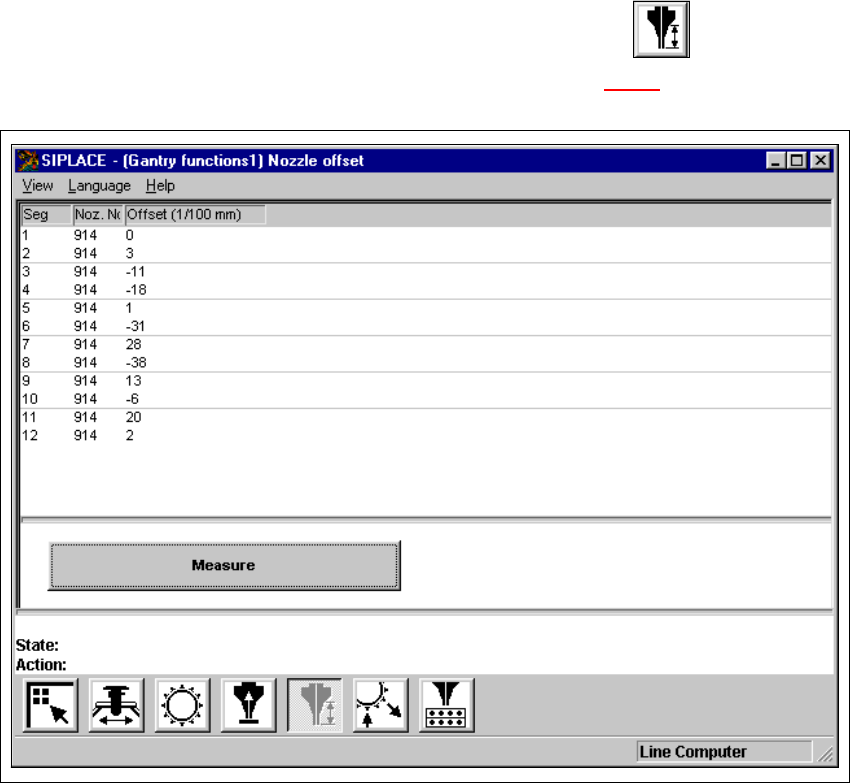
The user interface is switched to the "Nozzle offset" view (see Fig. 5.2 - 5
).
5
Fig. 5.2 - 5 "Nozzle offset" view (12-nozzle Collect&Place head)
5 Single functions SIPLACE 80S-20/F4 User Manual
5.2 Single functions, gantry Software version SR.407.xx 01/2001 US Edition
190
5.2.5.1 Functions
In the "Nozzle offset" view only the "Measure" button is available. This is used to start a evalua-
tion of the nozzle height for all nozzles.
Measure 5
When this function is activated, after a vacuum check the gantry moves the placement head to a
defined position above the board conveyor. The z-axis is lowered until the nozzle touches the con-
veyor, the procedure is then repeated for each nozzle. In this way, you can measure the height of
each nozzle.
The gantry then returns to its starting position. 5
Å Click the Measure button.
This starts the procedure used to measure nozzle height.
The values determined are displayed in the column "Offset (1/100 mm)" for each of the noz-
zles. These values can, for example, be used to determine whether the nozzle on a particular
segment broken.