80S-20用户手册 - 第252页
6 Vision functions SIPLA CE 80S-20/F4 User Manual 6.5 Teach F iducial Soft ware v ersion SR.407.xx 01/2001 US Edition 252 6.5.3.4 Define New Fiduci al Option With this option y ou can ge nerate a n ew fiduci al. 6 – Clic…
SIPLACE 80S-20/F4 User Manual 6 Vision functions
Software version SR.407.xx 01/2001 US Edition 6.5 Teach Fiducial
251
6.5.3.3 Change Fiducial Name Option
NOTE 6
This option can only be activated if you have already loaded a fiducial. If this is not the case, the
Change fiducial name button will be inactive. The grayed-out text on the button indicates this.
– Load the desired fiducial, as described in Section 6.5.3.2
on page 250.
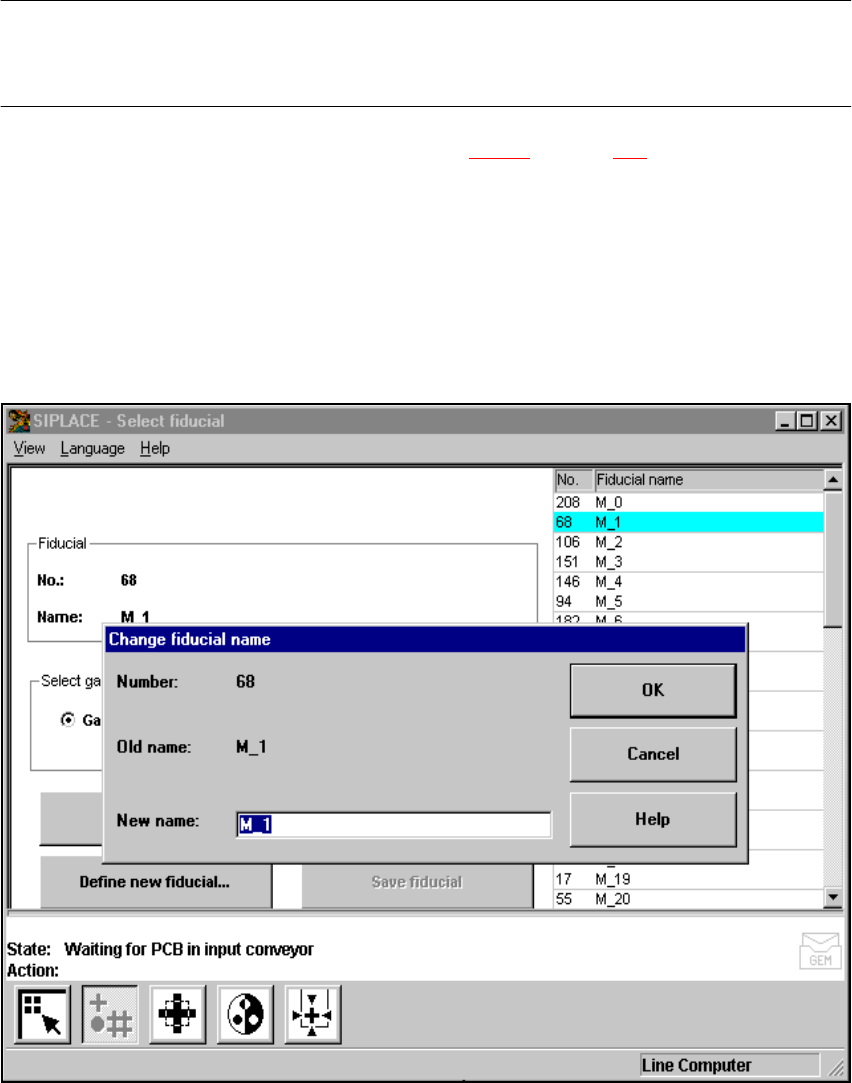
– Click on the Change fiducial name button.
The input box will appear on the screen.
– Input the new fiducial name into the New name field.
– Click on OK if you wish the change to go ahead. The fiducial list will now be updated.
– Click on Cancel if you wish to discard the change.
6
Fig. 6.5 - 10 Change fiducial name option, input box for new fiducial name
6 Vision functions SIPLACE 80S-20/F4 User Manual
6.5 Teach Fiducial Software version SR.407.xx 01/2001 US Edition
252
6.5.3.4 Define New Fiducial Option
With this option you can generate a new fiducial. 6
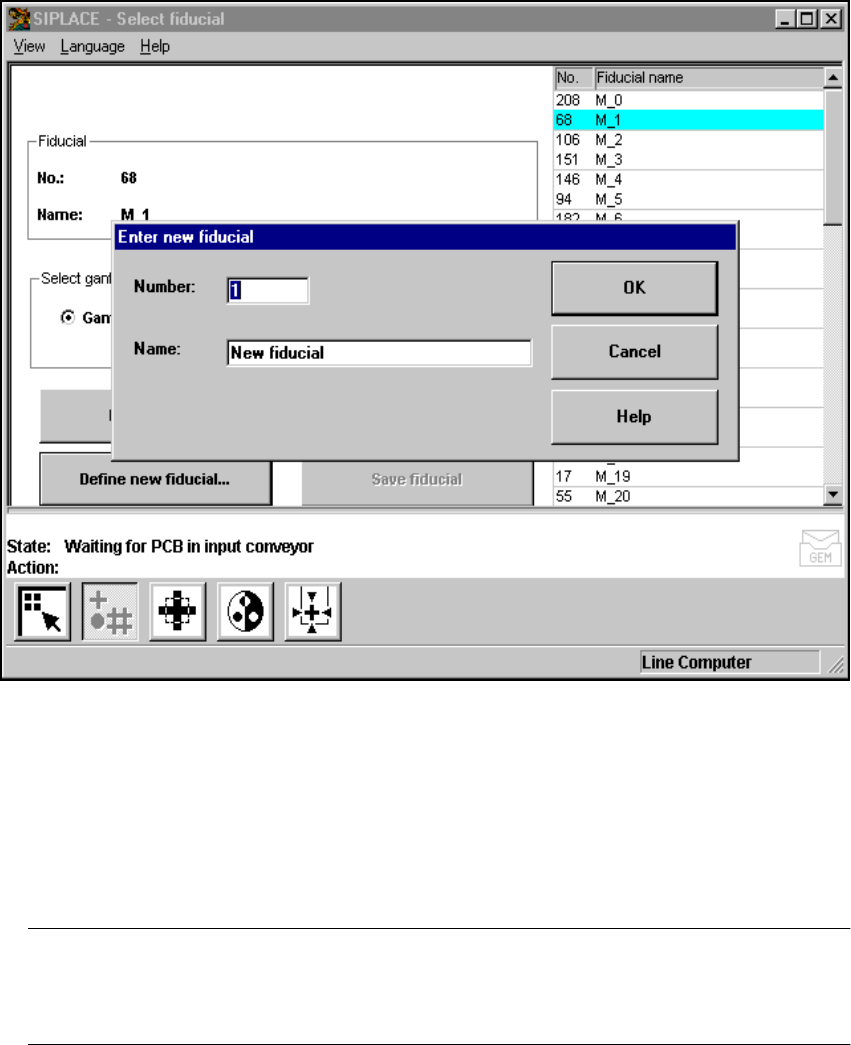
– Click on the Define new fiducial button.
The input box for the fiducial number and the fiducial name will appear on the screen.
6
Fig. 6.5 - 11 Select fiducial menu, Define new fiducial option, input box
– Input a fiducial number and the fiducial name.
– Conclude your input with OK or discard your input with Cancel.
– The new fiducial can also be taught with standard values and further processed.
– When finished save the fiducial by clicking on the Save fiducial button.
NOTE 6
If a fiducial number already exists after clicking on OK you will be asked if you want to over-
write the existing fiducial. 6
SIPLACE 80S-20/F4 User Manual 6 Vision functions
Software version SR.407.xx 01/2001 US Edition 6.5 Teach Fiducial
253
6.5.3.5 Save Fiducial Option
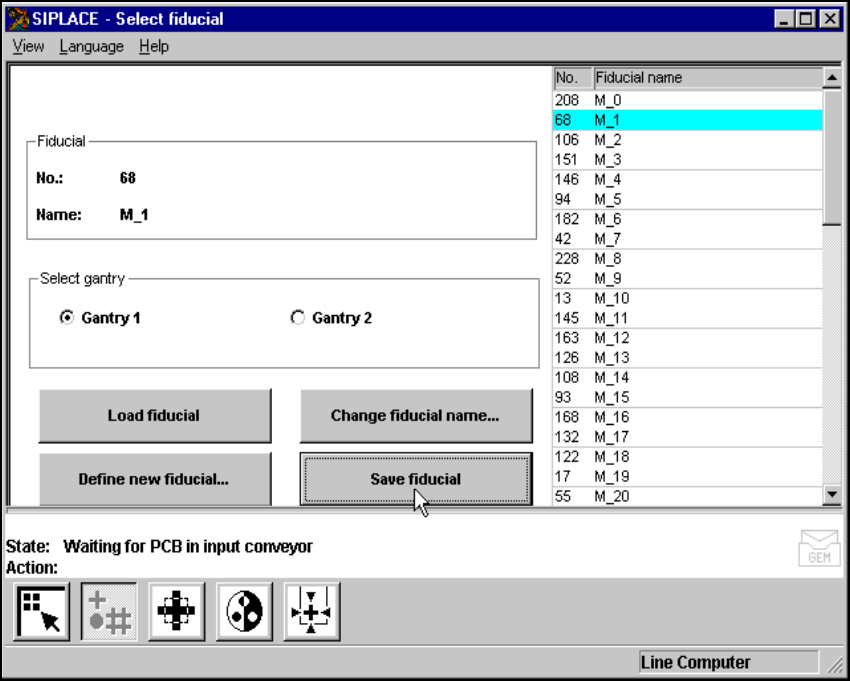
With this option you can save fiducials together with their modified parameters. The button will
only become activated if you have 6
– changed the fiducial name or
– generated a new fiducial.
6
Fig. 6.5 - 12 Select fiducial menu, Save fiducial option