80S-20用户手册 - 第520页
11 Station extensions /Hardware SIPLACE 80S-20 /F4 User Manual 11.9 Flux dispenser unit Software version S R.407.xx 01/2001 US Edition 520 11 Fig. 1 1.9 - 12 Gantry functions (1) Buttons fo r the flu xing singl e functio…
SIPLACE 80S-20/F4 User Manual 11 Station extensions /Hardware
Software version SR.407.xx 01/2001 US Edition 11.9 Flux dispenser unit
519
11.9.7.4 Single functions
There are a number of Single Functions that allow you to operate the fluxing head independently
of the placement program. 11
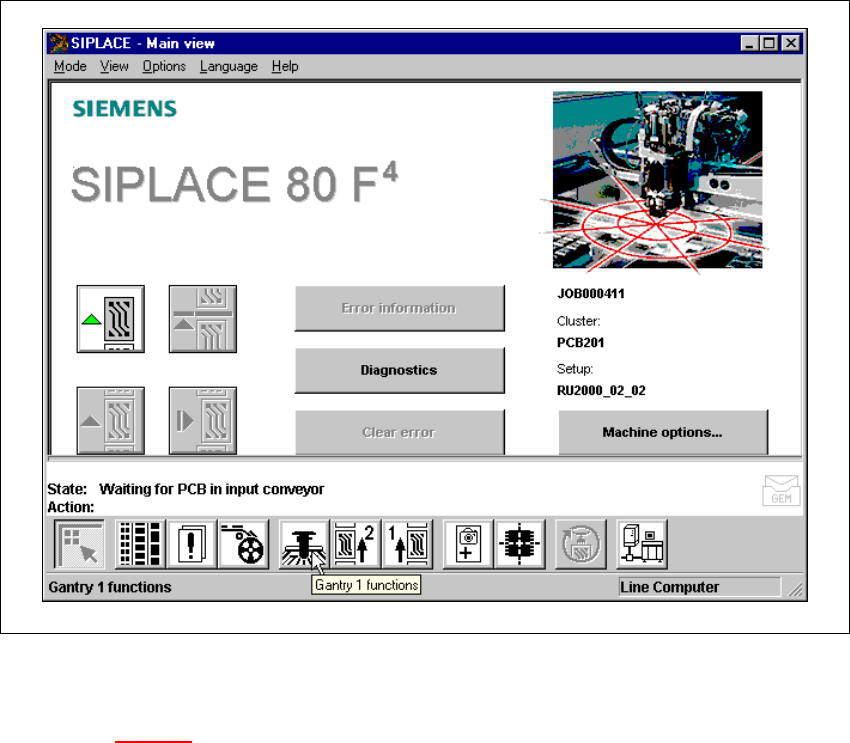
Å Click on the Gantry functions icon from the main view.
11
Fig. 11.9 - 11 Single Functions - gantry
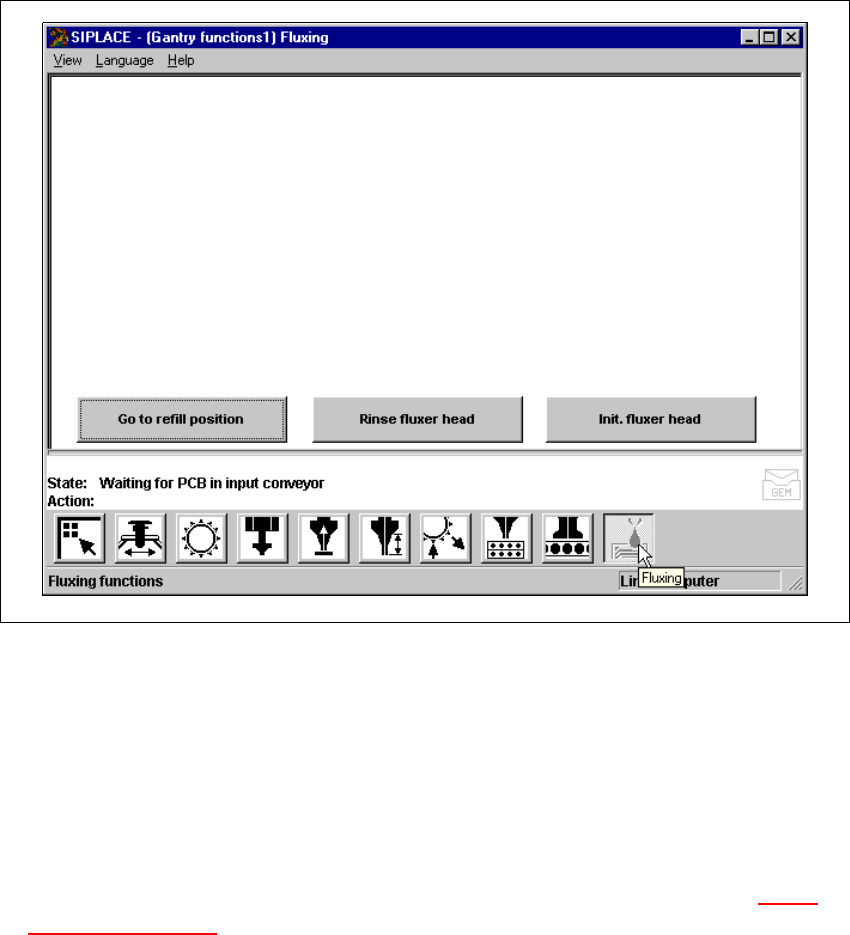
Å Click on the Gantry functions button from the “Gantry functions” view.
(See Fig. 11.9 - 12
).
11 Station extensions /Hardware SIPLACE 80S-20/F4 User Manual
11.9 Flux dispenser unit Software version SR.407.xx 01/2001 US Edition
520
11
Fig. 11.9 - 12 Gantry functions
(1) Buttons for the fluxing single functions (flux)
Go to refill position: 11
To change the syringe, you must first move the syringe piston to its bottom position, and move the
machine into a suitable position (refill position). 11
Å Click on the Go to refill position button. The fluxer head will move to the refill position, and
the syringe piston will move down. The syringe can then be changed. See Section 11.9.5
Changing the syringe.
The fluxer head must be moved to the refill position before any work is carried out on it. The flux
must be refilled in this position. 11
Å Click on the Go to refill position button, and press the Start button. The fluxer head will move
to the refill position.

SIPLACE 80S-20/F4 User Manual 11 Station extensions /Hardware
Software version SR.407.xx 01/2001 US Edition 11.9 Flux dispenser unit
521
Rinse fluxer head: 11
The fluxer head can be rinsed to remove flux residues or air bubbles from the dispensing hose,
for example. This will prevent the dispensing hose and centering nozzle from hardening, or air
bubbles causing fluxing errors. 11
Å Click on the Rinse fluxer head button, and press the Start button. The fluxer head will move
over the rinsing tank, and dispense the syringe contents into the rinsing tank.
The rinsing tank is beside the component reject bin (see Fig. 11.9 - 10
).
Initialize fluxer head: 11
It is possible to carry out a fluxer head reference run. 11
Å Click on the Init. fluxer head button, and press the Start button. The fluxer head will carry out
a reference run.