EN 3.pdf - 第115页
Model DECAN Series Company SAMSUNG TECHWIN Module 3.7 P ARAMETER V ersion 01 Tit le COMMUT A TION OFFS ET MEASUREMENT Page 3-7-17 Note 8. After selecting <A5L LINEAR>, click on <OK>. 9. Click on <P ARAMETE…
Model
DECAN Series
Company
SAMSUNG TECHWIN
Module
3.7 PARAMETER
Version
01
Title
COMMUTATION OFFSET MEASUREMENT
Page
3-7-16
Note
[COMMUTATION OFFSET MEASUREMENT]
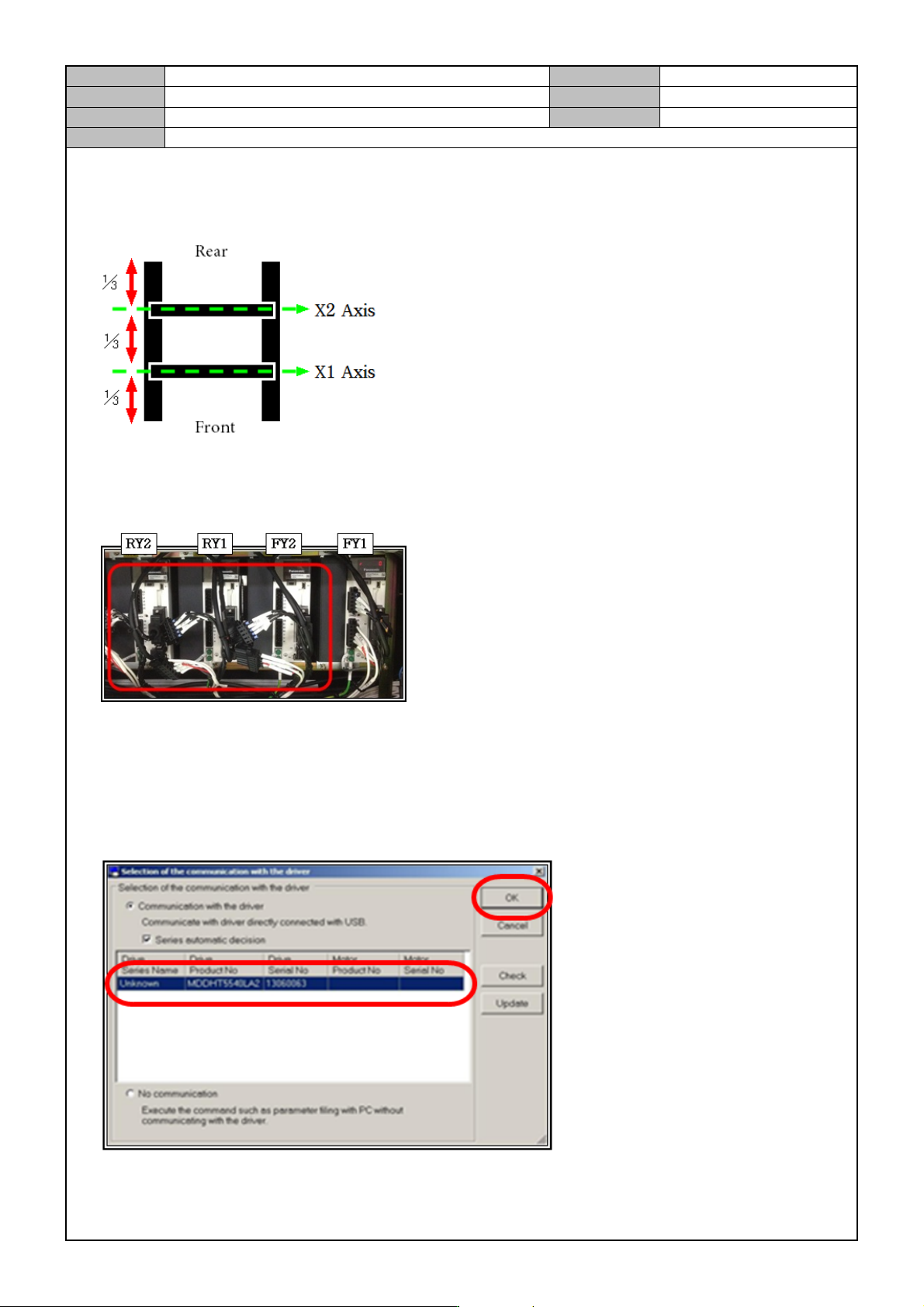
1. As shown in the diagram below, maintain the X axis distance.(X axis is located at about ⅓ of the Y axis.)
2. Turn off the CP3.
3. When measuring the FY1 axis, disconnect the motor power and driver power cable from the other axes not
measured.(FY2, RY1, RY2).
4. Turn on the CP3.
5. Using the Parameter Cable, connect the Keyboard USB Port to the FY1 Motor Driver's X1 terminal.
6. Run the Parameter program.
7. After selecting <MDDHT5540LA2>,click on <OK>.
Model
DECAN Series
Company
SAMSUNG TECHWIN
Module
3.7 PARAMETER
Version
01
Title
COMMUTATION OFFSET MEASUREMENT
Page
3-7-17
Note
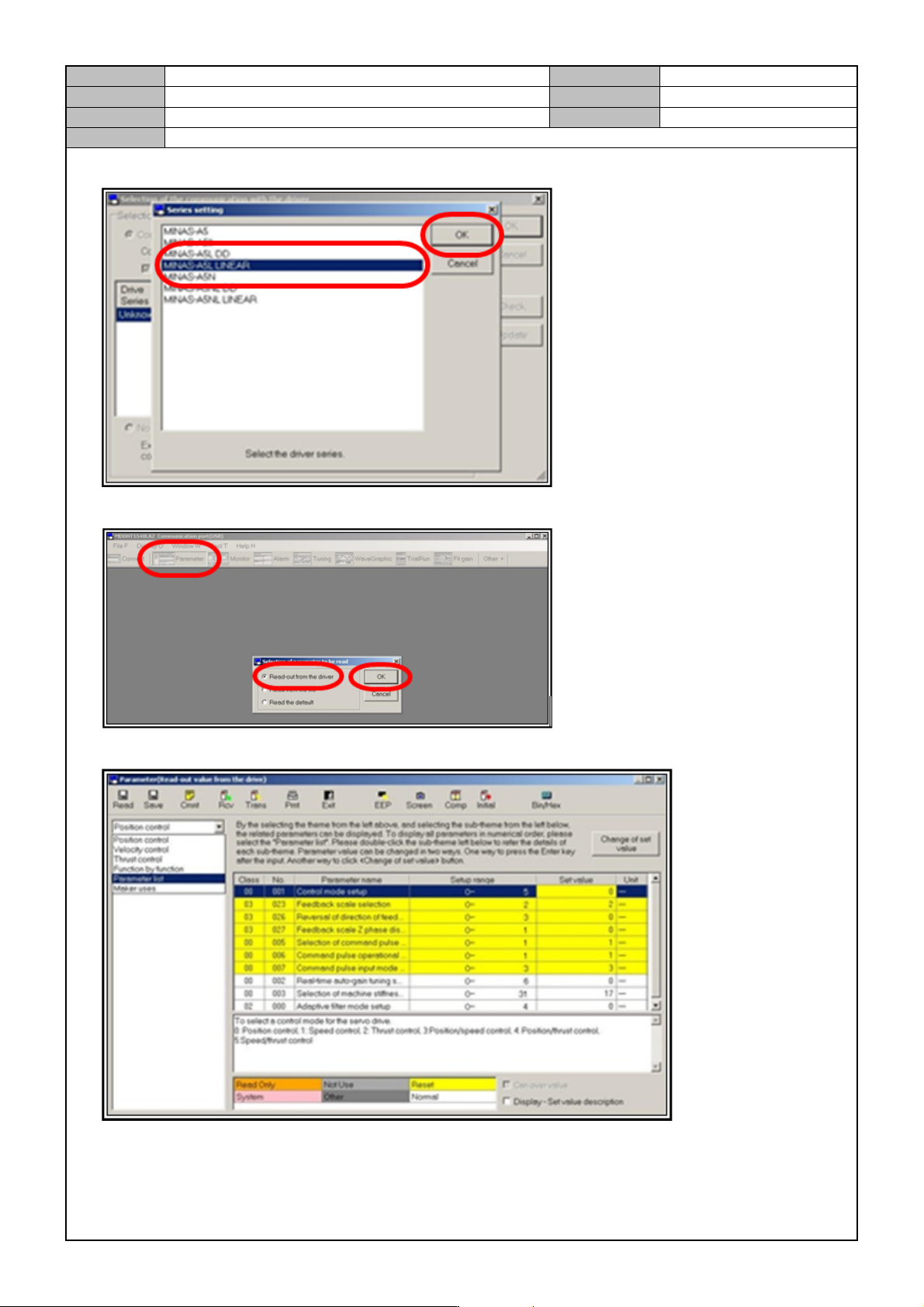
8. After selecting <A5L LINEAR>, click on <OK>.
9. Click on <PARAMETER> → <READ-OUT FROM THE DRIVER> → <OK>.
10. Open the <PARAMETER LIST > tab.
Model
DECAN Series
Company
SAMSUNG TECHWIN
Module
3.7 PARAMETER
Version
01
Title
COMMUTATION OFFSET MEASUREMENT
Page
3-7-18
Note
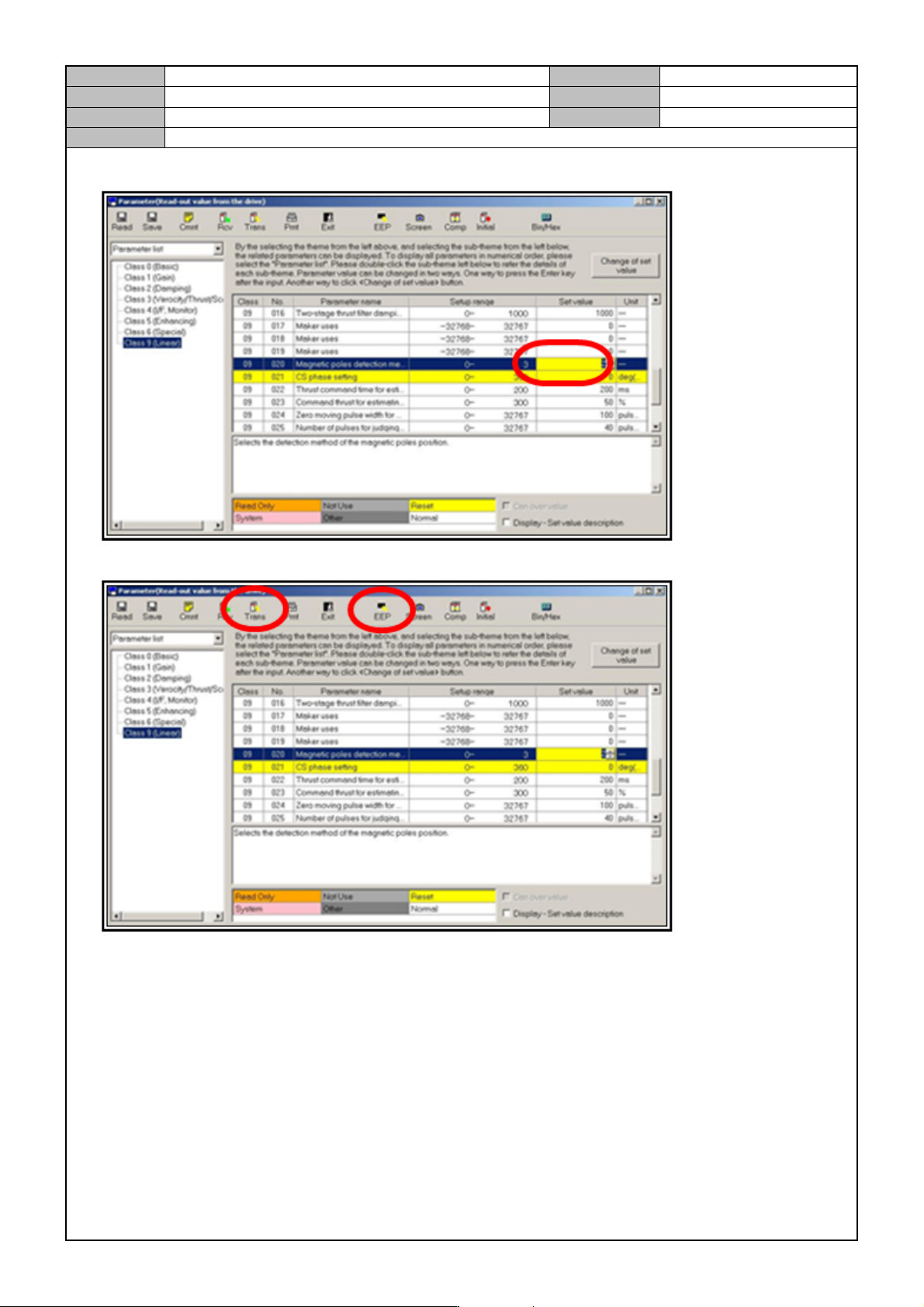
11. Change <CLASS 9, NO.20> to <3→2> hit the Enter key.
12. Click on <TRANS> and then click on <EEP>.
13. Turn off the CP3 and on again.
* When the DRIVER reboots, it means that it has switched to the COMMUTATION OFFSET
measurement mode.
14. Press the Ready switch to measure for one to two seconds.
15. Press the Emergency switch.