EN 3.pdf - 第118页
Model DECAN Series Company SAMSUNG TECHWIN Module 3.8 IT , L TS T otal Pages 16 T able of Contents [2D BAR CODE SETTING ] .................................................................................. 2 [IT FUNCTION …
Model
DECAN Series
Company
SAMSUNG TECHWIN
Module
3.7 PARAMETER
Version
01
Title
COMMUTATION OFFSET MEASUREMENT
Page
3-7-19
Note
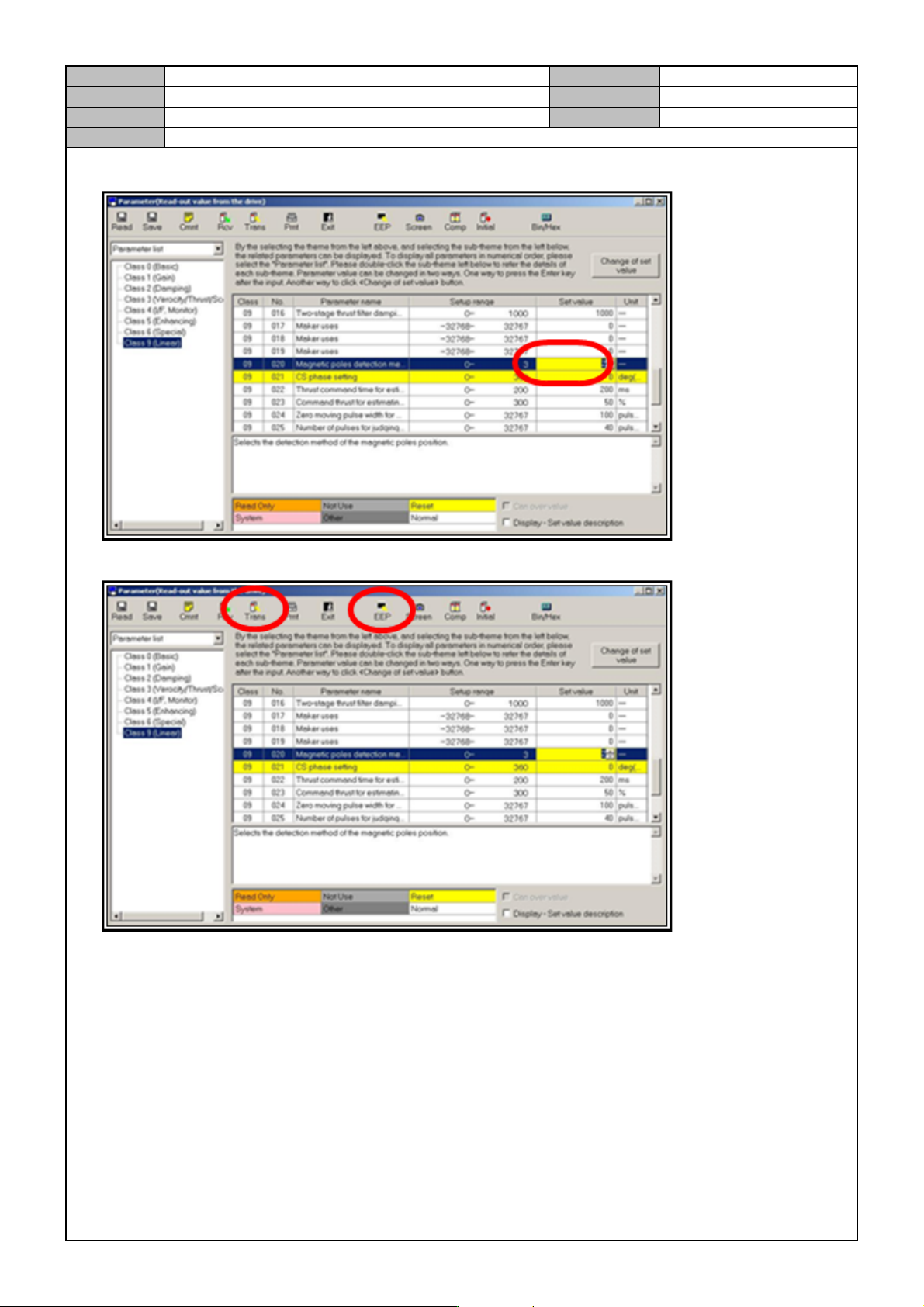
16. Change <CLASS 9, NO.20> to <2→3> hit the Enter key.
17. Click on <TRANS> and then click on <EEP>.
18. Turn off the CP3 and on again.
19. Turn off the CP3 and on again.
* When the DRIVER reboots, it means that it has exited from the COMMUTATION OFFSET
measurement mode.
20. In the same way, measure the FY2, RY1, RY2 MOTOR Drivers.
21. After measuring all the axes, warm up for five minutes. If everything is ok, then finish.

Model
DECAN Series
Company
SAMSUNG TECHWIN
Module
3.8 IT, LTS
Total Pages
16
Table of Contents
[2D BAR CODE SETTING] .................................................................................. 2
[IT FUNCTION INSTALLATION(MMI)] ................................................................ 4
[IT FUNCTION INSTALLATION(ORACLE)] ........................................................ 8
[IT FUNCTION INSTALLATION(DEVICE NET DRIVER)] ................................. 15
Model
DECAN Series
Company
SAMSUNG TECHWIN
Module
3.8 IT, LTS
Version
01
Title
2D BAR CODE SETTING
Page
3-8-2
Note
[2D BAR CODE SETTING]
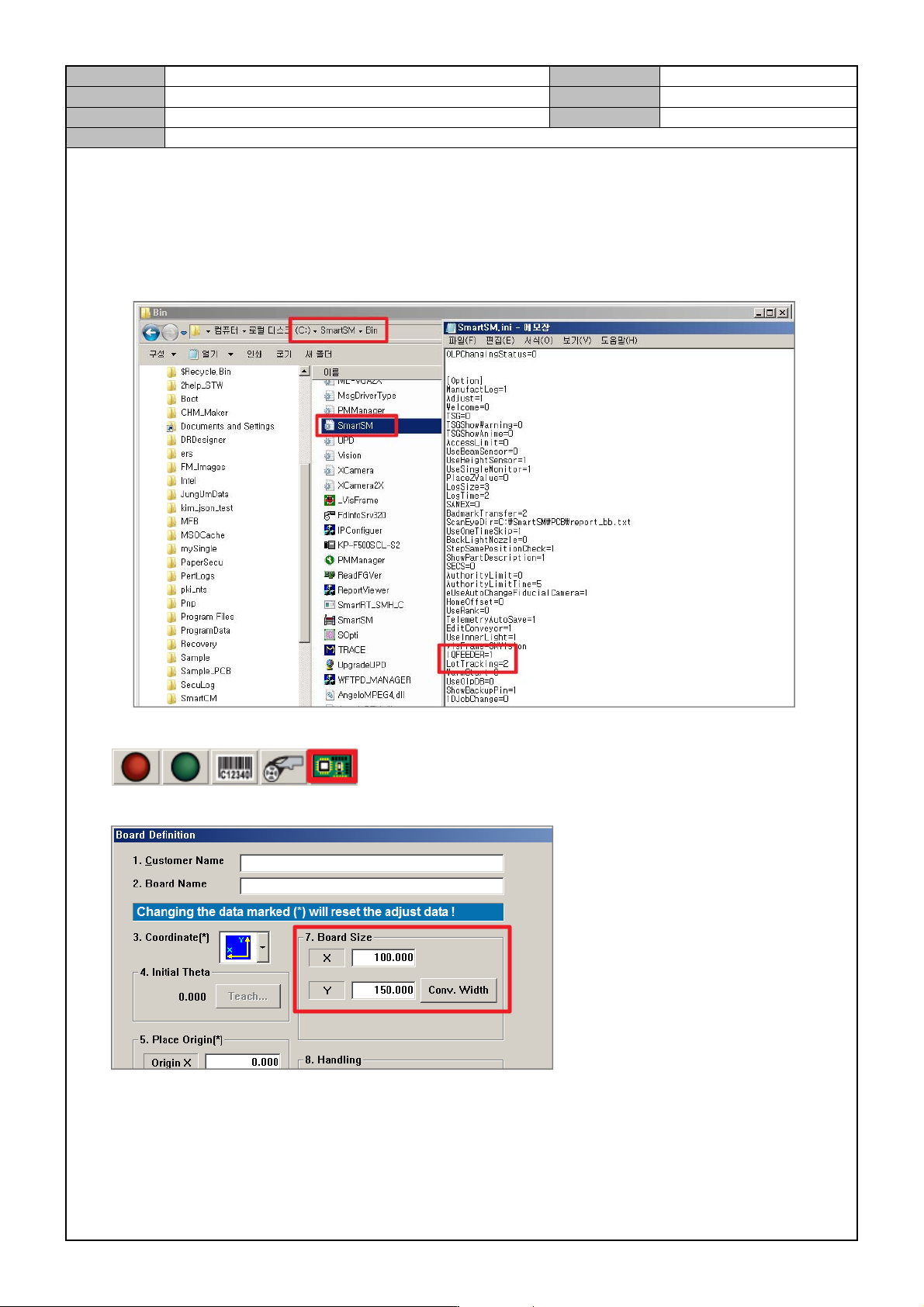
1. In the SmartSM.ini file, set the [OPTION] item.
Lot T racking: 2
IQFEEDER: 1(Full IT), 2(Common IT)
User Barcode: 1
2. In the upper right corner of the MMI screen, check the icon.
3. In the PCB Edit menu, set the PCB size.