EN 3.pdf - 第119页
Model DECAN Series Company SAMSUNG TECHWIN Module 3.8 IT , L TS V ersion 01 Tit le 2D BAR CODE SETTING Page 3-8-2 Note [2D BAR CODE SETTING] 1. In the SmartSM.ini file, set the [OPTION] item . Lot T racking: 2 IQFEED…

Model
DECAN Series
Company
SAMSUNG TECHWIN
Module
3.8 IT, LTS
Total Pages
16
Table of Contents
[2D BAR CODE SETTING] .................................................................................. 2
[IT FUNCTION INSTALLATION(MMI)] ................................................................ 4
[IT FUNCTION INSTALLATION(ORACLE)] ........................................................ 8
[IT FUNCTION INSTALLATION(DEVICE NET DRIVER)] ................................. 15
Model
DECAN Series
Company
SAMSUNG TECHWIN
Module
3.8 IT, LTS
Version
01
Title
2D BAR CODE SETTING
Page
3-8-2
Note
[2D BAR CODE SETTING]
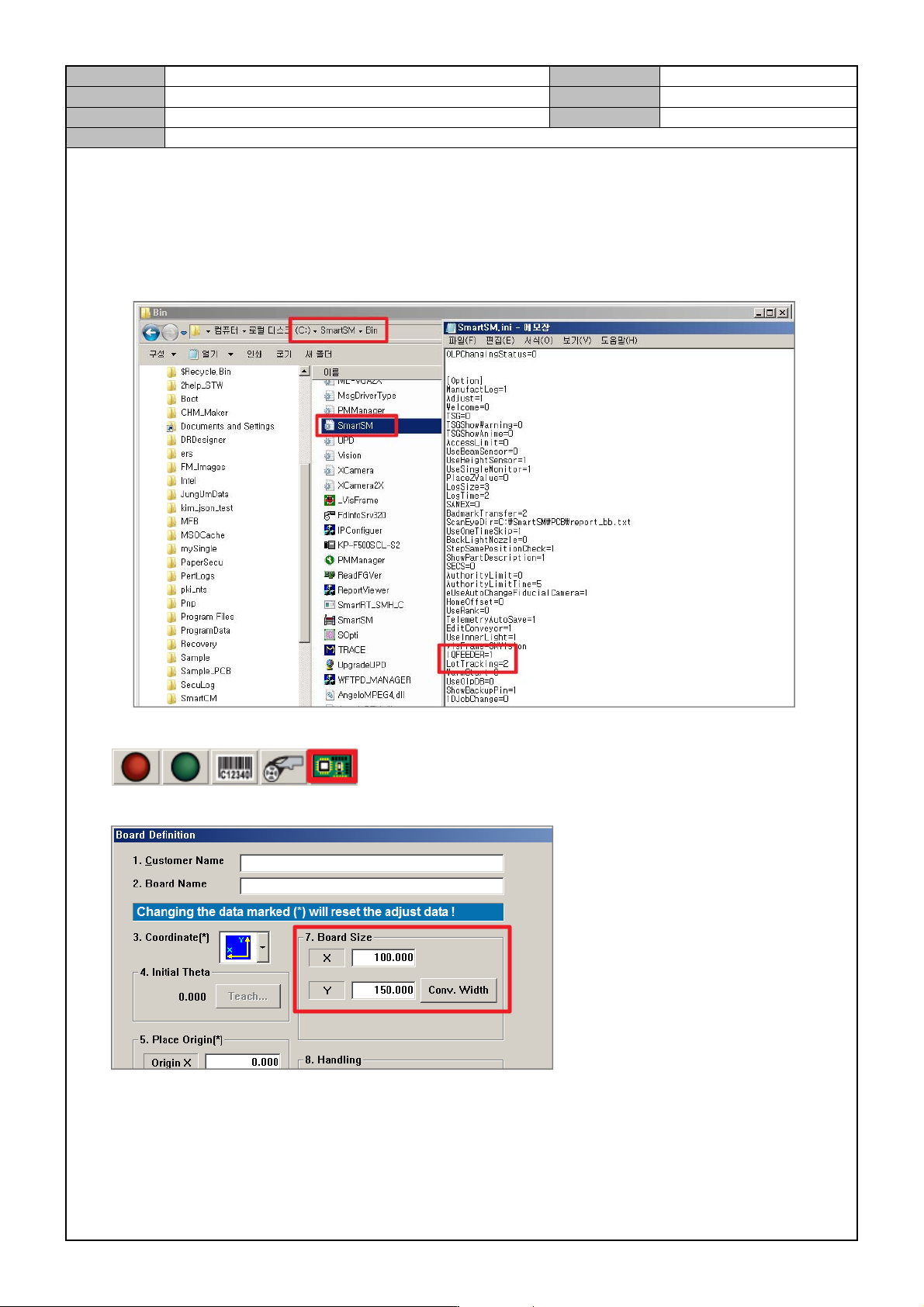
1. In the SmartSM.ini file, set the [OPTION] item.
Lot T racking: 2
IQFEEDER: 1(Full IT), 2(Common IT)
User Barcode: 1
2. In the upper right corner of the MMI screen, check the icon.
3. In the PCB Edit menu, set the PCB size.
Model
DECAN Series
Company
SAMSUNG TECHWIN
Module
3.8 IT, LTS
Version
01
Title
2D BAR CODE SETTING
Page
3-8-3
Note
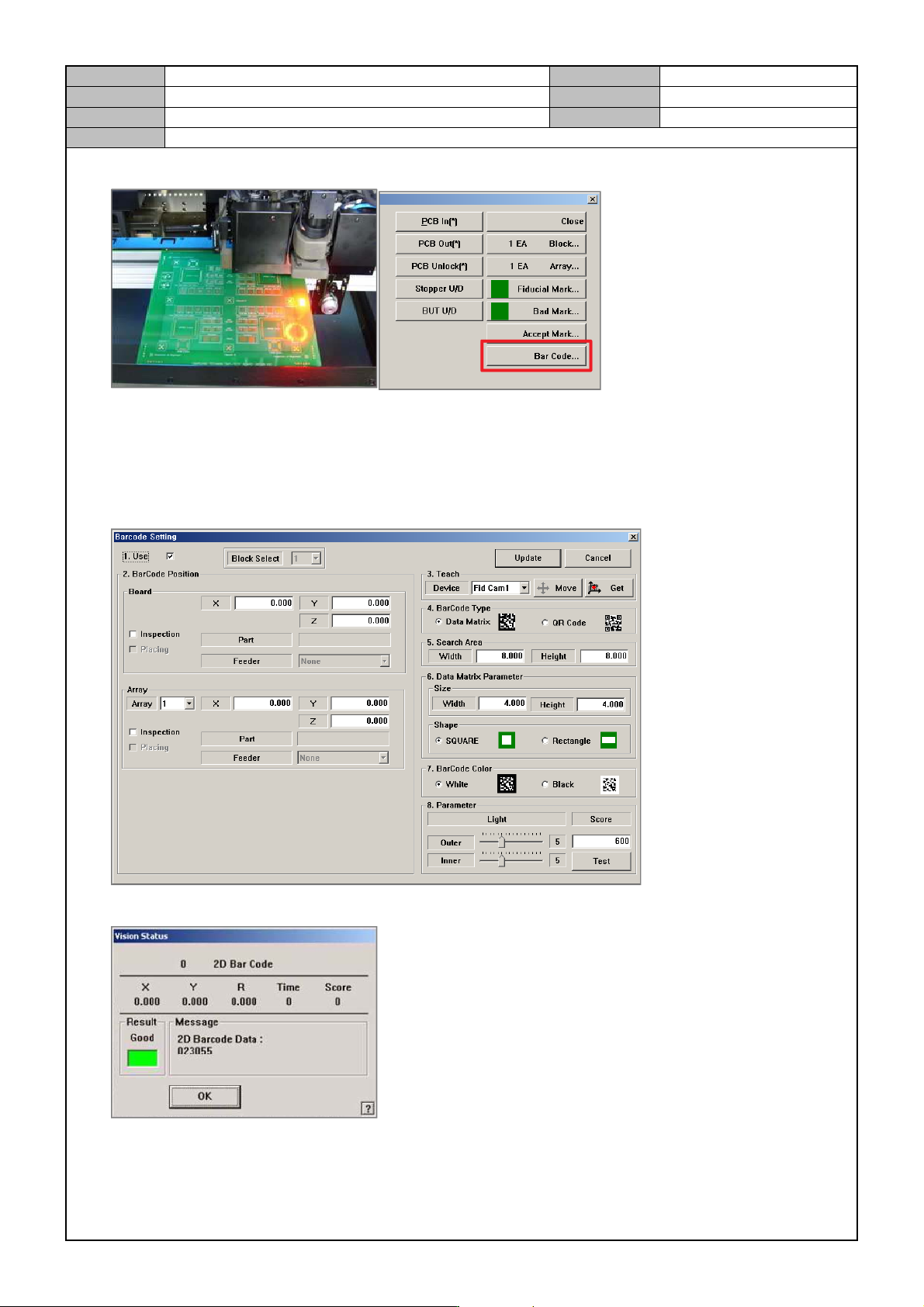
4. Load the PCB and clamp it in the Work Station and then select the [Bar Code] menu.
5. Barcode Setting
Use: check
Let the fiducial camera face the 2D barcode, press [Get].
Barcode Type setting
Shape setting
Barcode Color setting
6. Press [Test] to check barcode detection.