EN 3.pdf - 第127页
Model DECAN Series Company SAMSUNG TECHWIN Module 3.8 IT , L TS V ersion 01 Tit le IT FUNCTION INST AL LA TION(ORACLE) Page 3-8-10 Note 5. Press [Install].
Model
DECAN Series
Company
SAMSUNG TECHWIN
Module
3.8 IT, LTS
Version
01
Title
IT FUNCTION INSTALLATION(ORACLE)
Page
3-8-9
Note
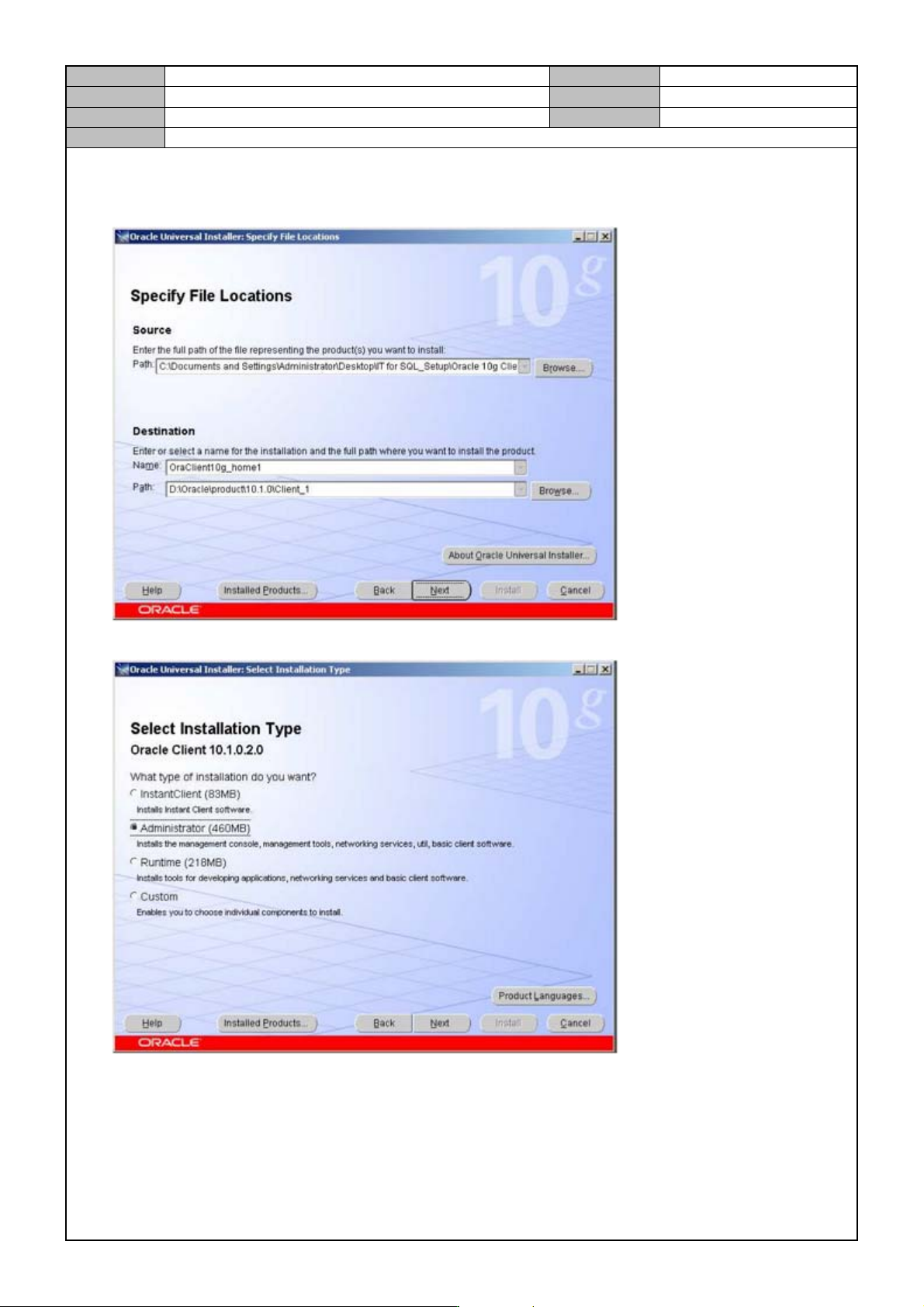
3. Deignate the installation path.
Change the Destination Path from D:\ to C:\.
Path : C:\Oracle\product\10.1.0\client_1
4. Select <Administrator> for the installation method and press [Next].
Model
DECAN Series
Company
SAMSUNG TECHWIN
Module
3.8 IT, LTS
Version
01
Title
IT FUNCTION INSTALLATION(ORACLE)
Page
3-8-10
Note
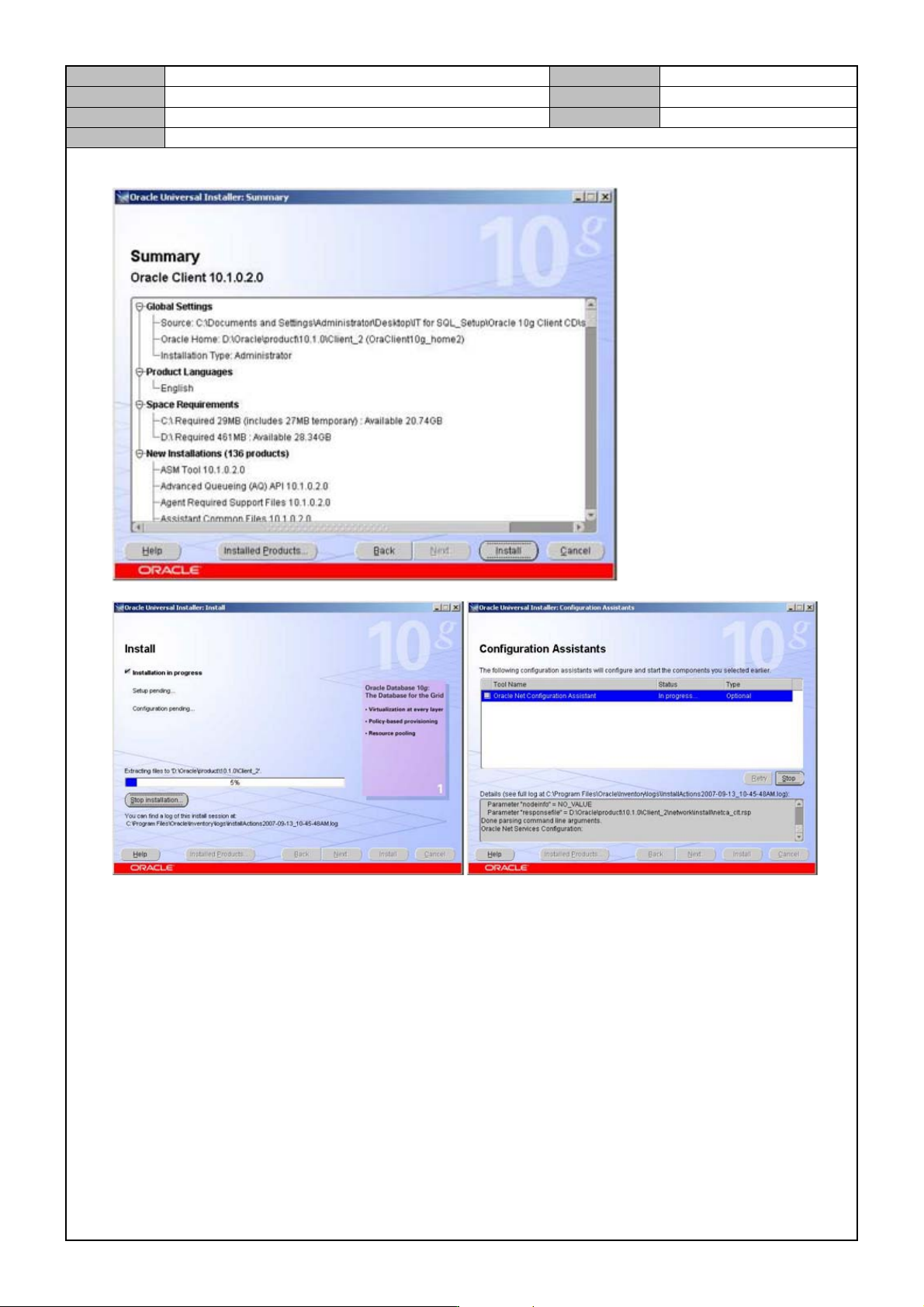
5. Press [Install].
Model
DECAN Series
Company
SAMSUNG TECHWIN
Module
3.8 IT, LTS
Version
01
Title
IT FUNCTION INSTALLATION(ORACLE)
Page
3-8-11
Note
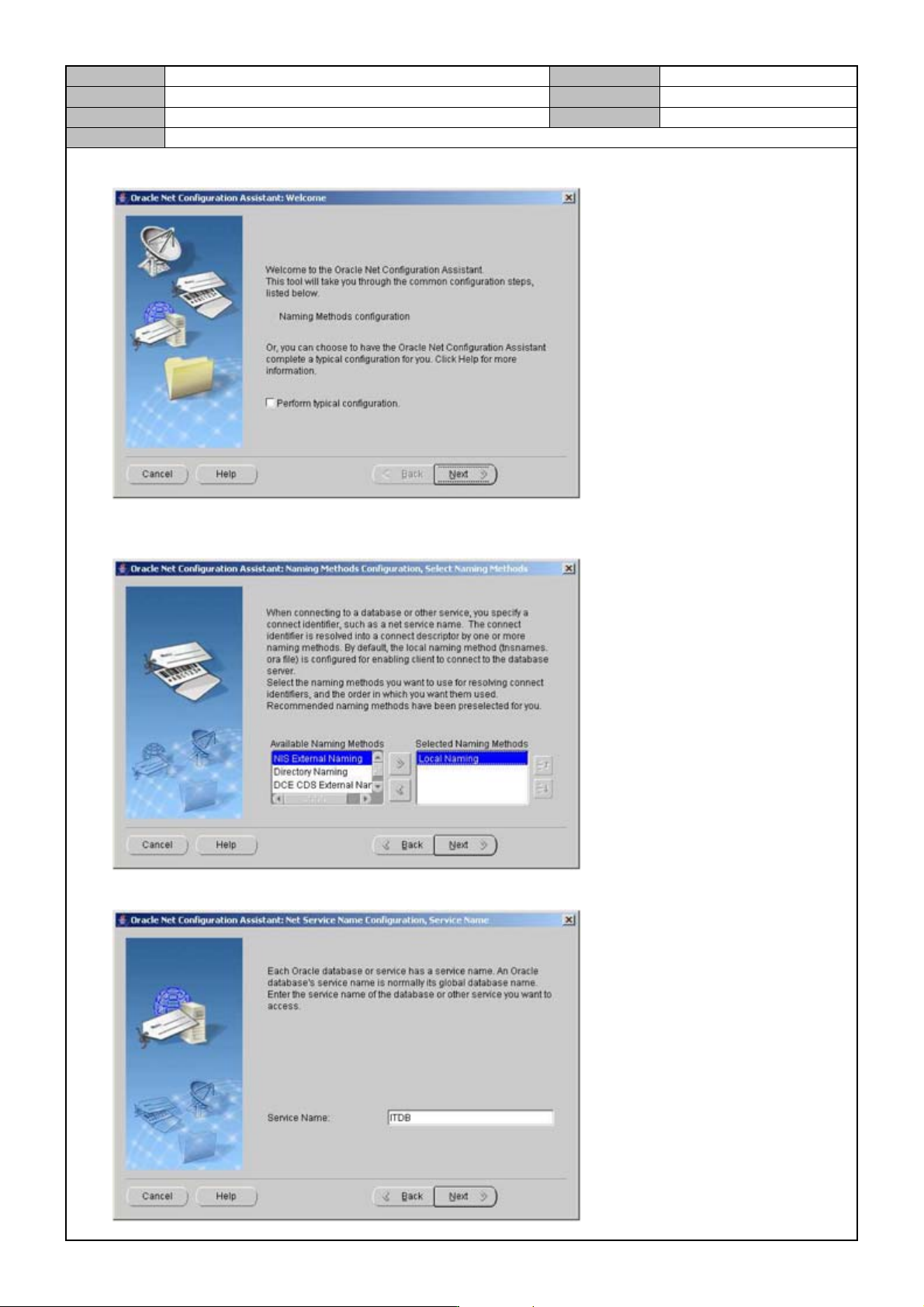
6. Press [Next].
7. After selecting a DB naming method, press [Next].
NIS External Naming, Local Naming
8. Enter the Service Name.