EN 3.pdf - 第140页
Model DECAN Series Company SAMSUNG TECHWIN Module 3.9 DOCKING CART & FEEDER BASE V ersion 01 Tit le FEEDER CHAGE LOCA TION CHANGE Page 3-9-7 Note [FEEDER CHAGE LOCA TION CHANGE] 1. Select <Sys. Setup> → <F2.…
Model
DECAN Series
Company
SAMSUNG TECHWIN
Module
3.9 DOCKING CART & FEEDER BASE
Version
01
Title
FEEDER BASE SYSTEM OPTION CHANGE
Page
3-9-6
Note
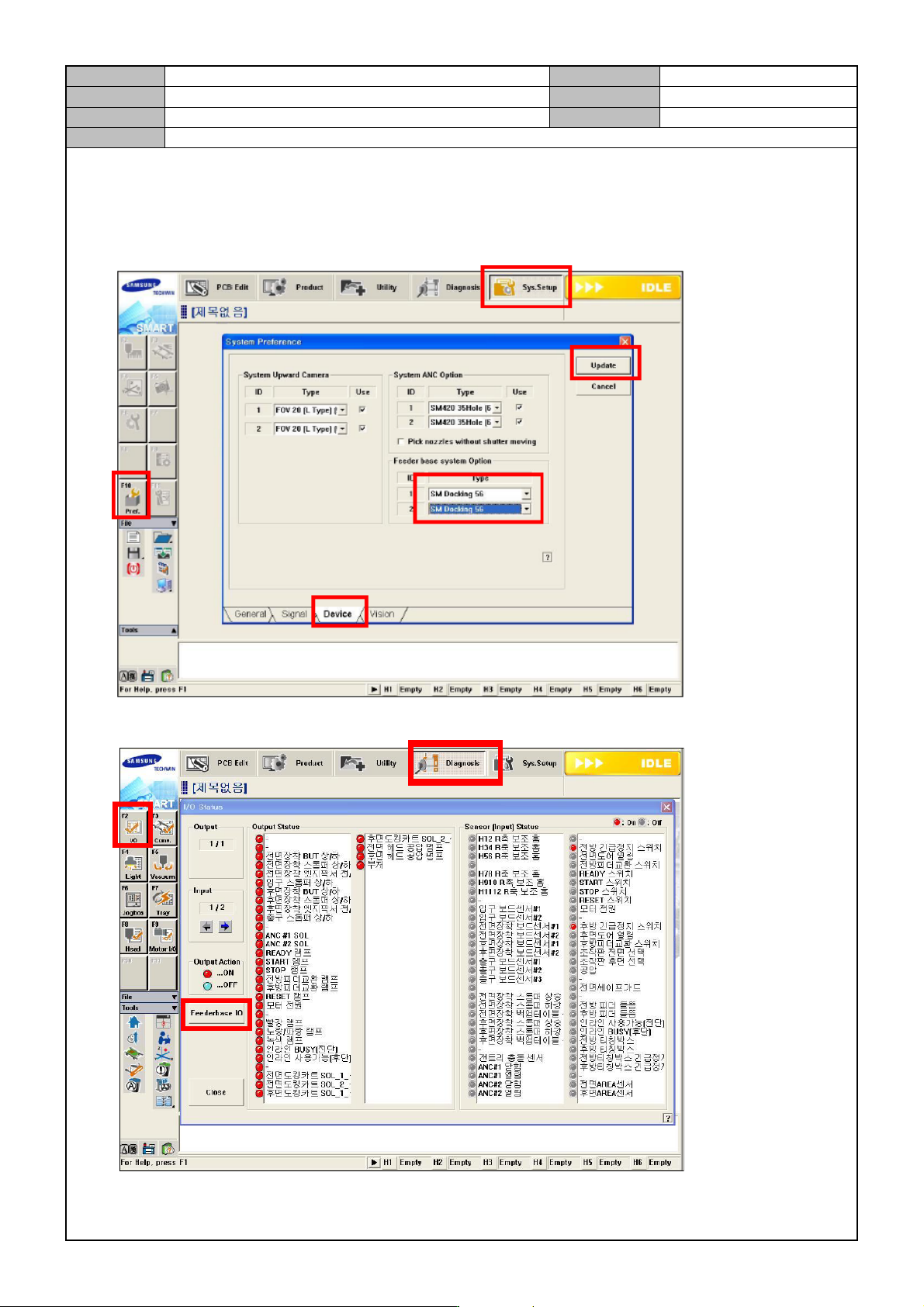
[FEEDER BASE SYSTEM OPTION CHANGE]
1. Select <Sys.Setup> → <F10 Pref>. → <Device> → <Feeder Base System Option>: <SM Docking 56> and
→ click on <Update>.
2. Select <Diagnosis> → <F2 I/O> → <Feeder Ba se IO> to see if operates properly.
Model
DECAN Series
Company
SAMSUNG TECHWIN
Module
3.9 DOCKING CART & FEEDER BASE
Version
01
Title
FEEDER CHAGE LOCATION CHANGE
Page
3-9-7
Note
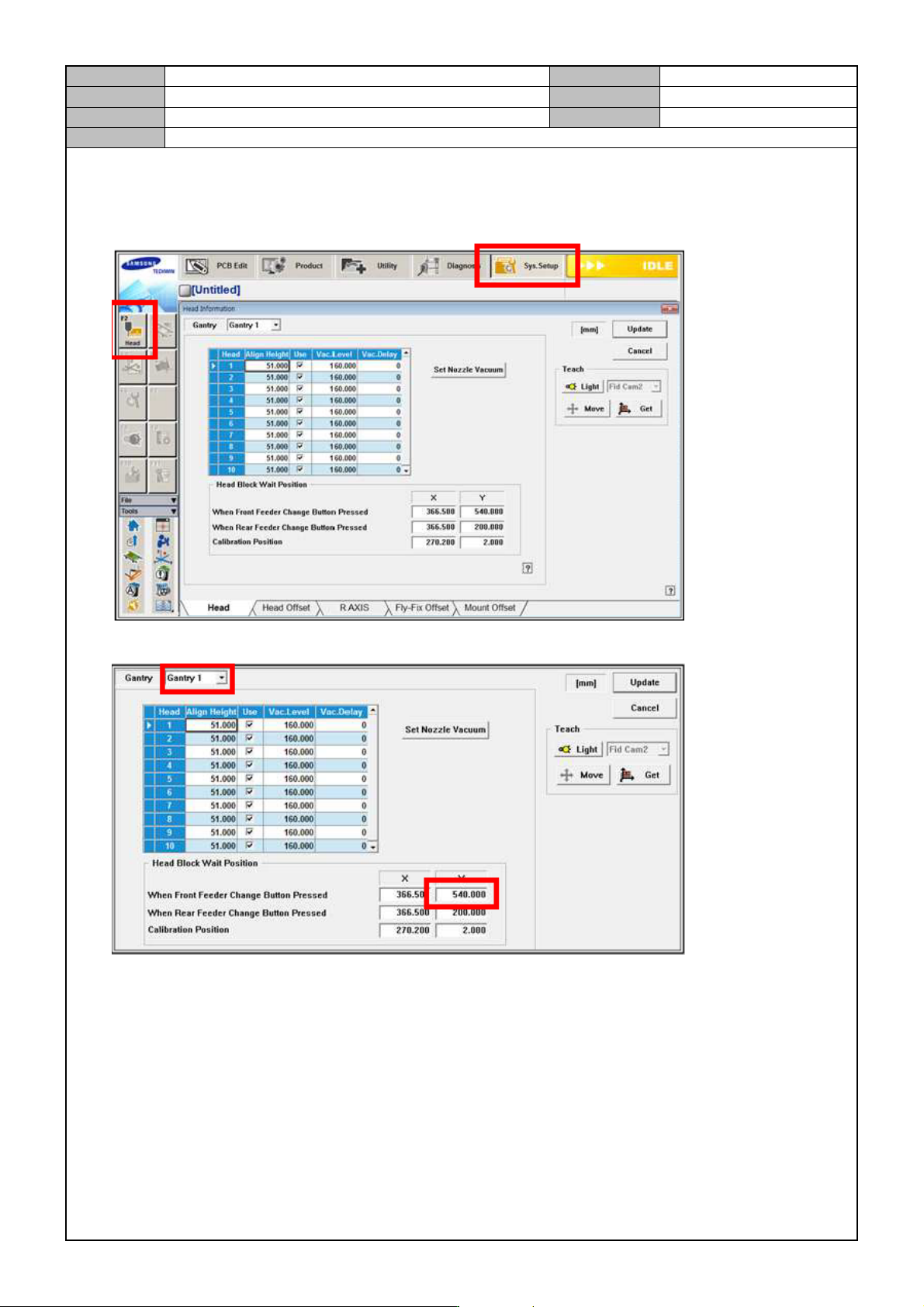
[FEEDER CHAGE LOCATION CHANGE]
1. Select <Sys. Setup> → <F2. Head>.
2. In Gantry 1, change the Y value of "When Front Feeder Change Button Pressed" from 550 → 540.
Model
DECAN Series
Company
SAMSUNG TECHWIN
Module
3.9 DOCKING CART & FEEDER BASE
Version
01
Title
FEEDER UNLOCK SESNOR SETTING
Page
3-9-8
Note
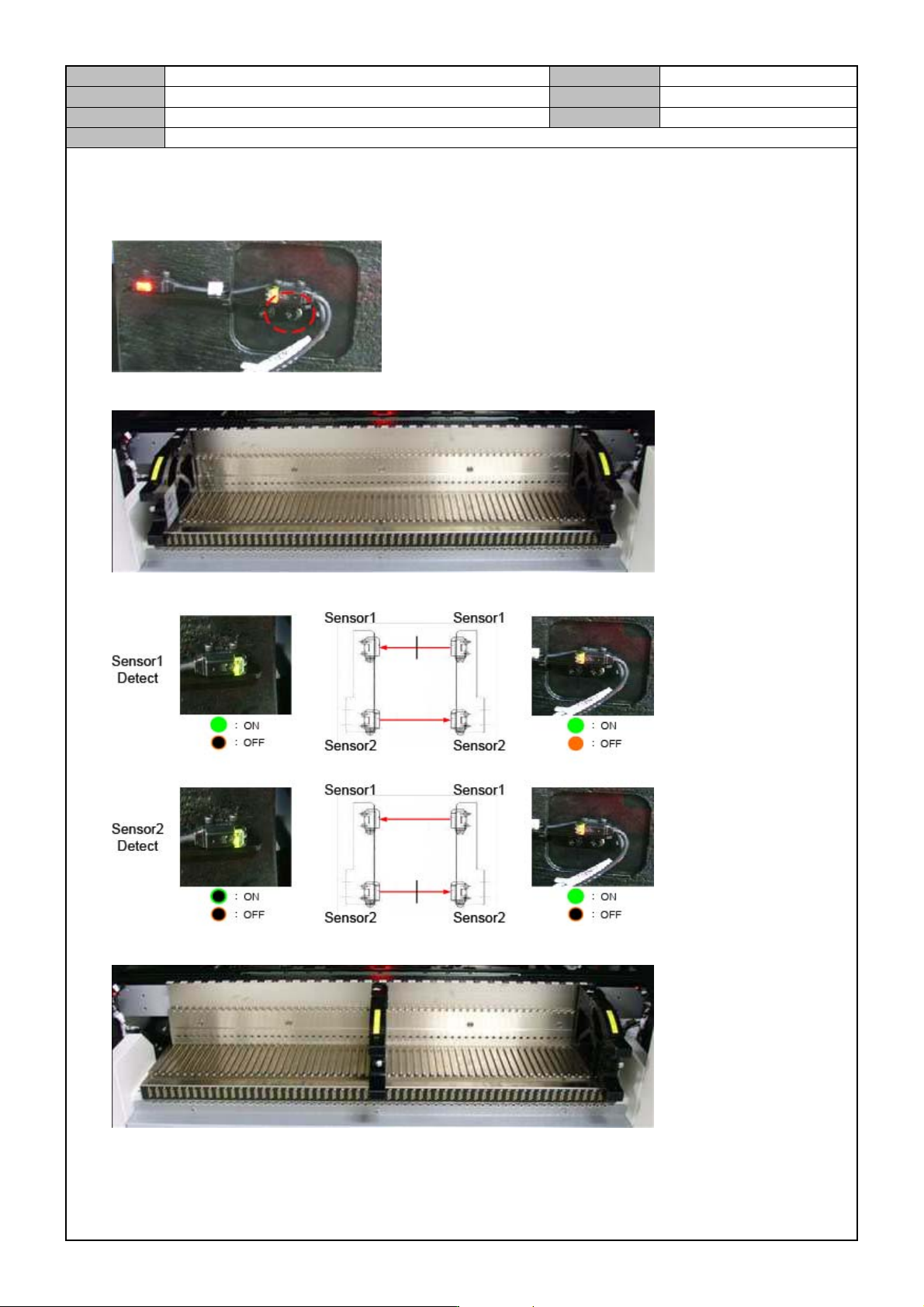
[FEEDER UNLOCK SESNOR SETTING]
1. Temporarily fix the Feeder Gap Sensor.
2. Mount the Feeder Origin tool in Feeder Base Slot 1 and 59.
3. While moving the front plate of the Feeder Origin tool back and forth, check if the sensor detects it.
4. Mount the Feeder Origin tool in number 30 and 59 and then check if the sensor detects them.