EN 3.pdf - 第167页
Model DECAN Series Company SAMSUNG TECHWIN Module 3.1 1 HEAD V ersion 01 Tit le HEAD BLOW & V ACUUM SETTING (L2) Page 3-1 1-7 Note [HEAD BLOW & V ACUUM SETTING (L2)] Check the Main Air Setting. Check if the Dig…
Model
DECAN Series
Company
SAMSUNG TECHWIN
Module
3.11 HEAD
Version
01
Title
HEAD BLOW & VACUUM SETTING (F2)
Page
3-11-6
Note
Vacuum setting while the nozzle is not mounted.
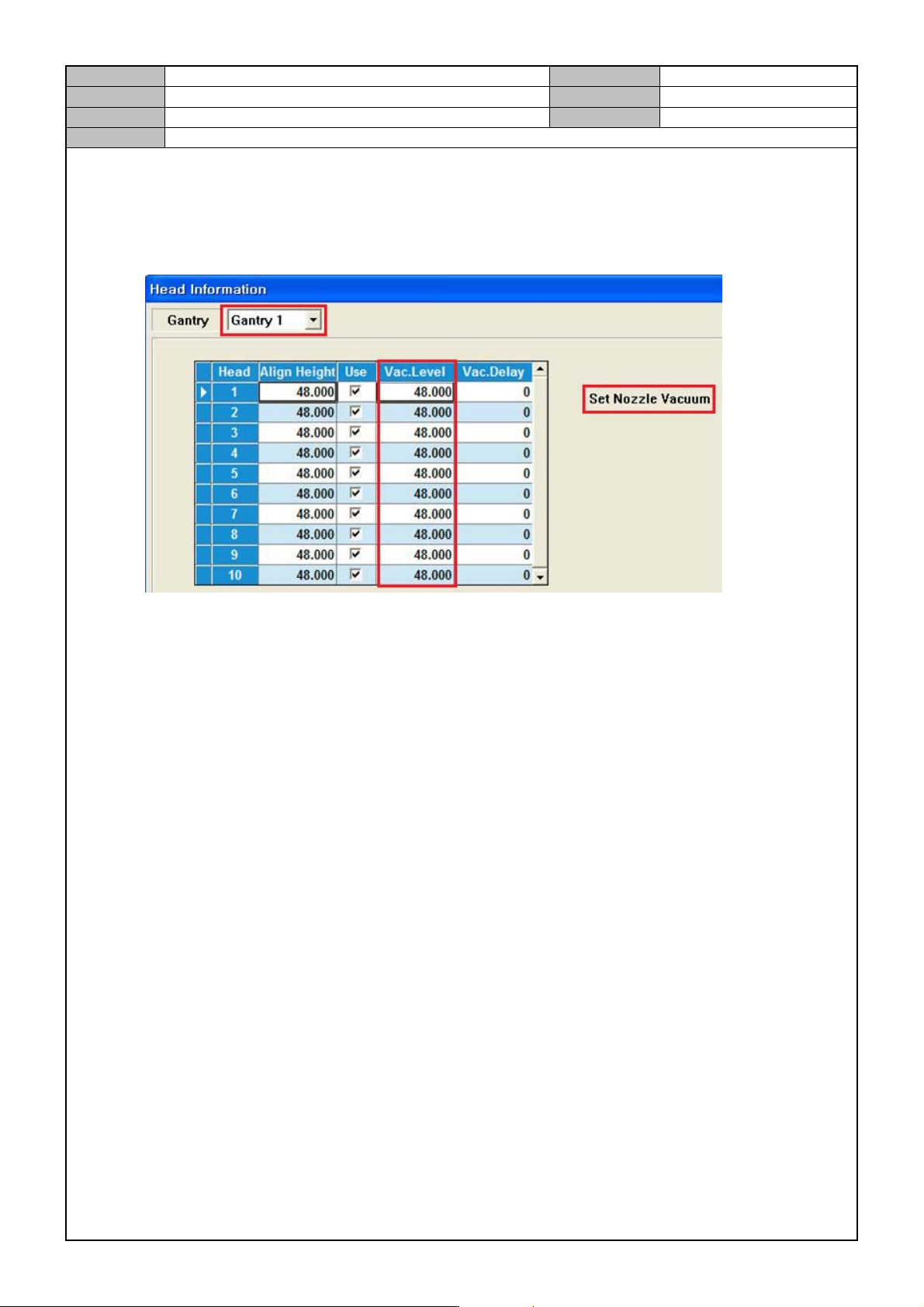
1. Select <Sys. Setup> → <Head Information>→ <Head> → <Gantry1>.
2. Click on <Set Nozzle Va cuum>. When the head does not have a nozzle, set the air pressure level and
click on Update.
*Vacuum Level should be 60mmHg ~ 120mmHg.
3. Select <Gantry2> and set the air pressure level for Head 11~20.
Model
DECAN Series
Company
SAMSUNG TECHWIN
Module
3.11 HEAD
Version
01
Title
HEAD BLOW & VACUUM SETTING (L2)
Page
3-11-7
Note
[HEAD BLOW & VACUUM SETTING (L2)]
Check the Main Air Setting.
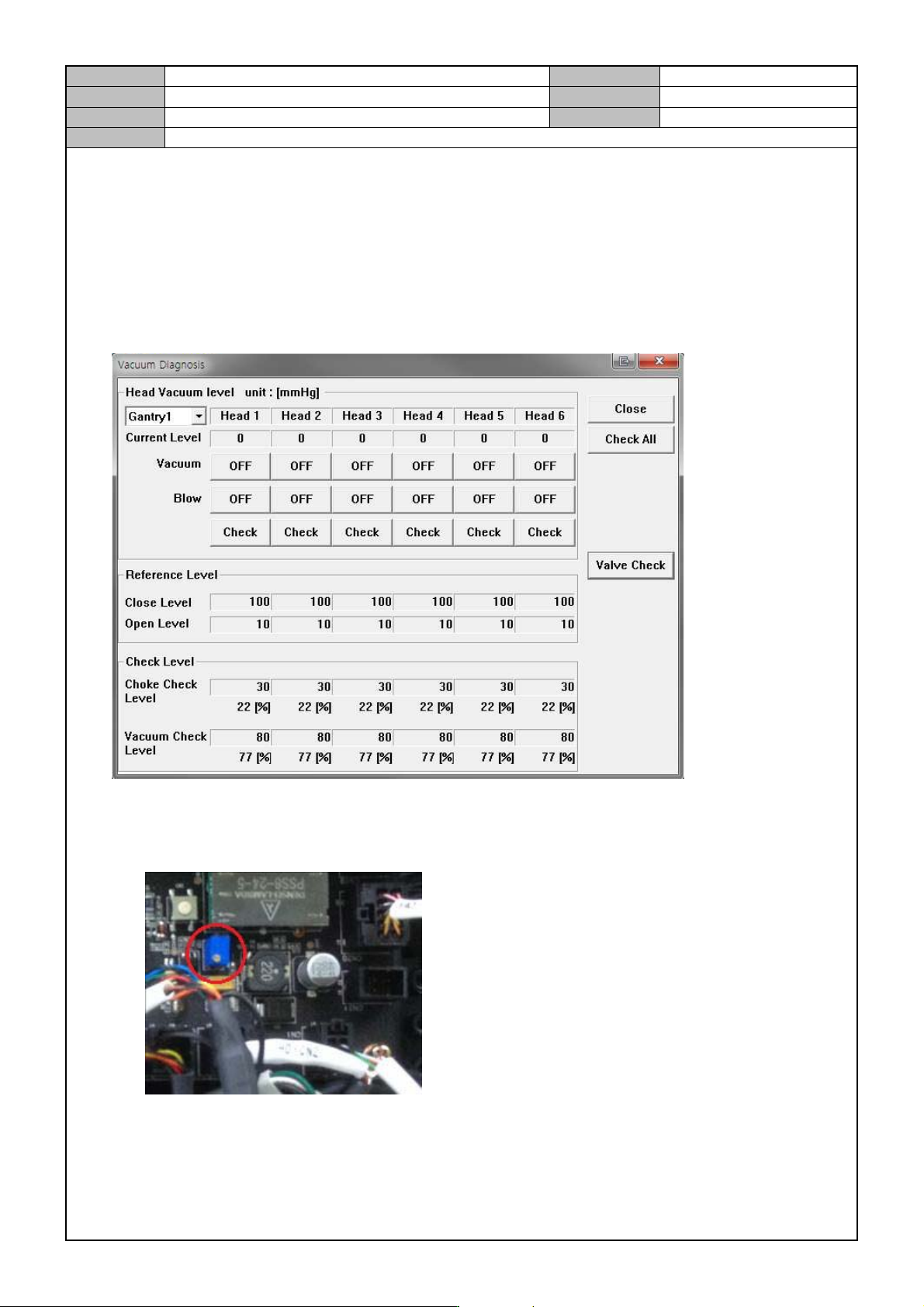
Check if the Digital Gauge is set to 0.5 Mpa (Spec 0.45~0.55Mpa) and if not reset it.
Check the Current Air Pressure Level
1. Select MMI <Diagnosis> → <Vacuum>.
2. While the Vacuum/Blow is Off, check the current level.
Check if the current level is 0±9 mmHg.
If not, adjust the VR of the Head IO Board.
3. Check the same thing for Gantry2's Head 7~12.
Model
DECAN Series
Company
SAMSUNG TECHWIN
Module
3.11 HEAD
Version
01
Title
HEAD BLOW & VACUUM SETTING (L2)
Page
3-11-8
Note
Head Vacuum operation check
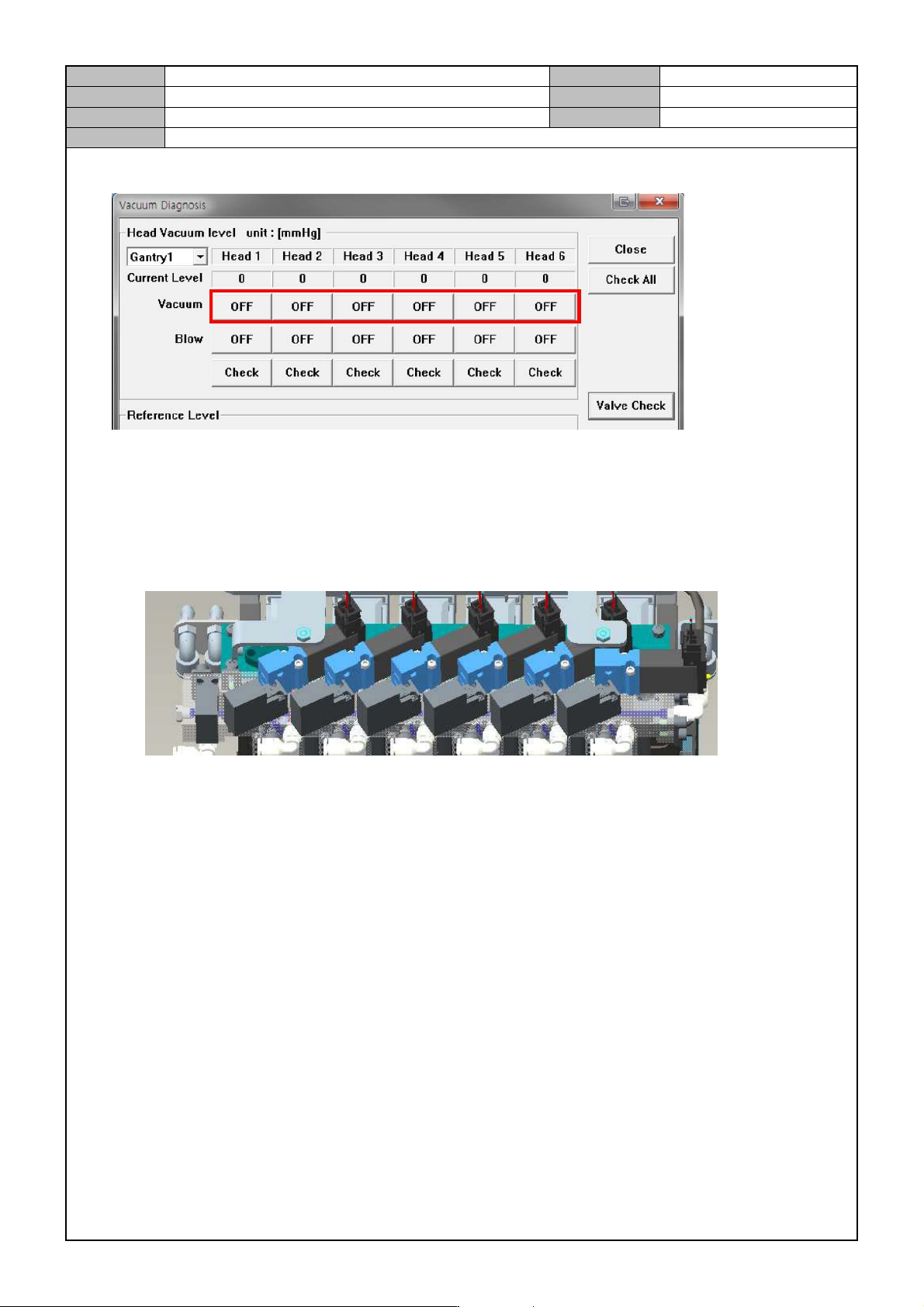
1. Manually lower the Z axis of Head1~6 and then mount the CN040 Nozzle.
2. While the blow is off, turn on/off each head's vacuum condition and check if the vacuum is created and
check the current value.
When it is on, the vacuum is greater than 480mmHg.
When the Vacuum is On/Off, check if the Sol Valve's Vacuum LED is lit.
3. When the Vacuum is On, block the nozzle and see if the degree of vacuum is greater than 600mmHg.