EN 3.pdf - 第218页
Model DECAN Series Company SAMSUNG TECHWIN Module 3.1 1 HEAD V ersion 01 Tit le FIDUCIAL C AMERA LIGHTING LED CHANGE Page 3-1 1-58 Note [FIDUCIAL CAMERA LIGHTING LED CHANGE] 1. T urn off the PC and turn of f the Main Swi…
Model
DECAN Series
Company
SAMSUNG TECHWIN
Module
3.11 HEAD
Version
01
Title
SWING CAM SET SCREW REASSEMBLY
Page
3-11-57
Note
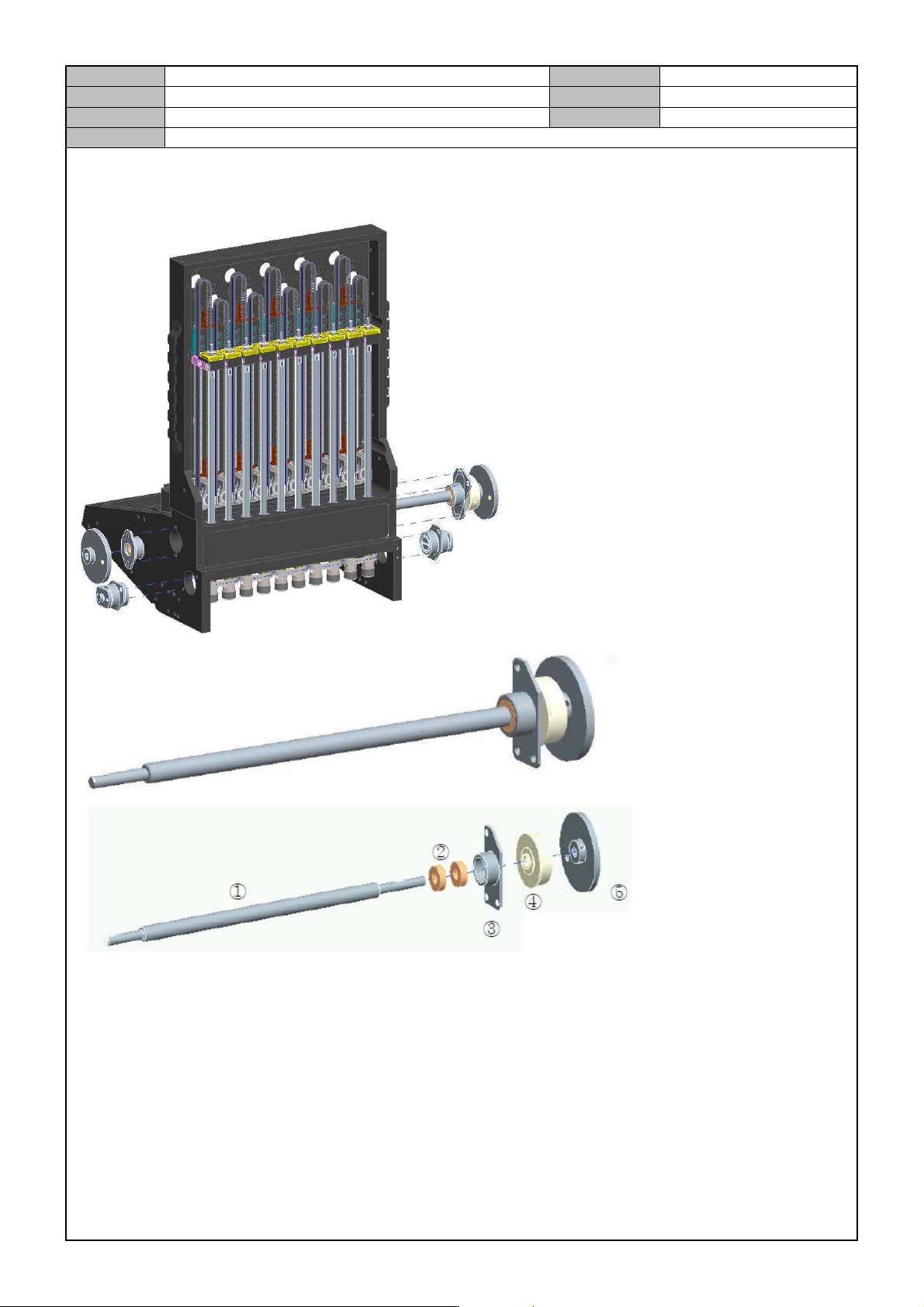
[SWING CAM SET SCREW REASSEMBLY]
1. After spraying EP2 to the whole CAM areas, assemble the MIRROR SHAFT ASSY into the MAIN B ODY.
After assembling the BEARING HOUSING ASSY, fix it with screws.
Fixing torque: 10Kgf.cm
Spray Loctite243.
2. After assembling the CAM into the MIRROR SHAFT, temporarily fix it with SCREWS.
3. Fix the ARM JOINT ASSY into the MAIN BODY with SCREWS.
Fixing torque: 10Kgf.cm
Spray Loctite243.
Model
DECAN Series
Company
SAMSUNG TECHWIN
Module
3.11 HEAD
Version
01
Title
FIDUCIAL CAMERA LIGHTING LED CHANGE
Page
3-11-58
Note
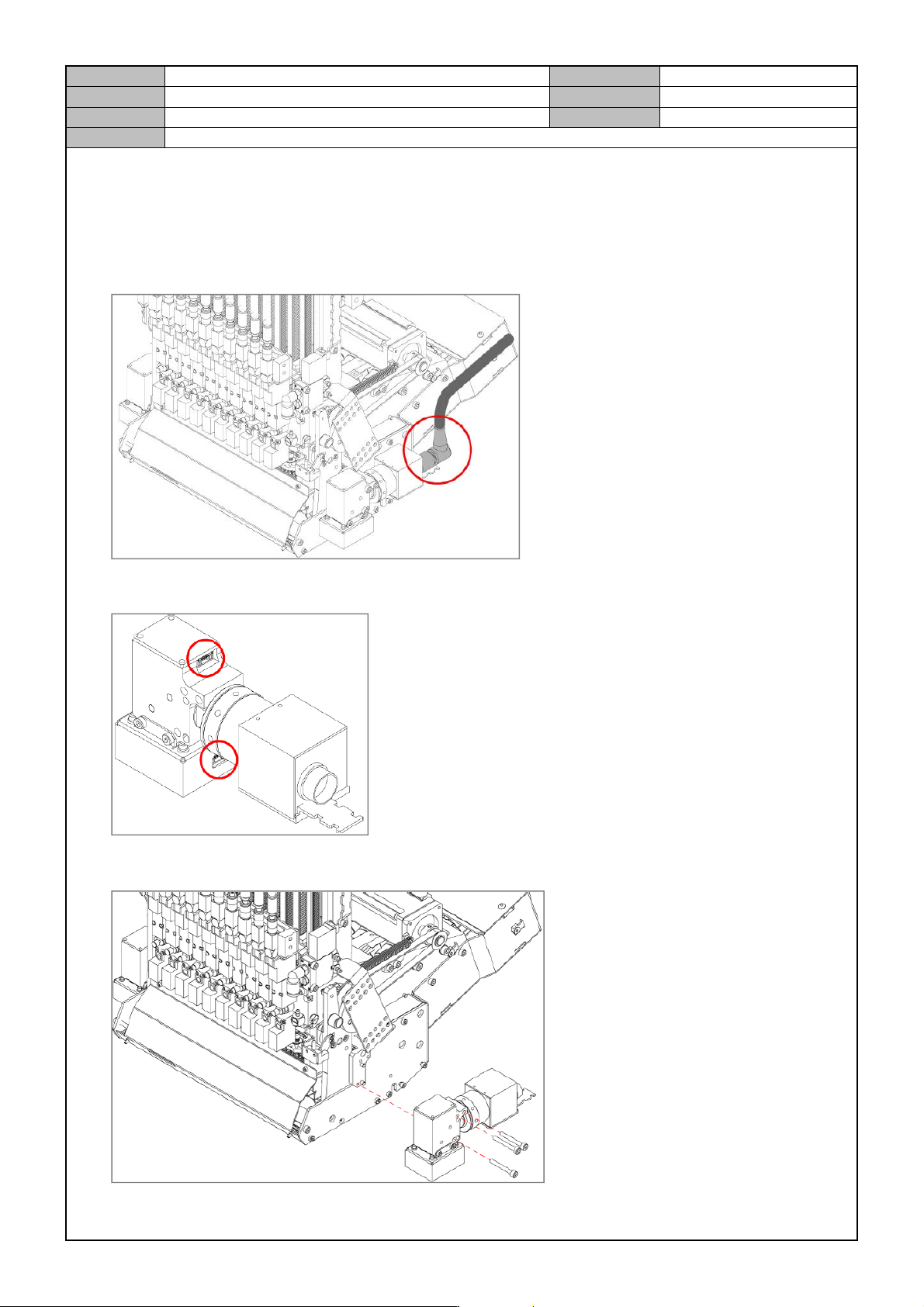
[FIDUCIAL CAMERA LIGHTING LED CHANGE]
1. Turn off the PC and turn off the Main Switch in the front of the equipment.
2. Disconnect the video cable connector from the Fiducial Camera.
3. Disconnect the cable from the Fiducial Camera.
4. Remove the fixing bolts from the Fiducial Camera to separate it.
Model
DECAN Series
Company
SAMSUNG TECHWIN
Module
3.11 HEAD
Version
01
Title
FIDUCIAL CAMERA LIGHTING LED CHANGE
Page
3-11-59
Note
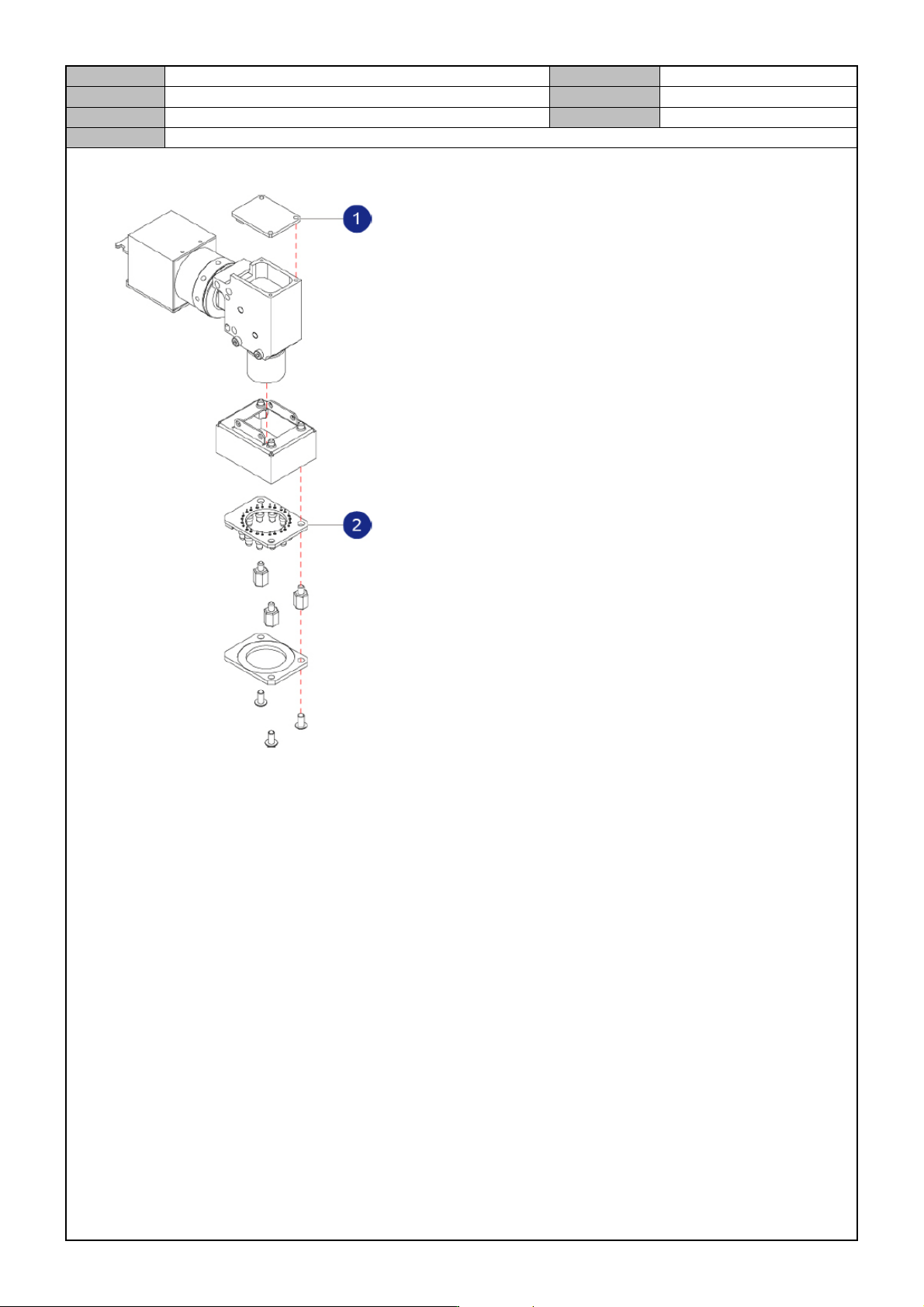
5. Separate the Fiducial Camera as follows.
① Coaxial lighting LED
② Outer lighting LED
6. Replace it with a new lighting LED.