EN 3.pdf - 第231页
Model DECAN Series Company SAMSUNG TECHWIN Module 3.12 MMI V ersion 01 Tit le MMI IO CHECK(OUTP UT) Page 3-12-9 Note Check TRA Y FEEDER communication. 1. Connect the tool cable. 2. MMI → <Sys.Setup> → <F6 Peri…
Model
DECAN Series
Company
SAMSUNG TECHWIN
Module
3.12 MMI
Version
01
Title
MMI IO CHECK(OUTP UT)
Page
3-12-8
Note
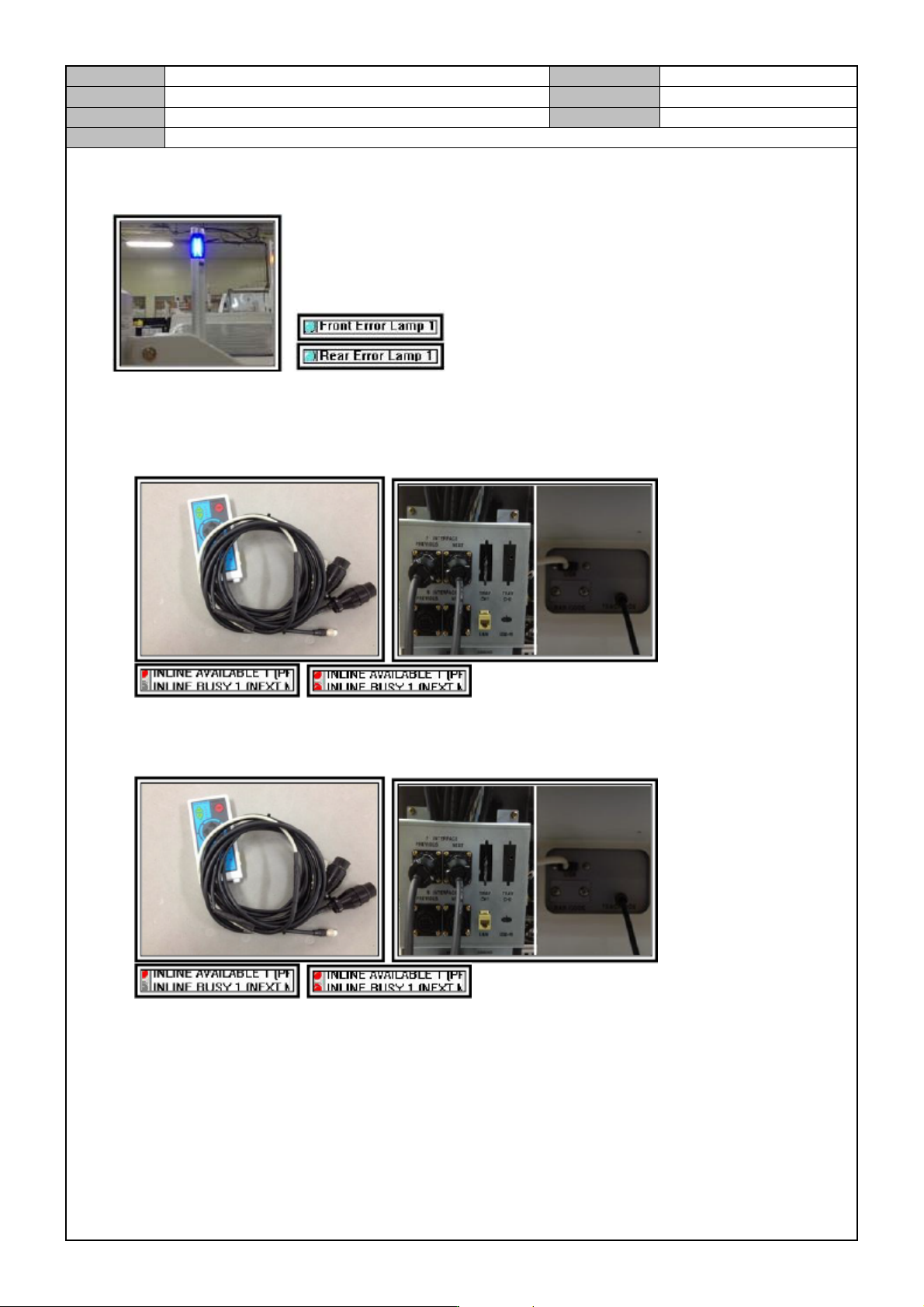
Error Lamp check
In the IO window, click on the Front/Rear < ERROR LAMP> button to check if the error lamp is lit.
Check the inline function
Connect the inline test tool's Next/Previous connectors to the Rear Power Panel and connect the power
cable to the Teaching Box connector or USB. After that, click on <INLINE BUSY[PREVIOUS]> and
see if the T-Box <BUSY LED> is lit.
Connect the inline test tool's Next/Previous connectors to the Rear Power Panel and connect the power
cable to the Teaching Box connector or USB. After that, click on <INLINE AVAILABLE[NEXT]> and
see if the T-Box <AVAILABLE LED> is lit.
In the Teaching Box, touch the <Pre> button and see if <INLINE AILABLE[PREVIOUS L E D> in
the I/O screen is lit.
In the Teaching Box, touch the <Next> button and see if <INLINE BUSY[NEXT> in the I/O screen is
off.
Model
DECAN Series
Company
SAMSUNG TECHWIN
Module
3.12 MMI
Version
01
Title
MMI IO CHECK(OUTP UT)
Page
3-12-9
Note
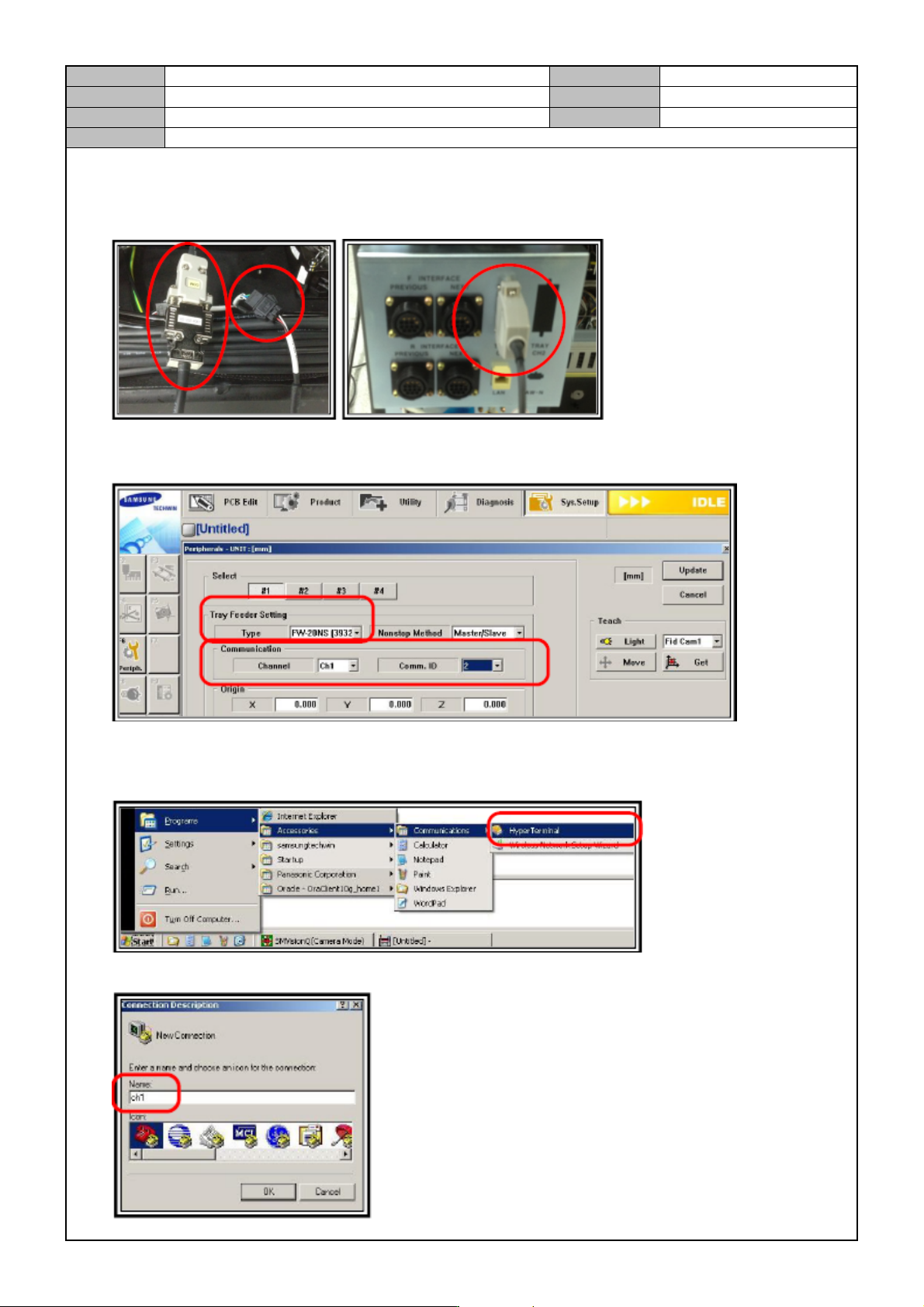
Check TRAY FEEDER communication.
1. Connect the tool cable.
2. MMI → <Sys.Setup> → <F6 Periph>. → Click on <Tray Feeder>→ <Tray Feeder Setting> → Set <TYPE>
to <FW-20N> → <Communication> → Set <Channel> to Ch.1 and <Comm. ID> to 2.
3. Click on Update.
4. Run the HyperTerminal.
5. Enter ch1.
Model
DECAN Series
Company
SAMSUNG TECHWIN
Module
3.12 MMI
Version
01
Title
MMI IO CHECK(OUTP UT)
Page
3-12-10
Note
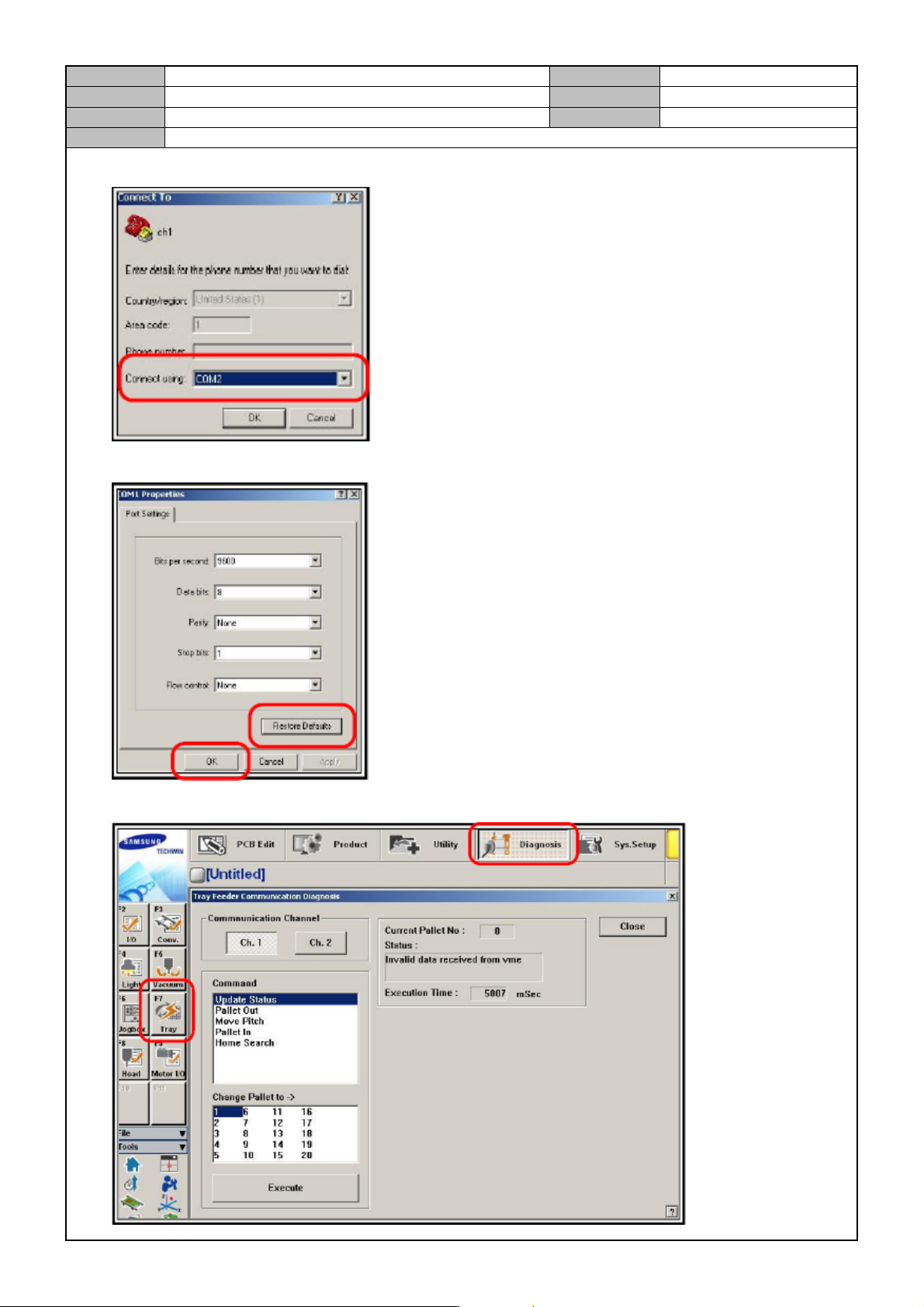
6. Select COM2.
7. Select <Restore Default> → <OK>.
8. Click on <Diagnosis> → <F7.Tray> → <Execute>.