EN 3.pdf - 第242页
Model DECAN Series Company SAMSUNG TECHWIN Module 3.12 MMI V ersion 01 Tit le MOTOR IO CHECK Page 3-12-20 Note Left Only Shuttle Conveyor (Shuttle - Dual - Dual) Right Only Shuttle (Dual - Dual - Shuttle)
Model
DECAN Series
Company
SAMSUNG TECHWIN
Module
3.12 MMI
Version
01
Title
MOTOR IO CHECK
Page
3-12-19
Note
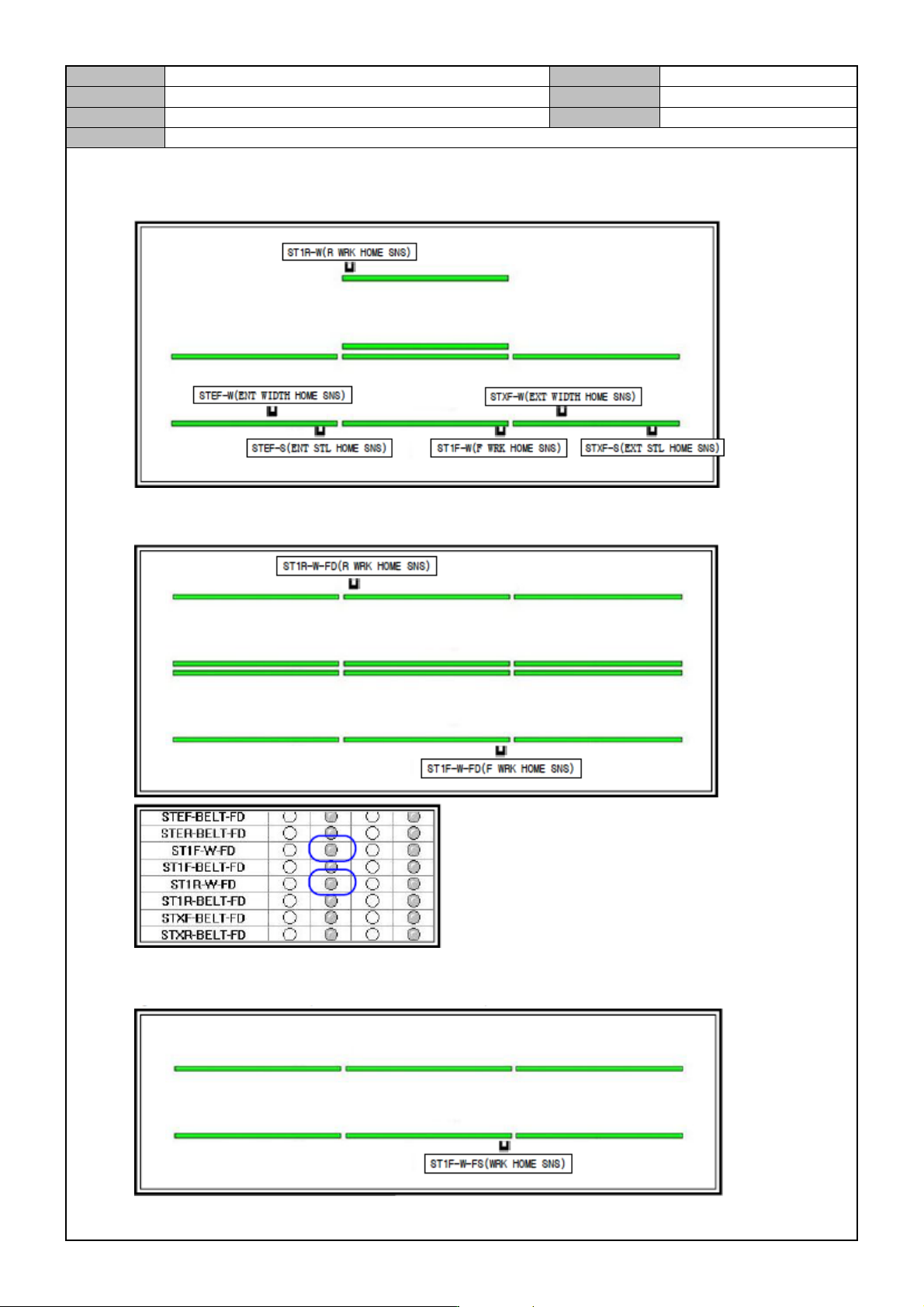
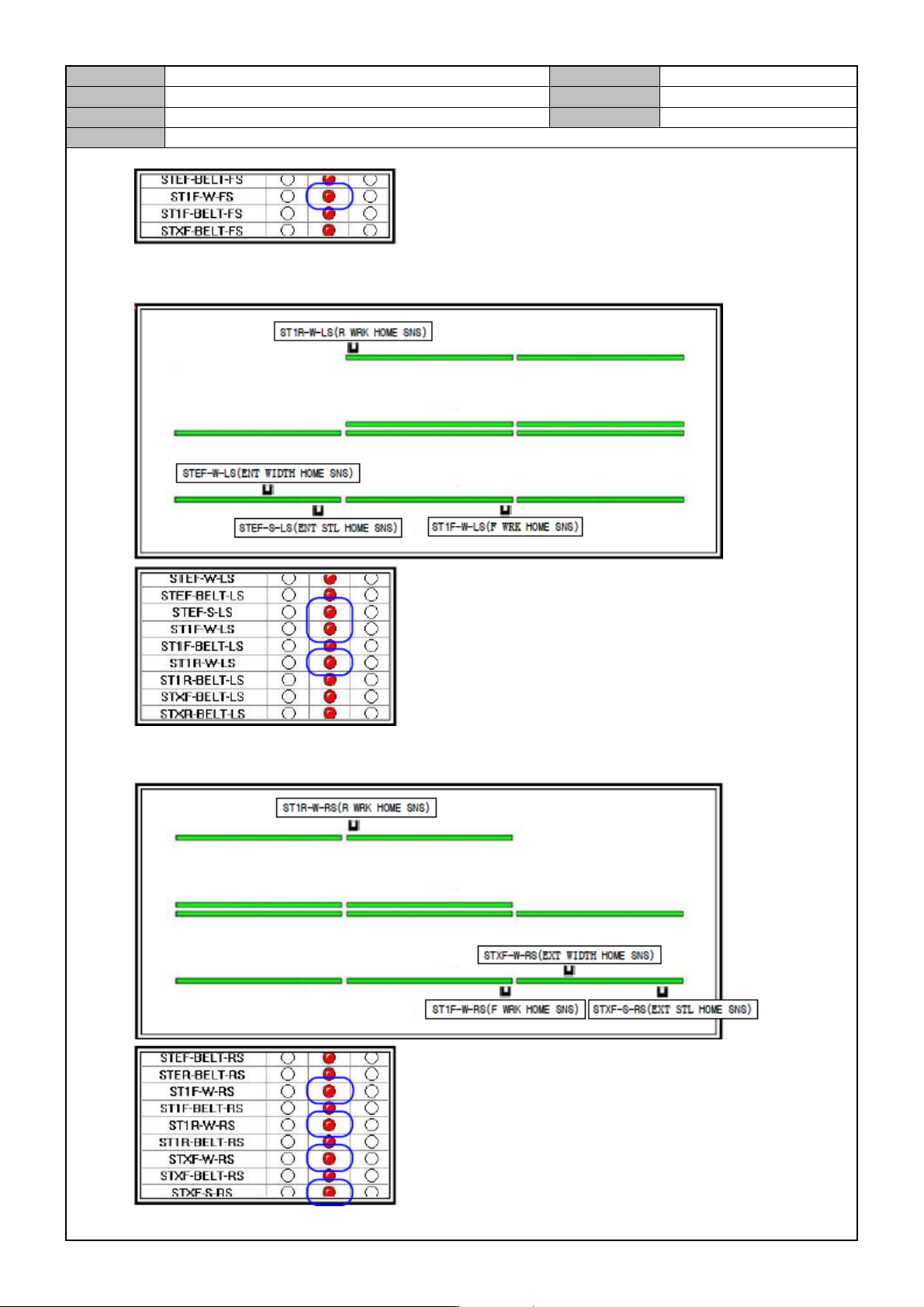
Check the Conveyor Sensor.
Check detection by the Shuttle Conveyor (Shuttle - Dual - Shuttle) Sensor.
Full Dual Conveyor (Dual - Dual - Dual)
Full Dual Conveyor (Dual - Dual - Dual)
Model
DECAN Series
Company
SAMSUNG TECHWIN
Module
3.12 MMI
Version
01
Title
MOTOR IO CHECK
Page
3-12-20
Note
Left Only Shuttle Conveyor (Shuttle - Dual - Dual)
Right Only Shuttle (Dual - Dual - Shuttle)
Model
DECAN Series
Company
SAMSUNG TECHWIN
Module
3.12 MMI
Version
01
Title
LIGHT CHECK
Page
3-12-21
Note
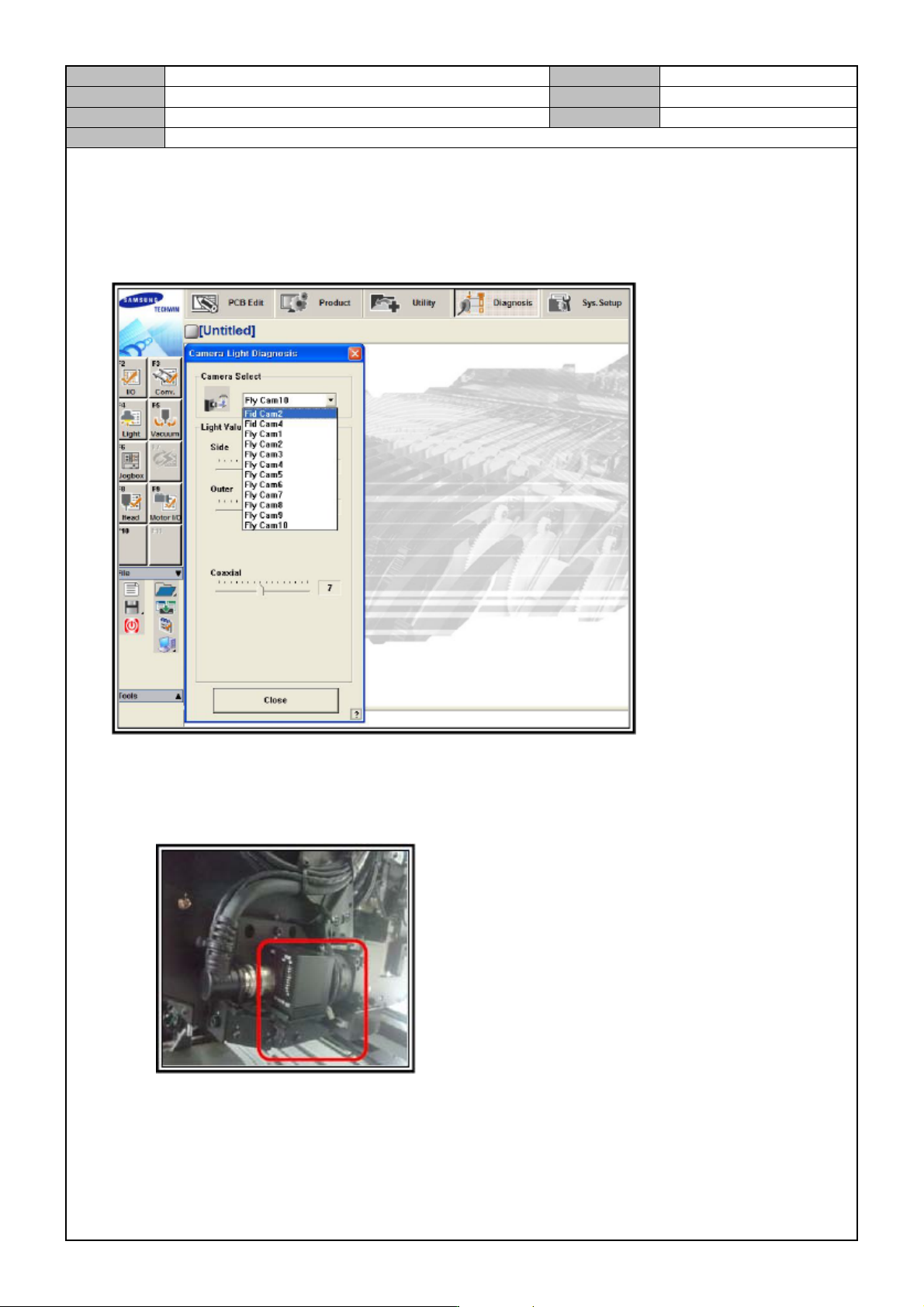
[LIGHT CHECK]
Prepare for Light Check.
In the MMI, select < Diagnosis> → <Light> to launch the <Camera Light Diagnosis > windows.
Check if the lighting of #1, #2, #3, #4 Fiducial Camera are changed.(#1, #3 are options.)
Adjust the Outer & Inner lighting values to visually check if the brightness is changed.
(Inner lighting is hard to check visually so use a mirror to check if the LED is lit.)
In the Vision windows, check if the output is normal.
There should be no noise, screen shaking/distortion or missing outputs.