EN 3.pdf - 第254页
Model DECAN Series Company SAMSUNG TECHWIN Module 3.14 OS V ersion 01 Tit le HDD RECOVERY(OS SETUP) Page 3-14-4 Note [HDD RECOVER Y (OS SETUP)] 1. Run the Recovery Manager and click on number 1 to select the image file t…
Model
DECAN Series
Company
SAMSUNG TECHWIN
Module
3.14 OS
Version
01
Title
HDD RECOVERY(CMOS SETUP)
Page
3-14-3
Note
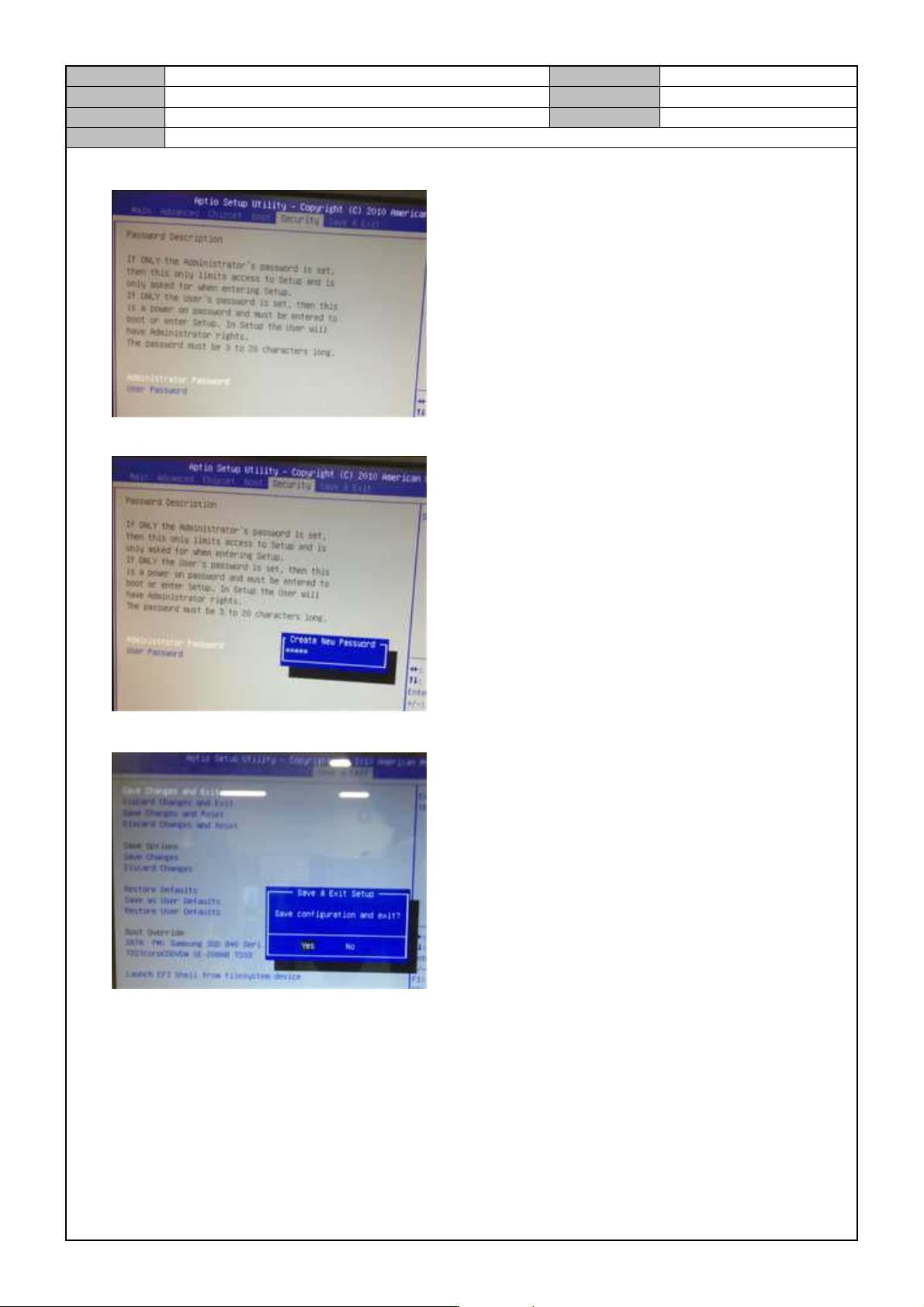
5. Select <Security> → <Administrator Password>.
6. Enter <Admin>.
7. Select <Save & Exit> → <Yes>.
Model
DECAN Series
Company
SAMSUNG TECHWIN
Module
3.14 OS
Version
01
Title
HDD RECOVERY(OS SETUP)
Page
3-14-4
Note
[HDD RECOVERY (OS SETUP)]
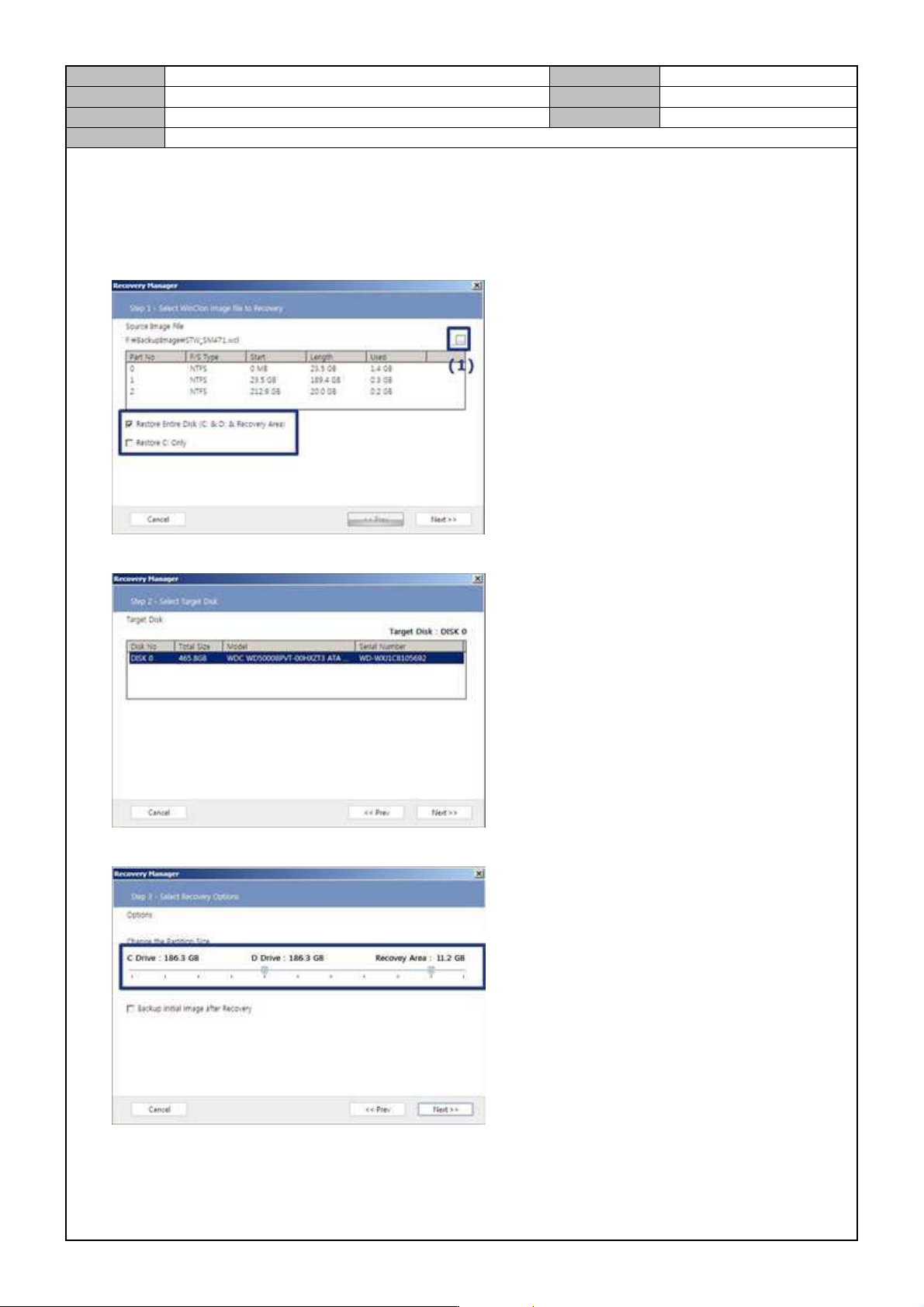
1. Run the Recovery Manager and click on number 1 to select the image file to recover.
2. Check <Restore Entire Disk>.
3. Select the <DISK0> as a disk to recover.
4. Set the Recovery range to minimum(10%) and click on <Next>.
Model
DECAN Series
Company
SAMSUNG TECHWIN
Module
3.14 OS
Version
01
Title
HDD RECOVERY(OS SETUP)
Page
3-14-5
Note
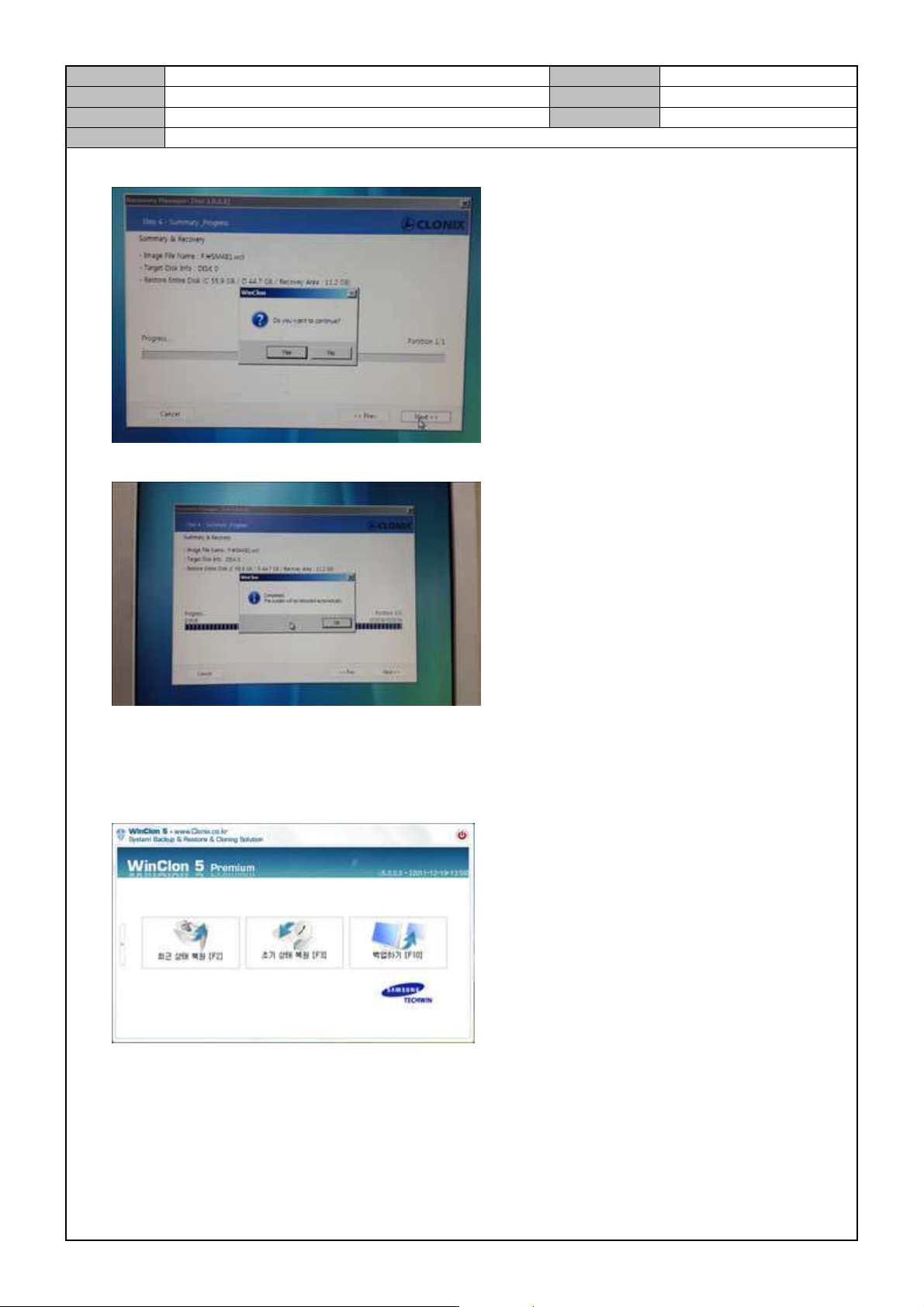
5. Press <Next> and click on <OK>.
6. When recovery is finished, click on <OK>.
7. Separate the external HDD and USB from the PC and reboot the PC.
8. When the booting continues to the Recovery Zone, press the <Enter> key.
9. Press the [F3] key to restore the initial condition.