EN 3.pdf - 第258页
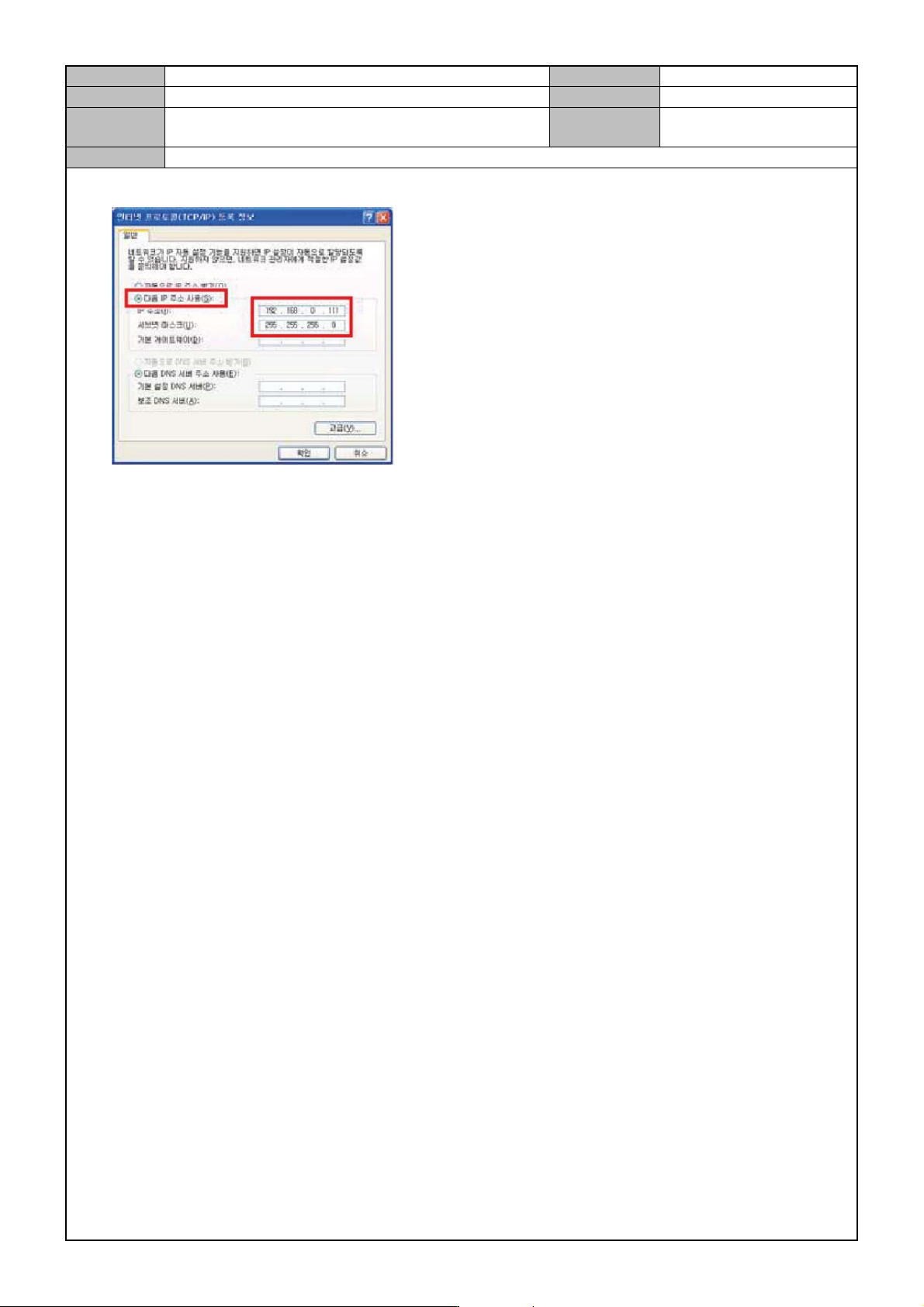
Model DECAN Series Company SAMSUNG TECHWIN Module 3.14 OS V ersion 01 Tit le EQUIPMENT/LAPTOP CONNECTION TO NETWORK Page 3-14-8 Note 5. When the TC P/IP registrati on information is displayed, enter the IP address and th…
Model
DECAN Series
Company
SAMSUNG TECHWIN
Module
3.14 OS
Version
01
Title
EQUIPMENT/LAPTOP CONNECTION TO
NETWORK
Page
3-14-7
Note
[EQUIPMENT/LAPTOP CONNECTION TO NETWORK]
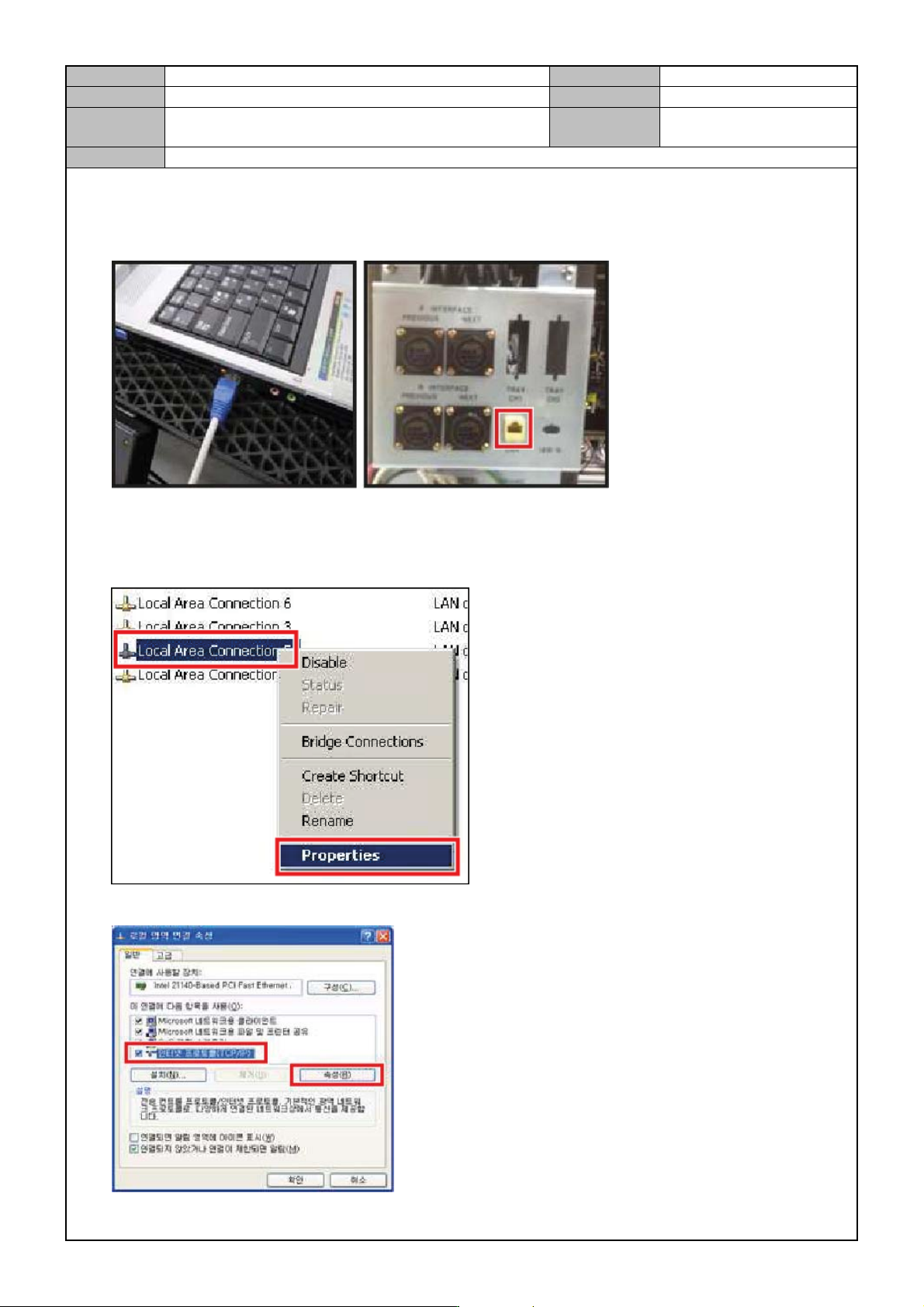
1. Connect the LAN cable to the LAN port of the laptop and the equipment rear.
2. In the Windows <Background>, right click with your mouse button on the <Network Environment> menu
and click on <Properties>.
3. Select <Local Network>,right click with your mouse button and click on <Properties>.
4. Select <TCP/IP> and click on the <Property> button.
Model
DECAN Series
Company
SAMSUNG TECHWIN
Module
3.14 OS
Version
01
Title
EQUIPMENT/LAPTOP CONNECTION TO
NETWORK
Page
3-14-8
Note
5. When the TCP/IP registration information is displayed, enter the IP address and the subnet mask.
6. Set the network for the laptop connected to the equipment in the same way.
Model
DECAN Series
Company
SAMSUNG TECHWIN
Module
3.14 OS
Version
01
Title
SHARED FOLDER SETTING
Page
3-14-9
Note
[SHARED FOLDER SETTING]
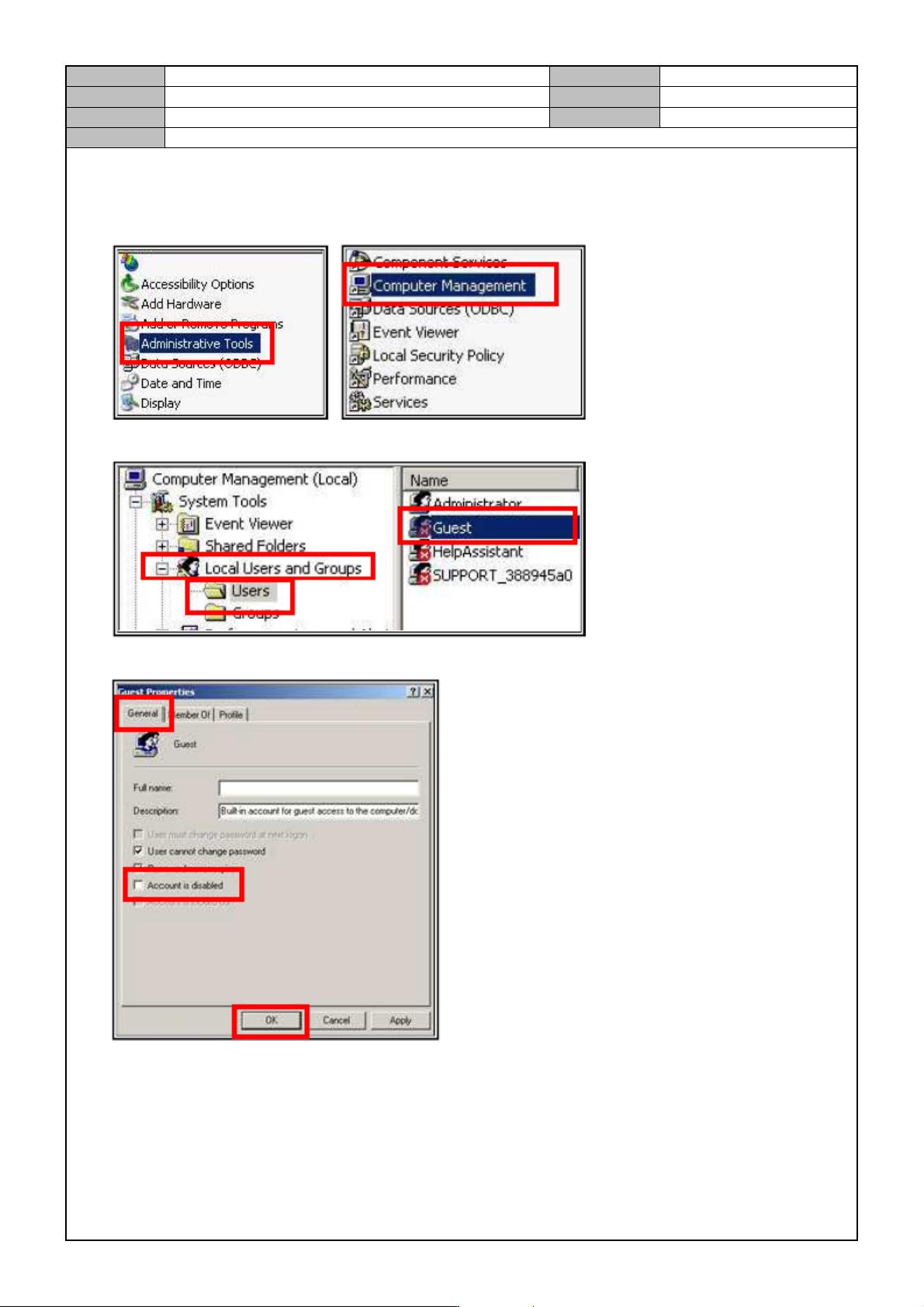
1. Click on Control Panel <Setting> → <Control Panel> → <Management Tools> → <PC Management>.
2. Click on <Local User and Group> → <User> → <Guest >.
3. Click on <General> → uncheck <Account Not Used> → click on <OK>.
4. Click on <Local Security Policy>.