EN 3.pdf - 第263页
Model DECAN Series Company SAMSUNG TECHWIN Module 3.14 OS V ersion 01 Tit le VIRUS TEST Page 3-14-13 Note [VIRUS TEST] 1. Connect the V irus test US B to the equipment. 2. Run the V irus test program. 3. After selecting …
Model
DECAN Series
Company
SAMSUNG TECHWIN
Module
3.14 OS
Version
01
Title
SHARED FOLDER SETTING
Page
3-14-12
Note
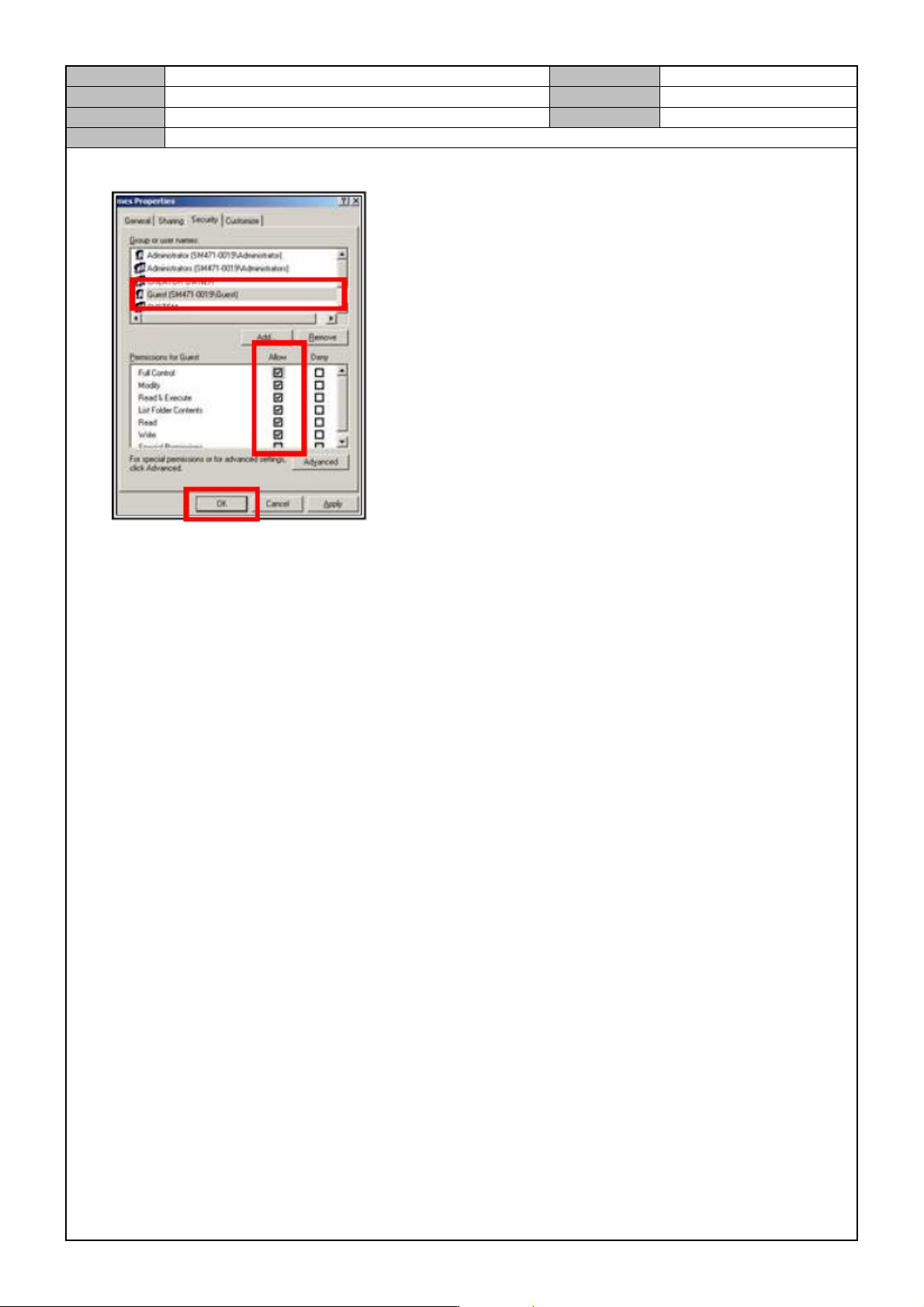
12. Click on <Guest Selection> → <All Authorities Allowed> → <OK>.
Model
DECAN Series
Company
SAMSUNG TECHWIN
Module
3.14 OS
Version
01
Title
VIRUS TEST
Page
3-14-13
Note
[VIRUS TEST]
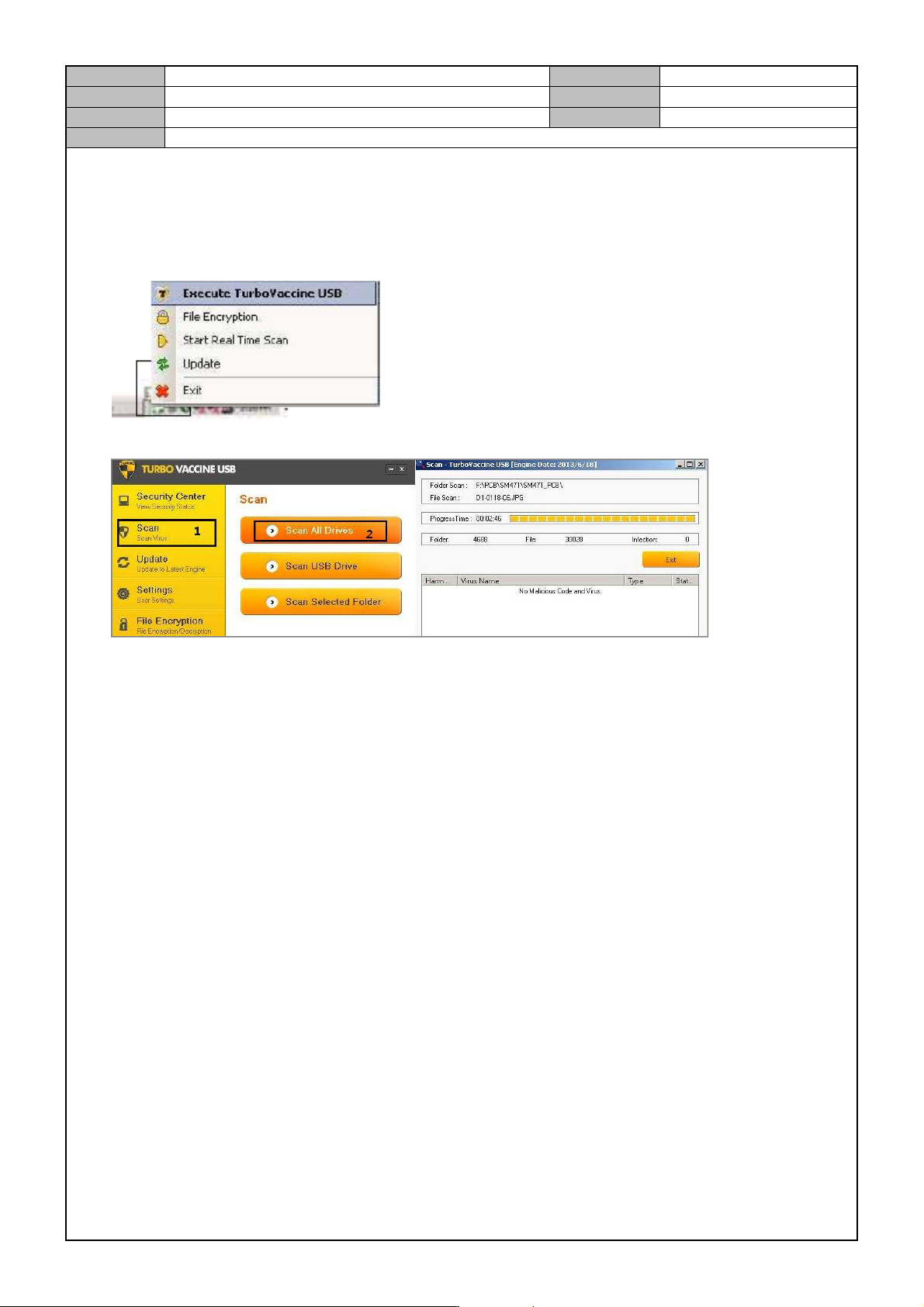
1. Connect the Virus test USB to the equipment.
2. Run the Virus test program.
3. After selecting a test disk, click on <Scan> to test virus.
Model
DECAN Series
Company
SAMSUNG TECHWIN
Module
3.14 OS
Version
01
Title
MONITOR SETTING
Page
3-14-14
Note
[MONITOR SETTING]
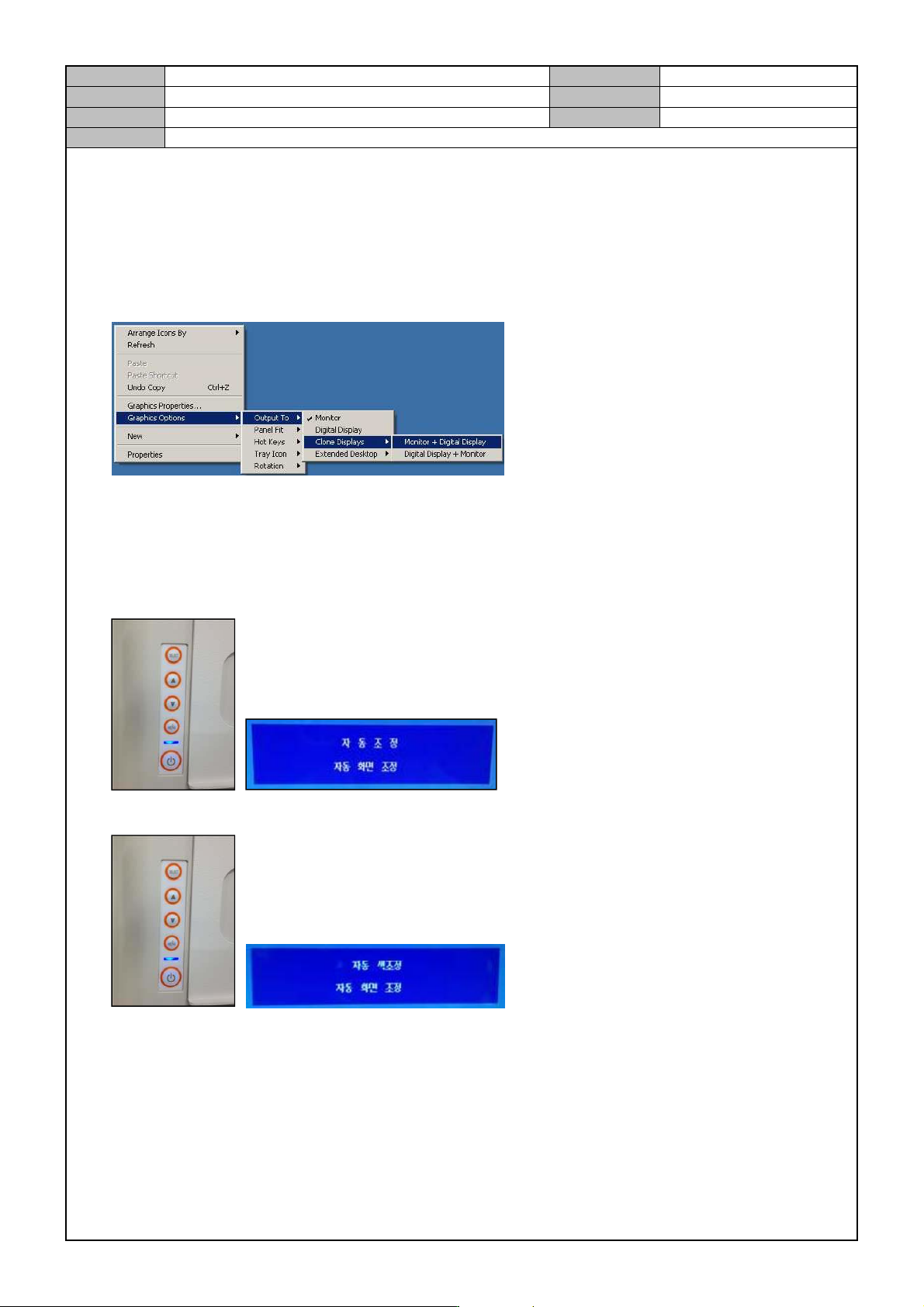
Clone Display Setting
1. In the background, right click with your mouse button.
2. Select <Graphics Options> → <Output To> → <Clone Displays> → <Monitor + Digital Display>.
3. Select <Graphics Options> → <Output To> → <Clone Displays> → <Monitor + Digital Display>.
Monitor Screen Adjustment
1. In the rear of the monitor, press the <▲> button to perform auto adjustment.
2. In the rear of the monitor, press the <▲> button to perform auto adjustment.