EN 3.pdf - 第266页
Model DECAN Series Company SAMSUNG TECHWIN Module 3.14 OS V ersion 01 Tit le MONITOR SETTING Page 3-14-16 Note 3. Check if the following is set and if not change settings. Power chart: always on. Monitor off: not use…
Model
DECAN Series
Company
SAMSUNG TECHWIN
Module
3.14 OS
Version
01
Title
MONITOR SETTING
Page
3-14-15
Note
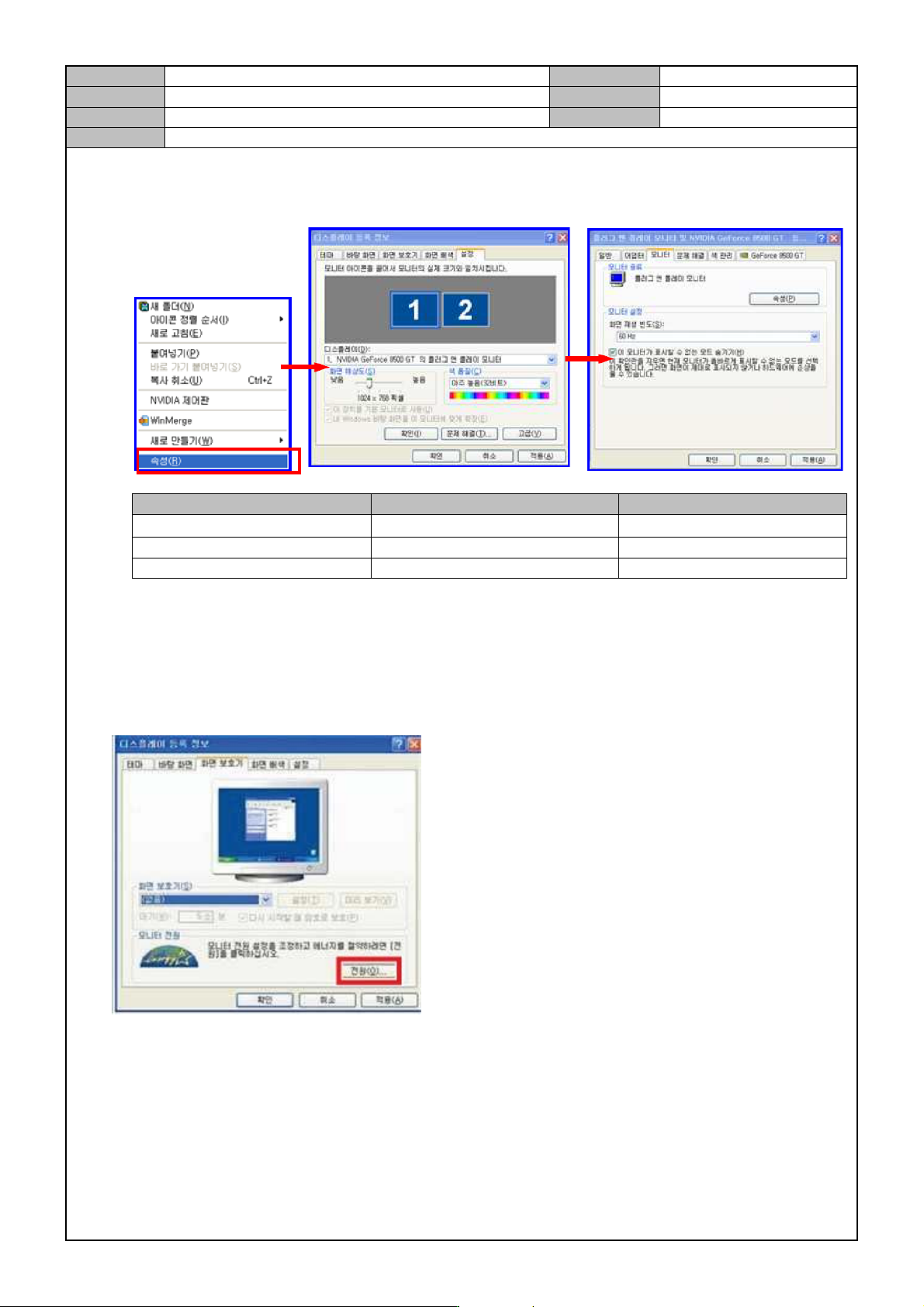
Monitor screen frequency setting
How to set frequencies
Items Settings Remarks
MONITOR
1024 × 768
Basic settings
Available frequencies 60Hz, 70Hz, 75Hz, 85Hz Select if noise is found
Prohibited frequencies 100Hz, 120Hz Out Of Range error occurs.
Check and set the monitor power.
1. Select the <Screen Saver> tab.
2. In <Monitor Power>, select <Power>.
Model
DECAN Series
Company
SAMSUNG TECHWIN
Module
3.14 OS
Version
01
Title
MONITOR SETTING
Page
3-14-16
Note
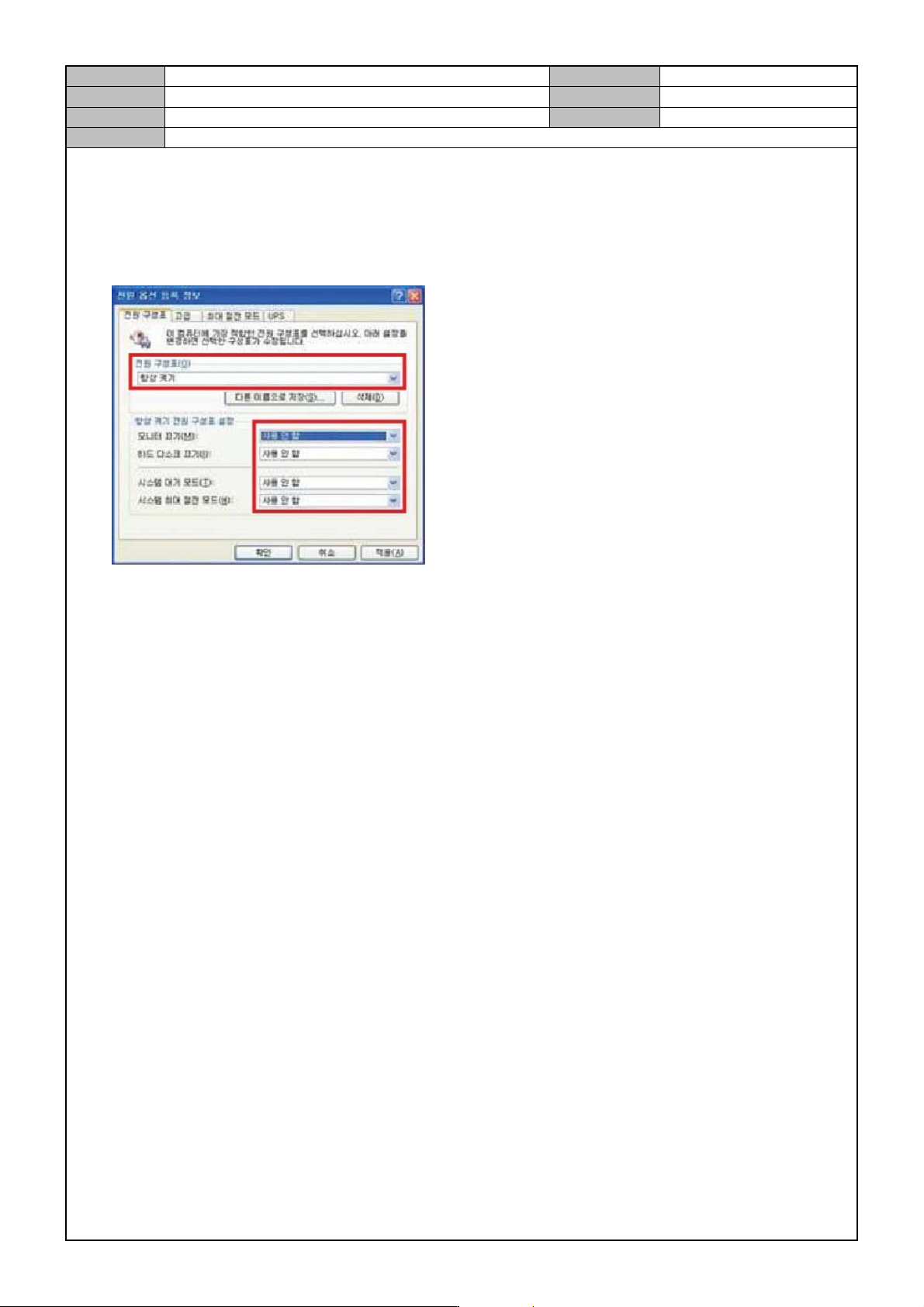
3. Check if the following is set and if not change settings.
Power chart: always on.
Monitor off: not used.
HD off: not used.
System standby mode: not used.
System max power saving mode: not used.
Model
DECAN Series
Company
SAMSUNG TECHWIN
Module
3.14 OS
Version
01
Title
COMPUTER NAME C HANGE
Page
3-14-17
Note
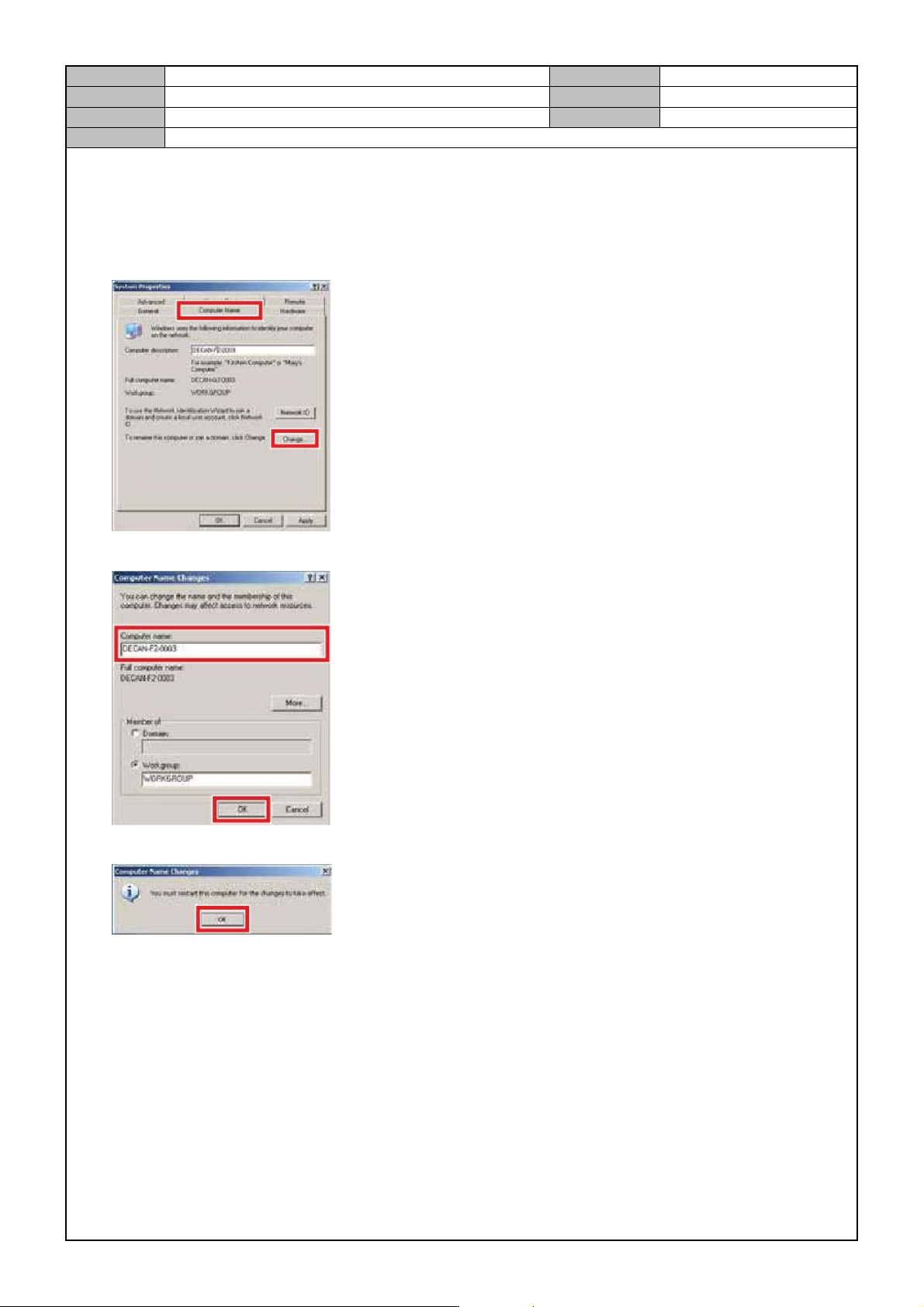
[COMPUTER NAME CHANGE]
1. Right click with your mouse button in Windows <My Co mputer> .
2. In the <PC Name> tab, select <Change>.
3. After entering model name, number in <PC Name>, click on <OK>.
4. When the following message appears, click on <OK>.