EN 3.pdf - 第269页
Model DECAN Series Company SAMSUNG TECHWIN Module 3.14 OS V ersion 01 Tit le CPU BOX BOOTI NG TEST Page 3-14-19 Note [CPU BOX BOOTING TEST] 1. Proceed with W i ndows booting. 2. Check the driver installation in <Devic…
Model
DECAN Series
Company
SAMSUNG TECHWIN
Module
3.14 OS
Version
01
Title
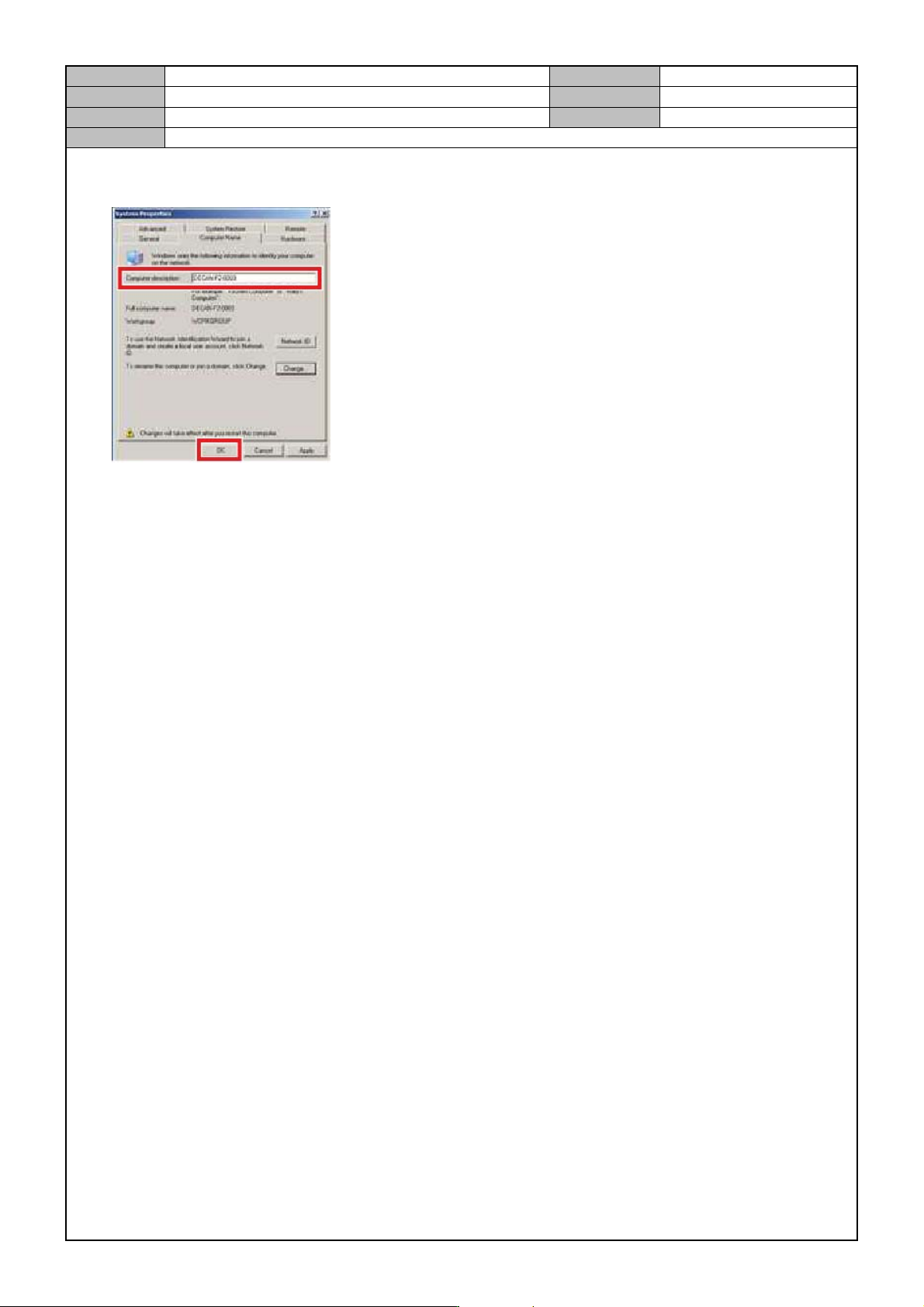
COMPUTER NAME C HANGE
Page
3-14-18
Note
5. After entering model name/number in <PC Description> of <Sy stem Register Info> windows, click on
<OK>.
6. When the rebooting prompt window shows up, select <Cancel>.

Model
DECAN Series
Company
SAMSUNG TECHWIN
Module
3.14 OS
Version
01
Title
CPU BOX BOOTING TEST
Page
3-14-19
Note
[CPU BOX BOOTING TEST]
1. Proceed with Wi ndows booting.
2. Check the driver installation in <Device Manager>.
Check if any driver is not detected.(except for the PCI Simple Communications Controller)
Check if SAMC ME is detected.
3. If everything is ok, then terminate Windows and repeat booting two or more times to see if booting if ok.
There should be no pauses during booting.
Booting time should not be delayed.
Date and time should be displayed properly.

Model
DECAN Series
Company
SAMSUNG TECHWIN
Module
3.15 PC RACK
Total Pages
12
Table of Contents
[PC RACK ASSEMBLY] ...................................................................................... 2
[PC RACK CHECK] ............................................................................................. 9
[POWER SUPPLY REPLACEMENT] ................................................................ 10
[COOLING FAN CHANGE] ................................................................................ 11
[PC RACK DUMMY SLOT SEPARATION] ........................................................ 12